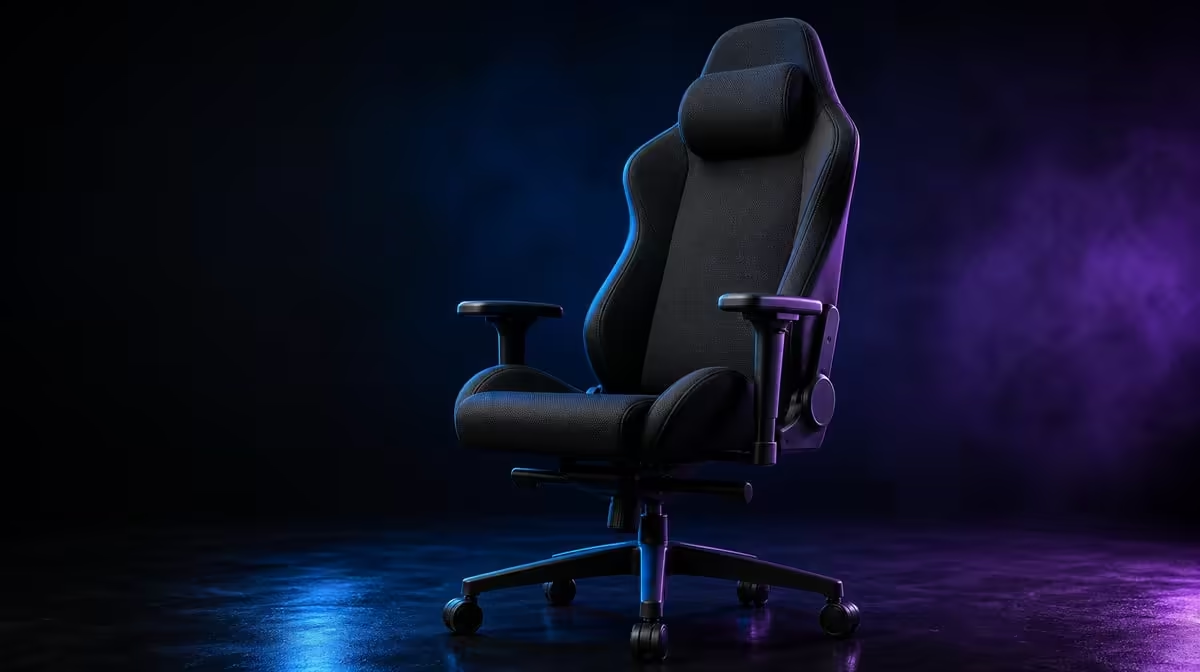
Long-hour ergonomics is a system rather than a chair feature list. A gaming chair ergonomics guide for long hours has to connect seated support, screen and control reach, task changes and movement. The R8,599 noblechairs HERO Black Edition contributes infinite lumbar tuning, enlarged 4D armrests and ventilation-focused PU, while the user still has to build a workable desk around it.
Quick Answer
Begin with a stable seated base, place the screen and controls within easy reach, then tune the HERO's lower-back contact and arm supports. Use movement breaks and reassess when work changes to gaming. At R8,599, the chair provides fine adjustments and robust construction, but it cannot make prolonged stillness harmless or guarantee comfort for every user.
🧭 Build the workstation from the body outward
Sit fully into the chair and let the shoulders relax. Bring the keyboard, mouse and screen towards this supported position rather than moving the body away from the backrest.
Check whether the head moves forward to read. Improve screen distance, text size or layout before asking lumbar support to correct a viewing problem.
Place frequently used controls where the elbows can remain near the torso. A distant pointer can pull one shoulder and side of the back out of alignment.
Use the same check for a controller, creative tool or secondary screen. Each task should fit within the supported area without forcing one rigid pose.
Look at the chair-to-desk distance after the user stands and returns. Small shifts can make the body reach without noticing. Restore the working distance before altering lumbar or armrest settings.
Test the least convenient regular control. If a shortcut key, secondary mouse area or notebook repeatedly pulls the user sideways, move it closer or reduce its frequency. Ergonomics should include the full task rather than the central keyboard only.
Keep the screen arrangement centred on what the user reads most. A secondary display can remain off to one side, but repeated long viewing should not demand a constant turn. Adjust application placement where that reduces the strain on the seated position.
Use a ten-minute baseline with no chair changes. Record when the back leaves contact, when shoulders rise and which control caused the movement. This provides a clearer adjustment target than general dissatisfaction.
Evetech's noblechairs gaming chair range provides the specific HERO context.
🎚️ Tune back and arm contact in sequence
Start the infinitely adjustable lumbar system at mild contact. Increase depth in small steps until the lower back feels met without the upper torso being pushed away.
Use a normal task between changes. A strong first sensation is not proof that the setting will remain useful through an hour of work.
After the torso is stable, bring the enlarged 4D pads beneath the forearms. Establish height with relaxed shoulders, then refine forward-back location, width and angle.
Test each side independently. Keyboard and mouse work can place the arms differently, while controller use usually brings both hands closer.
Check desk clearance as the chair moves. An armrest that catches the work surface can destroy an otherwise useful setup.
Run pad setup twice: once for work and once for gaming. During typing, support the forearms without forcing the wrists upward. During controller use, bring the pads rearward or inward if the hands naturally settle closer.
Check whether the enlarged surfaces contact the forearm rather than the elbow point or wrist. Broader pads allow more tolerance, but their location still matters.
If the user changes lumbar depth after the armrests are set, retest both sides. Torso movement can alter forearm height and make a previous pad setting unsuitable.
For shared chairs, store simple task cues instead of expecting identical settings. Each user should start from relaxed shoulders and mild lower-back contact.
The Evetech gaming chair category offers other support approaches for comparison.
🌬️ Include heat, structure and user range
The HERO combines breathable covering with styled air channels. These features support ventilation at contact surfaces but do not lower room temperature.
Test material comfort in the room and clothing normally used. Record session length and movement so environmental improvements are not attributed entirely to the chair.
The robust steel frame provides structural context, and the chair is designed for users up to 150kg. Neither fact selects the correct lumbar or armrest position.
A user below 150kg still needs to check body proportions and desk geometry. The intended range is an entry filter, not an ergonomic guarantee.
Keep the PU clean and dry with gentle care. Surface maintenance supports daily use without promising a service life.
Test the warm-room result after a normal length session. Note room airflow and clothing, and do not add a cover that blocks the original material.
Use the 150kg user design as a filter before ergonomic fine-tuning, not as proof that every body within the range will fit. Backrest and pad proportions remain individual.
The steel frame should be recorded as construction, not a posture feature. It supports the chair structure while the user and desk determine contact.
Give every row its own conclusion. This prevents a good ventilation result from hiding poor arm support or a strong frame fact from being mistaken for comfort.
🔄 Design the long session around change
Stand and move at planned intervals. Return to the neutral desk position before deciding whether a chair control needs adjustment.
Switch tasks deliberately. Retune pad depth or angle when moving from work controls to a controller, and reassess lumbar contact if the torso position changes.
Use a four-question review: can the user sit back, reach the controls, keep shoulders relaxed and move regularly? Fix the first failing point rather than changing everything.
Add a fifth question for long sessions: can the successful setup be restored after standing? Repeatability matters because breaks are part of the routine.
Change posture within a comfortable range instead of treating the reference as a pose that cannot move. The chair should support returning to useful contact, not lock the user into one position.
Use task transitions as review points. Before changing from work to gaming, stand briefly, reset the controls and move the pads to the new hand position.
Once the last task finishes, note which feature was actually used. Daily adjustments can justify premium value; unused controls should not receive automatic credit.
Persistent pain is not a chair-tuning project. Stop adjustments that worsen discomfort and seek appropriate professional advice for ongoing symptoms.
At R8,599, compare the HERO as a complete system through Evetech's premium gaming chair range. Check current availability after the full desk trial.
Frequently Asked Questions
Where should long-hour ergonomics begin?
Start with a stable seated base and bring the screen and controls within comfortable reach.
What does lumbar support do over time?
It maintains adjustable lower-back contact, but the setting still needs review as tasks and posture change.
How should 4D armrests support desk work?
They should meet relaxed forearms without lifting the shoulders or blocking the desk.
Why does screen placement belong in the guide?
An awkwardly placed display can draw the upper body forward and break contact with chair support.
Can the best chair make long sitting harmless?
No. Movement and posture changes remain essential.
How does breathable construction contribute?
It supports surface ventilation while room airflow and clothing still affect warmth.
When should the setup be reassessed?
Review it after task, user or desk changes and whenever repeated reaching or lost support appears.
Should one setting cover every activity?
No. Different hand positions can justify separate armrest and lumbar references.
How does the 150kg range affect posture?
It does not select posture; it only identifies the chair's intended user range.
Ready to build long-hour ergonomics as a complete desk routine?
Compare Evetech gaming chairs and test the HERO's support through work, play, movement and warm-room use.