Quick Answer
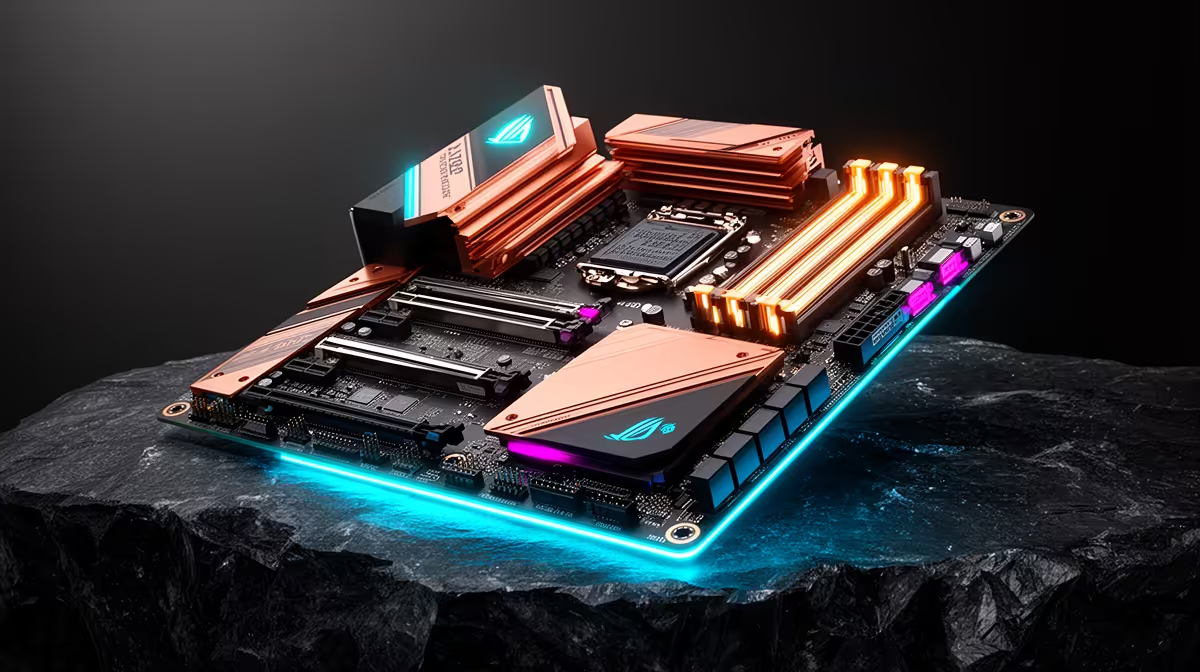
The best motherboard for content creation on the Core i9-14900K is the ASUS ROG STRIX Z790-F GAMING WIFI DDR5 (R6,500 at Evetech) — an 18-phase VRM handles the 253 W sustained draw during Blender renders; four M.2 PCIe 4.0 slots separate OS, project, cache, and export drives; and 2.5GbE enables 295 MB/s NAS transfers for 4K footage ingestion. For maximum performance, step to the MSI MEG Z790 ACE DDR5 (R8,000) for 24-phase VRM and dual 2.5GbE.
The i9-14900K as a Content Creation Platform
The Core i9-14900K (24-core: 8P+16E, 253 W Turbo, unlocked, LGA 1700) is the fastest consumer CPU on the LGA 1700 platform for production workloads:
- Blender CPU render: Approximately 40% faster than the i5-14600K; ~8% faster than the i9-13900K
- DaVinci Resolve export (H.265 4K): Completes a 30-minute 4K timeline export in approximately 4 minutes with RTX 3080 GPU acceleration
- Adobe Premiere Pro multi-cam: Handles 6× 4K streams simultaneously on 32 GB DDR5-6000
- Compiling large projects (UE5, Chrome): Among the fastest consumer CPUs for parallel build tasks
Named Board Recommendations for SA Creators
MSI MAG Z790 TOMAHAWK WIFI DDR4 (~R4,500): 16-phase VRM, four M.2 PCIe 4.0, Intel I226-V 2.5GbE, Wi-Fi 6E. Budget Z790 for content creation — handles stock i9-14900K (PL1 = 125 W) reliably. VRM runs warm under sustained renders but within spec.
ASUS ROG STRIX Z790-F GAMING WIFI DDR5 (~R6,500): 18-phase VRM, DDR5-7000+ support, Wi-Fi 7, Intel 2.5GbE, four M.2 PCIe 4.0. Best balanced choice for creators who also game.
MSI MEG Z790 ACE DDR5 (~R8,000): 24-phase VRM, dual 2.5GbE, Wi-Fi 6E, two PCIe 5.0 M.2 + three PCIe 4.0 M.2. For professionals who need maximum sustained performance — VRM stays under 60°C even at 5.6 GHz all-core Blender renders.
Content Creation GPU Pairings
- RTX 3080 10 GB (~R10,000): GPU-accelerated DaVinci Resolve + Blender; 10 GB VRAM can feel tight with 4K RAW cache
- RTX 4070 Ti 12 GB (~R15,000): Excellent 4K creator GPU — CUDA acceleration handles complex Resolve Fusion nodes in real time
- RTX 4090 24 GB (~R32,000): 8K creator standard — VRAM headroom for multi-layer 4K compositing without VRAM overflow
FAQ
How much RAM does the i9-14900K need for 4K video production?
32 GB DDR5-6000 dual channel is the production minimum for 4K H.264/H.265 editing. For 4K RAW (Blackmagic RAW, ProRes 4444) multi-cam with Fusion compositing in DaVinci Resolve, 64 GB DDR5 is the comfortable working environment — below this, memory paging slows complex node-based timelines. 128 GB makes sense only for 6K/8K or large After Effects project compositions.
Does the i9-14900K support ECC memory for professional content creation?
No — the consumer i9-14900K does not support ECC RAM. ECC requires Intel Xeon W or Core i9 W-series processors. For professional production where ECC is a deliverable requirement, the Intel Xeon W3-2435 on a W790 platform is the correct direction. Most SA creators at prosumer level (YouTube, advertising, broadcast) don't have ECC requirements and the i9-14900K is the standard choice.
Is DDR5 or DDR4 better for the i9-14900K content creation build?
DDR5-6000 provides a 15–25% memory bandwidth improvement over DDR4-3600 on the i9-14900K — meaningful for workloads that saturate memory bandwidth (Blender CPU renders, large After Effects compositions, ML inference). For video editing that relies heavily on GPU, the difference narrows to 8–12%. The additional R700–R1,500 for DDR5 over DDR4 is justified for creators doing CPU-intensive work daily; for casual creators, DDR4 is adequate and cheaper.
ASUS ROG STRIX Z790-F with the i9-14900K for content creation, set Power Saving enabled for the E-cores in BIOS during active render sessions — the E-cores handle background processes while P-cores focus on the render pipeline, improving sustained P-core boost clocks by 2–5% and reducing package temperatures by 8°C during long Blender renders.