


Using GitHub Copilot: Complete Beginner's Guide for SA Developers
Using GitHub Copilot: Complete Beginner's Guide for SA Developers. Everything you need to know with SA-specific pricing and recommendations.
Read more• Analyze performance and latency (dedicated wireless casting kits) • Compare reliability vs built-in smart TV casting • Recommend top kit types and buying tips Discover why dedicated wireless casting kits outperform built-in smart TV casting and how to pick one. 🔌📺
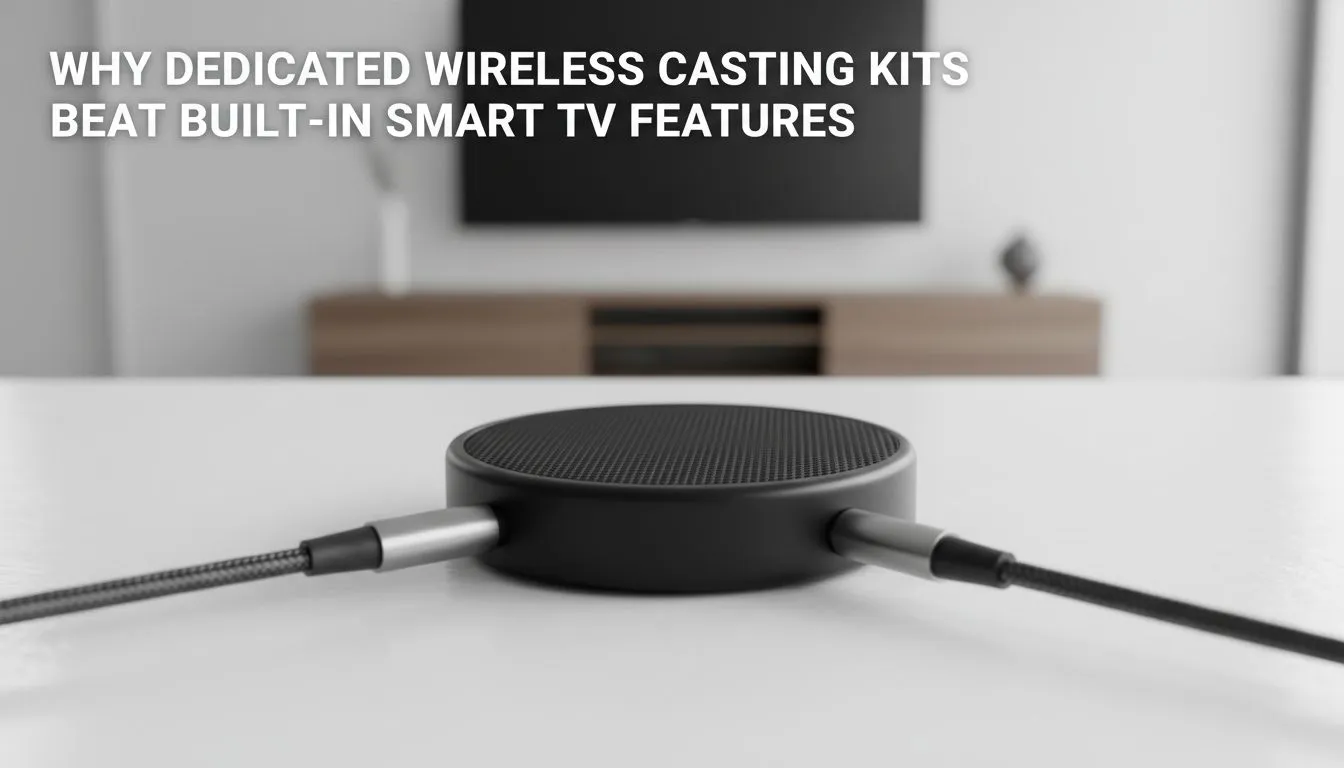
If your game stream stutters during a clutch moment, it’s not you—it’s your setup. Dedicated Wireless Casting Kits: Why They Beat Smart TV Casting explains why South African gamers and home‑theatre buyers are choosing purpose‑built kits over built‑in Smart TV casting. Expect lower latency, fewer connection drops, and consistent quality across devices. Read on for practical tips and where to shop. ✨
Smart TVs bundle casting into an all‑in‑one OS that must handle apps, updates, and background tasks. Dedicated casting kits run a single job—send audio and video—with optimised hardware and firmware. That focus typically yields smoother 60fps streams and fewer frame drops... especially useful for wireless LANs shared with multiple devices. For local deals and accessories to improve your setup, check Evetech’s gaming accessories listings for compatible gear and adapters. https://www.evetech.co.za/PC-Components/buy-gaming-accessories-160.aspx
A casting kit often ships with a compact transmitter and receiver that pair instantly. Unlike Smart TVs that vary OS behaviour by brand and firmware, kits are platform‑agnostic and support multiple HDMI sources, consoles, and PCs. That means less troubleshooting when mates come over for a FIFA session. If you’re hunting for peripherals or USB adapters to make the connection seamless, explore the current accessories deals at Evetech. https://www.evetech.co.za/gaming-accessories-deals/x/229.aspx 🚀
Dedicated kits usually include external antennas or stronger transmitters, letting you place the receiver near your TV while the transmitter stays by your console or PC. That flexibility reduces obstacles and Wi‑Fi contention—common culprits behind buffering. Want to see which accessories can reduce interference in your living room? Browse the gaming accessories category to compare options and prices in ZAR. https://www.evetech.co.za/PC-Components/buy-gaming-accessories-160.aspx?category=Gaming+Accessories
Keep the transmitter at least one metre off the floor and avoid placing it directly behind your Wi‑Fi router. A small directional antenna or an HDMI extender can reduce signal obstruction and lower latency significantly.
If you mainly stream casual video from a single brand ecosystem, a Smart TV’s casting may be fine. For almost everything else, a dedicated kit gives reliability and control.
Casting kits come in a range from affordable transmit/receive bundles to premium low‑latency systems. When budgeting, factor in a modest ZAR spend for a reliable kit plus any needed HDMI or power accessories. Compare models on local retail pages to confirm compatibility with your console or PC—Evetech’s accessories pages are a convenient starting point.
Swapping to a dedicated wireless casting kit often feels like swapping to a proper tool for a job. You get fewer surprises during game night and clearer picture and sound when you want it most. Want hands‑on advice? Our team can help you match a kit to your room layout, console, and budget.
Ready to Find Your Perfect Match? The Mac vs Windows debate is complex, but for maximum power, choice, and value in South Africa, Windows is hard to beat. Explore our massive range of laptop specials and find the perfect machine to conquer your world.
Yes. Dedicated wireless casting kits usually deliver lower latency, better compatibility and more stable streams than many built-in smart TV casting features.
Many low latency wireless casting solutions cut input lag and buffering, making them better for cloud gaming and fast-action video than smart TV casting.
Most modern kits use HDMI and common protocols so they work with any TV with an HDMI port; check compatibility for specific codecs and resolutions.
Setup is typically plug-and-play: connect the external caster to HDMI and pair. It's often faster and more consistent than troubleshooting smart TV apps.
Yes. High-end kits support 4K HDR streams and higher bitrates, providing better quality than many built-in smart TV casting options.
Prioritize low latency, 4K HDR support, solid wireless range, codec compatibility and firmware update support when selecting a kit.
Often yes. Dedicated devices receive targeted firmware updates and offer clearer privacy controls than many smart TV platforms.
Using GitHub Copilot: Complete Beginner's Guide for SA Developers. Everything you need to know with SA-specific pricing and recommendations.
Read more
Back-to-School Headset Buying Guide for SA 2026. Everything you need to know with SA-specific pricing and recommendations.
Read more
Mesh Front Panel Setup and Configuration: Complete Tutorial. Comprehensive coverage with SA insights, Rand pricing, and practical recommendations.
Read more
Black Screen: Troubleshooting Guide #1. Everything you need to know with SA-specific pricing and recommendations.
Read more
The Complete 2026 Guide to Storage in South Africa. Everything you need to know with SA-specific pricing and recommendations.
Read more
1000W PSU Not Working After Load Shedding: Recovery Guide. Everything you need to know with SA-specific pricing and recommendations.
Read more
AMD RX 9050 XT: Rumoured Specs, Price & Release. SA-focused analysis with local pricing data, real-world insights & actionable buying advice.

Can RTX 4080 Super Run AI Workloads for SA Developers Detailed answer with SA data, expert analysis & practical recommendations for local buyers.

Can RTX 4090 Run AI Workloads for SA Developers Detailed answer with SA data, expert analysis & practical recommendations for local buyers.

Top Settings for Intel Arc B580 at Ultrawide 1440p picks evaluated on performance, value & SA availability with current Rand pricing from Evetech.

RTX 4060 CS2 Low Settings at 1080p: FPS Results. Real-world benchmark data, FPS numbers & performance analysis. What SA gamers can actually expect.

Visual Artifacts: Possible GPU Issue Issue #1. Diagnosis steps, proven fixes & when to seek professional help. SA-specific support info included.

Can the RTX 4090 Handle 1440p 144Hz Gaming. Performance testing verdict with real data & practical recommendations for SA buyers.

Top ASUS GPU Under R15000 picks evaluated on performance, value & SA availability with current Rand pricing from Evetech.

GTA 6 Max Settings on RTX 5070. Tested & verified settings for best FPS and visual quality on SA hardware budgets.

Cyberpunk 2077 Max Settings on RTX 5080. Tested & verified settings for best FPS and visual quality on SA hardware budgets.

Starfield Max Settings on RTX 5070 Ti. Tested & verified settings for best FPS and visual quality on SA hardware budgets.

Top RTX 5090 Under R5000 picks evaluated on performance, value & SA availability with current Rand pricing from Evetech.