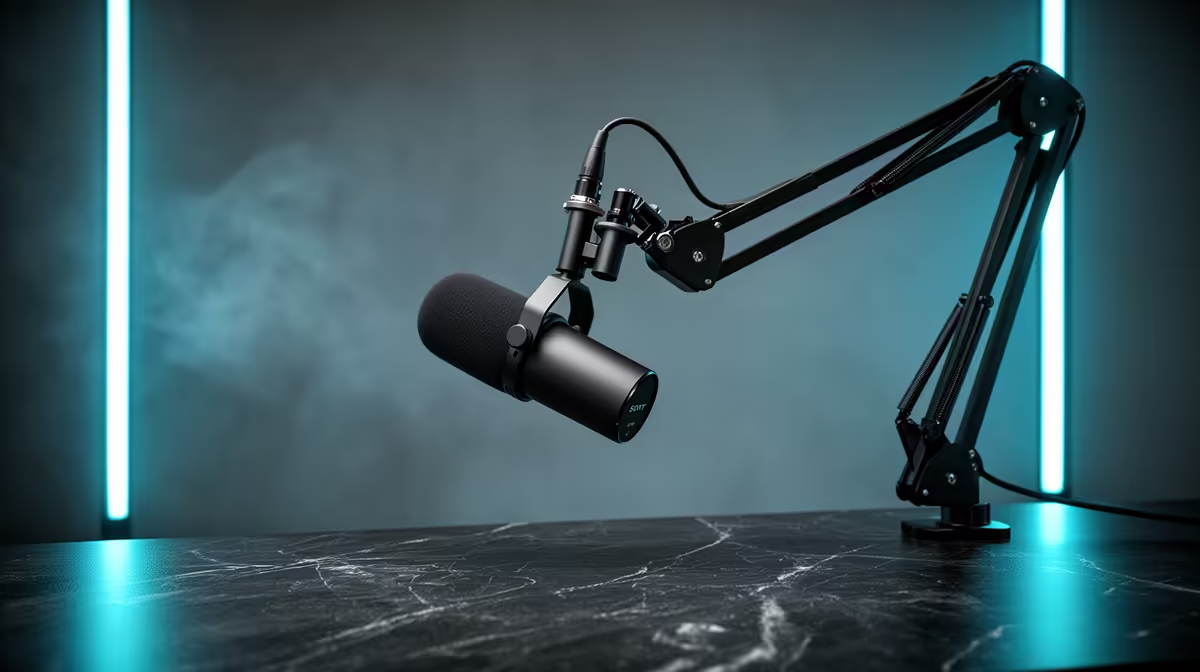
The microphone stand you use shapes the recording before you say a single word. Placing a mic on a cheap desk tripod and clamping a proper boom arm to the edge of your desk produces two fundamentally different recordings from the same capsule. The difference is not subtle on playback, and once you hear it you cannot un-hear it.
Quick Answer
A boom arm beats a desk stand for audio quality because it positions the mic 10 to 15cm from your mouth at the ideal angle and isolates it from desk vibrations. A desk stand is simpler and cheaper, but its fixed low position passes keyboard rumble directly into the capsule.
🔧 The Vibration Problem With Desk Stands
A standard desk stand makes direct contact with your desk surface at all times. That is where the problem starts. Every keyboard tap, mouseclick, elbow rest and vibration from a fan resting nearby travels through the desk, into the stand, and up into the capsule. The microphone reads these as low-frequency rumble in the 50 to 150Hz range, which sits right underneath the warmth of a speaking voice.
Depending on the stand design, you may not notice individual keystrokes on playback. What you will notice is a subtle dirtyness to the low end that makes the voice sound less clean than the room actually is. On a USB condenser, which is sensitive to pressure changes across a wider frequency range, a direct-coupled desk stand is especially unforgiving. Play back a recording and knock the desk once while monitoring with headphones and the problem is immediately clear.
Shock mounts exist specifically to address this, and pairing a quality shock mount with a desk stand does help. But the stand itself still constrains where you can position the mic, and no amount of isolation hardware fixes the height problem.
The Height Constraint
A standard desk stand positions the capsule 10 to 18cm above the desk surface, which typically puts it at chin height or lower when you are seated at a gaming or work setup. Speaking down into a microphone is not natural, it changes how your voice resonates, and it puts the mic significantly further from your mouth than ideal. Optimal placement for voice recording is roughly level with your mouth, about 10 to 15cm in front of it.
To speak into a desk-mounted mic at the right distance and angle you have to lean forward or hunch down. That posture is sustainable for a five-minute call. For a two-hour streaming session or a long podcast recording, it creates real physical discomfort and, over time, inconsistent distance from the capsule.
🦾 What a Boom Arm Changes About Your Recording
A boom arm attaches to the desk edge via a jaw clamp, keeping the stand hardware off the desk surface entirely. The structural contact is at the clamp point alone, which immediately reduces the amount of transmitted vibration compared to a stand sitting flat on the desk. Quality metal arms with built-in internal spring tensioning add another layer of mechanical isolation, and pairing one with a shock mount at the mic end produces a floating assembly that is remarkably resistant to desk thumping.
Beyond isolation, the boom arm gives you positioning freedom that a fixed stand simply cannot offer. You can bring the mic directly to mouth height, push it out of your camera frame, angle it slightly off-axis to reduce plosive impact, and swing it aside when you step away, all without moving anything off your desk or disturbing your setup. For streamers on camera, keeping the mic out of shot while keeping it close is a specific practical challenge that a boom arm solves cleanly.
Pro Tip ⚡
When setting up a boom arm for the first time, position the capsule 10 to 12cm from the corner of your mouth at a slight downward angle rather than directly in front of your lips. This placement preserves voice warmth and catches fewer plosives than a straight-on position, without a pop filter doing all the work.
Weight Ratings and SA Desk Thicknesses
Not all boom arms are equivalent. Cheap plastic arms with external springs sag under the weight of a full-size condenser microphone, which shifts your careful positioning mid-session. Metal arms with internal spring mechanisms rated for 1 to 1.5kg hold their position reliably across a full day.
Check the clamp before buying. Many South African gaming desks have thick frames, often 30 to 40mm or more. A clamp that only opens to 25mm will not fit, and you will either need a secondary mount or a riser. The product specifications should list maximum clamp jaw opening clearly.
💰 Cost and Sensible Trade-offs
The price gap between a basic desk stand and a quality boom arm is real. A decent weighted desk stand runs roughly R150 to R300. A metal boom arm with internal spring tension and a proper jaw clamp sits around R600 to R1,000. That is two to four times the cost for mounting hardware, and if your primary use case is occasional video calls from a quiet home office, the desk stand is perfectly adequate.
The calculation changes as soon as you add any of these three factors: you record for more than an hour at a time, you type while recording, or you appear on camera. Any one of these makes the boom arm the better investment, because the problems the stand creates in those scenarios compound over time.
A note on build quality at the lower end of the boom arm range: arms under R400 often use plastic articulation joints that develop play after a few months. The arm starts to drift slowly from your set position. Spend to the R600 to R1,000 range and buy a metal-jointed unit with positive-locking joints, and it will hold its position reliably for years.
🎙️ Desk Stand Scenarios Where the Case Holds Up
The desk stand is not always the wrong answer. In a dedicated recording corner with no mechanical keyboard, a surface isolating mat under the stand, and a setup that does not require on-camera positioning, a quality desk stand with a shock mount performs well. Add a soft room with carpet and curtains and the isolated desk stand delivers very clean results.
For a fixed position that never needs adjusting, where the desk is never bumped and recordings are short, the desk stand is simpler to manage. There are no articulating joints to check, no clamp to tighten, no arm to swing aside when not recording. For a student in a koshuis recording assignment submissions from a tidy desk, that simplicity has genuine value.
The honest answer is that most South African streamers and podcasters who record regularly, especially those with mechanical keyboards, will hear an audible improvement from switching to a boom arm. It is one of the more cost-effective upgrades in the whole audio chain.
Frequently Asked Questions
Why does a boom arm sound better than a desk stand?
A boom arm mounts to the desk edge via a jaw clamp and holds the mic in free air, breaking the solid mechanical path that carries keyboard taps and desk vibration to the capsule. It also allows you to position the mic 10 to 15cm from your mouth at the correct angle, both of which improve recorded quality compared to a low, desk-coupled stand position.
When is a desk stand the smarter choice?
A desk stand makes sense when simplicity and low cost are the priority and recording conditions are controlled. If the room is quiet, the desk is not bumped during recording, and you are not doing long sessions on camera, a desk stand with a shock mount performs well. For occasional short recordings without a mechanical keyboard nearby, it is a practical choice.
Does a desk stand transmit more vibration?
Yes. Sitting directly on the desk surface, a stand creates a rigid mechanical path from the desk to the capsule. Keyboard taps, mouseclick impacts and even nearby fan vibrations travel up through the stand as low-frequency rumble. A boom arm anchored at the desk edge breaks most of that path, particularly when combined with a shock mount.
Can a boom arm free up desk space?
Yes, meaningfully. A tripod desk stand occupies roughly 15 by 15cm of usable desk area and cannot be moved aside quickly. A boom arm anchors at the desk edge and keeps the mic in free air above the desk surface, reclaiming that footprint entirely. When you are done recording you can swing the arm out of the way without removing anything.
How much more does a quality boom arm cost?
A quality weighted desk stand typically runs R150 to R300. A metal boom arm with internal spring tensioning and a reliable jaw clamp sits at around R600 to R1,000. The premium is real, but the improvement in vibration isolation and positioning flexibility for regular recordings justifies the gap for most users who record more than occasionally.
Ready to hear what your microphone actually sounds like?
Browse the boom arm and microphone stand range at Evetech and match the right mount to your setup for cleaner recordings every session.