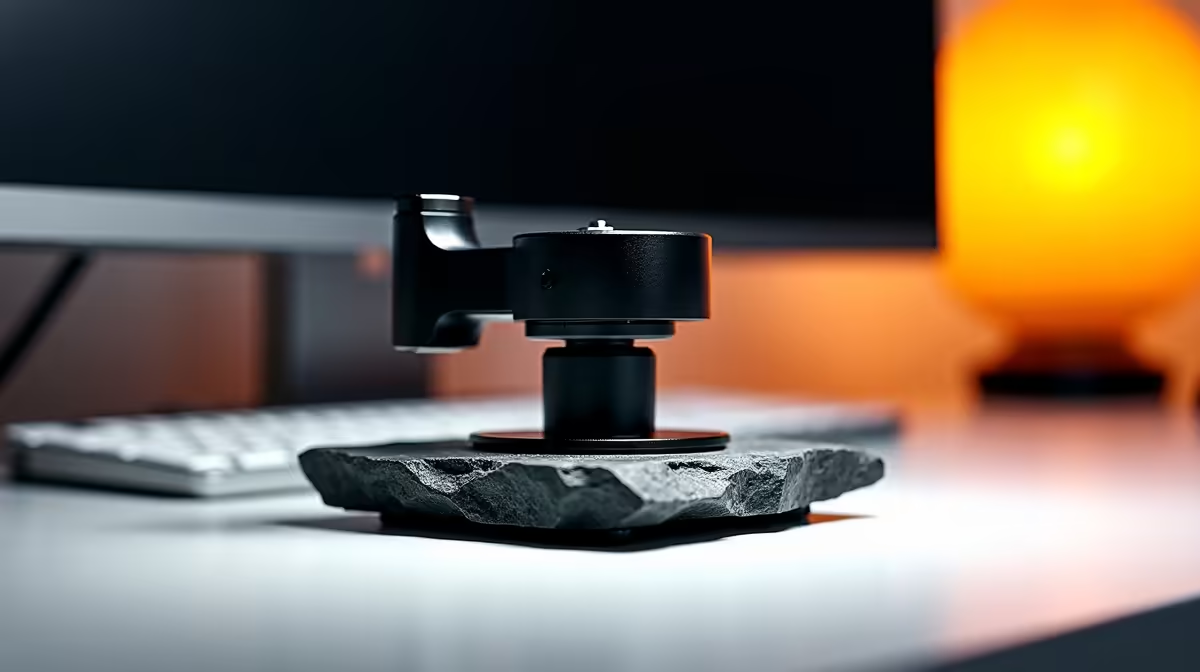
The way you mount a webcam shapes how the camera behaves more than most people expect. A desktop camera stand and a boom arm are not interchangeable options for the same job; they are different tools with different strengths, and putting the wrong one on your desk produces problems that no amount of adjusting can fully fix. Getting the choice right once saves repeated frustration.
Quick Answer
A desk stand sits on the surface and suits a fixed eye-level face-cam. A boom arm attaches to the desk edge via a clamp, swinging the camera through wider angles including overhead. The stand is steadier and simpler; the boom wins when surface space is genuinely tight or the shot needs to move through angles the stand cannot reach.
🔧 How a Desk Stand Works and Who Needs One
A desk stand is a weighted column on a base that sits on the desk surface. The camera attaches to the head at the top, and the stand holds it at whatever height and tilt the head is locked to. The weight of the base is what prevents the whole unit from tipping, so the base design matters: a heavy cast base with a low centre of gravity resists nudges from keyboard use or cable pulls, while a hollow plastic base with a high-mounted camera above it is an invitation to accidents.
The practical strengths of a stand are steadiness and simplicity. A properly weighted stand, in the R250 to R450 range locally, holds a 200g webcam with essentially zero movement during a session. There is no counterbalance to maintain, no clamp to tighten against a desk edge, and the camera height is set by a single column lock. The setup takes under two minutes and there is nothing to come loose mid-broadcast.
Desk stands suit fixed face-cam angles best. The standard streaming or podcasting shot, lens at seated eye level pointing straight at the face, is exactly what a stand is designed for. The base sits behind the keyboard, the column raises the camera to the correct height, and the head locks the lens at a slight downward tilt. That configuration holds for a session, a month, or a year without change.
The constraint of a stand is footprint. A 600g base occupies desk real estate. On a 120cm or wider desk the footprint is not a problem; on a narrow 80cm desk with a large keyboard and a monitor already placed, the stand base competes for the same surface the rest of the setup needs.
Stability Under Real Desk Conditions
A stand's stability advantage is clearest during active desk use. Typing hard or reaching across sends vibration through the surface; a heavy base with a wide footprint absorbs that vibration rather than channelling it up the column.
A boom arm has a long lever from clamp to camera head, which amplifies desk movement. Well-damped arms at higher price points reduce this, but a budget boom on an active desk can produce visibly shaky footage.
🚀 How a Boom Arm Works and Who Needs One
A boom arm fixes to the desk with a C-clamp or grommet mount at the edge, then extends a jointed arm over the surface. The camera mounts at the end of the arm, which can be positioned anywhere within the arm's reach, including directly above the desk, out to one side, or at heights unreachable by a column stand.
The desk-edge mounting is the boom arm's key feature: it frees the entire desk surface within the arm's range. No base, no column footprint, just the arm reaching in from the side. On a 60 to 80cm deep desk where the keyboard, mouse, and monitor already occupy most of the surface, moving the camera to a boom arm is the only way to keep the desk clear while still getting the camera into the right position.
The second strength of a boom arm is angle range. The jointed arm can swing through overhead positions, angling down for a top-down shot of a keyboard or drawing surface, and it can reach out to the side for profile angles. A fixed column stand cannot do either. For content requiring multiple camera angles in one session, a boom arm is the more versatile tool.
A boom arm can also carry a mic clip on one of its joints, sharing the clamp attachment and reducing total desk hardware.
Pro Tip ⚡
If you decide on a boom arm, run a cable sleeve along the arm before attaching the camera. Routing the USB cable through an open sleeve at installation time is straightforward; routing it after the arm is in position and the camera is attached is fiddly and frustrating. Spend the two minutes doing it right at setup.
💰 Local Pricing and the Decision Point
Desk stands in the R200 to R450 range cover the metal-column, weighted-base category that suits webcam use. Boom arms for webcam mounting start around R350 for single-jointed options and reach R800 to R1,200 for dual-jointed arms with damping and built-in cable channels. Neither purchase is permanent; the local market prices are stable enough that switching later is not expensive.
🎯 Which Suits Your Actual Setup
Look at the desk. If there is a clear area behind the keyboard where a base can sit without pushing other gear aside, a stand is simpler, steadier, and costs less. If the surface is genuinely packed, a boom arm is the practical answer.
Neither choice affects image quality; both hold the camera at the same lens height for the same shot. The decision is footprint, angle range, and complexity. For people who will never use overhead angles or profile shots, the stand's simpler daily experience is the better buy.
Frequently Asked Questions
How do a desk stand and a boom arm differ in everyday use?
A stand sits on the surface and holds the camera at a fixed height. A boom arm mounts at the desk edge and extends over it, freeing the surface while placing the camera anywhere within the arm's reach. The stand offers greater steadiness and simpler operation; the boom arm trades some of that stability for versatility and zero desk footprint.
Which is steadier for a long streaming session?
A weighted desk stand. Its base distributes load across a wide footprint on the surface, and the short column means vibration has little mechanical advantage. A boom arm has a long lever from clamp to camera, which amplifies any desk movement at the camera head. A well-damped arm reduces this, but a solid stand is mechanically more stable at any price point.
Does a boom arm genuinely save desk space?
Yes, meaningfully. A boom arm's footprint on the desk surface is zero once clamped to the edge. A desk stand's base occupies 100 to 200 square centimetres depending on the model. On a narrow or fully packed desk, the difference is the webcam sitting above the space rather than competing for it.
Can a boom arm reach overhead angles for a top-down shot?
Yes. A dual-jointed boom arm with 400 to 600mm of total reach can position the camera directly overhead for a top-down view of a keyboard, sketchpad, or gaming surface. A column desk stand cannot position the camera above the desk, only beside and in front of it. If top-down framing is part of the content plan, a boom arm is the right choice.
Which should a simple eye-level face-cam use?
A desk stand, almost always. For a fixed talking-head angle, a stand is steadier, costs less, and involves fewer variables. The boom arm's flexibility is only an advantage if the content uses different angles or the desk has no room for a base.
Should tight desks default to the boom arm?
Yes, when surface space is the binding constraint. A clamped boom arm frees the footprint entirely. If the desk is narrow or the surface is already full, a stand adds competition for space that a boom arm avoids by using the desk edge instead of the surface.
Ready to mount the webcam properly for your setup?
Browse the webcam stand and boom arm range to find the right approach for your desk size, shot requirements, and budget.