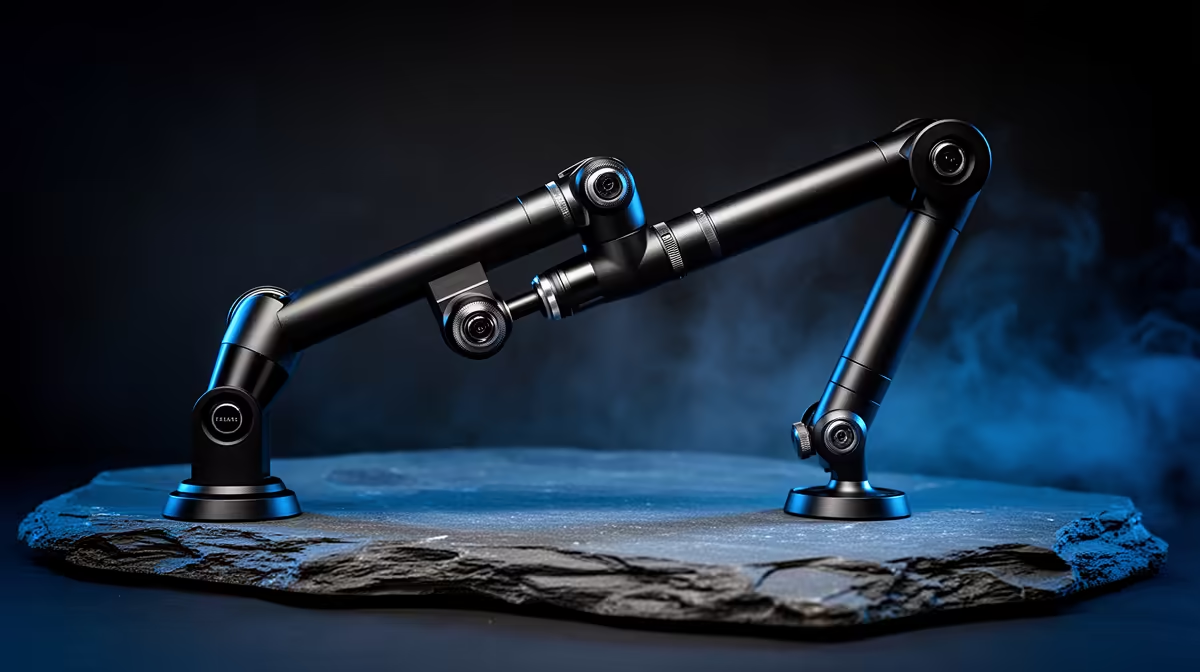
The microphone stand sitting on your desk right now is probably doing two things wrong: it keeps the mic too low, and it occupies surface area you need. Desktop mic stands vs 360-degree metal boom arms is not a spec comparison for its own sake. It is a practical question about whether your neck hurts after a two-hour stream, whether your wrists bump the base when you type, and whether your audio holds up through every session because the mic actually stayed in position.
Quick Answer
A 360-degree metal boom arm wins on ergonomics. It clamps to the desk edge, floats the mic at exact mouth height and frees the footprint a stand base occupies. A fixed desk stand is cheaper and fine for a permanent single-position setup, but it cannot match the arm on posture, clearance or repositioning speed.
🔧 How Each Design Holds the Microphone
A desktop stand is a weighted base with a fixed or adjustable shaft rising from it. The base sits flat on the surface and the mic mounts at the top, usually between 15 and 30 centimetres above the desk. The structure is simple, stable and impossible to tip if the base is heavy enough. Its limitation is exactly that simplicity: the mic ends up wherever the stand's height puts it, and that height is often not mouth height for a seated adult.
Most desktop stands top out at around 25 to 28 centimetres. A person sitting upright at a standard desk has their mouth at roughly 35 to 45 centimetres above the surface, depending on chair height and posture. That gap means the mic sits below your chin. Over a long session, the body compensates by leaning forward and tilting down, which is how a desk stand quietly becomes a posture problem.
A 360-degree boom arm solves the geometry from the other direction. It clamps onto the desk edge, either at the top or the side depending on the model, then extends horizontally across the surface and vertically to wherever you position the mic head. The full 360-degree rotation at the joint means the mic can reach any angle, from a direct front-on position to slightly behind and above, which is the natural broadcast sweet spot. Tighten the friction knob and the arm holds that exact position under 1.5 kilograms of load without drifting.
The arm does not sit on the desk. That is the structural difference that makes everything else possible.
🧠 The Ergonomic Case for the Boom Arm
Posture during audio recording is not a wellness talking point. It is a quality control issue. When you hunch forward to reach a low mic, your diaphragm compresses slightly and your vocal projection changes. The difference between speaking naturally upright and reaching down is audible in the recording, and it compounds over hours into genuine fatigue.
A boom arm set to mouth height removes the compensation. Your chin stays level, your shoulders sit back and your voice has full projection on every take, whether you are recording minute five or hour three of an editing session. South African creators who run long streams, unboxings or tutorial recordings often find that swapping the desk stand for an arm is the single change that improves both their audio and how they feel at the end of the session.
Typing clearance
The footprint problem is concrete. A typical desktop stand base measures roughly 12 centimetres across. That is 12 centimetres of desk that cannot hold anything else, positioned right where you need to reach for the keyboard. If your desk is under 120 centimetres wide, which covers a large portion of home setups, that base is probably sitting in your typing zone right now.
The boom arm moves that footprint to the desk edge, which is dead space in most setups. The clamp jaw takes up about 3 to 4 centimetres of the edge rim. Nothing is lost from the working surface, and the mic floats above or beside the monitor completely clear of the keyboard and mouse area.
Repositioning speed
A desk stand gets moved by lifting it and placing it somewhere else. This is not a crisis but it is slow enough that most people leave the stand in one spot and adjust their seating instead, which loops back to the posture problem. A boom arm with a loose friction joint swings clear with one hand in under a second. For a creator who switches between streaming position, recording position and a secondary camera angle, that speed matters across dozens of takes in a session.
Pro Tip ⚡
When clamping a boom arm to a thick gaming desk, check the clamp throat opening before purchasing. Most quality metal arms open to around 55 millimetres, which covers standard desktops comfortably. A sitting desk with a bevelled edge or lip may need a bar clamp adapter. Spend 30 seconds measuring your desk thickness and comparing it to the clamp spec. It saves a return shipment.
💰 Where the Desk Stand Still Makes Sense
The boom arm wins on ergonomics, but it is not the right choice for every situation, and the desk stand deserves a fair assessment before you dismiss it.
If the mic sits in one fixed position all day, rarely moved and positioned on a desk with plenty of room, the desk stand is honest value. There are fewer parts to tighten, nothing to clamp or unclamp, and no arm to accidentally swing into a monitor. A weighted cast stand holding a side-address condenser in a quiet corner of a studio room is completely adequate.
The desk stand also suits setups where clamping is not possible. Glass desk tops, very thin desks, desks with a full-length front lip or desks near a wall where the clamp cannot open wide enough are all situations where a stand is the practical answer rather than a compromise.
For a first microphone setup, the stand often comes bundled and costs nothing extra. Getting audio sorted before optimising the mount is sensible. Buy the arm when the stand starts costing you posture or desk space, not before you have experienced the limitation.
Frequently Asked Questions
Why does mic height matter so much during a long stream or recording session?
A boom arm lets you set the microphone at exact mouth height, so your chin stays level and your shoulders stay back throughout the session. A desk stand typically sits below chin height, which means your body compensates by leaning forward and tilting over time to bring your mouth closer to the capsule. Over two or three hours, that constant forward lean causes genuine neck and shoulder strain that arm-mounted positioning prevents entirely.
Is a desktop stand ever the better choice for ergonomics?
For a very short recording session on a clear desk, a stand is fine. The ergonomic argument for the stand only holds if the shaft is tall enough to reach your mouth, which most consumer desk stands cannot do without a riser. If the stand puts the mic at or above chin height, it works. If it sits below your chin and you compensate by leaning, the arm is the better ergonomic choice.
Does clamping an arm to the desk edge free up meaningful working surface?
Yes, substantially. The clamp jaw sits on roughly 3 to 4 centimetres of the desk edge, which is dead space in most setups. Nothing disappears from the usable top surface. A desktop stand base, by contrast, occupies around 12 centimetres of surface area right in front of the keyboard. Moving that footprint to the rim is one of the more underrated benefits of switching to an arm.
Can a boom arm hold heavier studio microphones without drooping?
A quality metal arm rated to 1.5 kilograms will hold a standard USB condenser or a medium-weight dynamic mic without drifting when the friction joints are set correctly. Heavier broadcast mics at 400 grams or above need the joint tension tightened firmly, and a second check after the first session confirms the arm has settled. Cheap plastic arms sag under weight. A steel arm rated to its load does not.
What should I look for in a boom arm clamp to avoid desk damage?
Padded clamp jaws are the main thing to check. A metal clamp biting directly onto a soft or lacquered desk surface will mark it over time. Most quality arms include rubber or foam pads on the jaw faces. If yours does not, a cut strip of felt between the clamp and the desk provides protection without reducing grip. For desks with a soft or high-gloss finish, add the felt pad before first use.
Ready to stop hunching and clear your desk at the same time?
Browse the metal boom arm and microphone stand range at Evetech and find the mount that puts your mic exactly where your voice is.