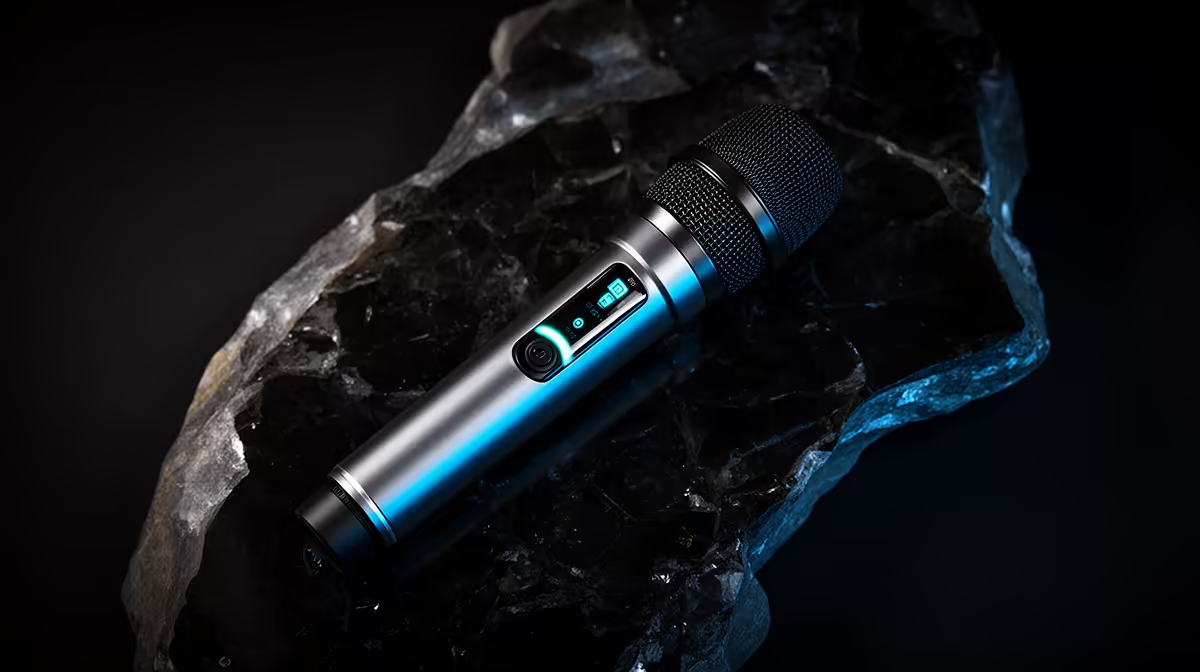
The best wireless microphone for your content is not the one with the longest spec sheet, it is the one sized correctly for the work you actually do. Overspending on features you never activate is as much of a problem as underspending and hitting a ceiling in the first month. Determining the right ZAR budget for a content creator wireless mic starts with a clear read of how many channels you need, how far you genuinely shoot, and which monitoring features will save you time on real projects, then building a budget from those answers rather than a number on a product page.
Quick Answer
Solo creators typically land well from R2,000 up to R3,500 for a single-channel kit with solid range and basic monitoring. Interview and dual-speaker setups push that to R4,500 to R7,000 for a two-channel kit with LCD monitoring. Beyond R8,000 you are mostly paying for extreme range and rugged outdoor builds most home creators will not fully use.
🔧 Channel Count: The Budget's First Gate
Channel count is the single most consequential variable in a wireless mic budget, and it should be the first question on your checklist. A solo creator, someone who films themselves reviewing gear, presenting tutorials, or vlogging alone, needs one transmitter and one receiver. A single-channel kit at this level performs everything required with no unused capacity.
At the R2,000 to R3,500 range in South Africa, single-channel wireless kits offer clean audio, adequate range for indoor and street shooting, and USB-C or 3.5mm connectivity for cameras and phones. That is a complete functional kit for a solo operator, and spending more at this stage adds features rather than core quality.
The budget shifts meaningfully when a second person enters the frame. An interview format, a podcast with a guest, or a two-presenter event all require two microphones recording simultaneously on separate channels. A capable dual-channel kit with independent gain control per transmitter typically sits in the R4,500 to R7,000 bracket. The jump in price reflects the doubling of transmitter hardware, the more complex receiver processing, and usually a better display for managing two signals at once.
Why Separate Channels Matter for Interviews
Blending two speakers into a single mono track before recording removes your ability to balance them in the edit. If the guest's microphone picks up 4dB hotter than the interviewer's, you are either riding levels manually on every sentence or living with an uneven mix. Two-channel kits record each transmitter to a separate input, giving the editor full control. That workflow separation is worth the price premium for any creator doing regular interview content.
🎯 Matching Range to Your Actual Shooting Distance
Range is where marketing does the most work and where buyers most commonly overpay. A kit rated at 200m sounds dramatically more capable than one rated at 100m, and the price difference can reach R1,500 to R2,500 for equivalent kits from the same manufacturer.
Before accepting that premium, measure the real distances your shooting involves. A desk-based podcast records within 2m. A home tutorial or gear review happens within 5m. Even a wide street vlog shot rarely sends the camera further than 25m. A 100m-rated kit covers all of those scenarios with comfortable headroom and costs significantly less than a 200m-rated alternative.
The 200m rating earns its price specifically for stage work, outdoor events, or sports content where the camera genuinely sits 60m or more from the subject. If that describes your regular shooting conditions, the upgrade is justified. If it describes a shoot you might do once a year, the extra spend is difficult to rationalise.
💰 Monitoring Features and Their Real ROI
An LCD display on a wireless receiver adds a direct cost, typically R800 to R1,500 compared to a display-less equivalent. It shows gain levels, peak holds, link quality, and battery status as you record. The practical value is that it lets you catch a clipping peak or a weakening wireless link in real time rather than at playback.
For a creator who reshoots are easy and the content is casual, the display is convenient rather than essential. For anyone running paid shoots, filming irreplaceable events, or working in locations where a second take means rebooking a venue, the reshoots prevented by live monitoring pays for the display's premium within a project or two.
A headphone monitoring output is worth budgeting for. Some compact kits omit it to reduce size, leaving audio assessment to playback only. Hearing the live feed through an in-ear monitor is a faster quality check than any meter.
Pro Tip ⚡
When comparing kits at similar price points, check whether the listed price includes the charging case or whether the case is a separate accessory. Some manufacturers sell the transmitter, receiver, and case as a bundle; others offer the case as an optional add-on at R300 to R600 extra. A charging case is not optional for daily use, so factor it into your real budget figure.
🔆 The NSFAS and Student Budget Reality
Student creators and university content makers operating on a tight budget have a distinct decision to make. A single-channel wireless kit in the R1,500 to R2,500 range covers lecture audio, vlogging, and social content adequately. These entry-level kits use 2.4GHz transmission, clip to a phone, and produce audio quality that is an enormous step up from a phone microphone in any environment.
For a student working within the R5,200 NSFAS technology allowance, a wireless mic in the R1,800 to R2,200 range fits alongside a budget laptop without consuming the entire allowance. The mic serves content, remote learning, and presentation recording, making it genuinely multi-purpose in a student's kit.
The compromise at entry-level is usually range, around 50m rather than 200m, and the absence of an LCD display. Both are acceptable limitations for a student filming primarily indoors within a few metres of the camera. Practical audio improvement over the phone microphone is substantial even at this tier.
Frequently Asked Questions
What should I determine my wireless mic budget from first?
Channel count is the primary variable. A single-channel kit for solo content sits in the R2,000 to R3,500 range. A two-channel kit for interviews or dual-presenter formats climbs to R4,500 to R7,000. Locking in the channel requirement before looking at any other spec prevents buying a two-channel kit you do not need or a single-channel kit you will outgrow quickly.
How do I avoid spending too much on range I will never use?
Measure the furthest distance in your regular shooting situations. If the camera is always within 25m of the subject, a 100m-rated kit serves that with ease at a lower price. The 200m rating costs R1,500 to R2,500 more in many cases, and that premium only makes sense for stage work, sports fields, or open outdoor shoots where the camera genuinely travels far back.
Is an LCD worth adding to the budget?
For paid work or irreplaceable shoots, yes. Live level monitoring and link status checking let you catch and correct problems within seconds rather than at playback. The premium is typically R800 to R1,500 over a display-less equivalent. For casual content where reshoots are convenient, the display is useful rather than critical.
Can a student on an NSFAS allowance build a workable wireless audio setup?
A single-channel kit in the R1,800 to R2,200 range provides clean 2.4GHz wireless audio for lectures, vlogs, and presentations, leaving the bulk of the R5,200 NSFAS allowance available for the laptop. The trade-offs at this price, shorter range and no display, are manageable for the indoor, close-range recording most students do.
Which hidden cost should I budget for before buying?
Adapters. Many wireless receivers ship with a camera TRS cable only, and connecting to a phone or a USB-C-only laptop requires an additional adapter. Budget R200 to R400 for the correct connector, depending on your device combination. Missing this catch means the kit cannot connect to your primary recording device on day one.
Ready to find the wireless mic that fits your budget and your shoot?
Browse the full wireless microphone range at Evetech and compare kits by channel count, range, and monitoring features to match the right spec to your real workflow.