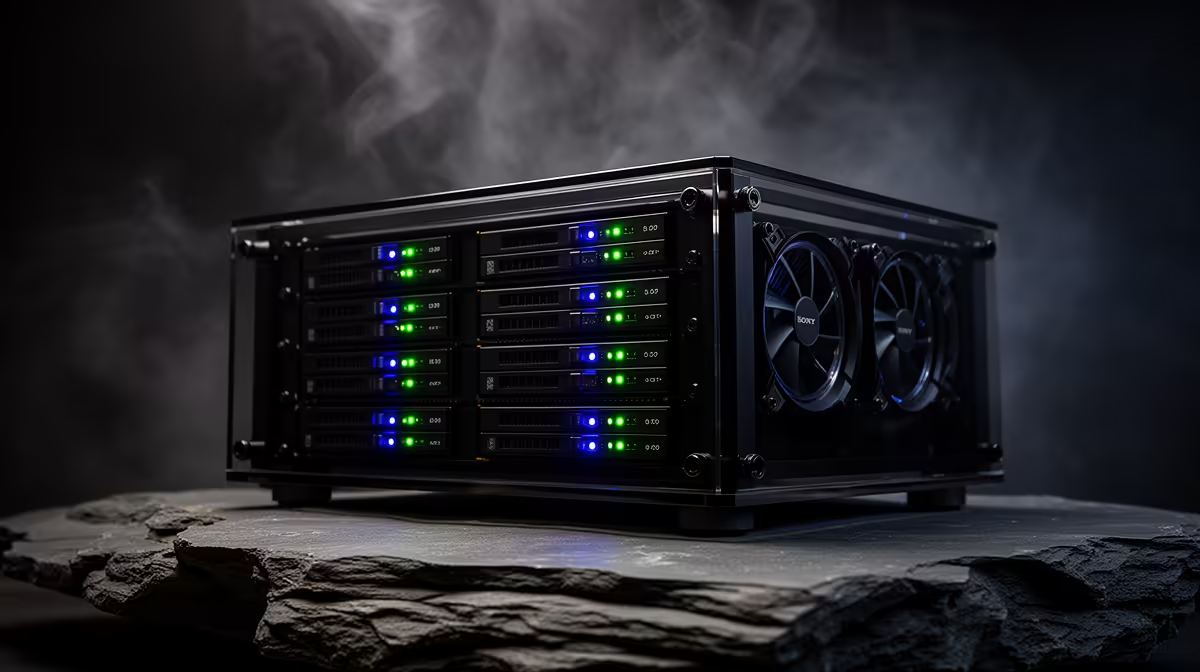
There are two honest ways to put a network drive in your home, and they attract very different people. One camp wants total command of the hardware, ZFS, and as many drives as they can cram in. The other just wants a box that stores files without becoming a weekend project. The DIY TrueNAS vs a pre-built NAS appliance question is control against convenience, and being honest about which you actually value saves a lot of regret.
Quick Answer
Build a DIY TrueNAS box if you want unrestricted RAM, NVMe VDEVs, ZFS, and the freedom to run VMs and Docker on the same hardware, and you do not mind a multi-day setup. Buy a pre-built appliance if you want turnkey, guided setup, low idle power, and storage without configuration overhead. Pre-built suits most people; DIY suits tinkerers and demanding workloads.
The Case for DIY TrueNAS
TrueNAS on standard x86 hardware hands you the keys to everything. You choose the CPU, the RAM, and the drives, with no artificial caps on memory or NVMe use. That matters because ZFS, the file system that makes TrueNAS so trusted for data integrity, loves RAM and benefits from fast NVMe VDEVs for caching and metadata.
The bigger draw is what the box can do beyond storage. The same machine can run virtual machines, Docker containers, and even GPU compute alongside its NAS duties, in ways a locked-down appliance simply is not built for. For a home-lab enthusiast, that one-box-does-everything flexibility is the whole point.
The cost picture has shifted
The value maths has tilted toward DIY in 2026. You can assemble a higher-bay system for less than some vendors charge for a smaller pre-built enclosure, because you are not paying for the integrated chassis, trays, and software polish. If raw capacity per Rand is your priority, a DIY build is hard to beat on paper.
The Case for a Pre-Built Appliance
A pre-built NAS is designed to remove friction. You unbox it, slot in drives, plug it in, and the guided software walks you through setup in minutes. The operating system is tuned for the exact hardware, updates are tested against that platform, and the app ecosystem is built around storage-first use, so things just work without research.
Power draw and the 24/7 reality
Because a NAS runs around the clock, idle power is a genuine cost, not a footnote. Well-managed appliances are very efficient, with reliable drive hibernation that drops idle draw low and wakes quickly when needed. A DIY build can match that, but only with careful component choice: a low-power chip stays efficient, while a beefier CPU pushes idle consumption up noticeably. If you build DIY without watching power, you can quietly spend more over years of uptime than the appliance would have.
Total cost is more than the sticker
Pre-built also wins a hidden cost the spec sheet never shows: your time. A DIY NAS is a multi-day project of researching compatible parts, sourcing them locally, assembling, installing TrueNAS, configuring pools, and troubleshooting the inevitable snags. Once you value those hours, the total cost of ownership for a pre-built often lands lower than the DIY estimate suggests, even where the hardware costs more.
Reliability and the ZFS Factor
For many DIY builders, the real prize is ZFS itself. It checksums every block of data, so silent corruption that ordinary file systems miss gets caught and, with redundancy, repaired automatically. For irreplaceable photo libraries and backups, that data-integrity guarantee is a serious argument for going the TrueNAS route, and it is available in full only when you control the hardware.
Pre-built appliances offer their own integrity features and tested reliability, but within the bounds the vendor sets. The trade is straightforward: TrueNAS gives you the strongest data-protection tools at the price of building and maintaining the system yourself, while an appliance gives you solid, hands-off reliability without you ever needing to understand a pool layout. Neither is a substitute for a proper backup, since any single NAS, DIY or pre-built, can fail or be stolen.
Expandability Down the Line
Think about where the system goes in three years, not just day one. A DIY box on standard x86 can be upgraded piecemeal: add RAM, swap the CPU, fit more drives, or repurpose it entirely as your needs change. Nothing is soldered to a vendor's roadmap.
A pre-built appliance is more fixed. You can usually add or upgrade drives within its bay count, but the CPU, memory ceiling, and chassis are what they are. If you expect your storage and compute demands to grow unpredictably, the DIY route leaves more headroom. If your needs are stable and modest, an appliance's fixed design is a feature rather than a limit, because there is simply less to think about.
Which Path Fits You?
Choose DIY TrueNAS if you already have server experience, want ZFS with generous RAM and NVMe, need more drive bays than appliances offer, plan to run VMs and containers, and treat the build itself as part of the fun. The reward is unmatched control and capacity for the money.
Choose a pre-built appliance if you want storage to be a solved problem, value guided setup and tested updates, prioritise low idle power and reliability, and would rather spend your weekends not configuring a server. For most households that just want safe, accessible storage, pre-built is the sensible default. To weigh enclosures and components for either route, the diskless NAS and storage category lays out the options, and fast caching or boot drives for a TrueNAS build are easy to source from the SSD best sellers.
Frequently Asked Questions
Is DIY TrueNAS cheaper than a pre-built NAS?
On hardware alone, often yes, especially at higher bay counts, since you skip the integrated chassis and software premium. But once you value the hours spent building, configuring, and troubleshooting, the total cost of ownership can favour a pre-built appliance.
Does TrueNAS really need a lot of RAM?
ZFS, which underpins TrueNAS, benefits significantly from generous RAM for caching and stability. DIY lets you fit as much as your board supports, with no artificial cap, which is one of its core advantages over locked-down appliances.
Can a pre-built NAS run Docker and VMs?
Many can run Docker, and some support virtual machines, but within the limits of their fixed hardware and OS. A DIY TrueNAS box handles VMs, containers, and even GPU compute far more freely on the same machine.
Which uses less power day to day?
A well-tuned DIY build with a low-power chip can match an efficient appliance, but larger DIY processors draw considerably more at idle. Pre-built appliances are reliably efficient out of the box, which matters for a device running 24/7.
Who should avoid building their own NAS?
Anyone who wants storage to simply work without a project. If you lack server experience or the patience for sourcing parts and troubleshooting, a pre-built appliance delivers safe, accessible storage with far less effort.
Build it your way or buy it ready to run, the foundation is the right hardware. Compare enclosures and drives in the Evetech NAS and storage range and put together a setup that matches how much you actually want to tinker.