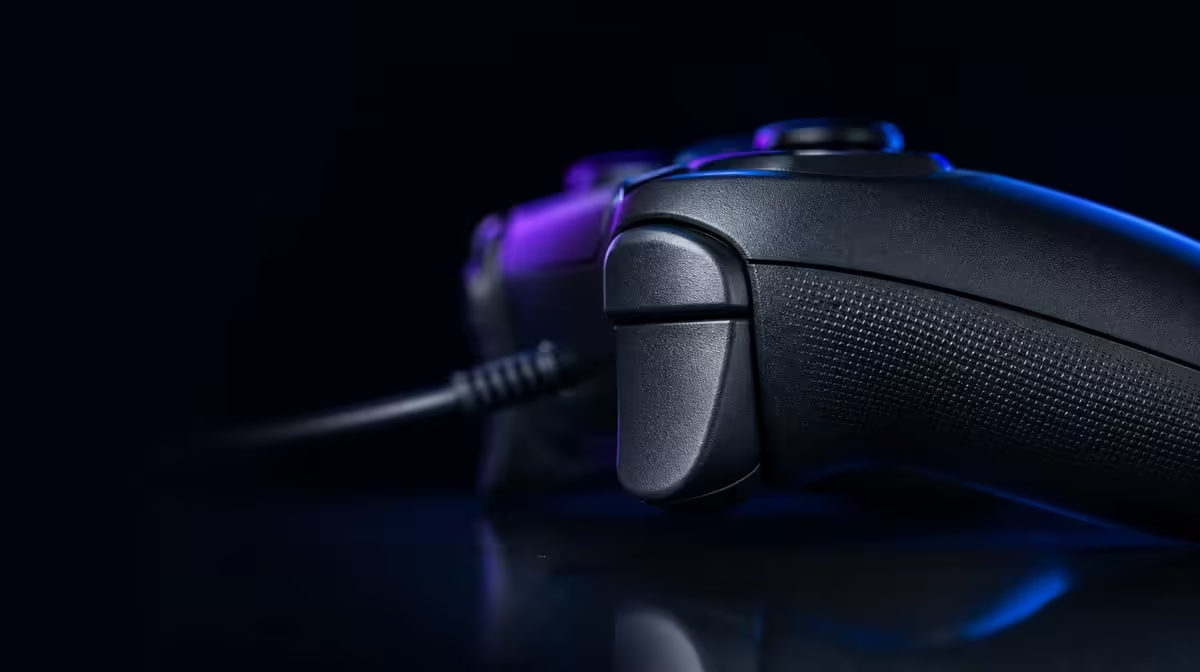
Stick drift is not one universal fault, but worn electrical contact is a familiar route to unwanted movement. Hall sticks resist drift by reading magnetic position instead of rubbing a potentiometer track, giving the R899 GameSir G7 HE a different sensing foundation for Xbox aim.
Quick Answer
Hall sticks reduce one contact-related drift mechanism because their position sensing does not depend on a rubbing potentiometer track. The R899 G7 HE uses Hall sensing on both sticks, but centre calibration, response settings, debris and physical damage can still affect aim.
🧲 Magnetic sensing removes one wear path
A conventional potentiometer design measures movement through contacting surfaces. Repeated motion can wear that path and alter the reported centre. Hall sensing reads a magnetic field instead, so the position measurement avoids that particular rubbing contact.
This is resistance, not immunity. The stick still contains moving physical parts, and the complete controller can be affected by impact, contamination, calibration or software configuration. Claims about a never-drifting controller go beyond what the sensing principle proves.
Use the feature as a stronger starting point rather than a reason to skip testing. The G7 HE's R899 price includes both Hall sticks, so each one should receive its own centre and range record.
Evetech's gaming controller range can help compare sensing approaches and complete layouts. Focus on named hardware and actual platform needs.
🎯 Establish centre before tuning aim
Open an input display with default settings. Set the controller on a stable surface, release both sticks and watch whether the reported points settle near centre. Record what appears before changing dead zones.
Move one stick slowly across horizontal and vertical axes, then trace the perimeter. Repeat with the other. The exercise reveals range, return and symmetry without mixing in a game's camera acceleration.
Next, enter the intended title and use its ordinary settings. Test small corrections, full turns and return to neutral. A game curve can make a healthy input feel fast, slow or uneven, so hardware and software observations belong in separate notes.
Do not use an oversized dead zone as the first fix for every problem. It can hide unwanted centre movement while also removing fine control. Diagnose the cause before sacrificing usable range.
🧪 Measure aim with repeatable tasks
Choose a fixed target exercise, the same sensitivity and a set number of repetitions. Track overshoot, correction and the ability to stop near a point. One impressive flick says less than a pattern across several sessions.
Test both fresh and after normal play. Grip tension can increase as the hands tire and create the impression that the sensor changed. Compare the physical technique with the input display before attributing every late-session error to the stick.
The G7 HE is wired, so secure the cable during the aim test. Pull from a short or snagged lead can alter hand position and make centre work less consistent even though the magnetic sensing remains unchanged.
Keep the swappable faceplate seated evenly. Personalisation does not alter stick sensing, but any physical panel work should be followed by a complete movement check.
🧹 Care and calibration still matter
Store the controller where dust and pressure do not collect around the sticks. Clean exposed surfaces gently, keep moisture away and avoid placing weight on the caps. Hall sensing cannot protect against careless physical storage.
If an unexpected centre appears, reproduce it in more than one screen before changing settings. Note the game, profile, stick and direction. A precise symptom makes calibration or support guidance easier to follow.
Use Evetech's gaming accessories section for related storage and setup needs, and the accessories best sellers page to review current options. No accessory should be treated as a substitute for a clean input baseline.
At R899, the G7 HE offers a meaningful drift-resistance feature. Its value becomes practical when the player also maintains stable settings, careful storage and a test that can distinguish centre behaviour from game aim.
Create a simple centre log with date, left-stick result, right-stick result, game profile and dead-zone setting. A note such as "centre stable at default in system test" is more useful than "aim felt off". It lets future observations be compared without turning ordinary player variation into a drift diagnosis.
Use controlled physical conditions during each entry. Set the pad on the same flat surface, keep the cable from pulling and avoid touching either cap until the display settles. Then test one stick at a time so a thumb movement on the other side does not confuse the result.
If unwanted movement appears only during gameplay, inspect camera acceleration, aim assist and response curves before adjusting hardware assumptions. Restore a known profile and repeat a slow correction task. Software may amplify a tiny intentional movement or apply its own camera behaviour.
Physical inspection should remain external and gentle. Look for a cap that no longer moves freely, visible debris or evidence of an impact, but do not force the mechanism. Appropriate support receives better information from a clear direction, screen and history than from an opened controller with an uncertain change.
Review the log monthly rather than obsessing over every frame. Drift resistance is valuable because it aims to support consistent ownership over time. A calm, repeatable check protects that advantage while leaving the controller free for normal play.
Add a post-storage check after any long idle period. Inspect the caps externally, set the pad down without touching the sticks and compare the centre with the previous month. This catches a changed physical state before game sensitivity becomes the first suspect.
Include a cable-free hand comparison even though the controller remains wired: arrange enough slack that the lead exerts no pull, then repeat the same small aim task with the normal routed position. If results differ, the room setup belongs in the diagnosis.
When a dead-zone adjustment is justified, record the old and new values alongside the reason. Retest fine correction and full movement. A setting that hides a centre issue but damages small aim should not be accepted without understanding the trade.
Keep rear mappings and rumble unchanged while comparing centre. Extra inputs and feedback can change grip, so they need their own test.
The final Hall-stick conclusion should name the avoided wear path and the remaining ownership checks. That balance explains drift resistance without promising immunity.
Date the conclusion and update it only after repeating the same centre, range and aim tasks.
If a later result changes, preserve the earlier card. A history is more useful than rewriting the baseline around the newest observation.
Frequently Asked Questions
Why do Hall sticks resist contact wear?
They sense position magnetically rather than through a rubbing potentiometer track. That removes one common electrical contact path from the measurement.
Can Hall sticks still show unwanted movement?
Yes. Calibration, settings, debris, physical damage or other mechanical issues can affect the reported result.
Should dead zones be increased immediately?
First observe centre and range with default settings. A large dead zone can mask the symptom while reducing fine aim.
How should aim consistency be measured?
Use a fixed task, sensitivity and repetition count across more than one session. Separate game-curve behaviour from raw centre observations.
Does the faceplate improve stick accuracy?
No. It changes the outer appearance. Reseat it correctly and retest controls after any faceplate change.
What is the Hall-controller price reference?
The GameSir G7 HE costs R899. Both sticks use Hall sensing within that complete wired Xbox pad.
Ready to give stick centre a proper baseline?
Explore Evetech's controller category, then test the G7 HE with stable settings before judging aim by one match.