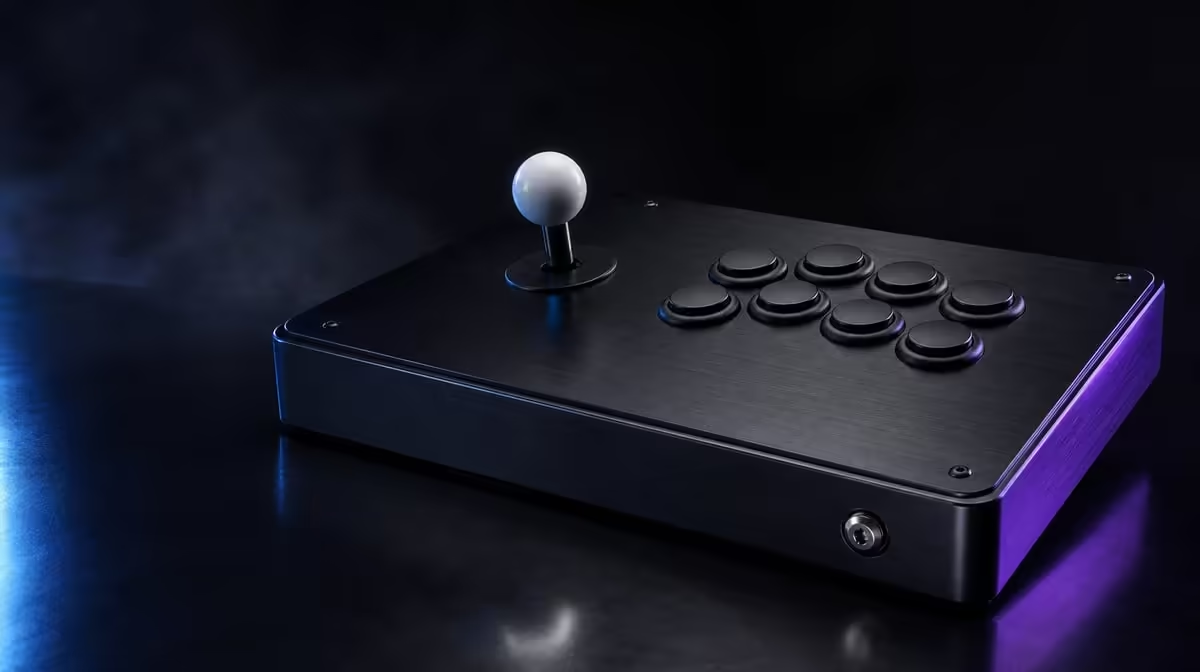
A lock can stop the wrong system action while leaving the buttons used for combat completely live. That is the useful limit of the GameSir C2 Key Lock: it reduces a defined class of accidental inputs, but it cannot protect a round from every misplaced finger.
Quick Answer
The C2 Key Lock helps stop selected accidental functions when it is enabled after normal operation has been confirmed. On the R1,799 fightstick, players must test the protected boundary and still maintain disciplined hand placement over the active Sanwa Denshi buttons.
🔒 The lock protects a boundary, not everything
Start with the switch off and establish a complete input baseline on PS4 or Xbox One. Press each action, move through every direction and note the directional-toggle position. A control that is absent before locking needs a separate diagnosis.
Enable the Key Lock in a harmless menu or training screen. Deliberately try each function you expect it to protect. Then press every action required during play. Write down what stops and what remains active.
The exact boundary is more important than the word "lock". Assuming that every button becomes safe can create a new mistake. The player's fingers still rest near responsive Sanwa controls.
Other controller layouts and safety features can be compared through Evetech's gaming controller category. Use the C2's R1,799 figure as a complete-package comparison, not a price for the switch alone.
Ask another player to follow the written boundary test. If they interpret the lock differently, clarify the note before competition. A safeguard that only one person understands can become confusing on a shared station.
Return the switch to the chosen baseline after diagnosis. Leaving it halfway through an experiment means the next session starts with an unknown state even though the hardware itself has not changed.
🖐️ Active buttons still demand technique
Find a neutral hand position where fingertips hover close to the caps without leaning on them. Practise moving one finger while the others stay quiet. An overhead recording can reveal a ring or little finger dropping during a fast sequence.
Stabilise the base. If the fightstick slides, the action hand may brace against the panel and create extra contact. Test on the same desk or lap position used for longer matches and route the cable without tension.
Build speed only after slow repetitions remain clean. Count unintended presses in groups of ten. Improvement should appear in the input history, not only in how confident the player feels.
Mapping can change which action a button produces, but it cannot correct an awkward physical reach. Preserve the known layout until posture and hand movement have been evaluated.
Use the game history to identify the exact active button involved. An accidental press that appears during one motion may be caused by a neighbouring finger, while errors scattered across the panel suggest a broader posture or stability problem.
Give fatigue its own test. Repeat the sequence late in a normal practice block and compare it with the fresh result. A lock cannot correct the heavier hand that appears when concentration drops.
⏱️ Rehearse the match routine
Create a short pre-round sequence: recognise the controller, read the direction mode, enable Key Lock, confirm one protected function and perform one active action. It should take seconds and be practised outside competition.
Repeat after the C2 has been carried, shared or disconnected. A switch can be moved without visible enclosure damage. The player about to use the controller should verify the state personally.
Practise the sequence after a loss as well as during calm training. Pressure makes small checks easier to skip, so the habit has to survive emotion and time limits.
Related items in Evetech's gaming accessories range can support transport or a stable surface, but the lock routine remains a controller skill.
Set a visual cue for the final check without modifying the switch. A small line in the setup note or a phone reminder can prompt the player to read the actual state. The cue should encourage inspection, not substitute for it.
After transport, include enclosure placement in the routine. A cable under tension or a base balanced on an edge can alter hand contact and create mistakes that resemble lock failures.
🔍 Diagnose dead-looking controls calmly
If a function does not respond, inspect Key Lock before remapping or opening hardware. Disable the lock appropriately, retry the same action in the same screen and compare the outcome.
A function that returns has explained the symptom. One that remains absent should be checked through host recognition, game mapping and the physical input path, one layer at a time.
Keep the directional toggle in its documented position during this diagnosis. Simultaneous switch changes can make a simple protected state look like a wider compatibility problem.
Evetech's accessory best sellers provide another way to check current availability around the station. The strongest ownership plan for the R1,799 C2 remains a known lock state, stable hands and a repeatable test.
Keep a brief symptom log if the same protected function causes confusion. Note whether the lock was on, which screen was active and what returned when it was disabled. A pattern helps refine the pre-match check.
Once the boundary is familiar, resist adding unnecessary steps. The lock should make match preparation calmer. A compact routine performed every time is more dependable than a long list remembered only before major events.
Practise it during ordinary sessions as well.
Measure accidental inputs in two columns: protected functions attempted and active buttons pressed by mistake. A successful lock should reduce the first category, while technique and hand position address the second. This separation prevents an active-button error from being treated as proof that the safeguard failed.
Test the boundary again after any game-map change. A different assignment can alter which action appears on screen even though the physical lock behaves as before. Keep mapping notes beside the lock record.
Use a stable surface during this comparison. If the enclosure shifts, the action hand may brace and strike a neighbouring control. Solving movement first gives the Key Lock a cleaner test.
For shared use, agree on a default state and a handover signal. A small note saying the lock was changed for Game C is more reliable than expecting the next player to notice during a countdown.
Review the routine after an event. Remove steps that added no evidence, strengthen the check that caught a real issue and preserve the result. Match safety improves through concise learning rather than an ever-growing checklist.
Frequently Asked Questions
What problem is the Key Lock designed to reduce?
It helps guard selected functions from unintended activation during play. The boundary should be tested directly.
Will active arcade buttons stop responding?
The lock is not a universal button freeze. Normal actions that remain active can still be pressed by mistake.
When should the safety lock be enabled?
Turn it on after the controller has passed its ordinary input check and before serious play begins.
Can Key Lock solve a mapping conflict?
No. A protected state and a software assignment issue are different layers and should be tested separately.
Why practise the routine before an event?
Repetition makes the check dependable under time pressure. It also helps the player notice an unexpected switch state quickly.
What is the C2 price with Key Lock?
The complete GameSir C2 costs R1,799. Key Lock is one included match-safety feature.
Ready to know exactly what your lock protects?
Explore Evetech's gaming controllers, then rehearse the C2 boundary check until active and protected inputs are never confused.