


Using GitHub Copilot: Complete Beginner's Guide for SA Developers
Using GitHub Copilot: Complete Beginner's Guide for SA Developers. Everything you need to know with SA-specific pricing and recommendations.
Read moreDual-chamber vs single-chamber PC cases: find the best airflow and aesthetics for your build. Compare cooling paths, noise, and cable space before you buy 😄🌀
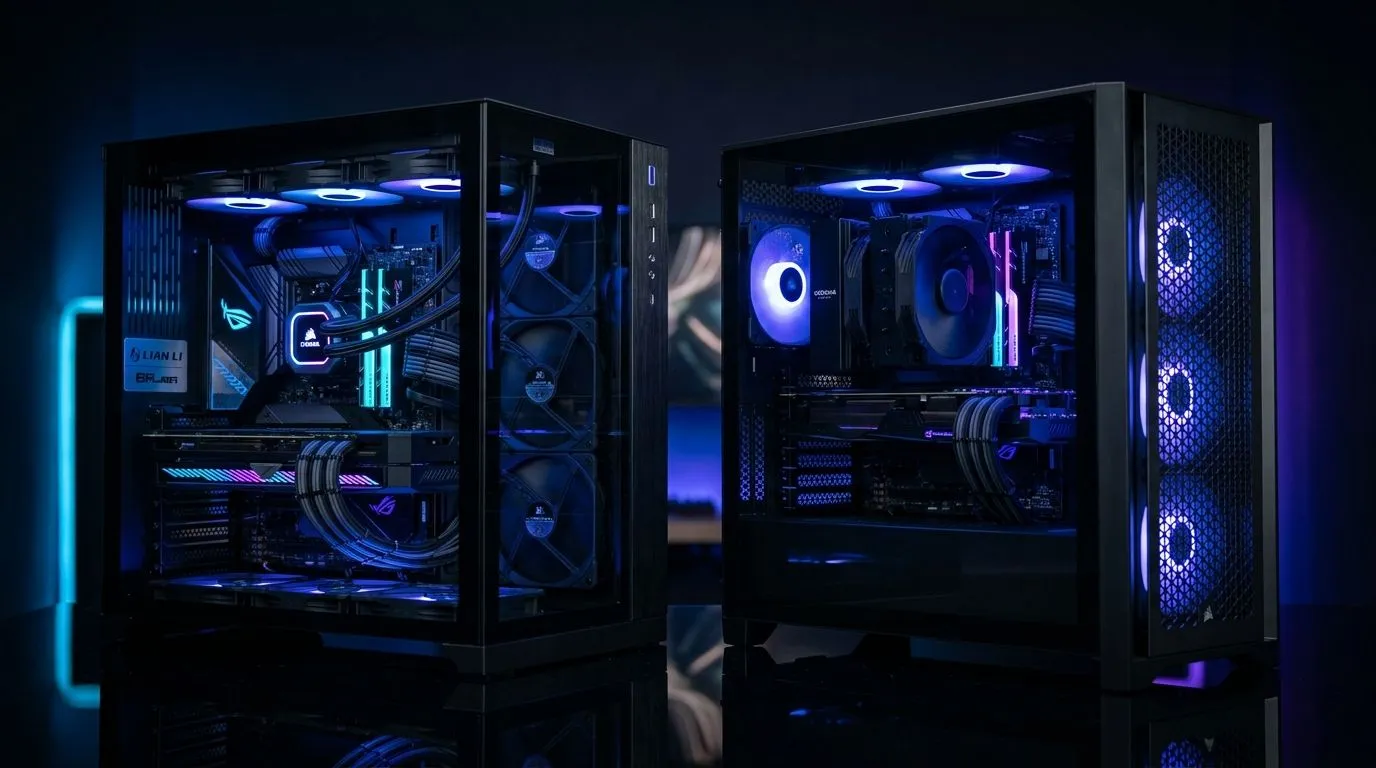
If you’ve ever felt your PC run louder in summer heat… you’re not imagining things. Case design matters more than most people think. Whether you’re building a budget Ryzen rig for Warzone, or a clean RGB setup for streaming, airflow and aesthetics should work together.
In this guide, we break down dual-chamber vs single-chamber PC cases: airflow behaviour, cable management, and how the looks can actually affect performance over time. Let’s get you building smarter. 🚀
A dual-chamber design splits the case into two main areas: one for the motherboard/CPU and another for storage and PSU (often the GPU too, depending on model). The goal is simple… fewer air paths get mixed. That can mean:
Single-chamber cases keep everything in one space. They can look amazing and are often simpler to build in, but you usually rely more on fan placement and cable discipline to avoid “air chaos”. If you stuff cables behind the motherboard area, you’ll likely reduce effective airflow.
In both designs, dust buildup increases resistance to fan flow over time. Dual-chamber layouts often make it easier to keep internal areas tidier, which can help maintain airflow consistency.
Before choosing a case, think about your fan strategy:
Dual-chamber setups tend to help with GPU intake and cleaner separation between components. If you’re running an air cooler or mid-to-high-end GPU, this can be noticeable during long sessions.
If you love easy access, straightforward builds, and minimal internal separation, single-chamber cases can be great. Many also come with excellent tempered-glass aesthetics that show off your build.
On Windows, use a monitoring tool like HWMonitor or MSI Afterburner to log GPU temps during a 15–20 minute game session. Compare your baseline before and after you reorganise cables or adjust fan direction. Small fan tweaks can prevent summer heat throttling later.
Let’s be honest: SA gamers buy with their eyes first. Tempting RGB, clean side panels, and that “first boot” satisfaction. Still, your case choice should support your cooling layout.
A dual-chamber case can look premium because the cable runs are usually more controlled. A single-chamber case can look just as sharp if you use proper routing and leave airflow gaps near the GPU.
If you’re browsing options, start with Evetech’s full selection here: computer cases.
If you want a “looks-first, builder-friendly” approach, check out these case options: Fractal Design PC cases.
For performance-focused builds, these gaming case listings are worth your time: Gamdias gaming cases.
And if you’re budget-conscious and want great value under R1500, use this view: Gamdias gaming cases under R1500.
If your priority is quieter thermals, cleaner cable routing, and easier long-term maintenance… lean dual-chamber. If you’re after simplicity, flexible custom builds, and a straightforward aesthetic… single-chamber can be the better pick.
Either way, your fan setup and cable management will decide your real results. Choose the case that makes that easy for you. 😉
Ready to Find Your Perfect Match? The Mac vs Windows debate is complex, but for maximum power, choice, and value in South Africa, Windows is hard to beat. Explore our massive range of laptop specials and find the perfect machine to conquer your world.
Often yes. A dual-chamber pc case cooling layout can isolate fresh intake from heat-recirculation, improving airflow for CPU and GPU.
It can be. Single-chamber designs often show cleaner visuals and simpler interior layouts, making aesthetics easier to customize.
It can. By supporting better airflow paths, dual-chamber vs single-chamber pc cases may let fans spin slower for the same cooling.
Many dual-chamber builds include separated wiring zones, which helps cable management and keeps front-to-back airflow routes clearer.
For thick or high-heat GPUs, dual-chamber pc cooling can help by focusing intake near the GPU area, but your fan layout matters most.
They can be. Dual chamber designs sometimes require careful planning for cables and components, especially for custom water loops.
Generally yes, but verify radiator and pump clearance. Airflow design affects fan placement and pressure more than the chamber count.
Using GitHub Copilot: Complete Beginner's Guide for SA Developers. Everything you need to know with SA-specific pricing and recommendations.
Read more
Back-to-School Headset Buying Guide for SA 2026. Everything you need to know with SA-specific pricing and recommendations.
Read more
Mesh Front Panel Setup and Configuration: Complete Tutorial. Comprehensive coverage with SA insights, Rand pricing, and practical recommendations.
Read more
Black Screen: Troubleshooting Guide #1. Everything you need to know with SA-specific pricing and recommendations.
Read more
The Complete 2026 Guide to Storage in South Africa. Everything you need to know with SA-specific pricing and recommendations.
Read more
1000W PSU Not Working After Load Shedding: Recovery Guide. Everything you need to know with SA-specific pricing and recommendations.
Read more
AMD RX 9050 XT: Rumoured Specs, Price & Release. SA-focused analysis with local pricing data, real-world insights & actionable buying advice.

Can RTX 4080 Super Run AI Workloads for SA Developers Detailed answer with SA data, expert analysis & practical recommendations for local buyers.

Can RTX 4090 Run AI Workloads for SA Developers Detailed answer with SA data, expert analysis & practical recommendations for local buyers.

Top Settings for Intel Arc B580 at Ultrawide 1440p picks evaluated on performance, value & SA availability with current Rand pricing from Evetech.

RTX 4060 CS2 Low Settings at 1080p: FPS Results. Real-world benchmark data, FPS numbers & performance analysis. What SA gamers can actually expect.

Visual Artifacts: Possible GPU Issue Issue #1. Diagnosis steps, proven fixes & when to seek professional help. SA-specific support info included.

Can the RTX 4090 Handle 1440p 144Hz Gaming. Performance testing verdict with real data & practical recommendations for SA buyers.

Top ASUS GPU Under R15000 picks evaluated on performance, value & SA availability with current Rand pricing from Evetech.

GTA 6 Max Settings on RTX 5070. Tested & verified settings for best FPS and visual quality on SA hardware budgets.

Cyberpunk 2077 Max Settings on RTX 5080. Tested & verified settings for best FPS and visual quality on SA hardware budgets.

Starfield Max Settings on RTX 5070 Ti. Tested & verified settings for best FPS and visual quality on SA hardware budgets.

Top RTX 5090 Under R5000 picks evaluated on performance, value & SA availability with current Rand pricing from Evetech.