


Complete Gaming Setup Guide for the SA Esports Athlete in SA 2026
Complete Gaming Setup Guide for the Esports. Clear setup instructions with SA-specific considerations, troubleshooting tips & recommended components.
Read moreDust filters for gaming PC cases keep your system cleaner, but they can affect airflow and temps. Learn what to choose, how often to clean, and how to maintain stable performance with less hassle 🧼🌬️
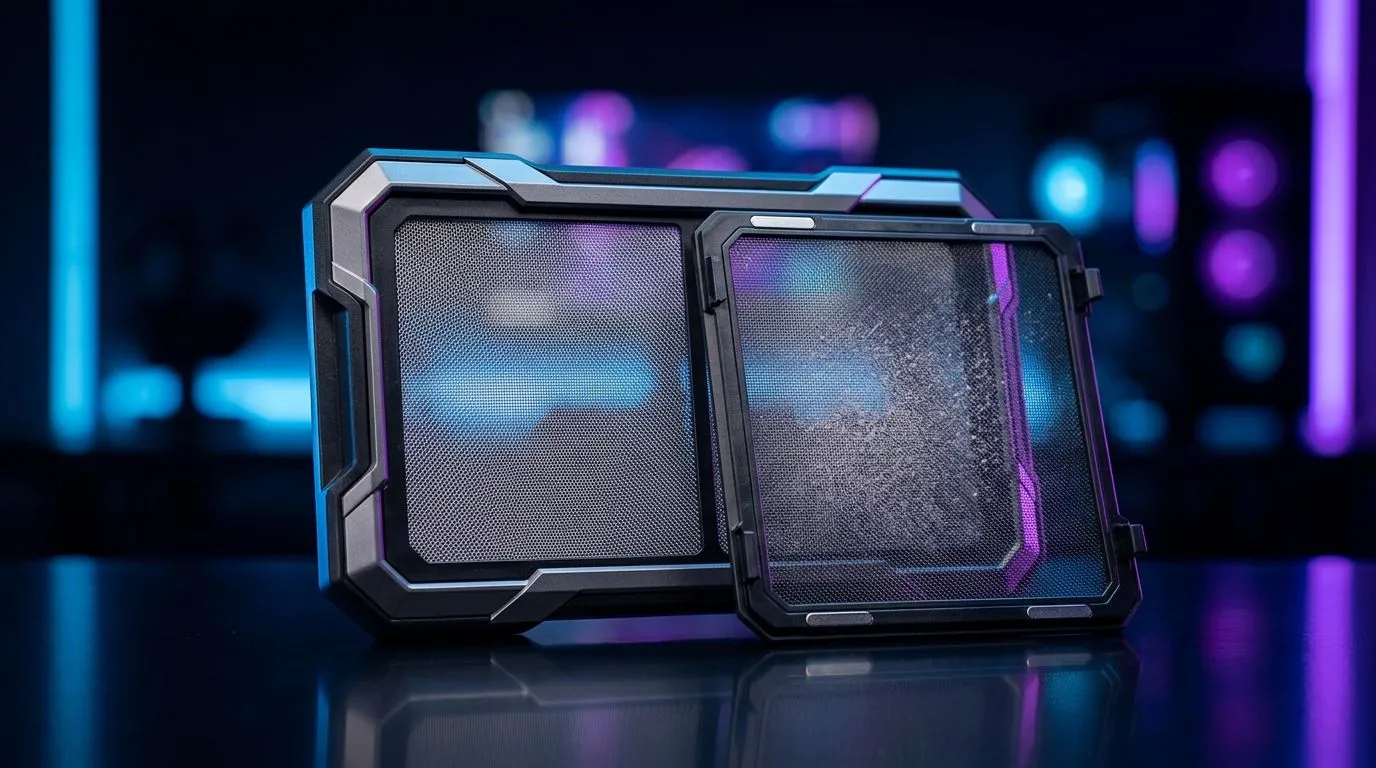
Dust buildup is a silent foe in every South African gamer's rig. It slowly strangles your components, making your PC hotter and your fans louder. Dust filters can keep your gaming PC cleaner, but they bring a tricky trade-off: better airflow or easier cleaning? Let’s unpack this so you can protect your investment without sacrificing performance. 🔧
Dust filters act like a shield, blocking airborne particles from settling inside your PC case. But not all filters are equal. A dense mesh traps more dust but restricts airflow — your GPU and CPU get less fresh air, leading to higher temps. Less dense filters flow air better but need more frequent cleaning.
Choosing the right dust filter depends on your environment. In dusty Cape Town or Johannesburg, a denser filter can save costly repairs. If you game in a cleaner space, a lightweight filter keeps airflow strong and maintenance low. For a good start, explore a variety of computer cases with dust filters on Evetech for models that balance these needs.
A dust filter only works if you clean it regularly. A clogged filter is as bad as no filter. Monthly checks under a lamp can help you decide when it’s time to vacuum or rinse your filter. Pro gamers often schedule cleaning during game breaks — it’s an instant performance boost and extends your hardware life. Make dust filters part of your ritual.
Regularly remove and gently clean dust filters with compressed air or water—let them dry fully before reinstalling. Prevent heat spikes and save on fan noise.
For gamers on the hunt, certain brands have nailed this balance. Fractal Design PC cases are highly rated for airflow and easy-to-clean dust filters, perfect for the airflow-conscious enthusiast. You can check out their range here on Evetech.
If you want aggressive styling with solid dust protection, Gamdias offers gaming cases combining aesthetics with filter practicality. Their models often feature removable front and top filters for easy access—great if you want to keep things spotless without stress. Browse options including budget-friendly picks under R1500 right here.
Check out the full Gamdias selection if you’re mixing looks with function: Gamdias Gaming Cases.
Dust filters are essential for prolonging PC lifespan in our local climate. But too much filter means your fans work harder, risking higher temps and noise. The key is finding a case with quality filters that are easy to clean and don’t suffocate your airflow. Pair this with regular cleaning and a decent fan curve, and your system will thank you.
For quality cases tailored to South African gamers’ needs, browse Evetech’s well-stocked range and pick a case that fits your environment and style. Your rig’s health starts with clean air.
Ready for Clear Airflow and Easy Cleaning? Get the right PC case with dust filters that match your gaming setup right now. Shop now at Evetech for performance that leaves lag in the dust.
Yes, dust filters add resistance. The impact depends on filter type, surface area, and how clogged the media gets. Clean them regularly to keep airflow strong.
Common types include mesh, foam, felt-like pads, and sometimes magnetic or removable mats. Each type filters differently and changes resistance in its own way.
A good starting point is every 2–4 weeks for typical setups, then adjust based on pet hair, room dust, and local airflow. Watch fan noise and temps.
Gently remove the filter, tap off loose dust, then rinse if the material allows. Let it fully dry before reinstalling to prevent moisture issues.
Often mesh offers lower restriction, but it depends on thickness and fineness. Foam can filter finer particles while increasing resistance—testing and cleaning matter.
Focus on intake locations: front, bottom, and side intakes. If you filter intakes, exhaust filters are usually less necessary and can restrict airflow.
Rising CPU/GPU temperatures, louder fans, slower fan response, and reduced intake pressure can indicate filter clogging. Check and clean the intake filters first.
They may move more air, but clogged filters still reduce effective flow and increase strain. Clean the filter to restore normal performance and quieter operation.
Complete Gaming Setup Guide for the Esports. Clear setup instructions with SA-specific considerations, troubleshooting tips & recommended components.
Read more
AIO Liquid 360mm Installation Guide for Your PC. Clear setup instructions with SA-specific considerations, troubleshooting tips & recommended components.
Read more
MacBook Display Colour Looks Wrong? Calibration. Everything you need to know with SA pricing, step-by-step instructions & expert recommendations.
Read more
Printer Terminology Guide. Everything you need to know with SA pricing, step-by-step instructions & expert recommendations.
Read more
Git on Mac: Complete Setup Guide for Beginners. Clear setup instructions with SA-specific considerations, troubleshooting tips & recommended components.
Read more
Ryzen 9 9900X Thermal Paste Dry: Reapplication. Everything you need to know with SA pricing, step-by-step instructions & expert recommendations.
Read more
AMD RX 9050 XT: Rumoured Specs, Price & Release. SA-focused analysis with local pricing data, real-world insights & actionable buying advice.

Can RTX 4080 Super Run AI Workloads for SA Developers Detailed answer with SA data, expert analysis & practical recommendations for local buyers.

Can RTX 4090 Run AI Workloads for SA Developers Detailed answer with SA data, expert analysis & practical recommendations for local buyers.

Top Settings for Intel Arc B580 at Ultrawide 1440p picks evaluated on performance, value & SA availability with current Rand pricing from Evetech.

RTX 4060 CS2 Low Settings at 1080p: FPS Results. Real-world benchmark data, FPS numbers & performance analysis. What SA gamers can actually expect.

Visual Artifacts: Possible GPU Issue Issue #1. Diagnosis steps, proven fixes & when to seek professional help. SA-specific support info included.

Can the RTX 4090 Handle 1440p 144Hz Gaming. Performance testing verdict with real data & practical recommendations for SA buyers.

Top ASUS GPU Under R15000 picks evaluated on performance, value & SA availability with current Rand pricing from Evetech.

GTA 6 Max Settings on RTX 5070. Tested & verified settings for best FPS and visual quality on SA hardware budgets.

Cyberpunk 2077 Max Settings on RTX 5080. Tested & verified settings for best FPS and visual quality on SA hardware budgets.

Starfield Max Settings on RTX 5070 Ti. Tested & verified settings for best FPS and visual quality on SA hardware budgets.

Top RTX 5090 Under R5000 picks evaluated on performance, value & SA availability with current Rand pricing from Evetech.