Quick Answer
Detachable drive rails and tool-free brackets cut the time to swap a storage drive or GPU from 20 minutes of screwdriver work to under 3 minutes. For any builder who upgrades frequently or troubleshoots hardware regularly, cases with detachable rails are a genuine quality-of-life feature worth prioritising.
What Detachable Rails Actually Do for Your Build 🔧
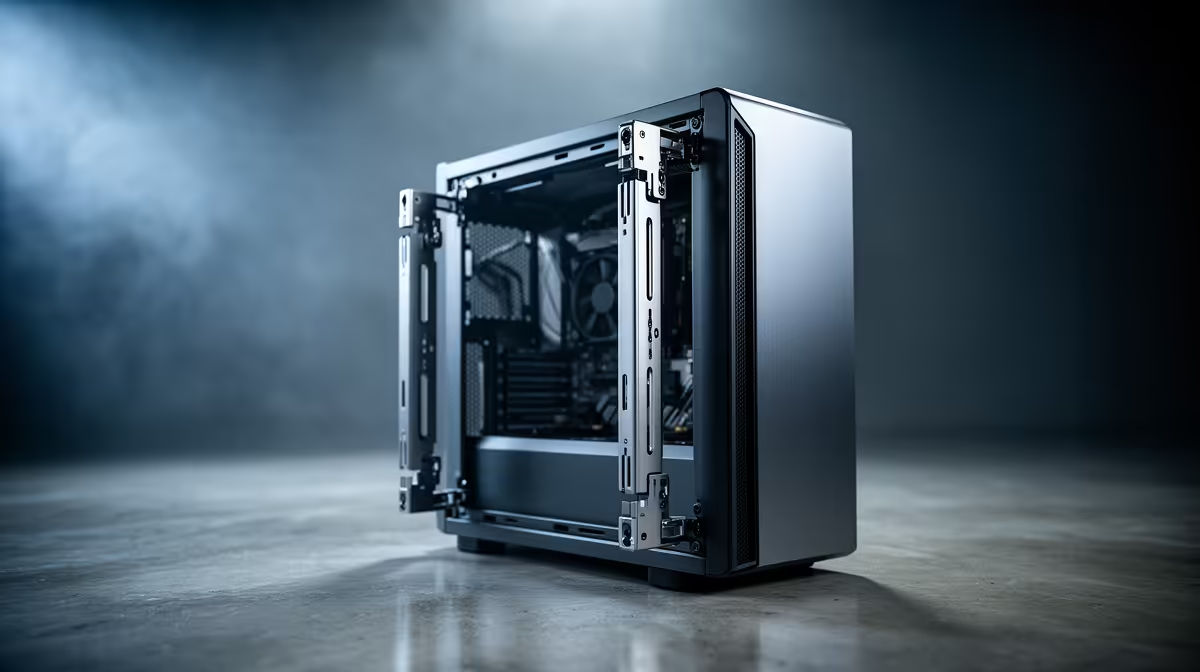
Detachable rails are retention brackets or sleds that clip or slide onto a hard drive, SSD caddy, or expansion card before the assembly drops into the chassis. Traditional cases require you to hold the drive against the tray with one hand while threading screws with the other, and in tight mATX or mini-ITX cases that can mean removing the GPU first just to reach the storage bay. Rail systems let you attach the drive securely on a clear work surface, then slot the entire assembly in with one hand.
Rail Systems and Cable Management 🗂️
Detachable rails pair well with modular PSU cables because both features target the same goal: reducing the fuss of a second entry into the case. When drive rails slide out, the SATA or power cable attached to the drive needs enough slack to allow the sled to extend without tugging. A 200mm to 250mm SATA cable loop behind the motherboard tray gives enough slack for most rail travel distances. If you are upgrading from a boxed PSU with fixed cables, budget an extra R300 to R500 for a modular cable extension kit. Keeping drives on rails also means you can visually inspect SATA connectors for dust or corrosion without full disassembly, which matters in dusty environments common to many South African homes.
When Rail Systems Pay Off Most 🎯
For SA builders who upgrade hardware in stages rather than all at once due to the Rand's impact on component pricing, easy-access cases extend the useful life of your chassis. You may start with a single 1TB NVMe SSD and later add a secondary 2TB drive for game storage without touching the GPU or cooling loop. Streaming setups that run capture cards or sound cards in PCIe slots also benefit from tool-free expansion brackets that let you reseat or swap cards during setup without fully powering down and cable-stripping the rear I/O. Rail-equipped cases are particularly common in the Fractal Define, DeepCool Matrexx, and Lian Li Lancool lineups currently stocked at Evetech.
Label Your Rails Before Removing Drives ⚡
Mark each drive sled with masking tape and a marker noting the drive's contents before pulling it out. In a multi-drive build it is easy to reinstall a game storage SSD into the OS bay slot, causing a silent boot failure that wastes diagnostic time.
FAQ
Are detachable rail systems compatible with all drive sizes?
Most modern rail systems support 2.5-inch SSDs and 3.5-inch mechanical drives using the same sled with different screw hole positions. NVMe M.2 drives mount directly to the motherboard or a dedicated M.2 bracket and are not part of drive rail systems.
Do tool-free cases cost more than standard screw-mount cases?
Generally yes, by R200 to R600 at the same tier. However, the time saved over multiple upgrades and the reduced risk of stripped screws or dropped components make the premium reasonable for anyone planning more than one hardware change over the build's lifetime.
Can I retrofit rail systems into an older case that does not have them?
Universal drive caddies with rubber-grommet mounts are available as accessories and can be screwed into standard 3.5-inch drive bays to add some tool-free functionality. However, they do not replicate the sliding rail mechanism and still require screwdriver work to attach the caddy initially, so a case with native rails is always preferable if you are buying new.
Want a case that makes upgrades effortless?
Evetech stocks a wide range of tool-free and rail-equipped PC cases from Fractal Design, Lian Li, and DeepCool. Check the cases section to find the right enclosure for your build size and upgrade frequency.