Most desk-related strain does not arrive suddenly. It builds quietly over weeks of slightly bent wrists, a monitor too low for the neck, and a mouse that keeps the forearm twisted through eight hours of clicks. The ergo-certified workspace peripheral checklist exists to interrupt that accumulation before it becomes a repetitive strain injury that sidelines productivity for months. Getting the hardware right costs less, in every sense, than getting it wrong.
Quick Answer
A posture-safe desk requires a sculpted or split keyboard, a vertical mouse, a wrist rest, and a monitor at eye level. Set chair height first so elbows rest at 90 degrees, then position peripherals to match that baseline. These five adjustments address most RSI risk at the desk.
🪑 Chair Height First, Everything Else Second
No peripheral fixes a desk that starts from the wrong chair height. Set the seat so your elbows rest at 90 degrees with your forearms roughly parallel to the desk surface when your hands are resting on the keyboard. From that position, your feet should rest flat on the floor or on a footrest -- not dangling, and not tucked under the chair.
This baseline matters because every peripheral height recommendation assumes it. A monitor arm set to the correct distance and height only works for your neck if the chair is already at the right level. A wrist rest only keeps wrists neutral if the desk is not too high or too low relative to the seated elbow. Skipping the chair calibration and jumping straight to peripheral placement is the most common mistake in ergonomic setups, and it invalidates most of the benefit.
Once the chair is correct, take note of where your forearms naturally rest. If the desk surface is higher than your elbows, the chair needs to go higher -- or you need a keyboard tray that drops the typing surface to the correct level. A keyboard tray is often more practical than raising the chair, which may then lift your feet off the floor and require a footrest to compensate.
⌨️ Keyboards That Work With Your Wrists
A standard flat keyboard forces two biomechanical compromises simultaneously: ulnar deviation, where the wrists angle outward to reach the keys, and pronation, where the palms face down throughout the session. Both positions increase tension in the forearm muscles and, over time, compress the carpal tunnel.
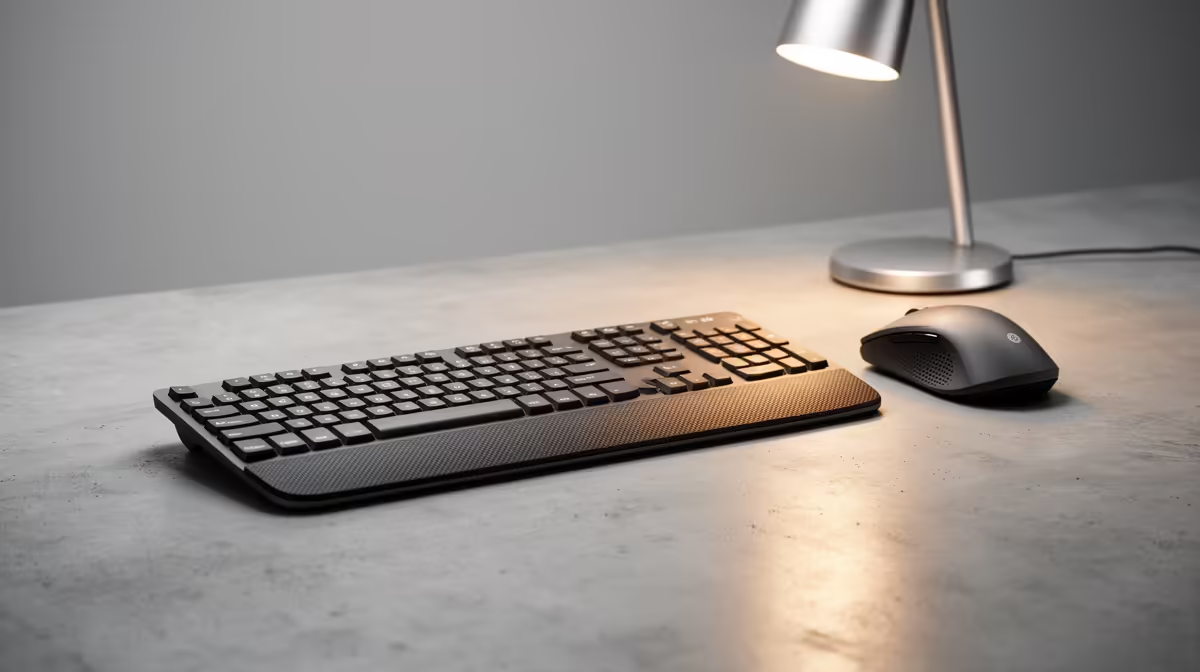
A sculpted keyboard addresses these by introducing a slight A-frame tent angle in the middle of the board, which lets the wrists fall into a more natural position. Split keyboards take this further by separating the two halves entirely so the shoulder width of the typist determines the spacing rather than a fixed board dimension. This is particularly relevant for broader-shouldered users who find that standard boards pull their arms inward.
Tented and split keyboards require an adjustment period -- typically one to two weeks to regain typing speed. The discomfort of relearning is real but short-lived. The strain reduction over a year of daily use is permanent. If a full split board feels too disruptive, a monoblock ergonomic board with a built-in tent angle is a meaningful improvement over a flat board and involves far less relearning.
Key travel and actuation force also contribute. Keyboards requiring excessive force increase the cumulative work the fingers perform over a day. A low-actuation mechanical switch keeps that force budget reasonable. A memory-foam wrist rest level with the keyboard deck completes the picture: it supports the heel of the palm during pauses between typing bursts, keeping wrists flat rather than bent upward against a sharp desk edge.
🖱️ Vertical Mice and the Handshake Angle
A conventional flat mouse keeps the forearm pronated throughout use. Pronation is not a resting position for the human forearm -- it requires continuous low-level muscular engagement that accumulates into fatigue and, eventually, strain in the tendons running from the forearm through the wrist.
A vertical mouse rotates the grip so the hand sits closer to a handshake orientation, typically around 57 degrees from flat. This position allows the forearm to rest in a neutral rotation where the muscles are neither fully pronated nor supinated. The immediate effect for most users is a reduction in the fatigue felt in the forearm during and after long sessions.
Sizing matters as much as orientation. A vertical mouse that is too small for the hand forces the grip muscles to constantly engage to maintain control, negating some of the benefit. Most vertical mice are available in multiple sizes; the correct size allows the palm to rest on the body of the mouse without the fingers curling sharply to reach the buttons.
Trackball mice offer an alternative that some ergo setups prefer -- the hand stays completely stationary while the thumb or fingers move the cursor, eliminating arm movement entirely. This works well for users with shoulder or upper-arm issues but involves a more significant adjustment period than the vertical mouse transition.
🖥️ Monitor Position and the Neutral Neck
The most common monitor positioning error in South African home offices is placing the screen on the desk surface, which puts the centre of the display well below eye level and forces the neck into continuous forward flexion. The cervical spine carries a significantly higher load in this position than it does when the neck is upright, and the accumulated strain over a full workday adds up quickly.
The correct position places the top edge of the screen at or very slightly below eye level, at approximately arm's length distance from the face. This allows the eyes to look slightly downward to reach the centre of the display, which is the natural resting angle of the visual field, without requiring the neck to tilt forward.
A monitor arm achieves this precisely and adds the benefit of easy adjustment when seating position changes, or when the setup needs to accommodate a second person. Laptop users who work at a desk for extended periods should pair the laptop with an external monitor raised to the correct height, and connect an external keyboard and mouse so the laptop screen is not used as the primary display while hunched forward.
Frequently Asked Questions
What is the most important single peripheral for reducing RSI risk?
Chair height is technically not a peripheral, but setting it correctly before anything else has the most downstream impact. Of the peripherals, a vertical mouse is often cited as producing the most immediate relief for users already experiencing forearm or wrist discomfort, because it addresses continuous pronation strain from the first session.
How long does it take to adjust to a vertical mouse?
Most users regain their baseline pointing accuracy within one to two weeks of daily use. Precision tasks like detailed graphic work may take slightly longer. The initial period feels awkward because the grip is unfamiliar, not because the mechanics are worse -- accuracy improves steadily with continued use.
Should a wrist rest be foam, gel, or a harder material?
Gel and memory foam rests distribute pressure more evenly across the wrist than firm plastic rests and are generally more comfortable during extended sessions. Harder rests can create localised pressure points directly over tendons. Thickness should position the wrist level with or very slightly below the keyboard deck.
Does monitor height matter if you only use a laptop?
Yes. Laptop screens are almost always too low when the device sits on a desk surface. For sessions longer than an hour, a laptop stand or monitor arm that raises the display to eye level, paired with an external keyboard at the correct elbow height, makes a significant difference to neck and upper back strain.
Can a footrest help even if the desk height seems correct?
Yes. If raising the chair to the correct elbow height lifts your feet off the floor, a footrest restores a supported, grounded posture for the legs and lower back. Without it, the legs either dangle, which reduces circulation, or tuck under the chair, which tilts the pelvis and curves the lower back.
Ready to build a posture-safe desk from the right peripherals?
Browse Evetech's range of ergonomic keyboards, mice, and desk accessories to assemble a workspace that supports long hours without the strain.