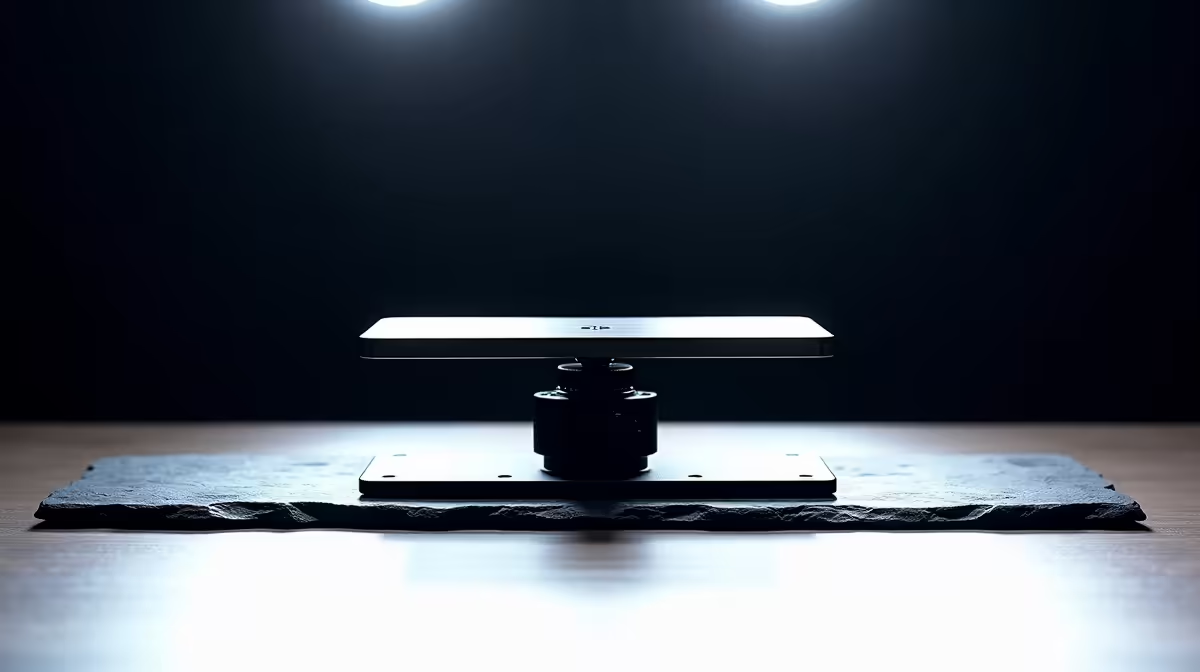
Not every desktop camera mount looks different from the outside, but a careful comparison of physical details separates the ones that will hold a framing position reliably from the ones that will shift mid-call. The right desktop camera mount is not the most expensive one or the most adjustable one; it is the one whose specific features match your camera weight, desk surface, and how often you reframe. Knowing which five or six specifications to check before buying saves you the frustration of returning something that looks adequate on the product page but fails in use.
Quick Answer
Prioritise a weighted stable base, a 1/4 inch universal head, and a column height range of at least 200 to 450mm. A lockable tilt joint and cable management channels separate a reliable R300 mount from an unstable plastic one. Match these to your camera weight and desk setup before anything else.
🔧 The Base: Where Stability Begins
Everything about a camera mount's reliability traces back to the foot. A base that is too light, too narrow, or made of hollow plastic will tip under a 200g webcam the first time a cable snags or a keyboard strikes the desk firmly. The minimum specification worth targeting is a base weight of around 500 to 700g in metal or a wide footprint with rubber grip pads.
The geometry of the base matters as much as its weight. A wide, low-slung foot distributes load across a larger contact area and lowers the centre of gravity, which is why octopus-leg bases and wide circular platforms outperform tall narrow feet. Rubber or silicone grip pads on the underside prevent the unit from walking across the desk surface during minor impacts, a small detail that becomes relevant when the keyboard vibration from a busy typing session crosses the desk.
Metal bases, whether aluminium or steel plate, carry a structural advantage over plastic equivalents that compound over time. A plastic base flexes slightly under load, which introduces micro-movement at the column base. Metal resists that flex, keeping the column vertical even after years of use.
How to Assess Base Quality Quickly
Pick up the mount. If the base feels meaningfully lighter than expected for its size, it is likely hollow plastic and will behave accordingly. A 600g metal foot is noticeable in the hand and that weight translates directly to stability on the desk.
⚡ Thread Standard and Head Compatibility
The 1/4 inch 20 UNC threaded head is the detail that determines whether a mount works with your existing gear. This thread, 6.35mm across, is the near-universal standard for desktop webcams, compact LED panels, and most microphone-adjacent accessories. A mount with this head can carry different devices over its lifetime without needing to be replaced when the gear changes.
Some cheaper mounts use proprietary mounting clips rather than a threaded head. Those work for one specific camera model, often the one pictured in the product listing, and become useless the moment you upgrade or add a different accessory. The 1/4 inch thread is future-proof in a way proprietary clips never are.
Check also whether the head includes a standard cold-shoe adapter or a 3/8-to-1/4 inch step ring in the box. Mounts that include these adapters cost marginally more but save a separate purchase when you add a light or a second device.
🔆 Column Height Range and Tilt Lock Quality
Column travel determines whether the mount actually reaches eye level. A standard desk sits at roughly 730 to 740mm, and a seated adult's eye line is typically 300 to 400mm above the desktop surface. A column that spans 200 to 450mm of travel from its base puts the lens at eye level for the range of users likely to sit at a standard desk. Shorter columns may not reach; columns that extend taller give flexibility for standing desk use.
The tilt joint connects the head to the column top and controls the vertical angle of the lens. This joint should lock with a dedicated knob or lever, not friction alone. A tilt that relies purely on resistance loses its angle over days to weeks under a 200g camera, an imperceptible droop that accumulates into a noticeably changed framing. A knob-locked tilt holds that angle indefinitely.
Pan adjustment, the horizontal rotation of the head, is a secondary concern. Most webcams have a wide enough field of view that small horizontal shifts matter less than vertical tilt, but a pan joint that locks is still preferable to one that swings freely and can be bumped off-axis by a cable.
Pro Tip ⚡
Before you buy, measure the height from your desk surface to your seated eye level. Most people find this is 320 to 380mm. Compare that number against the mount's maximum column extension to confirm the camera will actually reach where you need it. This single check eliminates a large portion of returns.
✨ Cable Management: The Underrated Feature
A camera cable draped across the desk introduces two problems. First, it is a snag point: a moving chair wheel, a sliding keyboard, or a reaching hand can pull the cable taut and shift the camera framing mid-call. Second, it adds visual clutter to a desk that is likely already busy.
Mounts that include cable management guides, clips along the column, or a hollow post that routes the cable internally deal with both problems. The cable travels down the column out of the way, terminates at the base, and runs to the computer from there. The result is a tidy single wire rather than a loop across the desk.
This feature is rarely the selling point in product listings, but experienced users consistently cite cable snag as the most common reason for unintended framing shifts. A mount that handles the cable well removes a daily friction point entirely.
Frequently Asked Questions
Which feature should I check first when buying a desktop camera mount?
Start with the base. A weighted, wide-footprint base in metal or quality plastic with rubber grip pads underpins everything else. A light, narrow, or hollow plastic foot tips or shifts under minor desk disturbance, and no amount of tilt precision or thread quality compensates for a foundation that cannot hold steady.
Does the 1/4 inch thread standard really matter for webcam compatibility?
Yes. The 1/4 inch 20 UNC thread is the near-universal standard across desktop webcams, small LED panels, and most desktop accessories. A mount with this head accepts almost anything you buy today or in future without needing adapter rings. Proprietary clip mounts lock you into a single product and need replacement when the gear changes.
What column height range should I look for when buying a mount?
A column that spans at least 200 to 450mm of travel from the base. For a standard 740mm desk, that range puts the lens between low desk-level and well above the monitor top, covering seated and standing eye-level positions. Measure the height from your desk to your seated eye line first; confirm the column reaches that point before buying.
Why does a lockable tilt joint matter more than a smooth-turning one?
A smooth tilt that lacks a firm lock mechanism holds its angle through friction only, which is insufficient under a 200g camera over days to weeks of use. The joint creeps imperceptibly downward, and over a week the framing shifts noticeably. A knob or lever-locked tilt holds its angle without maintenance and keeps the framing you set at initial setup.
What role does cable routing play in a camera mount's long-term usability?
A mount without cable management leaves the USB cable looped across the desk, where it becomes a snag hazard. A cable pulled taut by a rolling chair or sliding keyboard jerks the camera off its axis, and resetting the framing becomes a regular interruption. Clips, guides, or a hollow column that routes the cable internally eliminate that snag point and keep the desk cleaner.
Ready to pick a mount that holds its position and fits your desk properly?
Browse the desktop camera mount range at Evetech and match the right base weight, thread standard, and column height to your setup.