

Back-to-School Parent Guide: GPUs in SA
Back-to-School Parent Guide: GPUs. Everything you need to know with SA pricing, step-by-step instructions & expert recommendations.
Read moreExpand your network effortlessly with boosters equipped with Ethernet ports 🌐 Perfect for extra devices at home or office.
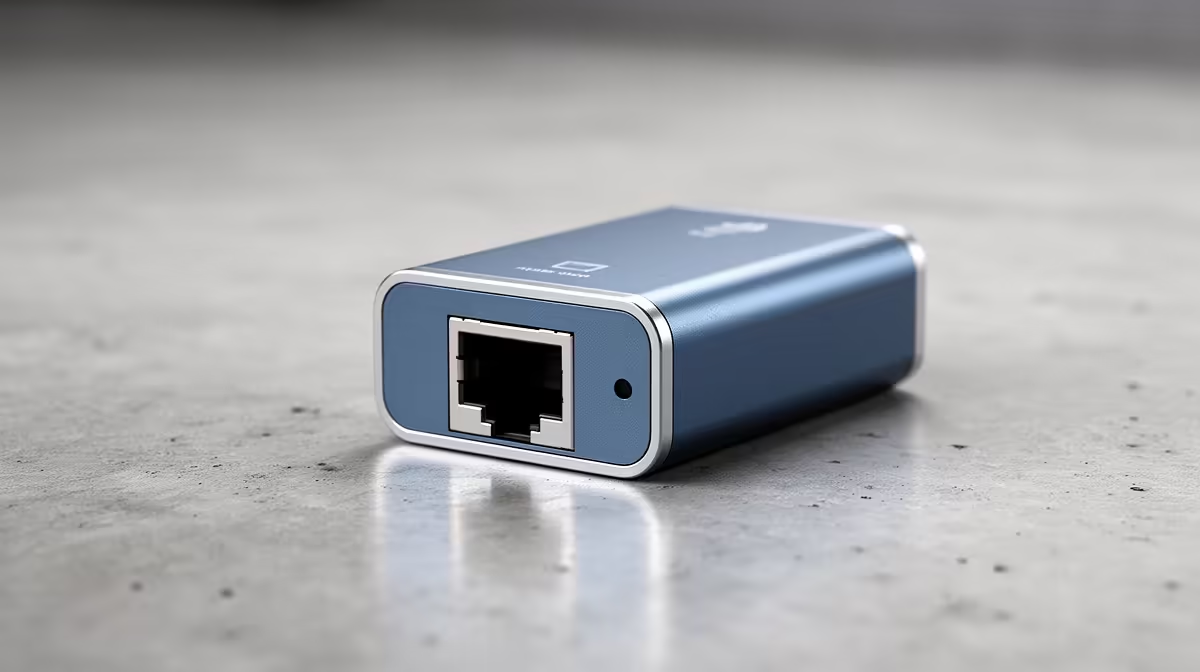
Struggling with a single Ethernet port on your router while your PC, console, and smart TV are all crying out for a stable connection? You're not alone. In many South African homes, the Wi-Fi is stretched thin and wired spots are pure gold. Running out of ports feels like a digital dead end, especially during a crucial Apex Legends match. But don't start drilling holes for more cables just yet. The solution might be simpler: finding the right Ethernet port boosters for extra devices.
Let's clear this up: "Ethernet port booster" isn't one specific gadget. It's a term for any device that solves the problem of not having enough wired connections. Instead of a magical signal amplifier, think of these as smart solutions that multiply your ports or extend your network's reach to connect more hardware. ⚡
The most common and effective solution is a network switch. It’s a simple plug-and-play box that turns one Ethernet port into many—five, eight, or even more. It’s the perfect, no-fuss way to get your entire entertainment centre or home office wired up for maximum speed and stability.
Before you buy, you need to diagnose your network's real problem. Is it just a lack of ports, or is your entire network struggling to keep up?
If your internet is fast but you've simply run out of physical ports, a network switch is your hero. You plug one cable from your router into the switch, and voilà... you now have multiple new ports for your PC, PS5, Xbox, and smart TV. No setup, no software, just pure, stable connectivity. This is the most direct way to get more Ethernet ports for your devices.
Don't let an old cable bottleneck your new setup. Use at least a Cat 5e or preferably a Cat 6 Ethernet cable to connect your switch to your router. This ensures you're getting the full speed your fibre connection provides.
Sometimes, the problem is bigger than just ports. An older router can struggle with multiple high-demand devices, causing lag for everyone. If your router is a few years old, upgrading can be a massive improvement. Many modern wireless routers not only offer more Ethernet ports but also feature newer Wi-Fi 6 technology, better signal strength, and advanced features for a smoother experience all around. 🚀
What if your gaming setup is in a room far from the router, in a Wi-Fi dead zone? This is where other types of network boosters come in handy. High-quality Wi-Fi range extenders often include one or two Ethernet ports. They pick up your existing Wi-Fi signal and create a new hotspot, giving you a convenient wired connection right where you need it most.
For desktops or older laptops without built-in Wi-Fi, a simple USB solution can get you online in seconds. A range of quality wireless adapters can provide a fast and stable connection without needing an Ethernet port at all. ✨
Ultimately, creating a powerful home network means choosing the right tool for the job. Whether it's a simple switch to add more ports or a new router to overhaul your entire connection, the goal is the same: stable, lag-free performance for all your devices.
Upgrade Your Connection Today Stop fighting over the single Ethernet port and give every device the stable connection it deserves. Shop our full range of networking gear for performance that leaves lag in the dust.
Ethernet port boosters enhance network connectivity for additional devices seamlessly.
Boosters with Ethernet ports expand wired connections for multiple devices efficiently.
Yes, boosters for office networks ensure reliable Ethernet connectivity for extra devices.
Absolutely, home network boosters provide multiple Ethernet ports for extended connectivity.
Ethernet boosters enhance stability but depend on your existing network's performance.
Multi-device solutions offer Ethernet connectivity options across home or office networks.
Yes, wireless Ethernet adapters allow multiple devices to access stable wired connections.
Back-to-School Parent Guide: GPUs. Everything you need to know with SA pricing, step-by-step instructions & expert recommendations.
Read more
Pre-Buy Checklist: 10 Things to Verify Before. Comprehensive checklist covering every spec and feature you should verify before buying in SA.
Read more
Fortnite Max Settings on RTX 4080. Tested & verified settings for best FPS and visual quality on SA hardware budgets.
Read more
RTX 4070 Ti Super Throttling Under Load. Everything you need to know with SA pricing, step-by-step instructions & expert recommendations.
Read more
Easter GPU Buying Guide. Hand-picked gift ideas at every budget tier. SA pricing & Evetech availability included.
Read more
Valorant Max Settings on RTX 4080. Tested & verified settings for best FPS and visual quality on SA hardware budgets.
Read more
Snapdragon X2 NPU Explained: How 80 TOPS Changes. Plain-English explanation of what it means, why it matters & how it affects your buying decisions in SA.

HBM? High Bandwidth Memory Used in GPUs and AI. Plain-English explanation of what it means, why it matters & how it affects your buying decisions in SA.

How much should you spend on sim racing accessories in South Africa for a realistic setup? We break down budgets by quality tiers, so you buy smart gear and avoid overspending 🎮💸

G-Sync and FreeSync? Variable Refresh Rate. Plain-English explanation of what it means, why it matters & how it affects your buying decisions in SA.

AMD Laptop: Value. SA-focused analysis with local pricing data, real-world insights & actionable buying advice.

How MacBook Neo Handles 30+ Chrome Tabs with Only. SA-focused analysis with local pricing data, real-world insights & actionable buying advice.

Why Apple Put 8GB RAM in MacBook Neo: The A18 Pro. SA-focused analysis with local pricing data, real-world insights & actionable buying advice.

Upgrade your work laptop with a New Motherboard. Step-by-step instructions with SA-specific tips, common pitfalls to avoid & expert recommendations.

Maintain wired headset — Checklist: • inspect cables • clean earpads • store properly 🔧🎧 Practical steps to preserve sound quality and avoid premature replacements.

Fix crackling headset fast: step-by-step checks for cables, connectors, drivers, and settings to remove static or distorted audio on wired headsets 🎧⚙️

Stereo vs mono headsets: learn which delivers clearer calls, better spatial music, or simpler mono voice performance — pick the right headset for meetings, music, or gaming 🎧💬

- Compare gaming headset vs studio headphones; - Assess comfort, mic and sound; - Recommend best daily picks. Gaming headset vs studio headphones: learn which suits work, music and casual gaming. 🎧⚖️