You're in the final circle in Apex, the bomb is planted in Valorant, or you're about to down the final raid boss. Suddenly, your screen freezes… a wild lag spike appears. It’s a uniquely South African gamer frustration. Before you blame your ISP, the real culprit might be closer to home: your network connection. The age-old battle of Ethernet vs Wi-Fi isn't just for IT pros; choosing the right connection is crucial for a smooth, victory-clinching experience.
The Case for Ethernet: Speed and Stability Unleashed ⚡
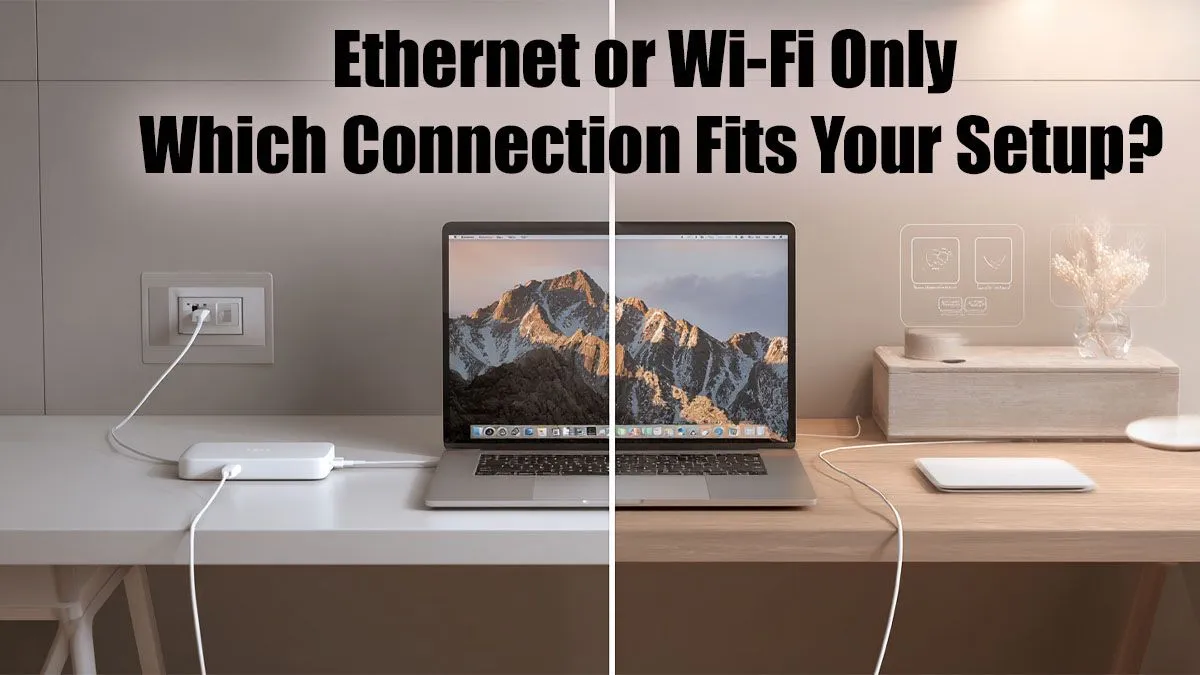
When performance is non-negotiable, a wired Ethernet connection is the undisputed champion. Plugging that humble network cable directly from your router into your PC or console creates a direct, physical link to the internet. Think of it as a private highway for your data, free from the traffic jams that plague wireless signals.
This direct line delivers two massive advantages for gamers and streamers:
- Lower Latency (Ping): Ping is the time it takes for your command to reach the game server and return. Lower is always better. An Ethernet connection drastically reduces this delay, giving you a critical split-second advantage.
- Unwavering Stability: Wi-Fi signals can be disrupted by walls, microwaves, or even your neighbour's network. A wired connection is immune to this interference, ensuring your download speeds stay consistent and your connection never drops during a crucial moment. It's the most reliable option, whether you're on one of the best gaming laptop deals or a high-end desktop rig.
The Freedom of Wi-Fi: Convenience is King 🔗
Let's be honest, nobody loves running cables across the living room. This is where Wi-Fi shines. Its primary benefit is convenience, allowing you to connect laptops, phones, and smart devices without being tethered to a wall. Modern standards like Wi-Fi 6 have made massive leaps in speed and efficiency, making the wireless experience better than ever.
However, even the best Wi-Fi setup operates on shared airwaves. For a gamer, this means you're always rolling the dice. Performance can fluctuate based on network congestion and physical obstacles. While many of today's Intel laptops on special come equipped with the latest Wi-Fi 6E technology to minimise this, a physical connection remains the gold standard for pure performance.
Ethernet vs Wi-Fi: The Head-to-Head Breakdown
So, how do they stack up in the areas that matter most to you? Let's break down the Wi-Fi vs Ethernet debate.
Latency (Ping)
For competitive online gaming, this is everything. A stable, low ping means your actions are registered instantly.
- Winner: Ethernet. It consistently provides the lowest possible latency.
Speed and Bandwidth
This affects download times for massive new games and your ability to stream in high quality.
- Winner: Ethernet. While modern Wi-Fi can be incredibly fast, a wired connection typically offers more of your ISP's advertised speed with zero fluctuation. This is vital for both powerful desktops and the latest AMD laptops on special that need a stable connection for demanding tasks.
Can't Run a Cable? Try This 🔧
If your gaming rig is too far from your router for an Ethernet cable, look into a Powerline Adapter. It uses your home's electrical wiring to create a stable, wired-like connection. It's a fantastic middle-ground solution that beats standard Wi-Fi for stability almost every time.
Reliability
A stable connection is a happy connection. Nothing is worse than getting booted from a match.
- Winner: Ethernet. A physical cable simply doesn't suffer from signal dropouts or interference.
Convenience
Ease of setup and portability are important, especially in a busy household.
- Winner: Wi-Fi. No drilling, no messy cables, just connect and go. It’s the clear choice for mobile devices and casual use.
The Verdict: Which Connection Is Right for You? ✨
Ultimately, choosing the right connection depends on your priorities.
For serious gamers, streamers, or anyone downloading massive files, the answer is clear: use an Ethernet connection for your primary machine whenever possible. The stability and low latency it provides are simply unmatched and will give you the best possible online experience.
For everything else—browsing on the couch, streaming movies on a tablet, or working from the garden—Wi-Fi is more than capable and offers unbeatable convenience. The best setup for most South African homes is a hybrid one: plug in your serious hardware and let everything else enjoy the freedom of wireless.
Get the Hardware to Match Your Connection
A rock-solid connection deserves a machine that can keep up. Explore our incredible range of laptop specials for sale in South Africa and find a rig that leaves lag in the dust.