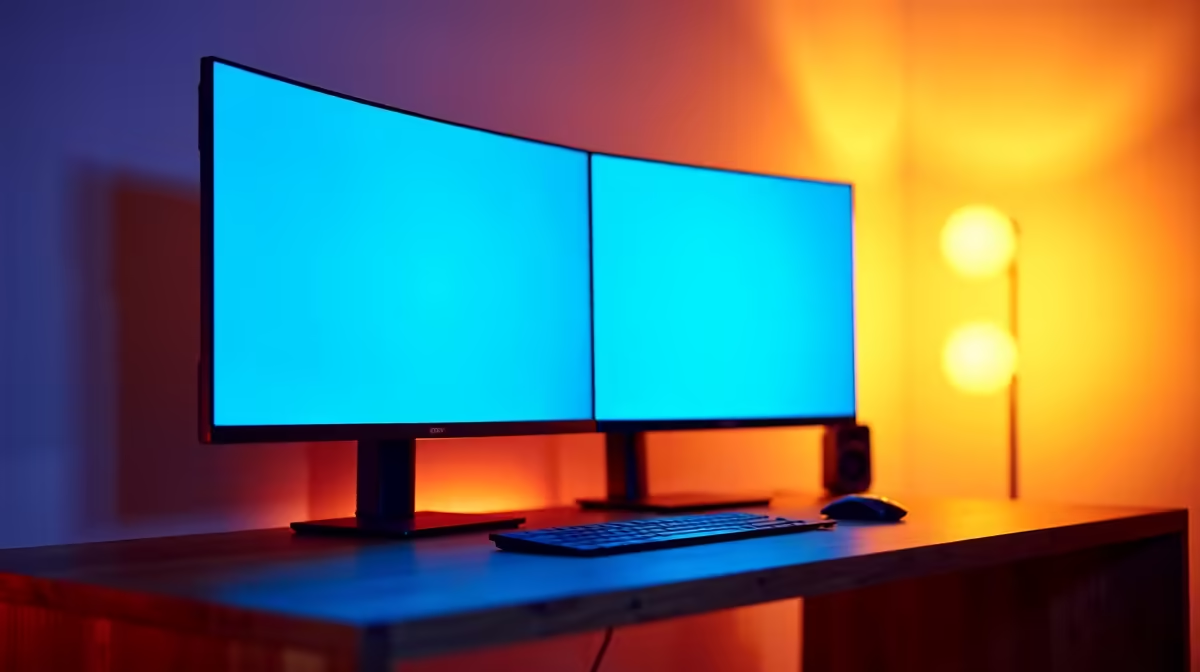
Two monitors side by side always leave a seam, and for years that seam was wide enough to break immersion, interrupt content, and look cluttered behind a streamer's head on camera. Frameless 4-side monitor design does not eliminate the gap, but it reduces the physical plastic border so thoroughly that the combined join between two panels shrinks to two or three millimetres. On a streaming station built around dual screens, that reduction changes both how the setup functions and how it reads on camera.
Quick Answer
A frameless 4-side design genuinely improves a dual monitor streaming station. Two panels together produce a near-seamless join of roughly 2mm to 3mm, compared to 15mm or more on older bordered monitors. Content flows more naturally across both screens, and the cleaner edge reads better in webcam framing.
🖥️ What Frameless Actually Means in Practice
The term "frameless" describes the treatment of the outer casing rather than the panel itself. Every LCD display has a small non-active zone under the edge of the glass where the panel's circuitry terminates. A frameless design pushes the outer plastic casing flush with or just beyond the glass, so the visual edge of the screen is dominated by the display surface rather than a thick housing border.
Four-side frameless extends this treatment all the way around, including the top and both vertical sides. Earlier frameless monitors addressed only three sides, leaving a thicker chin at the bottom for control buttons and branding. Modern four-side designs move the controls underneath or to the rear and slim the chin to match the other three edges.
When two such panels are placed side by side, the combined dead zone between them is roughly the sum of both inner borders, typically arriving at 2mm to 3mm total. On a monitor with 8mm or 10mm borders per side, that combined gap grows to 16mm to 20mm, which is large enough to register as a split during fast eye movement across the screens.
Is It Truly Borderless?
No. The inner strip between the glass surface and the active pixel area remains on every LCD panel, and nothing in the casing design can remove it. The difference is that a well-executed frameless design makes this strip as narrow as possible, around 1mm per panel side, and hides the plastic surround. You still have a gap. It is just small enough that your visual system tends to bridge it rather than fixate on it.
📸 The On-Camera Impact for Streamers
For a streamer whose webcam is positioned to show the desk setup, the monitor array behind or beside them is visible in the shot. Wide plastic borders register as chunky, retro-looking frames that date an otherwise clean setup. A 4-side frameless pair reads as a single wide display from a normal webcam field of view, giving the background a minimal, deliberate aesthetic rather than the look of two separate consumer-grade screens wedged together.
This matters beyond appearances. Sponsors, thumbnails, and long-form content that features the setup benefit from a cleaner visual. South African creators building a brand around their stream have found that setup presentation influences audience perception of production value, and the monitor border line is one of the most visible elements in a typical over-the-shoulder webcam shot.
Arm mounting both panels rather than using individual stands tightens control over alignment. With panel stands, small floor differences and stand-height tolerances create visible height mismatches between the two screens. On dual monitor arms with independent height and tilt adjustment, the panels can be aligned within a millimetre, so the thin join sits level and the setup reads as intentional rather than improvised.
Pro Tip ⚡
When mounting two frameless panels on a dual arm, physically measure the height of each panel's active area from the mount hole to the top of the display. Even identical model panels can sit at slightly different heights due to manufacturing tolerance. Use the arm's tilt adjustment to correct for this rather than repositioning the arm itself.
🎮 Practical Benefits for Streaming Workflows
Beyond aesthetics, a minimal seam changes how a dual-screen streaming station is actually used. The most common layout places game output on the primary monitor and streaming software, chat, and browser on the secondary. With a 15mm or wider seam, moving attention from the game to chat requires the eye to cross a visual break that interrupts focus. The wider the gap, the more deliberately the attention shift feels.
A 2mm to 3mm seam allows more fluid attention movement. Chat on the secondary panel sits close enough to the game view that peripheral monitoring is more natural, and the transition between active focus points requires less overt eye movement. Over a four-hour stream, that difference accumulates as less cognitive friction.
Content creators who use their secondary monitor to preview output, such as checking a capture card feed or reviewing a clip, also benefit from the continuity. A video playing on the secondary panel at the edge of the game appears genuinely adjacent rather than displayed on a separate visual object behind a wall of plastic.
Frequently Asked Questions
How wide is the combined seam when two 4-side frameless panels meet?
Two quality 4-side frameless monitors placed side by side produce a total gap of approximately 2mm to 3mm. This is the combined width of both panels' inner borders, which are typically around 1mm per side on well-executed frameless designs. Older monitors with standard borders often produce a combined seam of 15mm to 25mm.
Is 4-side frameless actually borderless or does a slim inner strip remain?
A slim inner strip remains on every LCD panel, regardless of casing design. The glass overhangs the active pixel area by a small amount, and that non-active zone is inherent to how the panel is built. Frameless describes the outer casing being removed or recessed. The resulting border is narrow enough that most users stop noticing it, but it is not absent.
Does the thinner border help when the setup appears on camera?
Clearly yes. Two frameless panels together read very close to a single wide display from a normal webcam angle. The thick plastic that characterised older monitor surrounds is visible and dates a setup immediately in video content. A 2mm to 3mm combined seam registers as a fine line rather than a structural gap, which gives the background of a stream a noticeably more polished appearance.
Should both monitors in a streaming station match in size and model?
For a dual streaming setup, matching both panels is strongly recommended. Equal panel heights keep the top and bottom edges aligned, and equal resolutions prevent content spanned across both screens from stepping at the join. A mismatched pair, such as a 24-inch next to a 27-inch, creates a permanent height discrepancy that no arm adjustment can resolve.
Does frameless design affect structural durability or panel stability?
Not significantly. The inner panel and its mount points are independent of the outer casing design. A frameless monitor draws its structural integrity from the back panel and the stand or VESA mount points, none of which are affected by the slim front bezel. Well-built frameless panels are as stable as standard-border monitors of equivalent build quality.
Ready to build a dual monitor station that looks as good as it performs?
Browse the frameless monitor range at Evetech and find a matched pair that minimises the seam and maximises the on-camera aesthetic of your streaming setup.