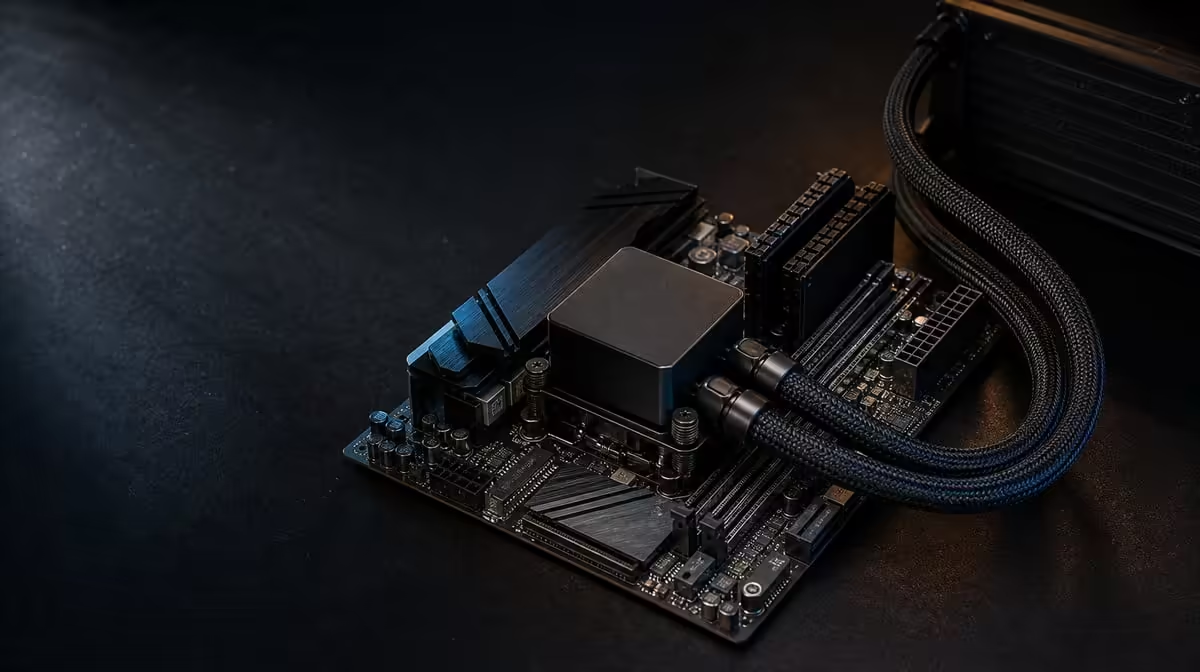
Cache, system memory and cooling sit in different parts of the performance chain, so one cannot stand in for another. How GameCache, DDR5 and liquid cooling work together is a story of data locality, working capacity and thermal headroom. The R38,999 9950X3D bundle combines all three around one fixed X870E platform.
Quick Answer
The 9950X3D's 144MB GameCache keeps selected data close to CPU cores, 48GB KLEVV DDR5-7200 supplies the larger active memory pool, and the DeepCool LQ360 manages processor heat. In the R38,999 kit, these resources complement one another but do not guarantee maximum gaming performance. Game engine, GPU, stable configuration, installation and settings determine which link matters.
🗂️ Follow data from DDR5 to the CPU
Games and applications keep active code and data in system memory. The 48GB KLEVV pool can hold a substantial working set for the operating system, game, creative tools and background software.
When the processor needs information, cache provides a closer, faster layer. The 9950X3D's 144MB GameCache can retain selected frequently used data, reducing some trips to DDR5 when the workload has favourable reuse patterns.
Cache is much smaller than system memory and cannot hold the entire game or project. DDR5 remains necessary for the broader active data set. Storage sits farther out again and has its own capacity and performance role.
The 7200MHz rating describes the KLEVV kit's transfer target, while 48GB describes its pool size. Both differ from the 144MB cache figure. Combining them into one faster-memory claim obscures which resource changed.
Use Evetech's AMD CPU selection to compare cache and processor resources across named options.
🎮 See how the workload chooses the bottleneck
A CPU-sensitive, high-frame-rate game can benefit from processor capability and favourable cache behaviour. A graphically demanding 4K title may remain limited by the GPU, hiding much of the CPU-side difference.
Memory capacity can matter when the game runs beside streaming, communication or creation tools. If the working set fits comfortably in a smaller pool, 48GB may provide headroom rather than immediate frames.
Memory transfer performance can help titles or applications responsive to bandwidth and latency. The 9950X3D's large cache may change that sensitivity, but it does not remove DDR5 from the platform.
Cooling becomes relevant when sustained processor work generates enough heat to approach a thermal constraint. If the CPU already operates with suitable headroom, a larger cooler may not alter game performance. If installation or airflow is poor, the LQ360 cannot deliver its intended thermal role.
The GPU remains outside this kit. It renders the frames and often sets the result at high resolutions. A complete gaming explanation must include the chosen graphics hardware.
🧪 Test the three resources without mixing causes
Begin with a stable platform baseline. Confirm full 48GB recognition, LQ360 pump and fan operation, and normal behaviour on the ROG Crosshair X870E Dark Hero.
Validate memory separately. Apply documented settings, change one item at a time and use suitable memory tests plus real workloads. The stable speed reached depends on firmware, board configuration and the 9950X3D memory controller.
For cache-sensitive gaming, use a repeatable CPU-demanding scene and keep GPU, memory and software conditions fixed. Run several passes and review frame-time consistency as well as averages. A lower-resolution test can expose CPU capability; the intended resolution shows the practical result.
For cooling, repeat a long game or processor task until temperature and fan behaviour settle. Record room conditions. Compare clocks and performance before and after a verified airflow or control change, holding memory and game settings constant.
Do not tune memory and cooling simultaneously. If performance moves, the cause becomes unclear. Keep a working configuration record and return to it between tests.
Include a mixed-session acceptance run. Start the game, operate the normal stream or background tools, move to a creation task and return. Observe memory use, frame behaviour and temperature across the transition. This shows how the three resources coexist during real ownership.
💵 Value the combined R38,999 platform
The package also includes the exact Dark Hero board. Its role is to connect processor, memory, graphics, storage, cooling controls and peripherals. Check its named implementation against the build rather than assigning value to X870E alone.
Score each resource independently. GameCache should name the responsive titles; 48GB should name the capacity-heavy workflow; the stable DDR5 rate should name a repeatable gain; and the LQ360 should name a suitable case and sustained thermal result.
Then test the combination. A platform is stronger when several resources solve frequent needs together. It is weaker when cache is irrelevant to the game library, memory sits unused, or the liquid layout conflicts with the intended case.
Compare coordinated platforms in Evetech's AMD upgrade kit category. A lower-cost package can fund a better GPU or more storage; this one can be rational when CPU, memory and cooling resources are all used.
Review the exact board through Evetech's AMD motherboard range. Required connections and layout should pass before optional features receive budget.
Add graphics, storage, power and chassis to the R38,999 price. The platform core cannot become a finished PC without them, and a weak open component can hide the strength of the fixed bundle.
Keep the final evidence after assembly: stable memory configuration, cooler baseline, repeatable game scene and mixed-work test. Later changes can be measured against it rather than attributed to whichever specification sounds most impressive. Check current availability when the whole chain is costed and testable.
Create a failure tree for the mixed test. If frame rate falls while the GPU is saturated, investigate graphics rather than cache. If applications reload and memory pressure is high, examine capacity. If the system errors after a memory change, return to the stable DDR5 baseline. If clocks decline as temperature rises, inspect the cooling path. This diagnostic order stops one headline feature from receiving blame for every symptom.
Run the same tree after the system has warmed through a long session. Cache behaviour may remain unchanged while the case accumulates heat; memory capacity may be adequate while storage activity creates delays. Separating time-based thermal effects from data-path effects produces a clearer explanation.
Keep power and software in the picture. Background work, firmware state, drivers and the final PSU configuration can influence observed behaviour. The three highlighted resources operate within that wider machine, not outside it.
Use a capped-frame test as well as an uncapped benchmark. The owner may value consistent delivery at the display target more than the highest average. Note whether cache-sensitive scenes, stable DDR5 and healthy cooling help maintain that practical target.
The platform should also pass a creation or productivity task if mixed use justified 48GB. A gaming-only benchmark cannot prove that the larger active pool or CPU resources help the professional side.
Finish by writing three bounded findings, one for each resource. State the workload where GameCache was relevant, the capacity or stable rate achieved by DDR5, and the thermal behaviour maintained by the LQ360. The combined package is strongest when those findings describe recurring use rather than theoretical possibility.
Add the graphics result as a fourth finding because the GPU can hide or expose CPU-side gains. A high-resolution run that remains graphics-limited does not invalidate GameCache; it shows where the completed system currently spends its time.
Keep all four findings with the stable platform record. Later game updates, firmware changes or a new graphics card can be tested against the same scenes and tasks, revealing which part of the chain moved.
Frequently Asked Questions
What role does 144MB GameCache play?
It keeps more selected data close to the processor cores, potentially reducing some trips to system memory in responsive workloads.
How does 48GB DDR5 complement cache?
DDR5 holds the much larger active data pool for games, applications and background tools; cache handles a smaller, faster working layer.
What does the LQ360 contribute?
It transfers heat away from the 9950X3D so the processor can operate within its thermal behaviour during sustained work.
Can one resource replace another?
No. Cache, system-memory capacity, memory transfer and cooling solve different constraints.
Do they guarantee maximum gaming performance?
No. Game engine, graphics card, resolution, settings, stability and installation determine the result.
Why does memory stability matter?
Errors or crashes can interrupt games and work, making an aggressive transfer target less useful than a dependable configuration.
How should the complete system be tested?
Validate memory and cooling separately, run a repeatable CPU-sensitive game scene, then complete a mixed-session workflow with all normal tools.
Ready to test cache, DDR5 and cooling as three connected but separate resources?
Explore Evetech AMD platform kits and make every part of the R38,999 core prove its role in the complete system.