

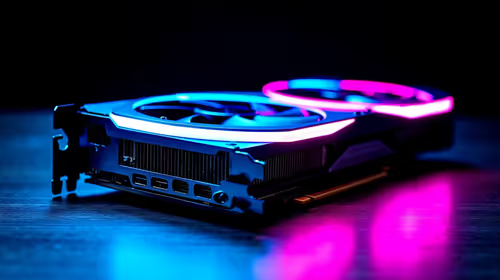
Will A Pcie 5.0 Gpu Work With A Pcie 4.0 Motherboard? Compatibility Guide
Will A Pcie 5.0 Gpu Work With A Pcie 4.0. Hand-picked gift ideas at every budget tier. SA pricing & Evetech availability included.
Read moreDiscover how gaming mouse sensors have evolved from basic optical tracking to the ultra-precise HERO 2 at 44000 DPI. 🖱️ Master your aim with our deep dive into sensor technology! 🚀
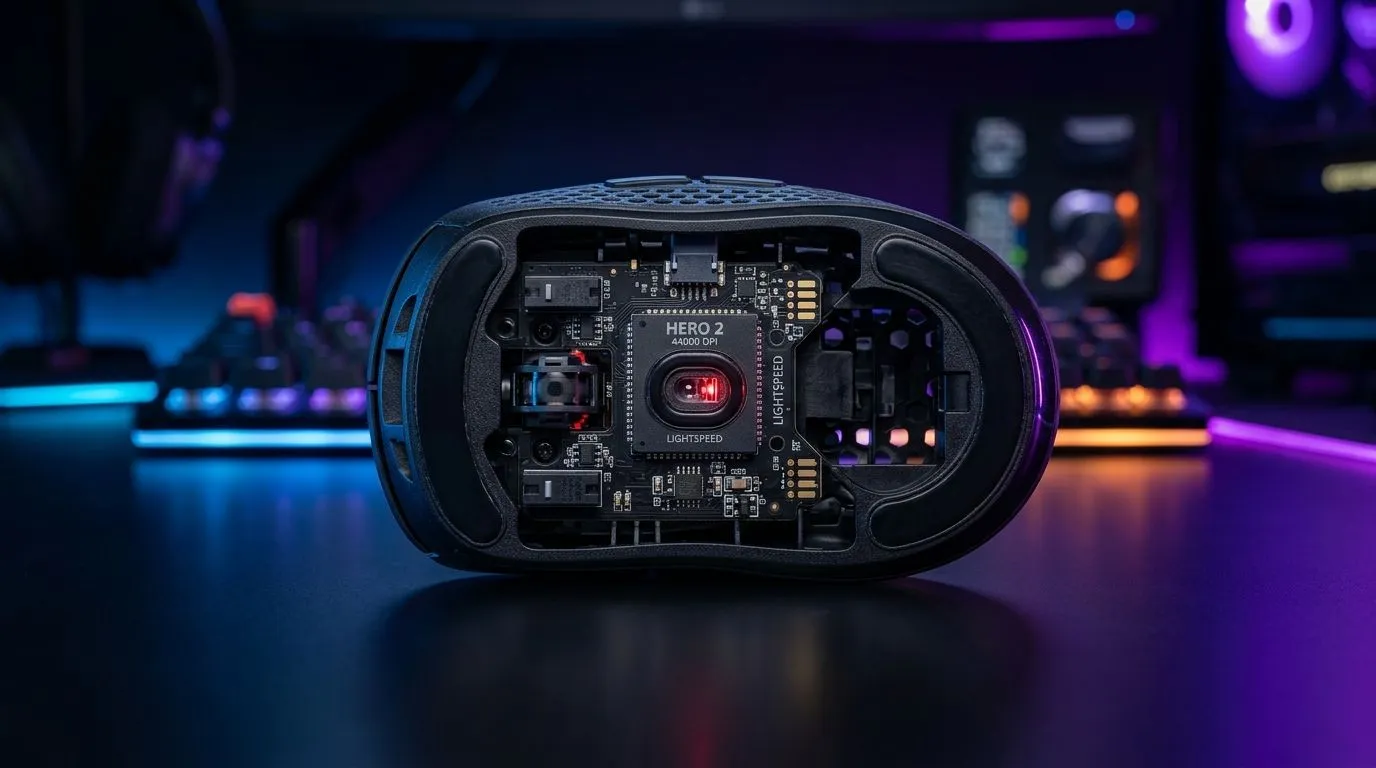
South African gamers don’t buy a mouse spec sheet. We buy consistency. The kind that keeps your crosshair glued when you’re flicking for a headshot in Counter-Strike 2 or tracking targets in Apex Legends.
But “sensor” marketing can get messy fast. Optical tracking. DPI jumps. “Up to 44,000 DPI”… sounds exciting, right? Let’s break down what actually matters, how to read the numbers, and what to look for before you spend your next gaming budget. ✨
If you’re shopping right now, start with Evetech’s gaming mouse section and compare real options side-by-side: https://www.evetech.co.za/components/gaming-mouse-117.aspx
A mouse sensor is basically the brain that measures movement. Two common tracking approaches show up in most modern gaming mice:
Optical sensors track your movement using a light source and surface reading. They tend to be highly accurate on supported surfaces. In practice, this means smoother movement and reliable counts when your desk and mat aren’t too dirty or worn out. 🔧
DPI is dots per inch. Higher DPI lets the cursor travel more per inch of physical movement, but it does not automatically make you “better”. What matters is whether the sensor’s tracking is consistent and whether your in-game sensitivity (and eDPI) matches your aiming style.
“Up to 44,000 DPI” sounds wild, but you still need sensible settings. Most competitive players don’t live at the maximum. They choose a DPI that keeps micro-aim stable and lets them move confidently across your mousepad.
Even with an amazing sensor, a lower polling rate can feel laggier under load. High polling rates generally improve the frequency of input updates to your PC. If you play FPS competitively, polling rate is worth prioritising alongside sensor performance. ⚡
Your environment is part of the system. Dust, worn pads, and even cheap desk surfaces can mess with tracking consistency. That’s why “spec-only” shopping can backfire.
A simple micro-story from local PC bangs: two buddies buy “the same” model line-up. One player cleans their mousepad and keeps cloth smooth. The other leaves a dusty, scratched surface. Guess whose aim feels steadier after a week?
If your current pad is uneven, cracked, or glossy in places, your sensor may behave unpredictably. If you’re upgrading soon, it’s worth looking at the full ecosystem, not just the sensor number.
Wireless can be great, but you want stable connection and comfortable latency characteristics for gaming. If you’re considering wireless, explore these options first: https://www.evetech.co.za/buy-wireless-mouse/x/1597.aspx
For wired mice with consistent performance and no charging schedules, start here: https://www.evetech.co.za/buy-wired-mouse/x/1596.aspx
When you’re comparing mice, don’t just chase DPI. Use this checklist:
Look for a gaming-focused mouse listing rather than general office branding. Evetech curates gaming options in their mouse category, which makes comparison easier. https://www.evetech.co.za/components/gaming-mouse-117.aspx
If you never go above a certain sensitivity, you don’t need to max DPI. Pick a mouse that gives you headroom without sacrificing control.
High maximum DPI is meaningless if your tracking stutters on your actual desk and mat.
Palm, claw, and fingertip grips change how you feel aim stability. Even a “perfect” sensor won’t help if the mouse forces your hand into an awkward position.
Keep a small lint roller or microfiber cloth next to your desk and clean your mouse sensor window and mousepad once a week. A dust-free sensor and a smooth surface can noticeably improve consistency, especially in FPS where micro-corrections matter.
Want value? Start with a deal-focused search and compare models within your budget: https://www.evetech.co.za/best-gaming-mouse-deals/x/054.aspx
You can’t “accessorise” away poor fit or inconsistent tracking, but you can remove friction. A better pad, mouse skates that aren’t worn out, and clean sensor contact often do more than squeezing out one extra DPI tier.
If you’re planning a full setup refresh, browse mouse accessories here: https://www.evetech.co.za/buy-mouse-accessories/x/1595.aspx ✨
Once you buy the mouse, set it once and test like a gamer.
The goal is “repeatable aim”, not maximum number chasing.
Ready to Find Your Perfect Match? The Mac vs Windows debate is complex, but for maximum power, choice, and value in South Africa, Windows is hard to beat. Explore our massive range of laptop specials and find the perfect machine to conquer your world.
Optical sensors use a tiny camera to take thousands of pictures per second of the surface, comparing them to track movement and translate it into cursor motion.
The HERO 2 sensor offers extreme precision and power efficiency, allowing for 44000 DPI sensitivity and perfect tracking speeds for competitive professional gaming.
Most professional gamers use lower DPI settings, but high DPI sensors like the HERO 2 provide greater consistency, zero smoothing, and improved tracking accuracy.
Optical sensors use LEDs and are best on cloth mousepads, while laser sensors can track on more surfaces but may suffer from minor acceleration issues.
Polling rate determines how often the mouse reports its position to the PC. Higher rates reduce input lag, ensuring your movements are registered instantly.
While entry-level sensors work fine for casual use, high-end sensors offer better reliability and tracking, which can improve your consistency over time.
Will A Pcie 5.0 Gpu Work With A Pcie 4.0. Hand-picked gift ideas at every budget tier. SA pricing & Evetech availability included.
Read more
Streamelements Setup with GPU: Streamer Guide. Clear setup instructions with SA-specific considerations, troubleshooting tips & recommended components.
Read more
Intel Arc B580 Throttling Under Load: Temperature. Everything you need to know with SA pricing, step-by-step instructions & expert recommendations.
Read more
Complete ATX Case Size Guide: Interior Dimensions. Best deals curated with real SA discounts, price history & tips on getting genuine value.

What GPU Do You Need for AI & Machine Learning. Hardware requirements breakdown with recommended specs & SA pricing for each tier.

Top Settings for RTX 4060 at Ultrawide 1440p picks evaluated on performance, value & SA availability with current Rand pricing from Evetech.

Head-to-head comparison of FreeSync vs G-Sync Explained: Which Should Gamers for SA gamers. Performance benchmarks, Rand pricing & which delivers better value.

Every spec on PCIe 5.0 explained in plain English. What matters for gaming and creator work in 2026, what's marketing fluff, and how each number translates to real-world performance.

Every spec on bios explained in plain English. What matters for gaming and creator work in 2026, what's marketing fluff, and how each number translates to real-world performance.

Every spec on gaming setups explained in plain English. What matters for gaming and creator work in 2026, what's marketing fluff, and how each number translates to real-world performance.

Every spec on cooling systems explained in plain English. What matters for gaming and creator work in 2026, what's marketing fluff, and how each number translates to real-world performance.

Every spec on understanding how much vram is needed explained in plain English. What matters for gaming and creator work in 2026, what's marketing fluff, and how each number translates to real-world.

How to pick the right PCIe 5.0 for your build in 2026: the features worth paying for, ZAR value tiers, and the trade-offs between budget, mid-range and flagship picks.

Every spec on gpu explained in plain English. What matters for gaming and creator work in 2026, what's marketing fluff, and how each number translates to real-world performance.

Every spec on gpu explained in plain English. What matters for gaming and creator work in 2026, what's marketing fluff, and how each number translates to real-world performance for SA buyers.