Quick Answer
GPU braces better support heavy graphics cards than standard PCIe slot mounting alone. Standard mounting relies entirely on the PCIe edge connector and rear bracket screws, which cannot counteract the leverage of a 1.5kg to 2.2kg triple-fan card over 12 or more months. A brace distributes that weight onto the case chassis and eliminates progressive sag.
How Standard PCIe Mounting Works and Where It Falls Short 🔧
Standard GPU mounting uses two elements: the PCIe x16 edge connector, which provides electrical connection and some mechanical support, and the rear bracket screws, which anchor the GPU's I/O plate to the case chassis. The PCIe slot is designed for the weight of typical dual-fan cards weighing under 1kg. Modern triple-fan flagship cards like the RTX 5090 and RX 9070 XT stretch standard mounting to its design limits: the card's far end, extending 300mm or more from the slot, acts as a lever arm that generates downward force on the slot edge connector. Over months, this bends the PCIe traces on the motherboard, causes the GPU to sag visibly by 5mm to 12mm, and in some cases creates intermittent electrical contact at the edge connector.
How GPU Braces Address the Sag Problem 💡
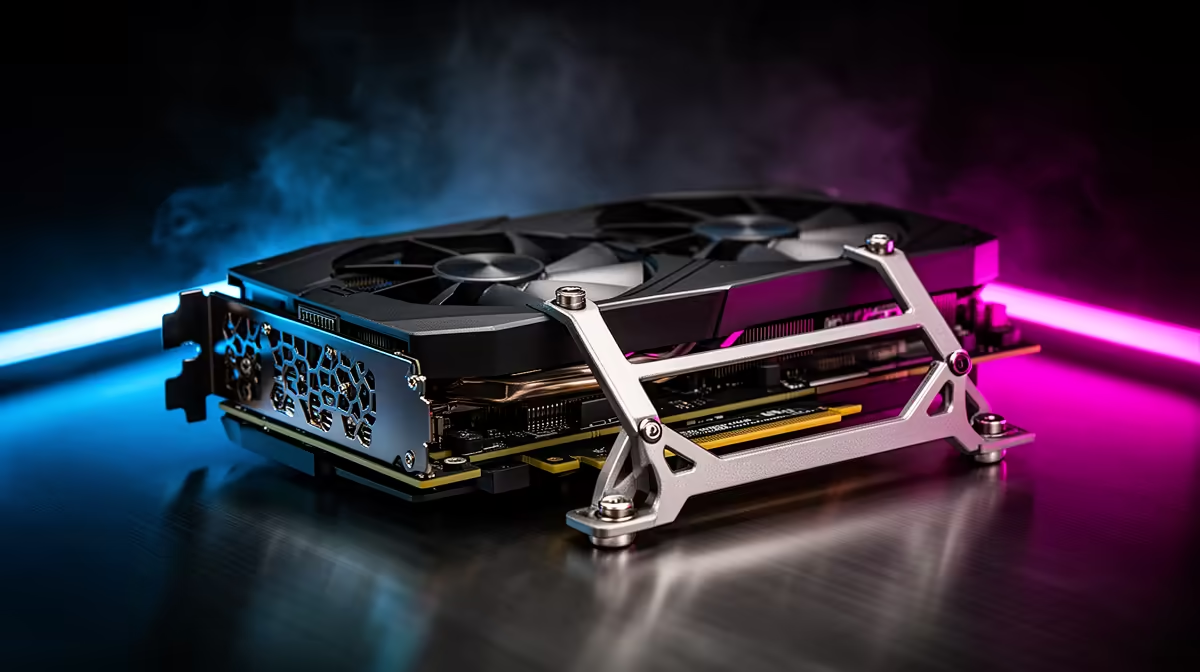
A GPU brace contacts the underside of the GPU shroud and transfers a portion of the card's weight to the case floor, side panel mount, or a dedicated bracket rail. Case-integrated braces provide adjustable-height contact points that conform to different card heights. Aftermarket braces attach to PCI bracket slots or sit on telescoping floor stands. Both approaches reduce PCIe slot load from the full card weight to effectively zero at the contact point, which is the section of the card furthest from the slot and generating the highest leverage force. A brace in place means the PCIe slot handles only the weight of the card's rear section near the bracket, well within its mechanical design limit.
Choosing the Right Brace for Your Specific GPU 📐
Adjustable-height braces accommodate the widest range of GPU shroud thicknesses, which vary from 38mm on compact dual-fan cards to 60mm or more on thick triple-fan designs. Fixed-height braces work only if sized correctly for your card model, making them card-specific. For flagship RTX 5090-class hardware costing R18,000 to R32,000 locally, a quality adjustable brace costing R200 to R600 is straightforward risk management for the underlying investment.
Inspect the PCIe Slot Annually for Sag Damage ⚡
Once a year, remove the GPU and inspect the PCIe slot on the motherboard. Look for any visible plastic deformation around the slot opening or metal tab bending on the retention latch. Catching early sag damage prevents it from progressing to a failed edge connector contact, which requires motherboard replacement. A brace prevents this inspection from finding anything wrong.
FAQ
Can GPU sag actually cause a graphics card to fail?
Direct GPU failure from sag is rare, but motherboard PCIe slot damage is a documented outcome of prolonged severe sag. The most common symptom is intermittent display disconnections or graphical artefacts when the system is under vibration. A brace eliminates this risk.
Do lighter dual-fan cards need a GPU brace?
Dual-fan cards under 1kg generally do not develop measurable sag over typical hardware ownership periods. A GPU brace adds peace of mind for any card but is most important for triple-fan designs above 1.3kg, particularly in cases with horizontal PCIe slot orientations.
Does vertical GPU mounting replace the need for a brace?
Yes. Vertical mounting orientates the card so gravity pulls it straight down toward the PCIe slot rather than at a lever arm angle. No sag force develops, making a vertical brace unnecessary. The trade-off is reduced GPU airflow if the card sits within 20mm of a glass side panel.
Running a heavy flagship GPU in your build?
Evetech stocks graphics cards alongside premium cases with integrated GPU support braces, so your hardware investment is protected from day one.