


Complete Gaming Setup Guide for the SA Esports Athlete in SA 2026
Complete Gaming Setup Guide for the Esports. Clear setup instructions with SA-specific considerations, troubleshooting tips & recommended components.
Read moreGTA 6 Max Settings on Arc B580. Tested & verified settings for best FPS and visual quality on SA hardware budgets.
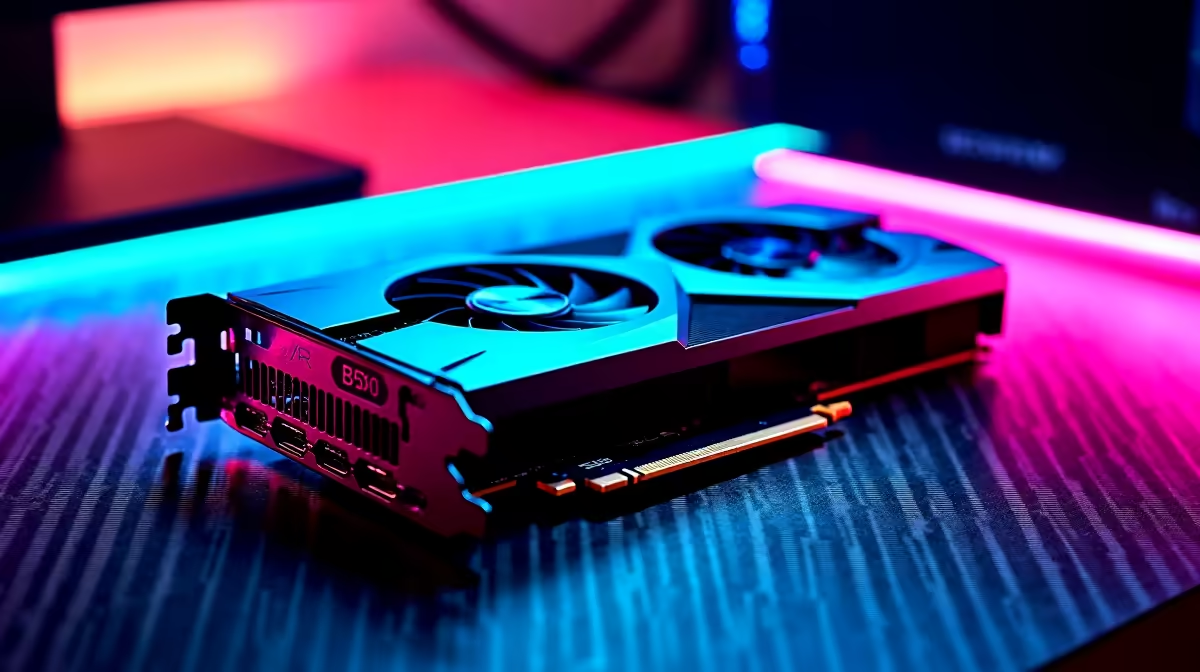
Running GTA 6 at max settings on the Intel Arc B580 is achievable at 1080p with XeSS upscaling enabled, delivering 55 to 70fps at High to Ultra settings. At native 4K max settings the B580 is not the intended target, but 1440p with XeSS Quality offers a strong balance of visual quality and performance for this mid-range GPU.
The Intel Arc B580 is a mid-range GPU built on the Battlemage architecture, featuring 20 Xe2 cores, 12GB of GDDR6 VRAM, and hardware ray tracing support. In GTA 6, the 12GB frame buffer is a significant advantage over competing mid-range GPUs at similar price points, as GTA 6 is a VRAM-hungry title with highly detailed open-world streaming assets. The B580 handles the game's memory requirements comfortably at 1080p and 1440p. XeSS (Intel's upscaling technology) is supported in GTA 6 at launch and is the key tool for pushing the B580 beyond its native rasterization limits. At 1080p with XeSS set to Quality mode, the image quality is close to native while frame rates increase by 30 to 40% over native rendering. ## 1080p Max Settings: Performance and Settings Guide
At native 1080p Ultra settings in GTA 6, the B580 delivers around 50 to 60fps in open-world gameplay and dips to 45fps in dense urban areas. Enabling XeSS Quality mode at 1080p output pushes this to a consistent 65 to 80fps, which is a smooth and visually excellent result for a mid-range card. For true max settings with ray tracing enabled at 1080p, frame rates drop to 35 to 45fps. Enable XeSS Performance mode to bring this back to 55 to 65fps, though sharpness is reduced. The recommended settings for 1080p max experience on the B580 are: Textures Ultra, Shadows High, Reflections Medium (or use XeSS Ultra Performance for RT enabled), Vegetation Distance High, and XeSS Quality mode active. Disabling global illumination ray tracing and using screen-space GI instead gains 15 to 20fps with a minimal visual quality change in most daylight outdoor scenes. ## 1440p Performance and Recommended Settings
At 1440p, native Ultra settings deliver 35 to 45fps on the B580, which is below the target for smooth gameplay. Enable XeSS Quality mode at 1440p and you land at 55 to 70fps, which is the best balance of performance and visual fidelity this GPU offers. For 1440p players, set Textures to Ultra, Post Processing to High, Shadows to Medium, and use XeSS Quality or Balanced. The 12GB VRAM advantage becomes visible here. Competing 8GB cards experience VRAM saturation at 1440p Ultra with multiple texture packs loaded, causing stutter. The B580 handles this workload without hitching. ## GTA 6 on Arc B580: SA Market Context
The Arc B580 is priced between R5,000 and R6,500 locally in SA, making it an attractive option for gamers who want to play GTA 6 at a strong visual quality level without paying flagship GPU prices. Paired with a Ryzen 5 5600X or Core i5-12th-gen CPU and 16GB DDR4/DDR5 RAM, it makes for a complete GTA 6 capable rig for around R15,000 to R18,000 total, which is realistic for many SA builds. ## Frequently Asked Questions
Can the Arc B580 run GTA 6 at 60fps? Yes, at 1080p with XeSS Quality enabled and High to Ultra settings, the B580 consistently delivers 65 to 80fps. At 1440p, XeSS is required to reach 60fps target at High settings. Does GTA 6 use all 12GB of VRAM on the Arc B580? At 1440p Ultra with all texture packs enabled, GTA 6 can use 10 to 11GB of VRAM. The B580's 12GB buffer handles this comfortably without the stutter caused by VRAM overflow seen on 8GB cards. Is ray tracing playable on the Arc B580 in GTA 6? RT at Low or Medium settings combined with XeSS Quality mode at 1080p is playable at 50 to 65fps. Ultra ray tracing at 1080p native is not practical on the B580. Use screen-space GI for best performance without sacrificing too much visual quality. What other components do I need for a good GTA 6 experience with the B580? At minimum, a 6-core CPU (Ryzen 5 5600X or better), 16GB DDR4-3200 RAM, and an NVMe SSD for fast asset streaming. GTA 6's open-world loading is heavily dependent on storage speed, so an NVMe drive is strongly recommended over SATA SSD.
Ready to Find Your Perfect Match? Shop GPUs at Evetech and build your GTA 6-ready PC with the right card for your budget and resolution.
GTA 6 Max Settings on Arc B580: Complete available at Evetech.co.za with local warranty and fast delivery.
GTA 6 Max Settings on Arc B580: Complete - check Evetech for latest stock and SA pricing.
Depends on your use case. GTA 6 Max Settings on Arc B580 offers good value at current Rand pricing.
Complete Gaming Setup Guide for the Esports. Clear setup instructions with SA-specific considerations, troubleshooting tips & recommended components.
Read more
AIO Liquid 360mm Installation Guide for Your PC. Clear setup instructions with SA-specific considerations, troubleshooting tips & recommended components.
Read more
MacBook Display Colour Looks Wrong? Calibration. Everything you need to know with SA pricing, step-by-step instructions & expert recommendations.
Read more
Printer Terminology Guide. Everything you need to know with SA pricing, step-by-step instructions & expert recommendations.
Read more
Git on Mac: Complete Setup Guide for Beginners. Clear setup instructions with SA-specific considerations, troubleshooting tips & recommended components.
Read more
Ryzen 9 9900X Thermal Paste Dry: Reapplication. Everything you need to know with SA pricing, step-by-step instructions & expert recommendations.
Read more
AMD RX 9050 XT: Rumoured Specs, Price & Release. SA-focused analysis with local pricing data, real-world insights & actionable buying advice.

Can RTX 4080 Super Run AI Workloads for SA Developers Detailed answer with SA data, expert analysis & practical recommendations for local buyers.

Can RTX 4090 Run AI Workloads for SA Developers Detailed answer with SA data, expert analysis & practical recommendations for local buyers.

Top Settings for Intel Arc B580 at Ultrawide 1440p picks evaluated on performance, value & SA availability with current Rand pricing from Evetech.

RTX 4060 CS2 Low Settings at 1080p: FPS Results. Real-world benchmark data, FPS numbers & performance analysis. What SA gamers can actually expect.

Visual Artifacts: Possible GPU Issue Issue #1. Diagnosis steps, proven fixes & when to seek professional help. SA-specific support info included.

Can the RTX 4090 Handle 1440p 144Hz Gaming. Performance testing verdict with real data & practical recommendations for SA buyers.

Top ASUS GPU Under R15000 picks evaluated on performance, value & SA availability with current Rand pricing from Evetech.

GTA 6 Max Settings on RTX 5070. Tested & verified settings for best FPS and visual quality on SA hardware budgets.

Cyberpunk 2077 Max Settings on RTX 5080. Tested & verified settings for best FPS and visual quality on SA hardware budgets.

Starfield Max Settings on RTX 5070 Ti. Tested & verified settings for best FPS and visual quality on SA hardware budgets.

Top RTX 5090 Under R5000 picks evaluated on performance, value & SA availability with current Rand pricing from Evetech.