


Complete Gaming Setup Guide for the SA Esports Athlete in SA 2026
Complete Gaming Setup Guide for the Esports. Clear setup instructions with SA-specific considerations, troubleshooting tips & recommended components.
Read moreDiscover how flicker-free monitors can transform your viewing experience by eliminating screen flicker, a major cause of digital eye strain. Learn about the technology, its benefits for work and gaming, and how to choose the best monitor for your eyes. 🖥️ Say hello to comfort! ✨
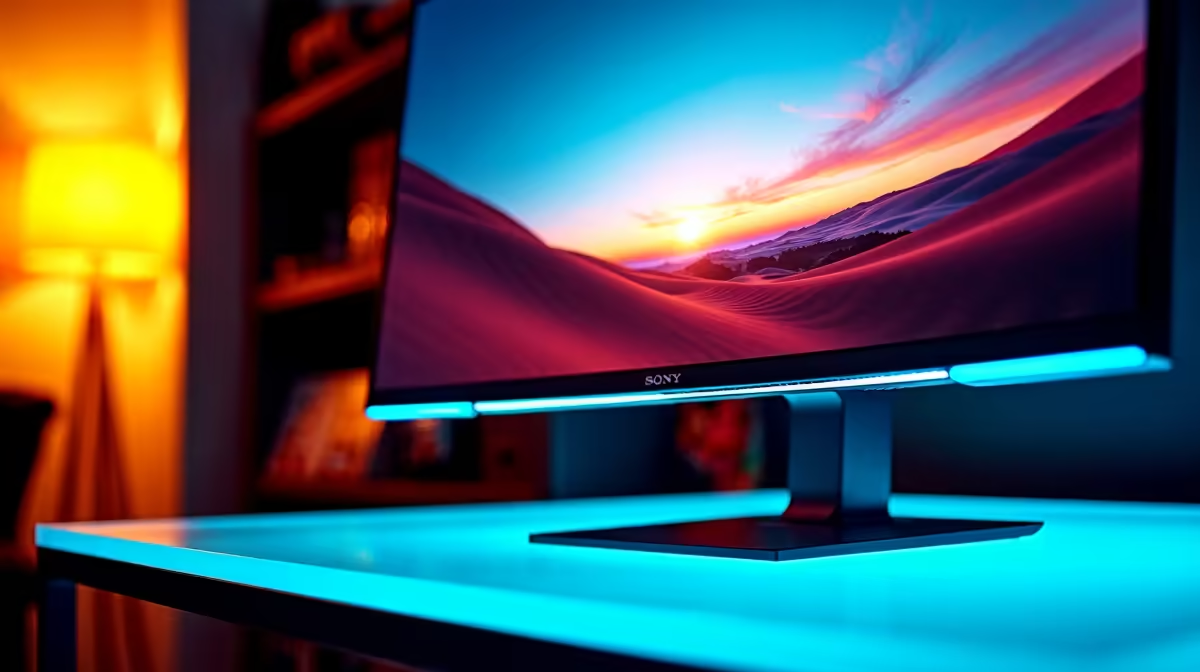
Stared at your screen so long your eyes feel like they're full of sand? We've all been there. Whether you're grinding ranks in Valorant or deep in a spreadsheet, that burning, tired feeling is a sign. It’s called digital eye strain, and the invisible flicker from your monitor is often the main culprit. The good news? Flicker-free monitors are specifically designed to combat this, making long hours at your desk far more comfortable. ✨
You can't see it, but most standard monitors are constantly flickering. To control brightness, many screens use a technique called Pulse-Width Modulation (PWM). Think of it like a light switch being flicked on and off hundreds of times per second. The faster it flicks, the brighter the screen appears.
While your brain doesn't consciously register this rapid-fire blinking, your pupils are constantly reacting, trying to adjust. This subconscious effort is what leads to headaches, fatigue, and that all-too-familiar eye strain. This is why choosing a monitor that doesn't flicker is crucial for anyone spending significant time at their PC, and it's a key feature to look for across the best PC monitors available today.
So, what's the solution? True flicker-free monitors ditch PWM for a smarter method called DC Dimming. Instead of flickering the backlight, this technology controls brightness by adjusting the direct current (DC) of electricity sent to the screen.
Imagine a simple dimmer switch for a lamp… that's DC Dimming. It provides a steady, continuous stream of light, eliminating the invisible strobing effect that causes eye fatigue. By providing a stable image, a flicker-free monitor allows your eyes to relax, letting you focus on your game or work for longer without discomfort. This technology is now a standard feature in almost all quality gaming monitors.
While eliminating flicker is the biggest step, other features contribute to a more comfortable viewing experience. When you’re shopping, look out for these eye-care technologies:
The physical shape of your screen can also help. The gentle wrap-around design of modern curved monitors can reduce eye movement and create a more immersive, comfortable field of view.
your monitor so the top of the screen is at or slightly below your eye level, and about an arm's length away. This simple adjustment, combined with a flicker-free display, can drastically reduce both neck and eye strain during long sessions. Also, don't forget the right [monitor accessories](https: www.evetech.co.za PC-Components buy-monitor-accessories-368.aspx) to perfect your setup!
Nearly every modern monitor worth its salt includes flicker-free technology, but the right one for you depends on your primary use.
Ultimately, investing in a flicker-free monitor is one of the best upgrades you can make for your health and productivity. Your eyes will thank you for it.
Ready to Banish Eye Strain for Good? Your eyes deserve an upgrade. A flicker-free monitor isn't a luxury; it's an essential tool for anyone serious about their gaming or work. Explore our unbeatable PC monitor deals and find the perfect screen to protect your vision and elevate your setup.
A flicker-free monitor uses a direct current (DC) dimming method to control brightness, eliminating the rapid on-off backlight cycling (PWM) that causes invisible flicker.
Yes. By providing a stable light source, flicker-free monitors significantly reduce the subconscious effort your pupils make to adjust, leading to less eye fatigue and headaches.
No. Low blue light technology reduces harmful blue light emissions, while flicker-free technology eliminates screen flicker. For maximum eye comfort, look for a monitor with both.
A simple test is to wave your hand in front of a white screen. If you see a trail of distinct images, your monitor uses PWM flicker. A smooth blur means it is likely flicker-free.
Many modern gaming monitors now include flicker-free technology as a standard feature to support long gaming sessions without causing excessive eye strain. Always check the specs.
TUV Rheinland is a third-party organization that tests and certifies displays for low blue light and flicker-free performance, ensuring they meet specific eye comfort standards.
Complete Gaming Setup Guide for the Esports. Clear setup instructions with SA-specific considerations, troubleshooting tips & recommended components.
Read more
AIO Liquid 360mm Installation Guide for Your PC. Clear setup instructions with SA-specific considerations, troubleshooting tips & recommended components.
Read more
MacBook Display Colour Looks Wrong? Calibration. Everything you need to know with SA pricing, step-by-step instructions & expert recommendations.
Read more
Printer Terminology Guide. Everything you need to know with SA pricing, step-by-step instructions & expert recommendations.
Read more
Git on Mac: Complete Setup Guide for Beginners. Clear setup instructions with SA-specific considerations, troubleshooting tips & recommended components.
Read more
Ryzen 9 9900X Thermal Paste Dry: Reapplication. Everything you need to know with SA pricing, step-by-step instructions & expert recommendations.
Read more
AMD RX 9050 XT: Rumoured Specs, Price & Release. SA-focused analysis with local pricing data, real-world insights & actionable buying advice.

Can RTX 4080 Super Run AI Workloads for SA Developers Detailed answer with SA data, expert analysis & practical recommendations for local buyers.

Can RTX 4090 Run AI Workloads for SA Developers Detailed answer with SA data, expert analysis & practical recommendations for local buyers.

Top Settings for Intel Arc B580 at Ultrawide 1440p picks evaluated on performance, value & SA availability with current Rand pricing from Evetech.

RTX 4060 CS2 Low Settings at 1080p: FPS Results. Real-world benchmark data, FPS numbers & performance analysis. What SA gamers can actually expect.

Visual Artifacts: Possible GPU Issue Issue #1. Diagnosis steps, proven fixes & when to seek professional help. SA-specific support info included.

Can the RTX 4090 Handle 1440p 144Hz Gaming. Performance testing verdict with real data & practical recommendations for SA buyers.

Top ASUS GPU Under R15000 picks evaluated on performance, value & SA availability with current Rand pricing from Evetech.

GTA 6 Max Settings on RTX 5070. Tested & verified settings for best FPS and visual quality on SA hardware budgets.

Cyberpunk 2077 Max Settings on RTX 5080. Tested & verified settings for best FPS and visual quality on SA hardware budgets.

Starfield Max Settings on RTX 5070 Ti. Tested & verified settings for best FPS and visual quality on SA hardware budgets.

Top RTX 5090 Under R5000 picks evaluated on performance, value & SA availability with current Rand pricing from Evetech.