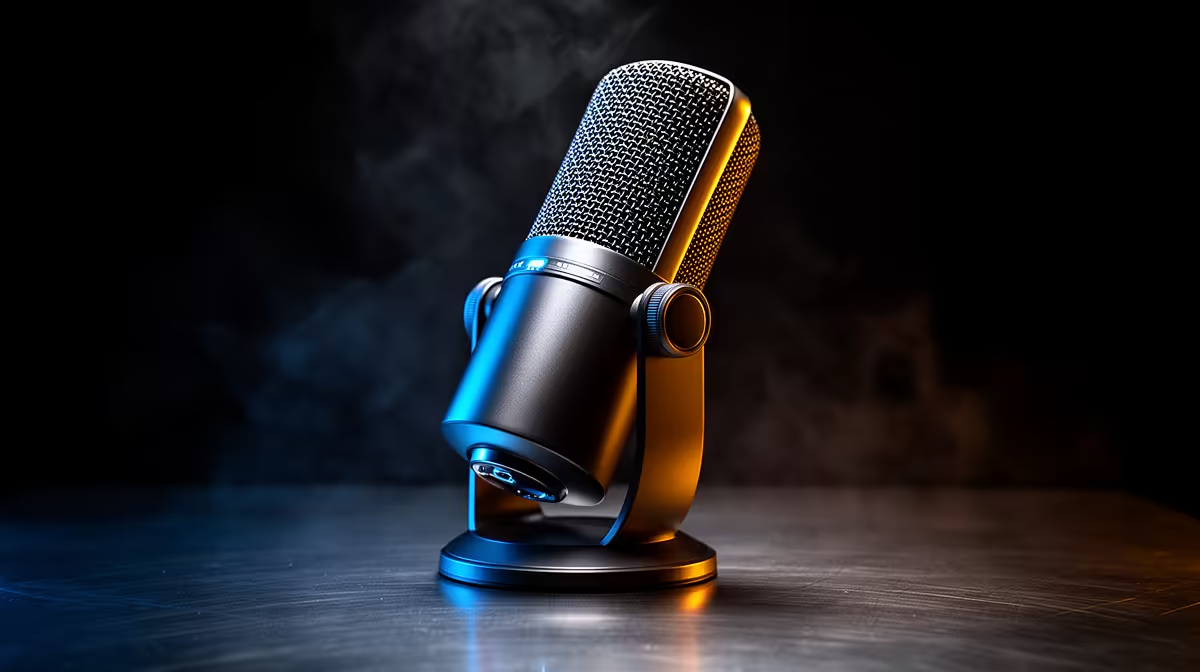
Your microphone is doing noise cancellation right now, whether you know it or not. The question is whether that processing happens at the hardware level, baked into the microphone's own circuitry, or whether a software thread on your gaming PC is handling the workload. Hardware AI noise canceling vs software processing is not a debate about which sounds better on a spec sheet. It is a practical question about where you want to spend CPU budget and what you are willing to trust during a four-hour session.
Quick Answer
Hardware AI noise canceling runs on a chip inside the mic at zero CPU cost and keeps working even if software crashes. Software processing offers more tuning control and model updates but can consume 5 to 15 percent CPU under load. For gaming PCs, hardware canceling keeps the processor free for the game.
🔧 Hardware Canceling: What Happens Before the Signal Leaves the Mic
Hardware noise canceling means the AI processing model lives on a dedicated chip inside the microphone housing. The capsule converts your voice to an electrical signal, the chip analyses that signal and strips out identifiable noise patterns, and the cleaned signal exits via USB. By the time the audio reaches your PC, the heavy lifting is already done.
The CPU cost is zero. The noise model runs on its own silicon. Whether your game is using 90 percent of the processor or running a stress test, the mic's canceling performance does not fluctuate. This matters on a mid-range gaming desktop in South Africa where CPU headroom is often genuinely limited during graphically intensive titles.
Reliability is the other argument for hardware processing. The canceling function cannot crash. It does not depend on an application running in the background, a driver update behaving correctly, or a companion app staying open during a four-hour session. The chip processes every signal the mic receives and delivers a clean output consistently. For live streamers where audio failure mid-broadcast is a visible problem, crash-proof audio processing has real value.
The limitation is rigidity. The noise model baked onto the chip at manufacture is largely fixed. Hardware noise canceling handles the noise types it was trained on at design time: steady fan hum, HVAC, general ambient room noise. Novel noise sources or unusual combinations may be less thoroughly handled than a software model that has been updated to include them.
Firmware Updates: The Exception to the Fixed-Model Rule
Some manufacturers release firmware updates that replace or improve the noise model on the hardware chip. These are less frequent than software updates but they do occur. A firmware-updated mic can improve its hardware canceling capability over the product's life. Checking whether the manufacturer offers firmware improvements is worth doing at the point of purchase.
⚡ Software Processing: Tuning Control and Model Updates
Software-based AI noise canceling runs as a process on your PC, typically through a companion application or a system-level audio driver. The application intercepts the mic signal after it arrives via USB, applies the AI model, and outputs the cleaned signal to whatever recording or streaming software you are using.
The CPU consumption is real. Depending on the application and the noise model, this ranges from around 5 percent at light settings on a modern processor to 15 percent or more under heavy load with aggressive noise suppression active. On a PC already running a game, a streaming encoder and a browser window, that 5 to 15 percent is a meaningful chunk of available processing.
The compensating advantage is control and currency. Software applications expose sliders, frequency-specific suppression settings and sometimes per-noise-type profiles. A dedicated software noise canceling application can let you tell it specifically to suppress keyboard clatter while leaving the click of a mouse intact, which is a level of surgical precision the hardware chip cannot match.
Software models also update through the application. New AI training data, improved algorithms and support for noise types identified after the hardware shipped all arrive as app updates without requiring you to buy new hardware. A software solution can theoretically improve in capability throughout its life.
Pro Tip ⚡
If you use software noise canceling on a gaming PC, check its CPU impact during a live session by opening Task Manager while gaming and looking at the specific process. Some applications claim minimal overhead but run heavier than advertised under real conditions. If you see more than 10 percent from a single audio process during gameplay, switch to a lighter setting or evaluate whether hardware canceling is a better fit for your rig.
🧠 Stacking Both: Why It Usually Causes More Problems
Running hardware canceling at the mic alongside software processing on the PC is technically possible. In practice it typically creates artefacts, the characteristic digital smear or stuttering that appears when an AI model attempts to remove noise from a signal that has already been partially cleaned by another model.
The first model leaves residual patterns in the signal that do not match the noise profile the second model is trained to identify. The second model treats those residual patterns as a noise source and applies additional attenuation, resulting in a voice signal that sounds thin, slightly robotic or inconsistent under certain conditions.
The consistent advice from audio engineers who work with streaming setups is to choose one and commit to it. If the mic has hardware canceling, disable the software equivalent. If you prefer software control, look for a mic that allows you to switch onboard processing off.
🎯 Matching the Approach to the Gaming PC
The decision maps cleanly onto the type of setup you are running.
A mid-range gaming desktop running demanding titles needs every percentage point of CPU for the game and the streaming encoder. Hardware noise canceling is the appropriate choice here. The mic handles its own processing, the processor handles the game, and nothing has to negotiate with anything else for resources. A quality mic with onboard AI noise canceling in the R1,200 to R2,000 range handles this setup well.
A higher-end desktop with meaningful spare CPU capacity, or a dedicated streaming PC that carries only the streaming and audio load, has room for software processing without a performance penalty. In that context the extra tuning control and model update frequency of software canceling offers genuine value.
For mobile South African creators recording on a laptop, hardware canceling is almost always the better choice. Laptop thermal constraints mean that any additional processing load reduces sustained performance and can affect battery life. Offloading that work to the mic's chip removes the problem entirely.
Frequently Asked Questions
Which option uses less CPU power?
Hardware canceling uses none. The processing happens on a chip inside the mic before the signal reaches the PC. Software canceling runs as a process on the host computer and can consume between 5 and 15 percent CPU depending on the application and noise suppression level. On a gaming PC where the processor is already under load, that difference is material.
Does software processing offer better tuning control?
Generally yes. Software applications typically expose per-frequency sliders, noise-type profiles and sometimes voice enhancement settings that hardware presets cannot match. If your recording environment has unusual or specific noise sources, software canceling can often be tuned more precisely to address them.
Is hardware canceling more reliable during a live stream?
Yes. It operates independently of any application running on the PC. If the streaming software, the companion app or a driver crashes mid-session, the mic's hardware canceling keeps processing. Software canceling stops working when the process that runs it stops. For live content where an audio failure is immediately visible to viewers, hardware's independence from the software stack is a meaningful reliability advantage.
Can I run both hardware and software canceling at the same time?
Technically yes, but it is not recommended. Stacking two AI models on the same signal often introduces artefacts because the second model misinterprets the residual patterns left by the first. The resulting audio can sound thin or robotic under certain conditions. Choose one approach, disable the other, and set gain near 50 percent to avoid over-processing.
Which suits a mid-range gaming PC in South Africa?
Hardware canceling. A mid-range desktop running a demanding title alongside a streaming encoder typically has limited spare CPU headroom. A mic with onboard noise processing keeps the processor free for the workload it is already carrying. Software canceling on the same machine adds measurable overhead that shows up as frame rate inconsistency or encoder performance drops during intensive sequences.
Ready to get clean audio without taxing your gaming PC?
Browse the noise-canceling microphone range built for South African streamers who want processing handled before it reaches the game rig.