



PCIe 5.0 vs PCIe 4.0 for Video editing in 4k in SA
PCIe 5.0 vs PCIe 4.0 for video editing in 4k is mainly about fit, features, compatibility, cost, and upgrade path, not one automatic winner. SA buyers should match the choice to the setup.
Read moreHDR10 support brightens highlights and deepens shadows by carrying static metadata that lets a panel push highlights toward 1000 nits while holding inky blacks. The real gain depends on peak brightness and local dimming, so a DisplayHDR 600 panel beats a basic badge.
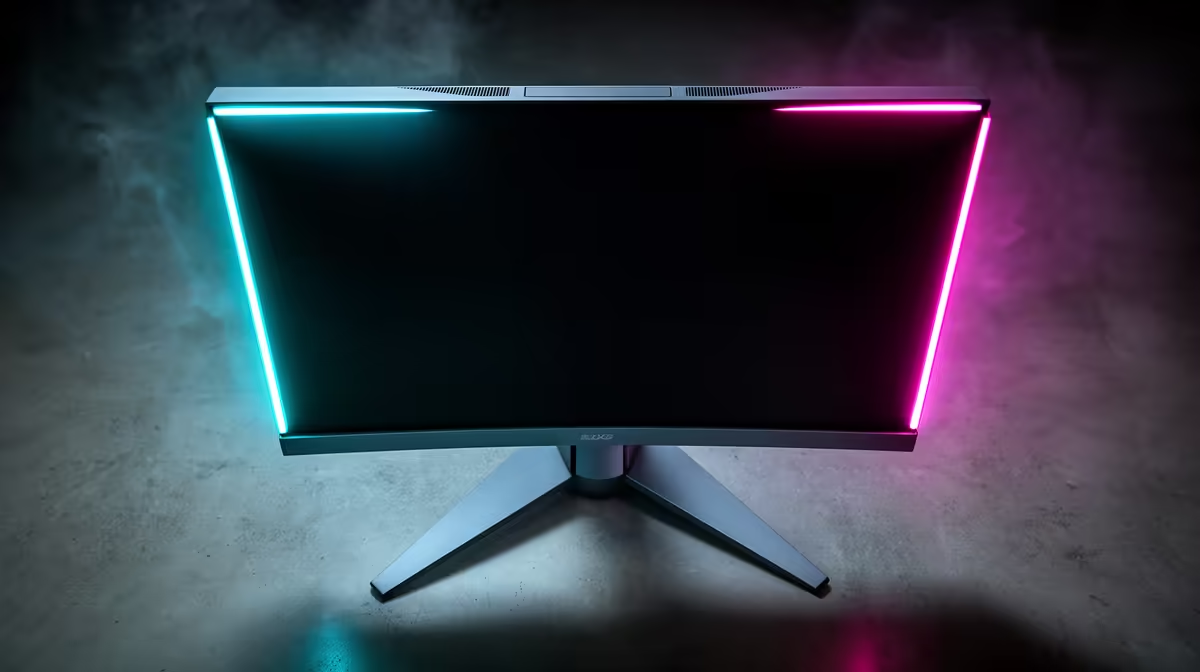
A monitor box claiming HDR10 support is describing a colour and luminance format, not a performance guarantee. The format is widely supported and well-standardised, but whether HDR10 actually transforms the image on your specific panel depends almost entirely on what that panel can physically produce. Peak brightness, local dimming, and colour volume are the variables that decide whether HDR10 looks extraordinary or barely different from standard dynamic range.
HDR10 extends luminance range and colour data using static metadata, capable of specifying highlights up to 10,000 nits. The image quality you actually see depends on how bright your panel can go and whether it uses local dimming. A DisplayHDR 600 or 1000 monitor delivers the benefit clearly; DisplayHDR 400 is marginal.
HDR10 is an open standard that describes content using a 10-bit colour signal and static metadata. The static metadata specifies the mastering luminance range of the content, typically a maximum brightness of around 1,000 nits and a minimum below 0.005 nits, along with colour primaries covering the DCI-P3 wide-gamut space. The display receives this data and attempts to map the content's intended luminance to what its hardware can actually produce.
The critical word is "attempts." A 10-bit signal carries the capacity for 1.07 billion distinct colour values, which avoids the subtle banding that appears on 8-bit panels when smooth gradients are pushed into HDR luminance ranges. But if the panel's peak brightness sits at 250 nits, the static metadata instructing the display to reproduce a 900-nit sunbeam is simply ignored. The display tone-maps the content to its own ceiling, compressing the highlight that was intended to stand out. The result looks comparable to or sometimes slightly worse than standard dynamic range, because the compression removes midtone contrast while failing to deliver the intended highlight peak.
VESA's DisplayHDR tiers set minimum performance bars that the format badge does not. DisplayHDR 400 requires a panel to reach 400 nits peak brightness, which is enough to show HDR content with limited highlight extension. DisplayHDR 600 sets the minimum at 600 nits and additionally mandates local dimming on edge-lit panels at 1,000 nits, meaning shadow depth can deepen while highlights lift. DisplayHDR 1000 requires full-array local dimming and 1,000 nits sustained brightness, producing the kind of contrast ratio that makes HDR content look genuinely different.
A monitor displaying the HDR10 logo without a DisplayHDR certification, or with a DisplayHDR 400 badge, is technically compatible with the format but unlikely to render it in a way most users find compelling. The two higher tiers are where HDR10 becomes a reason to choose a display rather than a checkbox on the spec sheet.
The highlight story is only one side of HDR10. The format also specifies very low minimum luminance for shadow detail, and reproducing that depth requires the backlight to dim independently in different parts of the screen. Edge-lit panels with no local dimming zones hold the backlight uniform across the entire display. Put a bright star field against deep space and the black zones of the image glow grey because the backlight that illuminates the stars also illuminates the shadow.
Full-array local dimming divides the backlight into zones, each dimmed or brightened independently. High-end implementations with hundreds of zones can drop the luminance in shadow areas close to 0.05 nits while adjacent highlights remain bright, producing contrast ratios that make the difference between HDR and standard dynamic range visually unmistakable. Mini-LED panels take this further, packing thousands of LED zones into the same backlight area and reducing the halo effect around bright objects against dark backgrounds.
For South African gamers considering HDR10, the presence of local dimming on a panel is the single most useful indicator of whether the HDR10 experience will match the marketing.
If you are testing a monitor's HDR10 quality in a shop, open a scene with bright stars or a sunset sky against a dark foreground. Toggle HDR on and off. A panel with genuine local dimming will show clearly deeper blacks around the bright objects when HDR is active. A panel without local dimming will show almost no change in the shadow areas, regardless of how bright the highlights peak.
Most modern games on PC support HDR10 output. Titles built with HDR in mind deliver content mastered at high dynamic range from the outset, with explosions, sky boxes, and lighting effects that reach toward the top of the luminance range. On a qualified HDR display, these moments produce the pop of light that stands out from the image rather than blending into a compressed midtone.
Windows 10 and 11 support HDR10 natively, and the auto-HDR feature in Windows 11 can apply HDR processing to SDR titles not originally built for it. The quality of auto-HDR output varies by title, but on capable panels it adds depth to games that were never mastered in HDR, extracting some of the format's benefit from older content.
Streaming video on PC through compatible apps also delivers HDR10 content, adding another use case beyond gaming. On a DisplayHDR 600 or 1000 panel, the combination of game HDR, auto-HDR, and streaming video makes the certification worthwhile across the full range of how the display is used.
HDR10 delivers a wider luminance range and a wider colour gamut than standard dynamic range. It specifies highlights up to 1,000 nits in typical content mastering and shadow detail toward minimum luminance, carried on a 10-bit signal that prevents banding across smooth gradients. The degree to which the display reproduces this range depends on the panel's peak brightness and whether it has local dimming.
DisplayHDR 400 sets a real minimum at 400 nits peak brightness, which is better than an uncertified HDR badge. In practice, the improvement over standard dynamic range on a DisplayHDR 400 panel is subtle, particularly for shadow depth which requires local dimming to improve meaningfully. DisplayHDR 600 and 1000 are the tiers where the difference becomes genuinely visible, especially in content with bright highlights against dark backgrounds.
Local dimming divides the backlight into independently controlled zones. When a zone covers a dark area of the image, the backlight in that zone dims close to its minimum, dropping luminance toward near-zero. Adjacent zones covering bright elements remain at full brightness. This produces black levels much lower than an edge-lit panel without zone control, which can only choose one backlight level for the entire screen.
For optimal results, yes. A native 10-bit display can show all 1.07 billion colour values the format carries without banding in highlight-to-shadow transitions. An 8-bit panel using dithering to approximate 10-bit output handles most HDR content acceptably, but smooth gradients pushed into HDR luminance ranges can show faint banding on close inspection, particularly in sky and smoke effects.
Most major releases from 2018 onwards include HDR10 output as a standard option, including titles across shooters, open-world games, and driving simulations. The in-game HDR settings control peak luminance and shadow mapping, and calibrating these to match the certified peak brightness of your monitor is important to avoid crushed highlights or washed-out shadows.
Ready to see HDR the way it was designed to look? Browse the HDR-certified gaming monitors at Evetech, from DisplayHDR 600 to mini-LED 1000, and find the panel that turns the format badge into a genuine image upgrade.
HDR10 delivers a wider luminance range and a wider colour gamut than standard dynamic range. It specifies highlights up to 1,000 nits in typical content mastering and shadow detail toward minimum luminance, carried on a 10-bit signal that prevents banding across smooth gradients. The degree to which the display reproduces this range depends on the panel's peak brightness and whether it has local dimming.
DisplayHDR 400 sets a real minimum at 400 nits peak brightness, which is better than an uncertified HDR badge. In practice, the improvement over standard dynamic range on a DisplayHDR 400 panel is subtle, particularly for shadow depth which requires local dimming to improve meaningfully. DisplayHDR 600 and 1000 are the tiers where the difference becomes genuinely visible, especially in content with bright highlights against dark backgrounds.
Local dimming divides the backlight into independently controlled zones. When a zone covers a dark area of the image, the backlight in that zone dims close to its minimum, dropping luminance toward near-zero. Adjacent zones covering bright elements remain at full brightness. This produces black levels much lower than an edge-lit panel without zone control, which can only choose one backlight level for the entire screen.
For optimal results, yes. A native 10-bit display can show all 1.07 billion colour values the format carries without banding in highlight-to-shadow transitions. An 8-bit panel using dithering to approximate 10-bit output handles most HDR content acceptably, but smooth gradients pushed into HDR luminance ranges can show faint banding on close inspection, particularly in sky and smoke effects.
Most major releases from 2018 onwards include HDR10 output as a standard option, including titles across shooters, open-world games, and driving simulations. The in-game HDR settings control peak luminance and shadow mapping, and calibrating these to match the certified peak brightness of your monitor is important to avoid crushed highlights or washed-out shadows.
PCIe 5.0 vs PCIe 4.0 for video editing in 4k is mainly about fit, features, compatibility, cost, and upgrade path, not one automatic winner. SA buyers should match the choice to the setup.
Read more
Wi-Fi 7 vs Wi-Fi 6e for competitive esports comes down to router support, latency goals, device compatibility, and coverage. SA buyers should match the choice to the real network setup.
Read more
ATX 3.1 vs ATX 3.0 for mMO and live-service games buyers - what changes is mostly about compatibility, budget, upgrade path, and setup fit. SA buyers should check device support and real needs before expecting a clear win from either option.
Read more
LGA 1851 vs LGA 1700 can affect Twitch and YouTube streaming when gaming and encoding share CPU resources. For SA creators, the real-world difference depends on encoder choice, memory support, motherboard cost, thermals, and upgrade plans.
Read more
X870E vs X670E for aaa single-player gaming is mainly about fit, features, compatibility, cost, and upgrade path, not one automatic winner. SA buyers should match the choice to the setup.
Read more
Hall Effect switches vs Mechanical switches for mMO and live-service games is mostly about compatibility, budget, upgrade path, and setup fit. SA buyers should check device support and real needs before expecting a clear win from either option.
Read more
A fake 113GB GTA VI ISO reportedly used empty padding around a small malware payload. SA gamers should delete unofficial builds, keep Windows security active and wait for official channels.

Wi-Fi 6E vs Wi-Fi 6 matters for 4K video editing when files move across a network. The real-world difference between Wi-Fi 6E and Wi-Fi 6 for video editing in 4K depends on NAS access, cloud uploads, router range, and SA creator workflows.

The difference between PCIe 5.0 and PCIe 4.0 for SA gamers is mostly bandwidth headroom. Compare GPU slot needs, NVMe speed, motherboard support, and upgrade timing before paying extra for a newer platform.

Gaming PC stuck pixel checks in South Africa should confirm the monitor fault first. Use colour tests, screenshot comparison, cable swaps, display menu checks, and clear photos before deciding on support.

Shokz OpenFit Air 2 earbuds weigh 7.2g each and use a redesigned dual-driver open-ear layout. SA buyers should choose them for comfort and awareness, not maximum isolation.

AMD's current driver now lists a Radeon RX 9050 4GB, while product coverage details a narrowed memory system. SA buyers should weigh the low VRAM ceiling against current local Radeon options.

Samsung Display has demonstrated a 16-inch 2.5K OLED laptop panel running at 300Hz. SA buyers should wait for a named notebook, full panel specifications and a local price before planning an upgrade.

Microsoft says some Windows 11 game crashes after recent updates are linked to RGB-related drivers. Affected SA gamers should confirm the update and driver before using the published registry workaround.

RTX 5090 on a 650W PSU is a tight pairing with very limited headroom. For SA gaming PCs, focus on total system draw, PSU quality, connector support, CPU choice, and avoid OC plans unless the full build is carefully power-limited.
PCIe 5.0 vs PCIe 4.0 for video editing in 4k is mainly about fit, features, compatibility, cost, and upgrade path, not one automatic winner. SA buyers should match the choice to the setup.

850W PSU safety for RTX 5090 is plausible with a quality unit and balanced parts. In SA, confirm connector support, CPU power draw, case airflow, PSU age, and spare capacity before building around 850W.
Wi-Fi 7 vs Wi-Fi 6e for competitive esports comes down to router support, latency goals, device compatibility, and coverage. SA buyers should match the choice to the real network setup.