


Complete Gaming Setup Guide for the SA Esports Athlete in SA 2026
Complete Gaming Setup Guide for the Esports. Clear setup instructions with SA-specific considerations, troubleshooting tips & recommended components.
Read moreHDR10 vs Dolby Vision gaming can be confusing. We break down the key differences in brightness, color depth, and compatibility to help you choose the perfect HDR monitor for your setup. Get ready for stunning visuals and a competitive edge! 🎮✨
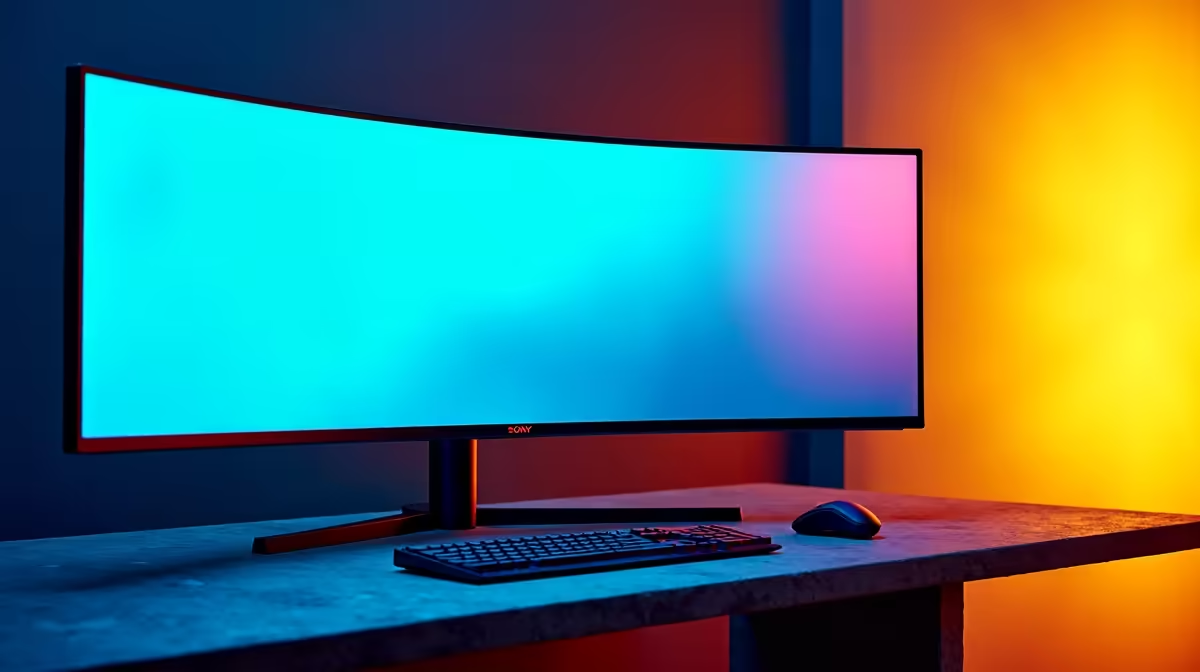
You've just dropped a fat stack of ZAR on a new graphics card. You boot up Alan Wake 2, ready for visual glory... but something's missing. The neon-drenched streets don't quite pop, and the shadows aren't as terrifyingly deep as they should be. You need HDR. But stepping into the world of High Dynamic Range brings a big question for South African gamers: do you go for a monitor with HDR10 or Dolby Vision gaming support? Let's dive in.
Before we get into the HDR10 vs Dolby Vision gaming showdown, what even is HDR? High Dynamic Range is all about creating a more realistic and immersive image. Think of it like this: Standard Dynamic Range (SDR) is a box of 12 colouring pencils. HDR is the massive 120-pencil artist's set.
It expands the range of both contrast and colour, giving you:
This technology allows your display to show a scene the way the human eye would see it, with brilliant highlights and dark, detailed shadows all at once. It's a massive upgrade for any gamer, making it a key feature on modern PC monitors.
While both aim for the same goal, they take different paths. The core of the Dolby Vision vs HDR10 monitor debate comes down to one thing: metadata. That’s the extra information sent with the video signal that tells your screen how to display the HDR content.
HDR10 is the most common format you'll find. It's an open standard, meaning any manufacturer can use it without paying licensing fees. This is why it's on virtually all gaming monitors that support HDR.
Its key feature is static metadata. This means it sets the maximum brightness and colour levels for the entire game or movie at the very beginning. It’s a "one-size-fits-all" instruction. While it's a huge leap over SDR, it can sometimes mean that a very bright scene might crush the detail in the dark parts, or vice-versa.
Dolby Vision is a proprietary format from Dolby Labs. Its secret weapon is dynamic metadata.
Instead of one set of instructions for everything, Dolby Vision can adjust the picture scene-by-scene or even frame-by-frame. This allows for perfect optimisation at all times. A dark cave will use one set of parameters, while stepping out into a sunny field will use another. This results in superior picture quality, with better detail across the board. It also supports 12-bit colour depth compared to HDR10's 10-bit, offering billions more colours. You'll typically find this premium tech on high-end 5K & 4K monitors.
Here’s the honest truth for PC gamers: the HDR10 vs Dolby Vision gaming choice is simpler than you think.
While Dolby Vision is technically superior, PC game support for it is still very limited. The vast majority of PC games that support HDR are mastered for HDR10. Your Xbox Series X might support Dolby Vision gaming, but on your PC rig, you'll be running in HDR10 99% of the time.
For most South African gamers, a high-quality monitor with excellent HDR10 performance is the smartest investment. This gives you maximum compatibility and the best value for your hard-earned Rands. You can find incredible HDR experiences on everything from immersive curved monitors for your main setup to compact portable monitors for gaming on the go.
Not all HDR is created equal. Many budget monitors claim HDR support but lack the brightness to deliver a real impact. Look for the official VESA DisplayHDR certification. A rating of DisplayHDR 600 or higher is where the magic really starts, guaranteeing a bright, vibrant, and genuinely next-gen visual experience.
The HDR format is just one piece of the puzzle. A monitor with Dolby Vision but a poor panel is still a poor monitor. When you’re shopping, also pay close attention to:
Ultimately, the best HDR gaming monitor is one that delivers a fantastic HDR10 experience, as that’s what you’ll be using most. Dolby Vision is a great future-proofing feature, but don't let it be the only deciding factor.
Ready to See the Difference? The HDR debate is nuanced, but upgrading your display is a guaranteed win. A great monitor makes every single moment, from gaming to streaming, more immersive. Explore our best PC monitor deals and find the perfect screen to light up your world.
Technically, yes. Dolby Vision uses dynamic metadata for scene-by-scene optimization and supports 12-bit color, offering superior contrast and color accuracy over HDR10's static metadata and 10-bit color.
Not necessarily. While Dolby Vision is superior, HDR10 is the universal standard and offers a fantastic HDR experience. The best HDR format for gaming depends on your budget and compatible hardware.
The Xbox Series X/S supports Dolby Vision for gaming and streaming. The PS5 currently only supports the HDR10 standard for games, but supports Dolby Vision for streaming apps.
The key difference is metadata. HDR10 uses static metadata, applying one enhancement setting for the entire content. Dolby Vision uses dynamic metadata, adjusting brightness and color frame-by-frame.
No, native support is still rare and typically found on high-end models. Most gaming monitors support HDR10, as it's an open, royalty-free standard, making it much more common.
Yes. To experience Dolby Vision on PC, you need a compatible graphics card, a monitor that explicitly supports it, and games or content encoded in the Dolby Vision format.
Complete Gaming Setup Guide for the Esports. Clear setup instructions with SA-specific considerations, troubleshooting tips & recommended components.
Read more
AIO Liquid 360mm Installation Guide for Your PC. Clear setup instructions with SA-specific considerations, troubleshooting tips & recommended components.
Read more
MacBook Display Colour Looks Wrong? Calibration. Everything you need to know with SA pricing, step-by-step instructions & expert recommendations.
Read more
Printer Terminology Guide. Everything you need to know with SA pricing, step-by-step instructions & expert recommendations.
Read more
Git on Mac: Complete Setup Guide for Beginners. Clear setup instructions with SA-specific considerations, troubleshooting tips & recommended components.
Read more
Ryzen 9 9900X Thermal Paste Dry: Reapplication. Everything you need to know with SA pricing, step-by-step instructions & expert recommendations.
Read more
AMD RX 9050 XT: Rumoured Specs, Price & Release. SA-focused analysis with local pricing data, real-world insights & actionable buying advice.

Can RTX 4080 Super Run AI Workloads for SA Developers Detailed answer with SA data, expert analysis & practical recommendations for local buyers.

Can RTX 4090 Run AI Workloads for SA Developers Detailed answer with SA data, expert analysis & practical recommendations for local buyers.

Top Settings for Intel Arc B580 at Ultrawide 1440p picks evaluated on performance, value & SA availability with current Rand pricing from Evetech.

RTX 4060 CS2 Low Settings at 1080p: FPS Results. Real-world benchmark data, FPS numbers & performance analysis. What SA gamers can actually expect.

Visual Artifacts: Possible GPU Issue Issue #1. Diagnosis steps, proven fixes & when to seek professional help. SA-specific support info included.

Can the RTX 4090 Handle 1440p 144Hz Gaming. Performance testing verdict with real data & practical recommendations for SA buyers.

Top ASUS GPU Under R15000 picks evaluated on performance, value & SA availability with current Rand pricing from Evetech.

GTA 6 Max Settings on RTX 5070. Tested & verified settings for best FPS and visual quality on SA hardware budgets.

Cyberpunk 2077 Max Settings on RTX 5080. Tested & verified settings for best FPS and visual quality on SA hardware budgets.

Starfield Max Settings on RTX 5070 Ti. Tested & verified settings for best FPS and visual quality on SA hardware budgets.

Top RTX 5090 Under R5000 picks evaluated on performance, value & SA availability with current Rand pricing from Evetech.