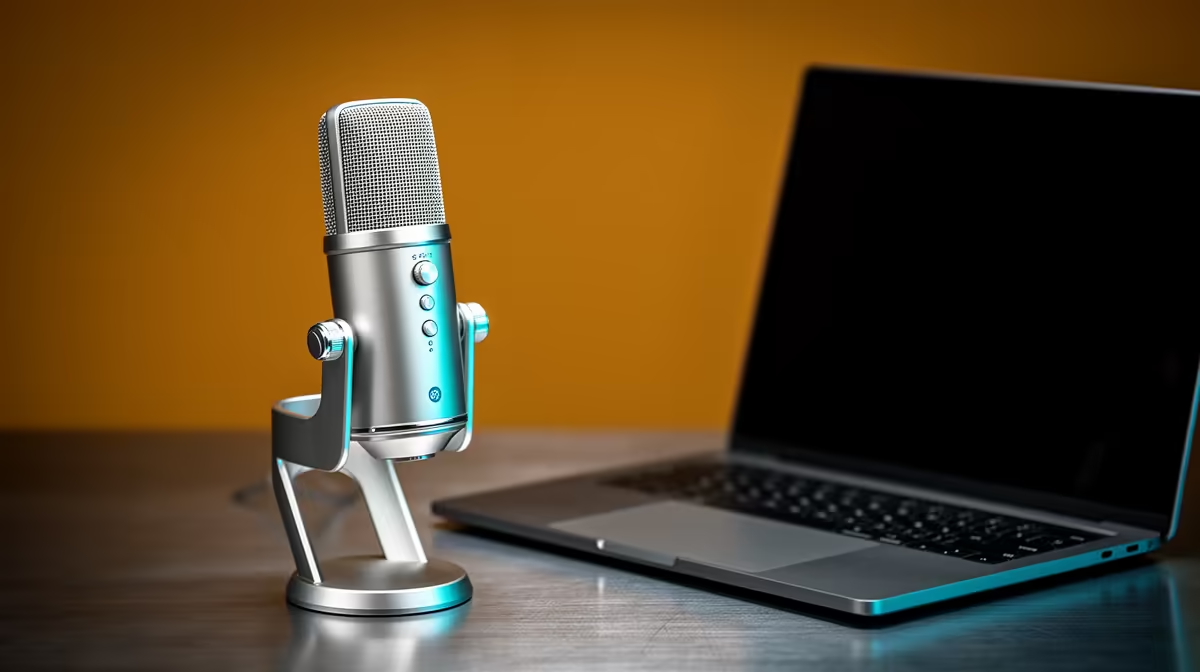
South African professionals working from home have quietly upgraded every corner of their setup except the one thing their colleagues hear most. A high-fidelity USB condenser microphone changes the experience for everyone on the call, not just the person speaking. The difference between a thin laptop mic and a proper cardioid condenser is audible the moment the meeting starts, and at the R1,500 to R2,000 mark the investment is straightforward to justify against the hours spent on calls each week.
Quick Answer
A USB condenser microphone around R1,500 to R2,000 transforms work-from-home call quality. Choose cardioid for directional focus, look for onboard noise reduction and a tap-mute button, and pair it with a small desk stand. The laptop mic cannot compete on clarity.
🎙️ Why the Laptop Mic Is the Weakest Link
Every modern laptop ships with a built-in microphone, and almost none of them are adequate for professional calls. The capsules are small, positioned away from your mouth, and they pick up everything: keyboard clatter, fan whirr, the hollow resonance of a desk surface.
A USB condenser microphone is a purpose-built voice capture device. The capsule is larger, more sensitive to the fine detail in speech, and when shaped in a cardioid pattern it concentrates pickup on what is directly in front while attenuating everything arriving from the sides and rear by roughly 20dB. That 20dB gap is the difference between a voice that sounds present and professional and one that sounds like it is being broadcast from the end of a corridor.
For a home office in Joburg, Cape Town or Durban, where an aircon unit, traffic outside or a shared household are constant realities, that directional rejection is not a luxury detail. It is what keeps the meeting moving instead of grinding to a halt on "can you say that again?"
USB condensers typically record at 48kHz, well above what any video conferencing platform actually transmits. Whether Teams, Zoom or Google Meet compresses the outgoing stream at their end, you are feeding it the cleanest possible source. A large-diaphragm cardioid captures low-mid warmth that makes a voice sound full and authoritative, which is generally the better fit for calls than a small-diaphragm condenser running bright.
🔧 Noise Reduction: Onboard Versus Software
Onboard noise reduction trims the constant low-frequency hum that appears in almost every indoor space. Aircon compressors operate around 100Hz to 200Hz. The continuous hiss of a nearby PC tower sits just above that. Without filtering, a sensitive condenser picks up both.
Onboard noise reduction applies a high-pass filter that rolls off frequencies below roughly 80Hz to 100Hz before the signal even reaches your software. The result is a voice track that sits cleanly without the low rumble that makes extended calls tiring to listen to.
Software noise reduction, through platforms like Krisp or NVIDIA RTX Voice, analyses the audio stream in real time and suppresses anything that does not match speech. For most WFH professionals, the onboard filter handles structural hum, and software handles the intermittent stuff like a passing car or a barking dog. Having both and knowing when to use each is the practical approach.
A physical gain dial is more useful during a workday than it appears. Gain needs shift between scenarios: a solo recorded presentation benefits from higher gain, while a call in a noisy household needs gain trimmed back. The zero-latency headphone jack lets you confirm the mic is live before speaking in a meeting and verify your volume before a presentation.
⚡ The Tap-Mute Feature in a Professional Context
Every WFH professional has experienced the moment where someone coughs, a child appears, or the doorbell rings mid-meeting. Software mute requires finding the mute button on screen inside the call application, which often involves switching windows.
A tap-mute button on the microphone body handles this in under a second. One press, the LED changes colour to confirm the mute state, and the line is silent. Across a week of calls it reduces the friction of managing the inevitable interruptions that come with working at home. The LED matters: it removes the anxiety of speaking into a silent call or continuing a private conversation over an open line.
Pro Tip ⚡
Mount the mic on a small desk stand at about 15cm from your mouth, angled slightly downward so plosives pass below the capsule. This single adjustment cleans up the p and b transients that make recordings sound harsh on video calls, and it takes thirty seconds to set correctly.
💰 Getting Value at the R1,500 to R2,000 Price Point
The R1,500 to R2,000 range is well-occupied by USB condensers that offer cardioid patterns, onboard high-pass filtering, tap-mute, headphone monitoring and physical gain control. The step up from a laptop mic to a dedicated cardioid condenser will be immediately noticeable to everyone on the call.
Spending above R2,000 starts buying improvements that matter more for music recording than for voice communication: flatter frequency response, lower self-noise floors, tighter polar patterns. For a WFH professional whose priority is clear, intelligible speech on calls and the occasional recorded presentation, those gains are real but marginal.
Frequently Asked Questions
Why upgrade from a laptop microphone for work calls?
A dedicated cardioid condenser captures your voice with far more clarity than a laptop capsule. Laptop mics pick up keyboard taps, fan noise and hollow desk resonance indiscriminately. A proper condenser focuses on what is in front of it, and the cardioid pattern pushes background sound down by around 20dB, delivering voice quality that sounds professional to everyone on the call.
What budget covers a solid work-from-home microphone?
R1,500 to R2,000 gets you a USB condenser with a cardioid pickup pattern, onboard noise reduction, a tap-mute button, a headphone monitoring jack and physical gain control. A small desk stand adds modestly to the cost. That combination covers everything a professional needs for daily calls and recorded presentations without overspending on studio-level features.
Does onboard noise reduction actually matter for meetings?
Yes, particularly in South African home offices where aircon units and PC fans run constantly. Onboard noise reduction applies a high-pass filter below roughly 80Hz to 100Hz, trimming the low hum that makes extended calls fatigue listeners. It operates before the signal reaches your computer, consuming no CPU cycles and introducing no processing artefacts.
Is a tap-mute button useful on work calls?
More than it sounds. Software mute requires switching to the call window and clicking a button. A physical tap-mute on the mic body takes under a second and uses an LED to confirm the mute state clearly.
Do I need a headphone jack on the microphone?
The zero-latency monitoring it provides is practical for professional use. You can confirm the mic is live before speaking, check your volume before a presentation begins, and monitor your voice as you record without delay. It prevents the embarrassing moments that come from speaking into a muted or disconnected line.
Which pickup pattern suits a home office best?
Cardioid. It concentrates pickup on what is directly in front of the mic, with the pattern naturally attenuating sounds arriving from the sides and rear by roughly 20dB. For a solo professional on a desk with noise sources around them, cardioid keeps your voice the dominant signal.
Ready to sound professional on every call?
Browse the USB condenser microphone range at Evetech and find the cardioid mic your colleagues will notice from the first word of your next meeting.