



PCIe 5.0 vs PCIe 4.0 for Strategy and Sim Games in SA
PCIe 5.0 and PCIe 4.0 differ most in lane support, compatibility, and upgrade value for strategy and sim games. SA buyers should match the choice to their actual hardware and games.
Read moreTreat tempered glass as the headline check before any rand goes toward a modern PC case. Confirm compatibility, then balance performance against warranty and SA-stock availability. Compare picks against your CPU and case spec before paying.
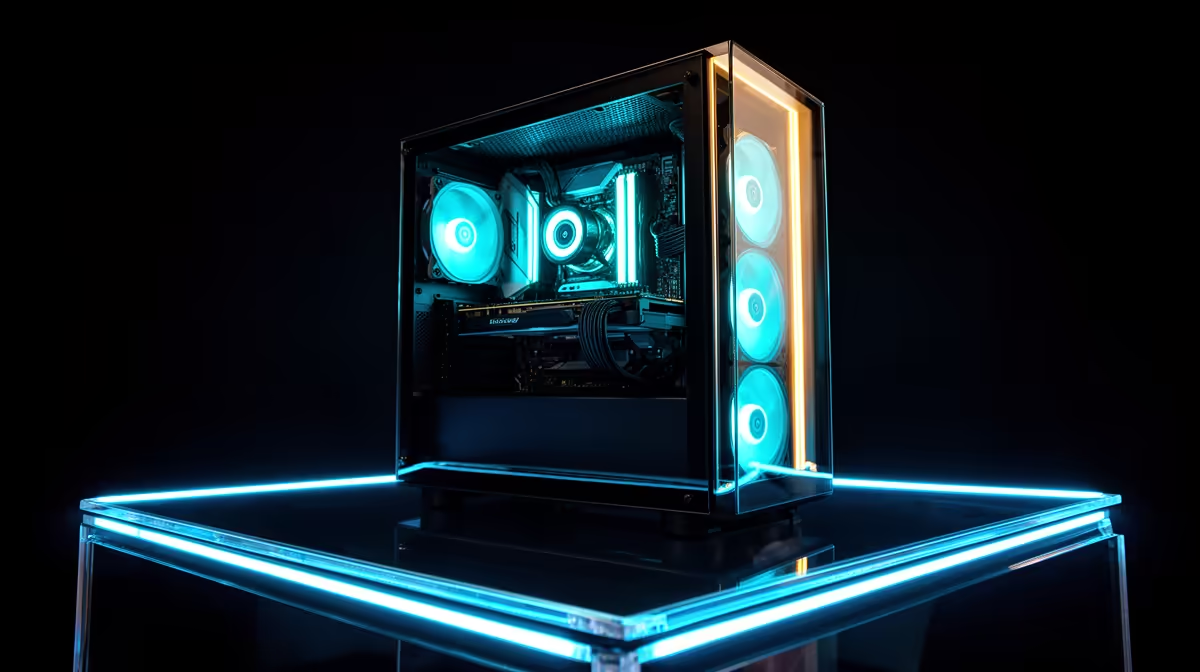
Keep a tempered glass gaming PC cooler and quieter by running positive pressure intake airflow, tuning custom fan curves in BIOS, keeping dust filters clean monthly, and routing cables away from fan paths. These four steps reduce GPU temps by 5°C to 10°C and fan noise by 3dBA to 6dBA without spending anything extra.
Tempered glass side panels replace what would otherwise be a vented steel side panel, reducing passive convection by a small margin. The impact is minimal with good active fan placement, but it does mean your fans carry the full cooling load. Position two or three 120mm fans at the front of the case as intake and one 120mm fan at the rear as exhaust. If your case has a top vent, a single top exhaust fan prevents heat from pooling under the roof. This positive pressure configuration (more intake than exhaust) keeps air flowing in a controlled direction across the GPU and CPU, rather than letting hot air circulate inside the chassis. A Ryzen 7 9700X and RTX 5070 in a well-configured glass case should maintain GPU temps below 80°C and CPU package temps below 85°C during extended gaming in a 25°C room.
Dust accumulates visibly on tempered glass and on components visible through it, making maintenance a practical and aesthetic concern. In South African homes without full air-conditioning, dust levels can be significant, especially in Highveld regions with dry winters. Clean magnetic dust filters on front and top intake points every 3 to 4 weeks. Remove the glass panel and wipe the interior with a soft brush every 2 to 3 months. Compressed air canisters or a low-pressure electric air blower work well for clearing GPU heatsink fins and fan blades without disassembly. A dusty GPU heatsink raises temperatures by 5°C to 15°C in severe cases, audibly increasing fan speeds above 2,000 RPM.
The biggest noise reduction in a tempered glass PC comes from a well-tuned fan curve. Most BIOS fan control interfaces, including ASUS AI Suite, MSI Dragon Center, and Gigabyte App Center, allow step curves tied to either CPU temperature or GPU temperature sensor data. Set your case fans to ramp up progressively above 60°C CPU temp and reach full speed only above 80°C. During typical gaming sessions where CPU temps sit at 65°C to 75°C, fans running at 800 to 1,000 RPM are nearly inaudible from a desk chair. A 120mm fan at 1,000 RPM generates roughly 15dBA to 18dBA, well below the ambient noise floor of most home gaming rooms.
Route all modular PSU cables behind the motherboard tray before securing them with cable ties. Cables hanging in the main chamber disrupt airflow paths and create visual clutter through the glass panel. A tidy rear cable routing job takes 20 minutes on first build but saves noise and temperature penalties permanently.
In controlled testing, a tempered glass side panel raises internal temperatures by 1°C to 3°C versus a vented steel panel, assuming all other airflow conditions are equal. This small difference is easily offset by adding one additional intake fan or slightly increasing fan speeds.
Target 700 to 1,100 RPM during typical gaming workloads. At these speeds, 120mm fans operate below 20dBA and move sufficient air through a positive pressure setup for mid-range to upper-mid-range hardware.
Yes, for glass case builds where you want minimal noise. Premium fans from Noctua, be quiet!, or Lian Li run quieter bearings and produce less turbulence noise at equivalent RPMs compared to budget stock fans.
Building a quiet, cool tempered glass setup? Evetech carries case fans, ARGB upgrades, and glass-panel cases in one place so you can spec the ideal cooling and aesthetic combination for your build.
PCIe 5.0 and PCIe 4.0 differ most in lane support, compatibility, and upgrade value for strategy and sim games. SA buyers should match the choice to their actual hardware and games.
Read more
AM5 vs AM4 for video editing in 4K Difference explained is mostly about compatibility, budget, upgrade path, and setup fit. SA buyers should check device support and real needs before expecting a clear win from either option.
Read more
OLED vs QD-OLED for strategy and sim games buyers - what changes is mostly about compatibility, budget, upgrade path, and setup fit. SA buyers should check device support and real needs before expecting a clear win from either option.
Read more
DisplayPort 2.1 and 1.4 differences matter when SA PC builders match GPUs, monitors, and refresh targets. Use this difference between displayport 2 1 and displayport 1 4 explained pc builders guide to avoid mismatched parts.
Read more
Ray tracing vs Path tracing depends on Strategy and sim games needs, platform limits, and budget fit. Compare compatibility, latency, upgrade path, and real setup constraints before choosing for an SA build.
Read more
wireless mouse guide for Gqeberha gamers should be shortlisted around the job it must do. South African buyers should compare sensor, shape, weight, and wireless latency, warranty path, and upgrade room before treating any pick as best.
Read more
From 1 October 2026, WhatsApp Business Platform service replies in South Africa are expected to cost about $0.0076, or 12 cents, per delivered message.

DDR5-8000 RAM Kits pros and cons depend on the build, budget, and workload. Weigh gaming needs, platform fit, power, cooling, warranty support, and South African pricing context before shortlisting it.

Wi-Fi 6E vs Wi-Fi 6 depends on AAA single-player gaming needs, platform limits, and budget fit. Compare compatibility, latency, upgrade path, and real setup constraints before choosing for an SA build.

Ryzen 9 9950X3D dead pixel checks should isolate the panel first. Run colour fills, inspect the monitor menu, test another cable or input, and capture proof before linking it to the SA CPU upgrade.

YouTube will count public views from the first frame across video formats from 24 August, while earnings and eligibility remain tied to engaged viewing.

Canonical expects Ubuntu on WSL users to outnumber native Ubuntu desktop users before the end of 2026. The software is open source and runs inside supported Windows PCs.

Telkom's daily bundles pair WhatsApp access with 10 all-network voice minutes. The R15 option includes 300MB, while the R17 option uses a fair-use threshold.

A 10,000-hour test found similar image retention across older and newer OLED TVs, while newer panels were brighter and more efficient. Local OLED monitors started at R9,999.

Windows 11 update KB5121003 is linked to crashes in several multiplayer games on versions 24H2 and 25H2. Check the build, report the fault and avoid risky file or update changes unless the problem is confirmed on your PC.

Comsol's standalone 5G network covers about one million Gauteng homes and starts commercial ISP service in September. Early packages range from R275 to R875 a month, but coverage and fair-use rules still decide the real value.

Sennheiser's Momentum True Wireless 5 adds user-replaceable batteries, 12-hour playback and a $299.95 launch price. There is no confirmed South African date, so compare longevity with live earbuds from R199 to R2,999.

AVerMedia's GC531 and GC535 are professional HDMI capture devices for continuous streaming, with RGB24 capture up to 2K30 and 4K30. South African creators should compare them with live 4K capture cards from R2,099.