



PCIe 5.0 vs PCIe 4.0 for Strategy and Sim Games in SA
PCIe 5.0 and PCIe 4.0 differ most in lane support, compatibility, and upgrade value for strategy and sim games. SA buyers should match the choice to their actual hardware and games.
Read moreDirect take: If your build runs hot or loud, everything that matters about PC case fan: airflow CFM, static pressure mm-H2O, bearing type and ARGB wiring in plain terms. Includes PWM duty targets, header limits (3 fans per chain), and SA dust-management notes.
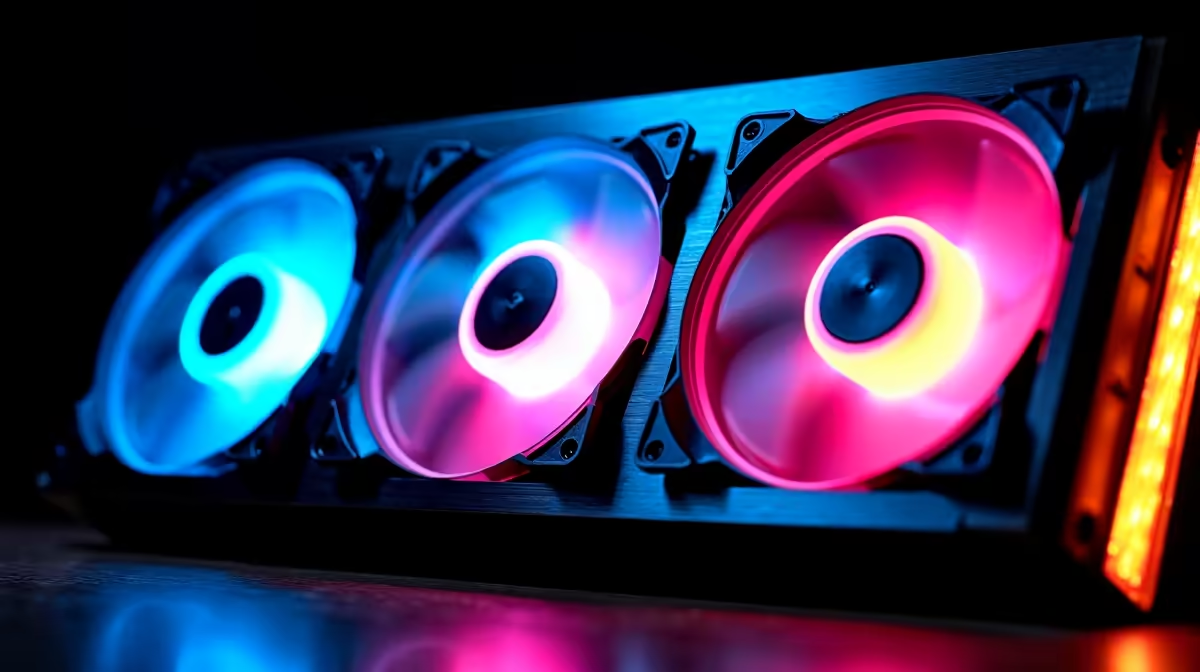
A high-performance gaming PC needs a minimum of three case fans: two front intake and one rear exhaust. For builds with high-TDP GPUs (RTX 5080 class, RX 9070 XT and above) or in warm SA rooms, five fans is the practical optimum: three front intake, one rear exhaust, and one top exhaust. Beyond five fans in a standard mid-tower, thermal returns diminish significantly.
Case fans serve two functions: delivering cool air to the CPU cooler and GPU, and removing heated air from the chassis. Three front intake fans produce 180 to 210 CFM combined (assuming 60 to 70 CFM per 120mm fan), which keeps GPU intake temps close to ambient. Adding rear and top exhaust removes this heated air before it recirculates. Beyond five fans in a typical mid-tower ATX case, additional fans begin competing for airflow paths and the total improvement per added fan drops below 1 degree Celsius per position.
For a mainstream gaming build running an RTX 5070 and Ryzen 7 9800X3D with a 240mm AIO, three fans (two intake, one exhaust) is adequate in a room below 25 degrees Celsius. In a Gauteng summer room at 30 to 33 degrees Celsius, add a top exhaust to lift that to four fans total. For an enthusiast build with an RTX 5090, five fans minimum is needed to maintain GPU junction temperatures below 90 degrees Celsius at sustained gaming load.
The number of fans matters less than the intake-to-exhaust CFM balance. A three-fan setup with 200 CFM intake and 60 CFM exhaust creates positive pressure that keeps dust out through filtered intakes. A five-fan setup with 200 CFM intake and 120 CFM exhaust is more balanced and moves more total heat volume. Negative pressure (more exhaust than intake) creates turbulence and pulls unfiltered air in through gaps, raising dust accumulation rates in SA's dustier inland environments.
Adding two fans to a three-fan build costs R300 to R800 for mid-range ARGB or plain 120mm fans, depending on brand and spec. For an SA build already invested in a R30,000 to R60,000 gaming platform, the two-fan upgrade is one of the highest value-per-rand thermal improvements available at a late build stage.
Before purchasing additional fans, count how many fan mounting positions in your case are currently empty. An empty front intake slot is free cooling potential waiting to be unlocked for R150 to R300. Most mid-tower cases ship with mounts for five to six fans but often include only two or three. Filling existing slots first is always better rand value than adding external fan controllers or mounting fan brackets outside the chassis.
Not always. Fans that fight each other's airflow (poor layout), create excessive negative pressure, or are too weak for the intake restriction make temperatures worse or cause no improvement. Correct placement and balance matter more than raw count.
Yes for most builds. The rear exhaust handles the primary CPU cooling exhaust path. A second rear exhaust is only meaningful if the case design routes top airflow through the rear panel rather than a dedicated top vent.
Not necessarily for cooling performance, but matching brand and model across front intake fans ensures consistent LED colour and airflow noise profiles. Rear and top exhaust fans can be different models with no meaningful thermal or acoustic consequence.
Building or upgrading a high-performance SA gaming PC? Evetech stocks 120mm and 140mm case fans in single units and triple packs, from budget intake fans to premium ARGB and static pressure units for every position in your build.
PCIe 5.0 and PCIe 4.0 differ most in lane support, compatibility, and upgrade value for strategy and sim games. SA buyers should match the choice to their actual hardware and games.
Read more
AM5 vs AM4 for video editing in 4K Difference explained is mostly about compatibility, budget, upgrade path, and setup fit. SA buyers should check device support and real needs before expecting a clear win from either option.
Read more
OLED vs QD-OLED for strategy and sim games buyers - what changes is mostly about compatibility, budget, upgrade path, and setup fit. SA buyers should check device support and real needs before expecting a clear win from either option.
Read more
DisplayPort 2.1 and 1.4 differences matter when SA PC builders match GPUs, monitors, and refresh targets. Use this difference between displayport 2 1 and displayport 1 4 explained pc builders guide to avoid mismatched parts.
Read more
Ray tracing vs Path tracing depends on Strategy and sim games needs, platform limits, and budget fit. Compare compatibility, latency, upgrade path, and real setup constraints before choosing for an SA build.
Read more
wireless mouse guide for Gqeberha gamers should be shortlisted around the job it must do. South African buyers should compare sensor, shape, weight, and wireless latency, warranty path, and upgrade room before treating any pick as best.
Read more
From 1 October 2026, WhatsApp Business Platform service replies in South Africa are expected to cost about $0.0076, or 12 cents, per delivered message.

DDR5-8000 RAM Kits pros and cons depend on the build, budget, and workload. Weigh gaming needs, platform fit, power, cooling, warranty support, and South African pricing context before shortlisting it.

Wi-Fi 6E vs Wi-Fi 6 depends on AAA single-player gaming needs, platform limits, and budget fit. Compare compatibility, latency, upgrade path, and real setup constraints before choosing for an SA build.

Ryzen 9 9950X3D dead pixel checks should isolate the panel first. Run colour fills, inspect the monitor menu, test another cable or input, and capture proof before linking it to the SA CPU upgrade.

YouTube will count public views from the first frame across video formats from 24 August, while earnings and eligibility remain tied to engaged viewing.

Canonical expects Ubuntu on WSL users to outnumber native Ubuntu desktop users before the end of 2026. The software is open source and runs inside supported Windows PCs.

Telkom's daily bundles pair WhatsApp access with 10 all-network voice minutes. The R15 option includes 300MB, while the R17 option uses a fair-use threshold.

A 10,000-hour test found similar image retention across older and newer OLED TVs, while newer panels were brighter and more efficient. Local OLED monitors started at R9,999.

650W for RTX 5090 needs a full-build check, not a simple yes. Review GPU guidance, CPU draw, transient load, connectors, PSU quality, and upgrade plans before deciding.
PCIe 5.0 and PCIe 4.0 differ most in lane support, compatibility, and upgrade value for strategy and sim games. SA buyers should match the choice to their actual hardware and games.

How to fix FPS drops Windows 11 RX 9070 XT starts with GPU drivers, overlays, power plans, and frame pacing checks. For SA gaming PCs, verify chipset updates, HAGS, refresh rate, thermals, and per-game graphics settings.
AM5 vs AM4 for video editing in 4K Difference explained is mostly about compatibility, budget, upgrade path, and setup fit. SA buyers should check device support and real needs before expecting a clear win from either option.