The idea that a home lab needs a rack, a noisy server and a four figure budget keeps a lot of curious people on the sidelines. It does not. A capable first home lab runs comfortably on a single low power mini PC or a Raspberry Pi 5, and R8,000, the same price as Evetech's entry level laptop, is a realistic ceiling for a setup that hosts several useful services at once. The trick is matching the right small machine to what you actually want to run.
Quick Answer
You can build a genuinely useful home lab in South Africa for under R8,000 around either a Raspberry Pi 5 with 8GB of RAM or a small Intel based mini PC. Both run Docker comfortably for five to eight lightweight services such as Pi-hole, a reverse proxy, a VPN and a dashboard. The mini PC gives more headroom and SSD speed; the Pi wins on power draw and silence.
Pick the brain: Raspberry Pi 5 or a mini PC
This is the decision that shapes everything else, and there is no single right answer, only a right answer for your workload.
The Raspberry Pi 5 path
A Raspberry Pi 5 with 8GB is a real quad core ARM server. It runs Docker, lightweight Kubernetes like K3s, Pi-hole, a VPN such as Tailscale, Home Assistant and similar services without complaint. Its strengths are power efficiency and near silent running, which matter if the lab stays on around the clock. Add an NVMe HAT and an SSD and it shakes off the old sluggish microSD experience entirely.
Its honest limit is the 8GB RAM ceiling. That is fine for a stack of light containers but cramped if you later want to run heavier workloads, since you cannot add more memory later. Buy the Pi knowing what it is: an efficient, focused little server, not an expandable one.
The mini PC path
A small Intel based mini PC, the kind built around an efficient N series chip with 8GB of RAM and an SSD, costs a little more but feels noticeably snappier because everything runs off solid state storage from the start. The same 8GB runs a comfortable set of lightweight services, and an x86 chip gives you broader software compatibility than ARM, which occasionally matters for a specific tool.
If your budget stretches and you can find 16GB, take it. For a starter build of five to eight containers 8GB works, but 16GB gives real breathing room for when the lab inevitably grows.
A sensible parts breakdown under R8,000
The exact split depends on which path you take and current pricing, but the shape of a sub R8,000 build looks like this:
- The compute device. Either a Raspberry Pi 5 8GB or an entry mini PC takes the largest slice of the budget. This is where most of your money goes and where the Pi versus mini PC choice is made.
- Storage. An SSD, ideally NVMe, for the operating system and containers. On the Pi this means a HAT plus the drive; on a mini PC it is usually built in. Fast storage is the single biggest felt difference in daily use.
- Power and cooling. A proper power supply and a case with at least passive cooling so the machine runs stable and quiet day and night.
- Accessories. A decent microSD for initial Pi setup, cables, and ideally a wired Ethernet connection to your router for reliability.
Hold a little of the budget back rather than spending every Rand on the box, because the storage and a stable power supply are what make the lab pleasant to live with. Evetech's mini PC selection lets you weigh compact compute options side by side on price and memory.
What to actually run on it
A first home lab earns its keep fast. Sensible starting services include:
- Pi-hole, a network wide ad and tracker blocker that benefits every device in the house, not just one browser.
- A VPN like Tailscale, so you can reach your home network and files securely from anywhere without exposing anything to the open internet.
- A reverse proxy such as Caddy, which gives your various services tidy local addresses and handles certificates.
- A dashboard, a single page that links to everything you host so the household can find it.
- A media or file service, like a lightweight Jellyfin instance or a simple file share, if your device has the headroom.
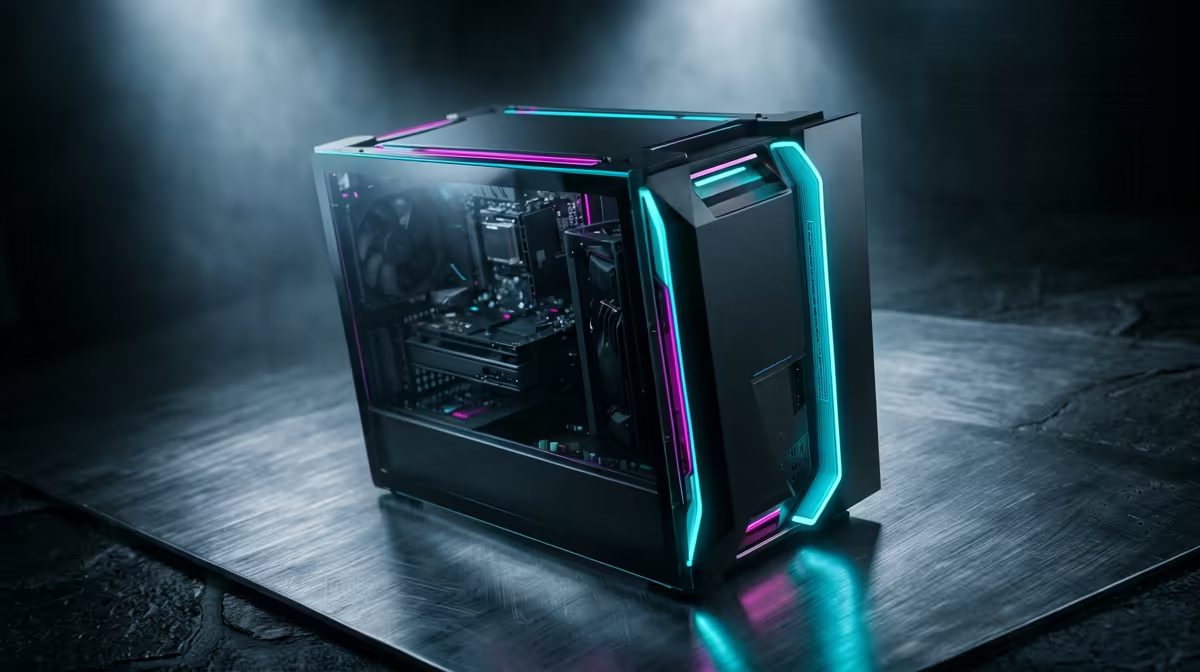
Start with two or three, get comfortable, then add more. Running everything in Docker keeps each service isolated and easy to remove if you change your mind, and the overhead is small enough to leave the whole lot running continuously. As the lab grows you may outgrow a single small box and look toward a fuller desktop, and the best selling desktop builds show where a bigger second machine would slot in later.
Is it worth it under R8,000?
For learning, for genuinely useful household services, and for the satisfaction of self hosting, yes. The sub R8,000 build will not run heavy virtualisation or big game servers, and it should not pretend to. What it does brilliantly is teach you Docker, networking and self hosting on real hardware that quietly earns its place, all for the price of an entry laptop.
Frequently Asked Questions
Is a Raspberry Pi 5 or a mini PC better for a first home lab?
Both work well under R8,000. Choose the Pi 5 8GB for the lowest power draw and silent running, and the mini PC for snappier SSD performance and broader x86 software support. Your workload decides: light always on services favour the Pi, while a bit more flexibility favours the mini PC.
How many services can 8GB of RAM run?
Comfortably, around five to eight lightweight Docker containers such as Pi-hole, a VPN, a reverse proxy and a dashboard. It is a workable starter ceiling. If you plan to grow toward heavier workloads, 16GB on a mini PC gives much more breathing room.
Do I need fast storage for a home lab?
It makes a real difference. Fast solid-state storage -- ideally NVMe -- dedicated to running the OS and containers is the upgrade that changes day-to-day feel the most, especially on a Pi where it replaces a sluggish microSD. Bulk media can still live on a separate or external drive.
Can I run this lab on all day without a big electricity bill?
Yes, that is a core appeal. Both a Raspberry Pi 5 and an efficient mini PC draw little power, so the running cost of leaving them on around the clock is modest, which is why they suit always on services like ad blocking and a home VPN.
What can I not do on a sub R8,000 home lab?
Heavy virtualisation, large game servers, and big multi user media transcoding are beyond a single small 8GB box. For those you need more RAM and a stronger CPU. The budget build is aimed at learning and a stack of useful lightweight services, which it handles well.
Ready to start self hosting without overspending? Compare compact, low power options in the mini PCs range at Evetech and get your first home lab running this weekend.