Quick Answer
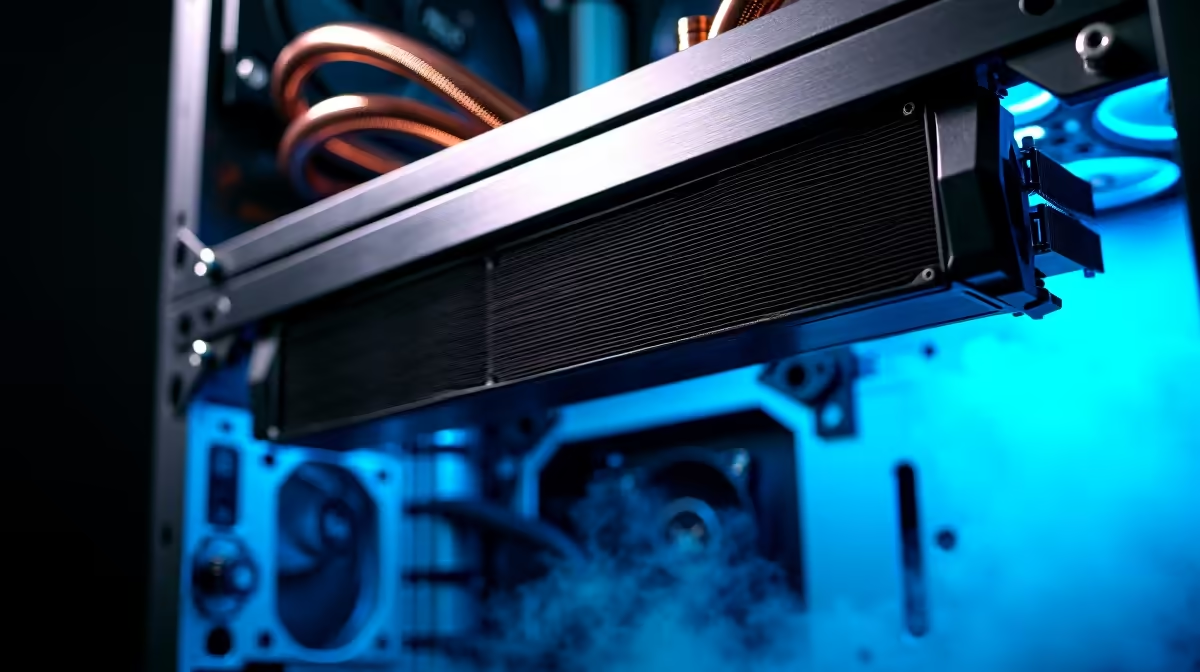
A 420mm AIO fits three 140mm fans and is the top liquid cooling option for high-TDP workstation CPUs. Mount it at the top of the case as an exhaust radiator for lowest CPU temps, or at the front as an intake radiator if your case does not have sufficient top clearance. Top-mount exhaust is generally preferred for workstations because it keeps hot radiator air out of the case entirely.
Why a 420mm AIO Suits Workstation Thermals 🔧
High-performance workstation CPUs including AMD Ryzen Threadripper Pro and Intel Core Ultra 9 series carry TDPs of 280W to 350W under sustained workloads like 3D rendering, video encoding, and simulation. A 240mm AIO manages these loads under short peaks but can saturate after 15 to 20 minutes of sustained output. A 420mm AIO, with its larger fin surface area (typically 420mm x 140mm x 27mm rad core), dissipates 20 to 30 percent more heat than a 360mm unit at equivalent fan speeds. At current South African pricing, 420mm AIOs sit between R3,500 and R7,500 depending on the pump quality, fan type, and RGB spec. For a workstation where the CPU alone can cost R15,000 to R40,000, this cooling investment is proportionate.
Top Mount vs Front Mount: Which Layout Wins 📐
Top-mount radiator placement positions the rad horizontally above the motherboard with fans pushing hot air out of the case. Coolant heated by the CPU rises naturally through the tubes to the top rad, making this the thermodynamically preferred position. It also keeps the hot exhaust air entirely outside the case, preventing GPU or VRM recirculation. The limitation is clearance: a 420mm rad requires at least 420mm of top mount space plus clearance from tall RAM sticks (typically 35mm to 50mm). Front-mount placement positions the rad vertically at the front intake. Fans push air through the radiator and into the case before exhausting via rear and top fans. This arrangement warms the intake air slightly, raising GPU and ambient temps by 2C to 5C, but works in cases where top mounting is not supported or where CPU tube routing would be too long.
Fan Configuration for the 420mm Rad 🌀
The three included 140mm fans should be matched to the radiator application. For a workstation, static pressure fans rated above 2.0 mm-H2O at 1,200 to 1,500 RPM are the correct choice. Running a push-pull configuration (fans on both sides of the radiator) adds another three 140mm fans and drops coolant temperature by 3C to 5C under sustained load, which meaningfully reduces CPU temps during long render sessions. This is a worthwhile upgrade for workstations that run exports or bakes for hours at a time. In SA summer conditions where ambient can reach 30C, a push-pull 420mm setup keeps CPU temps 8C to 12C lower than an equivalent 240mm AIO in push configuration alone.
Check Case Top Clearance First ⚡
purchasing a 420mm AIO, measure your case's top fan mount length and confirm it fits three 140mm fans (420mm total). Also check RAM height: DDR5 sticks with tall heatspreaders can conflict with the top radiator if there is less than 35mm clearance between the rad and the memory slots. Low-profile RAM or an offset radiator bracket resolves this.
FAQ
Can I mount a 420mm AIO in a mid-tower?
Only if the case explicitly supports 420mm top or front radiator mounts. Most mid-towers max out at 360mm. Check your specific case spec before purchasing.
Does a 420mm AIO improve GPU thermals?
Indirectly. Lower CPU temps reduce overall case ambient temperature, which marginally helps GPU temps. The direct GPU temperature benefit is small (1C to 3C) but consistent.
Is the pump noise from a 420mm AIO louder than from a 240mm unit?
Pump noise depends on the pump model, not radiator size. A quality 420mm AIO uses the same pump design as its 240mm sibling. Radiator fan noise at low RPMs is generally inaudible at 800 to 900 RPM.
Building a serious workstation?
Evetech stocks AIO liquid coolers including 360mm and high-capacity options suited for workstation and high-performance gaming builds. Check the current range for the right cooling solution.