Quick Answer
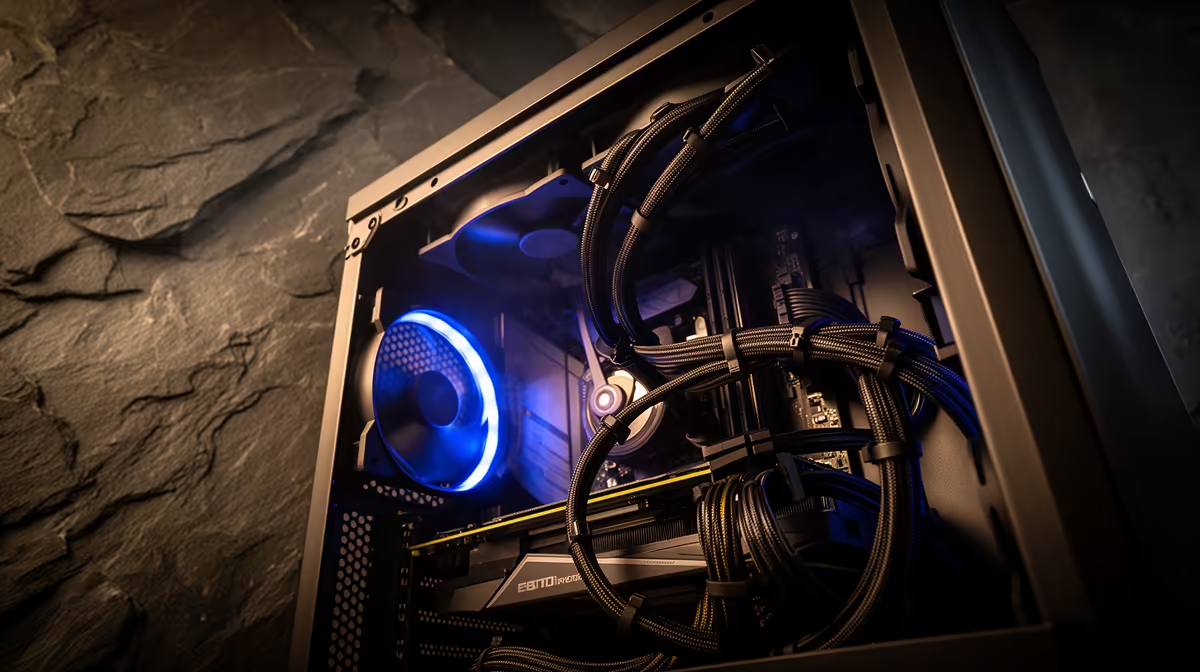
Clean cable routing in an ATX case follows one rule: every cable that does not need to cross the main chamber should run behind the motherboard tray. Use the case's factory grommets, velcro ties at every anchor point, and route the 24-pin, EPS, and PCIe cables separately before the motherboard goes in. Done correctly, visible cable clutter drops to near zero through a glass panel.
The Pre-Build Cable Planning Phase 📋
Before installing any component, lay your case flat and trace every cable path from source to destination using your finger. The 24-pin ATX runs from the PSU chamber at the bottom right, behind the tray, and enters the main chamber through the right-side grommet at board level. The two EPS CPU power cables (8-pin connectors) travel from the PSU, behind the tray, and exit through the top-left grommet near the CPU socket. PCIe power cables for the GPU run from the PSU, behind the tray, and enter the main chamber through a bottom grommet near the GPU slot. Planning this before parts are installed means you route cables once, correctly, without fighting around a mounted motherboard and GPU.
Tools and Materials That Make the Difference 🔧
Velcro cable ties are significantly better than zip ties for a gaming PC because they allow adjustment during assembly and are gentle on cable sleeves. A 30-pack of velcro ties costs around R60 to R120 at local electronics stores and is a worthwhile addition to any build. Pre-sleeved cables, either those that come with a premium modular PSU or aftermarket extensions, create a uniform look that bare cables cannot match. Cable combs, small plastic clips that hold parallel cables in a flat ribbon, are available locally for R40 to R80 per pack and complete the professional finish. For a glass-panel build where presentation matters, these small investments add up to a noticeably cleaner result.
Airflow Impact of Clean Cable Management 💨
Unmanaged cables draped across a motherboard or GPU reduce airflow measurably. A bundle of six unmanaged cables crossing the path between front intake fans and the GPU heatsink creates turbulence and restricts the linear airflow that cooling depends on. Thermal tests on identical systems show a three to eight degree Celsius difference at GPU junction temperature between clean and messy cable configurations under full gaming load. In a South African summer with ambient temperatures above 28 degrees, that margin matters directly for sustained GPU boost clocks. Clean routing keeps airflow paths straight and unobstructed from front intake through to rear exhaust.
Route EPS Cables Before the Motherboard Goes In ⚡
The CPU EPS power connector sits at the top of the motherboard, very close to the top case panel after installation. If you forget to pre-route the EPS cable behind the tray before mounting the board, you will need to partially remove the board to thread the cable correctly. Route it first every time, without exception.
FAQ
How much does poor cable management affect temperatures?
In controlled tests, poorly routed cables blocking front-to-rear airflow raise GPU temperatures by three to eight degrees Celsius under sustained load.
Should I use a modular or non-modular PSU for cable management?
Fully modular PSUs allow you to attach only the cables you need, which dramatically reduces unused cable bulk in the rear compartment.
Do cable extensions improve cable management or just add bulk?
Quality sleeved cable extensions, typically 30cm in length, improve the appearance of cables in the visible main chamber but add a connection point. For a glass-panel showcase build the visual improvement is worth it. For a standard closed-panel build, the stock PSU cables are sufficient if properly routed.
Building a tidy gaming PC and need the right case?
Evetech stocks ATX cases with dedicated cable routing channels, grommets, and rear compartments designed for clean builds, browse the range and pick your foundation.