Quick Answer
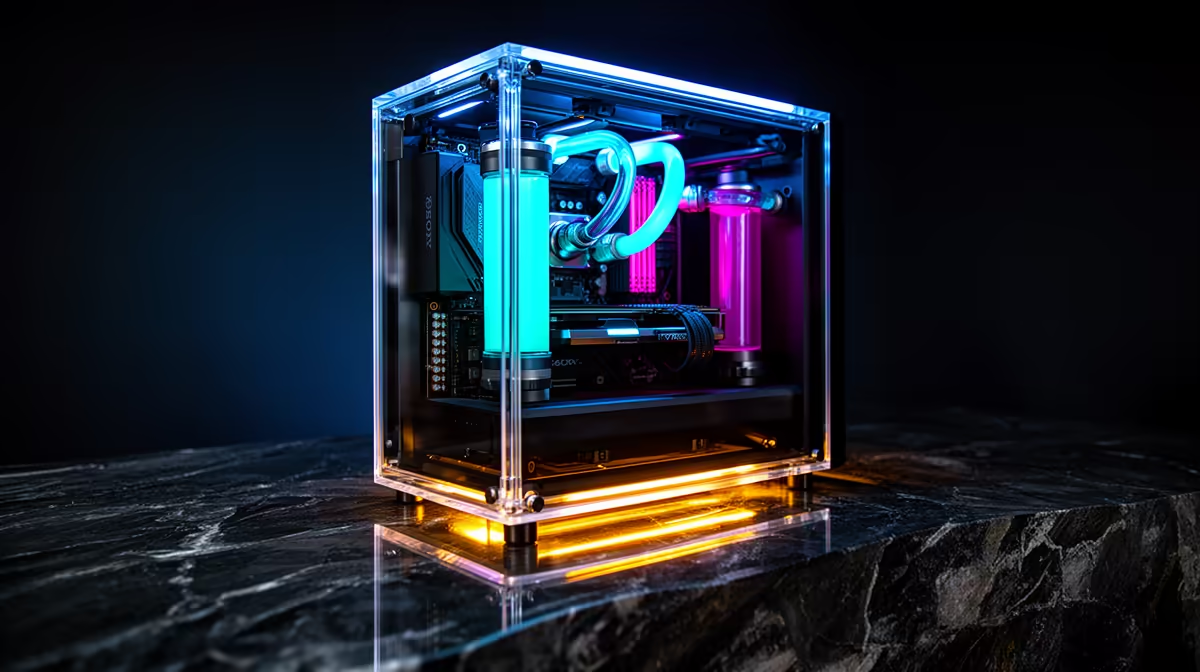
A mirror display stage inside a PC case positions a reflective panel beneath or behind the main chamber, reflecting the illuminated components (GPU, RAM, cables, fans) from angles that a straight side-panel view cannot show.
What a Mirror Display Stage Actually Does 🖥️
A mirror display stage (sometimes called a mirror base or stage panel) is a reflective surface integrated into the bottom or back panel of a showcase PC case.
For builds intended for display (LAN events, desktop showcases, or simply a desk where the build is a visual focal point), the mirror stage creates a sense of depth and multiplied visual complexity. At South African LAN events like rAge or community gaming meets, a well-executed mirror stage build consistently draws attention.
Cable Management: The Non-Negotiable Prerequisite 🔧
A mirror stage amplifies everything inside the case, including any visible cables.
Use right-angle adapters on GPU power connectors to route cables flat against the case spine rather than protruding into the main chamber. Velcro cable ties (not zip ties, which are difficult to adjust post-build) allow cable routes to be refined after the mirror stage is installed. Allow extra time for this build stage: cable management on a mirror display case typically takes two to three times longer than a standard build.
Lighting Alignment for Clean Mirror Reflections 💡
ARGB lighting in a mirror stage build requires deliberate positioning. Place ARGB fans on the front intake or top exhaust so their lit faces are visible in the mirror reflection. ARGB GPU coolers with addressable underglow LEDs create particularly effective mirror effects because their downward-facing illumination is captured by the mirror stage directly below.
Avoid placing a single very bright ARGB component near the mirror surface without balancing it with other elements. An isolated bright component creates lens flare-style reflections that wash out surrounding detail. A well-balanced mirror stage build distributes light sources across the top (fans or AIO head), middle (GPU shroud), and bottom (mirror-reflected underglow) of the case for even visual depth.
Photograph Your Build from 45 Degrees for Best Mirror Results ⚡
When photographing or filming your mirror stage PC, shoot from a 45-degree angle above the side panel rather than dead-on perpendicular. This angle captures both the direct component view and the mirror reflection simultaneously, showing the visual depth effect that makes mirror stage cases distinctive. Straight-on shots flatten the effect significantly.
FAQ
Do mirror display stages affect PC cooling performance?
The mirror panel itself has negligible effect on cooling because it does not obstruct airflow paths. It sits below the main chamber in most implementations and does not block fan intake or exhaust routes. Builds with mirror stages use identical fan and AIO configurations to non-mirror builds.
What cleaning routine does a mirror display stage need?
Dust settles on the mirror surface and dulls the reflective effect quickly. Every two to four weeks, wipe the mirror with a soft microfibre cloth and a screen cleaning solution. Compressed air first to remove loose dust, then a microfibre wipe to clear residue. Avoid abrasive cloths that scratch the mirror coating.
Are mirror display stage cases available locally in South Africa?
Yes. Select premium ATX cases with mirror stage floors or panels are stocked locally. Evetech carries showcase cases from established brands, ensuring local warranty and the certainty that the case is designed for SA ambient conditions rather than a parallel import optimised for a different market.
Building a showcase PC with a mirror display stage?
Evetech stocks premium gaming cases, ARGB components, and cable management accessories to make your build look as good as it performs. Browse the full range.