Quick Answer
The ASUS ProArt LC 420 is better suited to workstation builds than to standard gaming PCs, primarily because its design prioritises sustained quiet operation under prolonged all-core loads rather than the short burst cooling that gaming CPUs require. It is not a wrong choice for a gaming PC, but it is overkill for gaming alone.
What the ProArt LC 420 Prioritises by Design 🖥️
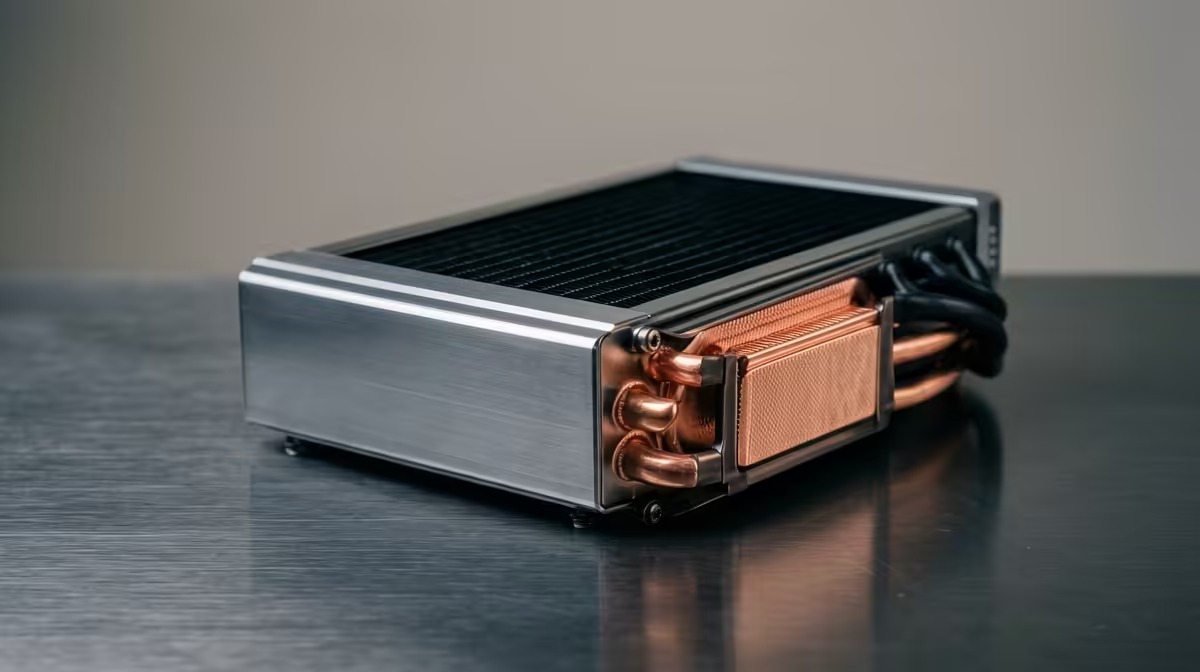
The ASUS ProArt LC 420 is a 420mm AIO built around low-noise FDB fans and a workstation-oriented thermal profile. Its pump runs at a measured fixed speed rather than a variable speed that can produce acoustic artefacts during load transitions, which matters enormously in a studio environment where microphones are active. The 420mm radiator houses three 140mm fans that achieve adequate cooling at lower RPM than a 360mm unit with 120mm fans, keeping noise below 25 dB during sustained workstation loads. For a Ryzen 9 9950X or Core i9-14900K rendering in DaVinci Resolve or Blender for hours, this thermal consistency and acoustic discipline is the core value proposition.
Comparing Workstation and Gaming Thermal Profiles 🎮
Gaming CPUs like the Ryzen 7 9800X3D produce high peak temperatures in short bursts but rarely sustain maximum TDP for more than a few seconds per core. The cooling challenge for gaming is absorbing and dissipating sharp thermal spikes without the CPU's boost algorithm being interrupted. Any quality 360mm AIO handles this effectively, including units costing significantly less than the ProArt LC 420. Workstation CPUs and creative workloads, by contrast, push all cores to near-maximum TDP for minutes or hours continuously.
Gaming PC Use Case Assessment 🔧
If the ProArt LC 420 is already in hand or fits within budget for a gaming build, it performs excellently and runs quieter during gaming than most competing 360mm units. However, for a build focused on gaming rather than creative work, its 420mm size requires a case with explicit 420mm support, adds weight, and costs more than is strictly necessary. A gamer spending the ProArt LC 420's budget on a quality 360mm AIO and redirecting the difference toward a better GPU or an additional NVMe SSD will likely see more tangible improvements in game performance.
Use ProArt Thermal Profiles in ASUS Creator Mode ⚡
On ASUS ProArt motherboards, Creator Mode in Armoury Crate or the dedicated ProArt fan control utility optimises the pump curve specifically for sustained workstation loads, keeping the pump at full speed and fans at a measured ramping curve. This profile prevents the acoustic artefacts that occur when the pump changes speed mid-render in gaming-optimised profiles. Enable Creator Mode before starting any overnight render session.
FAQ
Does the ASUS ProArt LC 420 work with non-ASUS motherboards?
Yes. The ProArt LC 420 installs on any motherboard with a compatible CPU socket and an internal USB 2.0 header for the pump head connection. The full software control through ASUS Armoury Crate requires an ASUS motherboard, but the hardware functions correctly on non-ASUS boards with basic fan control through BIOS.
Is there a meaningful thermal difference between the ProArt LC 420 and a standard 420mm AIO?
The thermal performance of the radiator-fan stack is comparable to other quality 420mm AIOs. The ProArt's differentiation lies in its acoustic tuning, fixed-speed pump design, and software integration for workstation-specific profiles rather than in raw heat dissipation above competing 420mm units.
What socket types does the ProArt LC 420 support?
The ASUS ProArt LC 420 ships with mounting hardware supporting AM4, AM5, and Intel LGA 1700 and LGA 1851. Check the current product page at Evetech for the exact mounting kit contents, as newer socket support is sometimes added through a hardware accessory rather than being included in the original box.
Building a workstation or high-performance creative PC?
Browse the ASUS ProArt and AIO cooler range at Evetech to find a cooling solution matched to your sustained workload requirements.