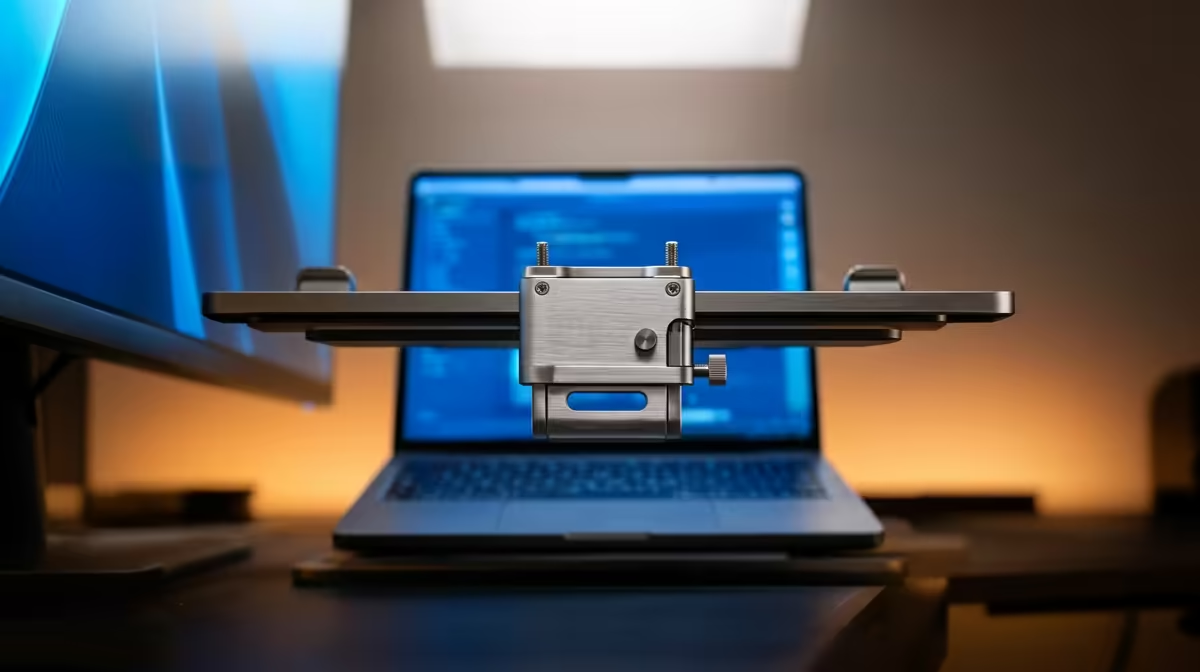
Spread your work across two screens at home and you feel the loss the moment you take a single laptop to a coffee shop, a client site, or a campus library. A laptop clip mount for a portable monitor closes that gap by bracketing the second screen straight onto your laptop lid, so you carry a dual-display rig in the same bag, set it up on any flat surface, and never go hunting for a desk or a dock.
Quick Answer
A laptop clip mount attaches a portable monitor directly to the side of your laptop lid, turning a single laptop into a dual-screen system anywhere, no desk or dock required. Universal clip mounts typically support portable screens from roughly 11 to 18.5 inches, gripping the laptop display on one edge while the portable panel hangs alongside. Check your portable monitor's weight and your laptop's screen size against the mount's rated range before buying.
How a Laptop Clip Mount Works
The mount is a bracket with two jaws. One side clamps over the back of your open laptop lid; the other holds your portable monitor by its frame or a magnetic plate. The portable screen then sits out to the left or right of your laptop display, roughly in the same plane, so your eyes travel between them naturally. A short cable runs from the laptop to the portable panel for video and, on many setups, power over a single USB-C connection.
What makes it useful is independence from furniture. A dock or a desk monitor anchors you to one spot. A clip mount travels: it folds flat, weighs little, and turns a kitchen table, a hot desk, or a hotel room into a two-screen workstation in under a minute. For anyone who works in different places through the week, that portability is the whole point.
What Size and Weight a Mount Supports
Screen Size Range
Most universal clip mounts quote a supported screen range, commonly around 11 inches at the small end up to about 18.5 inches at the large end. That covers the vast majority of portable monitors, which cluster between 13 and 16 inches. The two measurements that matter are your laptop's screen size, which the clamp side must fit, and your portable monitor's size, which the holder side must support. Both need to fall inside the mount's stated range, so read the spec rather than assuming.
Weight Limit
A clip mount is cantilevered off the laptop lid, so weight is the limit that actually bites. A heavy portable monitor can tilt the bracket or, worse, strain the laptop hinge. Check the mount's rated load against your monitor's weight, and favour a portable panel on the lighter side if you plan to clip it on regularly. Lightweight 14-inch and 15-inch panels are the sweet spot: large enough to be genuinely useful, light enough that the mount stays stable.
How It Attaches and What to Check First
The clamp grips the top or side edge of your laptop lid, usually with padded jaws and a thumbscrew or spring tension to avoid marking the screen. Before you buy, run through a short checklist:
- Laptop screen size falls inside the mount's clamp range.
- Portable monitor size and weight are within the holder's rated limits.
- Attachment style matches your monitor, whether that is frame jaws, an adhesive plate, or a magnetic back.
- Connection is sorted, ideally a single USB-C cable carrying video and power so you are not also hunting for a wall socket.
- Lid strength is adequate, since older or very thin laptops with weak hinges may not love the extra leverage.
Tilt and rotation are a bonus on better mounts: some let the portable screen pivot to portrait, which is handy for reading long documents or code. If you are still choosing the panel itself, it helps to compare the portable monitors Evetech carries by size and weight first, then match a mount to whatever you pick.
Who a Clip-Mount Dual-Screen Rig Suits
This setup earns its keep for people who move. Travelling professionals who present or analyse data on the road, students who write and reference at once across campus, developers debugging away from the home desk, and anyone who needs the call on one display while their notes fill the other all benefit from a second screen that needs no desk. It is less compelling if you work in one fixed place every day, where a desk monitor or dock is sturdier and larger. For the mobile worker, though, the trade is clear: a little setup time and a modest weight penalty in exchange for two screens absolutely anywhere. Browsing the best-selling monitors at Evetech gives a sense of where portable and desktop options sit side by side on value.
Frequently Asked Questions
What size portable monitor works with a laptop clip mount?
Universal clip mounts generally support screens from about 11 to 18.5 inches, which covers nearly every portable monitor on the market. The practical sweet spot is a lightweight 14-inch or 15-inch panel: large enough to be useful and light enough to keep the mount stable.
Will a clip mount damage my laptop screen or hinge?
A well-designed mount uses padded jaws and spreads the grip to avoid marking the lid, but weight is the real concern. Stay within the mount's rated load and favour a lighter portable monitor, since a heavy panel cantilevered off the lid can strain a thin or older hinge.
How does the portable monitor connect when it is clip-mounted?
Most modern portable monitors use one USB-C cable that handles video and power together, so a short run from the laptop port is all you need. Some panels require a separate power input, so check the spec before relying on one cable.
Can I use a clip mount with any laptop?
Almost any laptop within the clamp's screen-size range works, but very thin or older models with weak hinges may not handle the extra leverage well. Confirm your laptop's screen size fits the mount and that the lid feels solid enough to support a side-mounted panel.
Is a clip mount better than a portable monitor stand?
It depends on where you work. A clip mount needs no desk and travels with the laptop, which suits mobile work. A stand is steadier and frees the screen from the lid, which suits a settled spot. For people constantly on the move, the clip mount's no-surface freedom usually wins.