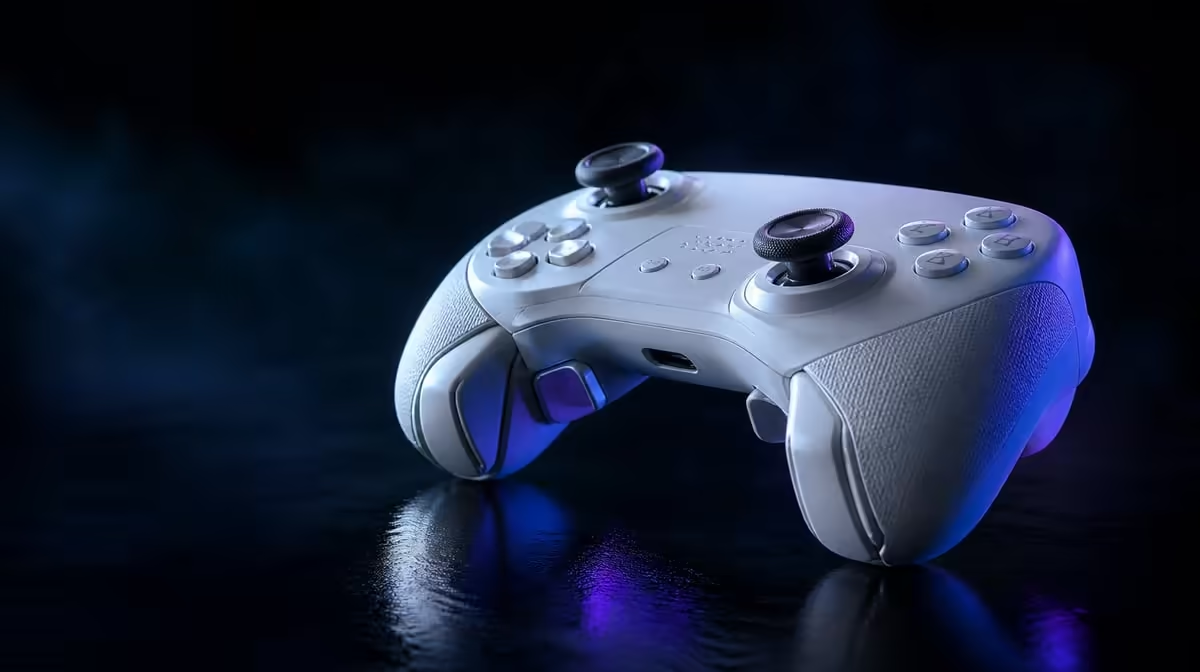
High performance begins with a controller that connects correctly and gives the player repeatable access to every important input. A high-performance gaming controller should be tested for sensing, trigger behaviour, command reach and PC timing instead of receiving one general score.
Quick Answer
At R1,499, the GameSir G7 Pro offers magnetic stick sensing, stopped or full trigger travel, four extra inputs and rapid PC reporting. Its performance case begins only after the buyer accepts the cabled console, dual PC or Bluetooth Android path.
🗺️ Pass platform and physical fit first
Write the primary device and required link. Wireless Xbox is not part of the G7 Pro map.
Add backup devices and connection tolerance. A PC-first player may value 2.4GHz while keeping a cable ready, and an Android user needs Bluetooth game support.
Count hours by platform so PC-only timing does not receive value from Xbox or Android sessions.
Hold the controller through a normal session. Check stick reach, trigger angle, D-pad access and whether macro positions activate accidentally.
Use the relaxed grip and the firmer grip that appears during action. A button location can feel excellent in a menu and troublesome under pressure.
Try the swappable D-pad with the directional sequences the player actually uses. Do not infer better inputs from the fact that the part can be changed.
Test 3.5mm audio when the headset routine matters. Connection and comfort are performance foundations.
Check the four rumble motors as feedback only. They can shape feel without improving aim, sensing or report timing.
Return the controller to the dock after a wireless session. Ownership recovery belongs in the complete high-performance routine.
Compare suitable products in Evetech's gaming controller category.
🧲 Test sensing and trigger control
Run centre, fine-aim and full-range drills on the TMR sticks. Magnetic sensing supports drift resistance without a fault-proof guarantee.
Record sensitivity, dead zone, connection and game. Repeat after a normal session and recalibrate before hiding a symptom.
Test both sticks separately. Camera and movement roles can reveal different axes and game-level behaviour.
Use full Hall Effect trigger travel for graduated input. Engage the stops for a suitable quick action and compare errors.
Try partial throttle or brake points rather than only maximum input. Analog control lives between the endpoints.
For the stopped test, include aim and movement so the shorter pull is judged during full hand use.
Save profiles by game. A racing setup and FPS setup should not overwrite one another.
Include a default reset with full trigger travel, ordinary mappings and the main connection. Another player should not inherit a specialised configuration.
✋ Evaluate access and PC timing
Map one of the four macro buttons to a named action. Check rules for competition and practise under full grip pressure.
Count thumb departures, accidental activations and recall errors. Add a second position only when the first is dependable.
Leave a slot empty if a resting finger presses it. More assigned buttons do not necessarily mean higher performance.
On PC, compare 1000Hz inside a stable game and display system. One-millisecond reports do not equal one-millisecond total response.
Keep frame pacing, display mode and connection steady. Run several sets and reverse the comparison order later.
Record whether the result is technical, felt or both. The rate property and personal performance are related but not identical claims.
Keep stick sensitivity and trigger state unchanged during polling tests.
Evetech's gaming accessories range can frame the rest of the setup.
📋 Build a performance scorecard
Score compatibility, comfort, stick precision, trigger control, command access, timing and recovery separately.
Add consequence beside every score. A failed platform link ends play, while an unused faceplate is merely a missed preference.
Identify the weakest row and retest it before buying. A high average can hide a mandatory failure.
Build a standard seven-minute performance sequence. Connect from a neutral state, confirm the game profile, check stick centre, complete a tracking drill, run both trigger modes and use the mapped command.
Record recovery time and control errors. The exercise links technical features to a routine another player can repeat.
Run the sequence wired on PC first when that is the baseline, then compare 2.4GHz without changing sensitivity or display settings.
Four rumble motors can add feedback, while the dock adds charging convenience. Neither automatically improves competitive accuracy.
At R1,499, value comes from several strong rows used repeatedly, not every feature receiving top marks.
Create a one-week profile log with games, controls used and recovery problems. High performance should survive ordinary reconnects and fatigue.
Review the log by genre. Racing can place analog trigger travel first; FPS can prioritise aim, stopped triggers and macro access; fighting games may give the swappable D-pad more weight.
Do not combine genre scores into a claim that one layout dominates all games. Save a deliberate profile for each use.
If the controller is shared, include the player's hand and preference in the note. Another user may choose a different valid stick sensitivity or macro position.
Use the charging dock as the end of wireless sessions and repeat the start later. Convenience matters when it improves readiness without complicating mode selection.
For Xbox, confirm the cable remains acceptable over a longer session. High-performance controls do not remove the platform's wired requirement.
Finish with a precise reason: the G7 Pro fits a named platform and improves two or three tested inputs. Avoid claiming that every premium feature improves every player.
At R1,499, the strongest case may be TMR centre control, flexible trigger travel and PC timing together. Another buyer can prioritise tri-mode and the dock. The evidence, not the feature count, should determine the conclusion.
Retest the winning profile after a restart and game update. A dependable controller setup should return without turning every session into calibration and remapping.
Create a fallback for every customised layer. Full trigger travel, ordinary buttons, standard polling and the primary wired or wireless connection should be documented. Recovery is part of performance when time matters.
Check one long session for hand fatigue. TMR sensing and fast reports cannot compensate for a grip, trigger or macro position that becomes uncomfortable.
Compare current alternatives only after naming the weak row. A different controller should be asked to improve that exact part without losing platform support already proven on the G7 Pro.
The final score can be conditional: high-performance for the stated PC or wired Xbox routine, but not a wireless Xbox solution. Clear boundaries make the recommendation more useful.
Review Evetech's accessory best sellers after the weakest input is identified.
Frequently Asked Questions
What should be checked before performance features?
Confirm the platform connection and comfortable physical fit.
Which G7 Pro technology handles stick position?
It uses Mag-Res TMR thumbsticks.
How can its trigger setup serve different games?
Full Hall Effect travel supports analog control, while stops shorten suitable actions.
What polling capability targets PC response?
Its stated PC polling ceiling is 1000Hz.
Why can macro buttons improve control access?
They can move selected commands beneath fingers that do not need to leave primary controls.
Do four rumble motors improve competitive accuracy?
No. They provide feedback, while accuracy remains tied to input control and the player.
Where does 3.5mm audio fit in performance?
It belongs in the complete platform and communication routine rather than the accuracy score.
Ready to test performance one control at a time?
Explore Evetech's gaming controllers and score the G7 Pro from platform fit through sticks, triggers, macros and PC timing.