



PCIe 5.0 vs PCIe 4.0 for Strategy and Sim Games in SA
PCIe 5.0 and PCIe 4.0 differ most in lane support, compatibility, and upgrade value for strategy and sim games. SA buyers should match the choice to their actual hardware and games.
Read moreLorgar Headsets compatibility checklist before should be shortlisted around the job it must do. South African buyers should compare audio quality, mic clarity, comfort, and connection type, warranty path, and upgrade room before treating any pick as best.
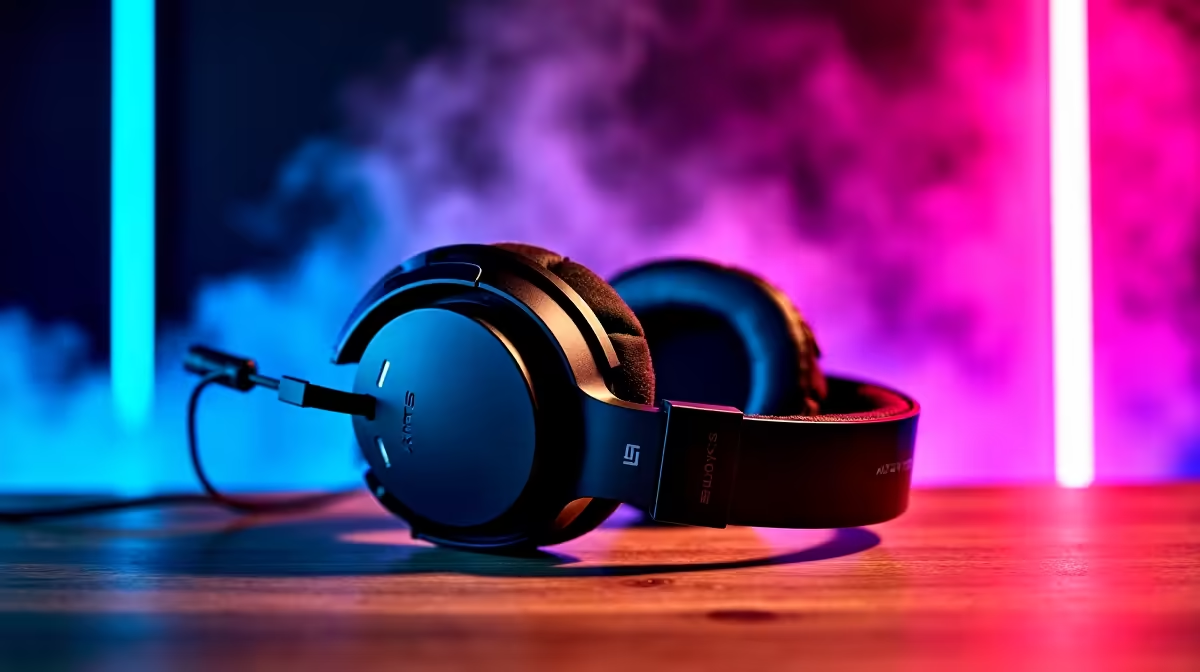
Before ordering a Lorgar headset, check the connection (USB or 3.5mm), confirm the mic works on your platform, and verify any RGB or surround needs the companion software. Lorgar gaming headsets are typically USB or 3.5mm wired models aimed at PC, starting around R500 to R1,200 at Evetech, so make sure your ports and use case match.
Lorgar headsets are mostly wired, so the first thing to confirm is whether the model uses USB-A or a 3.5mm jack. A USB model carries its own audio processing and plugs into any free USB-A port, which is great for a PC with weak onboard sound, but may not pass audio to every console. A 3.5mm model works with a PC, laptop combo jack (with a splitter if it has separate plugs) and console controllers. Knowing which one you are buying, and matching it to your device's ports, avoids the most common ordering mistake.
Confirm the microphone setup suits your use: many Lorgar models have a fixed or flip-to-mute boom that works well for calls and gaming on PC, but mic behaviour can vary on console. If the headset features RGB lighting or virtual surround, those usually rely on a USB connection and the brand's software on PC, so they will not light up or process surround over a plain 3.5mm link. For comfort over long study or gaming sessions, check ear-cup padding and headband adjustment, and weight if you wear it for hours at a desk.
Match the connector and confirm the mic and lighting work on your device before you order.
Models vary, so check the specific one. USB versions carry their own audio processing and suit a PC with weak onboard sound, while 3.5mm versions work across PC, laptops and console controllers. Confirm before ordering.
No. RGB lighting and virtual surround on these headsets rely on a USB connection and the companion software on PC. Over a plain 3.5mm link you get standard stereo with no lighting control.
A 3.5mm model plugs into a console controller fine. USB versions are aimed mainly at PC and may not pass audio to every console, so a 3.5mm model is the safer console choice.
Check whether your Lorgar model is USB or 3.5mm, confirm it fits your device's ports, and remember RGB and surround need a USB link with the software on PC.
PCIe 5.0 and PCIe 4.0 differ most in lane support, compatibility, and upgrade value for strategy and sim games. SA buyers should match the choice to their actual hardware and games.
Read more
AM5 vs AM4 for video editing in 4K Difference explained is mostly about compatibility, budget, upgrade path, and setup fit. SA buyers should check device support and real needs before expecting a clear win from either option.
Read more
OLED vs QD-OLED for strategy and sim games buyers - what changes is mostly about compatibility, budget, upgrade path, and setup fit. SA buyers should check device support and real needs before expecting a clear win from either option.
Read more
DisplayPort 2.1 and 1.4 differences matter when SA PC builders match GPUs, monitors, and refresh targets. Use this difference between displayport 2 1 and displayport 1 4 explained pc builders guide to avoid mismatched parts.
Read more
Ray tracing vs Path tracing depends on Strategy and sim games needs, platform limits, and budget fit. Compare compatibility, latency, upgrade path, and real setup constraints before choosing for an SA build.
Read more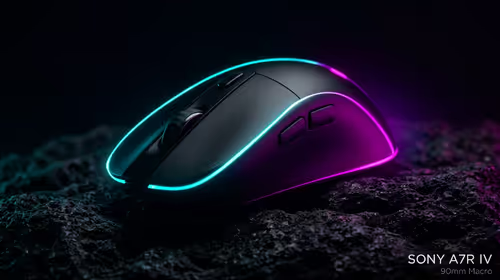
wireless mouse guide for Gqeberha gamers should be shortlisted around the job it must do. South African buyers should compare sensor, shape, weight, and wireless latency, warranty path, and upgrade room before treating any pick as best.
Read more
Windows 11 update KB5121003 is linked to crashes in several multiplayer games on versions 24H2 and 25H2. Check the build, report the fault and avoid risky file or update changes unless the problem is confirmed on your PC.

Sennheiser's Momentum True Wireless 5 adds user-replaceable batteries, 12-hour playback and a $299.95 launch price. There is no confirmed South African date, so compare longevity with live earbuds from R199 to R2,999.

AVerMedia's GC531 and GC535 are professional HDMI capture devices for continuous streaming, with RGB24 capture up to 2K30 and 4K30. South African creators should compare them with live 4K capture cards from R2,099.

From 1 October 2026, WhatsApp Business Platform service replies in South Africa are expected to cost about $0.0076, or 12 cents, per delivered message.
Windows 11 update KB5121003 is linked to crashes in several multiplayer games on versions 24H2 and 25H2. Check the build, report the fault and avoid risky file or update changes unless the problem is confirmed on your PC.

Comsol's standalone 5G network covers about one million Gauteng homes and starts commercial ISP service in September. Early packages range from R275 to R875 a month, but coverage and fair-use rules still decide the real value.
Sennheiser's Momentum True Wireless 5 adds user-replaceable batteries, 12-hour playback and a $299.95 launch price. There is no confirmed South African date, so compare longevity with live earbuds from R199 to R2,999.
AVerMedia's GC531 and GC535 are professional HDMI capture devices for continuous streaming, with RGB24 capture up to 2K30 and 4K30. South African creators should compare them with live 4K capture cards from R2,099.
Windows 11 update KB5121003 is linked to crashes in several multiplayer games on versions 24H2 and 25H2. Check the build, report the fault and avoid risky file or update changes unless the problem is confirmed on your PC.
Comsol's standalone 5G network covers about one million Gauteng homes and starts commercial ISP service in September. Early packages range from R275 to R875 a month, but coverage and fair-use rules still decide the real value.
Sennheiser's Momentum True Wireless 5 adds user-replaceable batteries, 12-hour playback and a $299.95 launch price. There is no confirmed South African date, so compare longevity with live earbuds from R199 to R2,999.
AVerMedia's GC531 and GC535 are professional HDMI capture devices for continuous streaming, with RGB24 capture up to 2K30 and 4K30. South African creators should compare them with live 4K capture cards from R2,099.