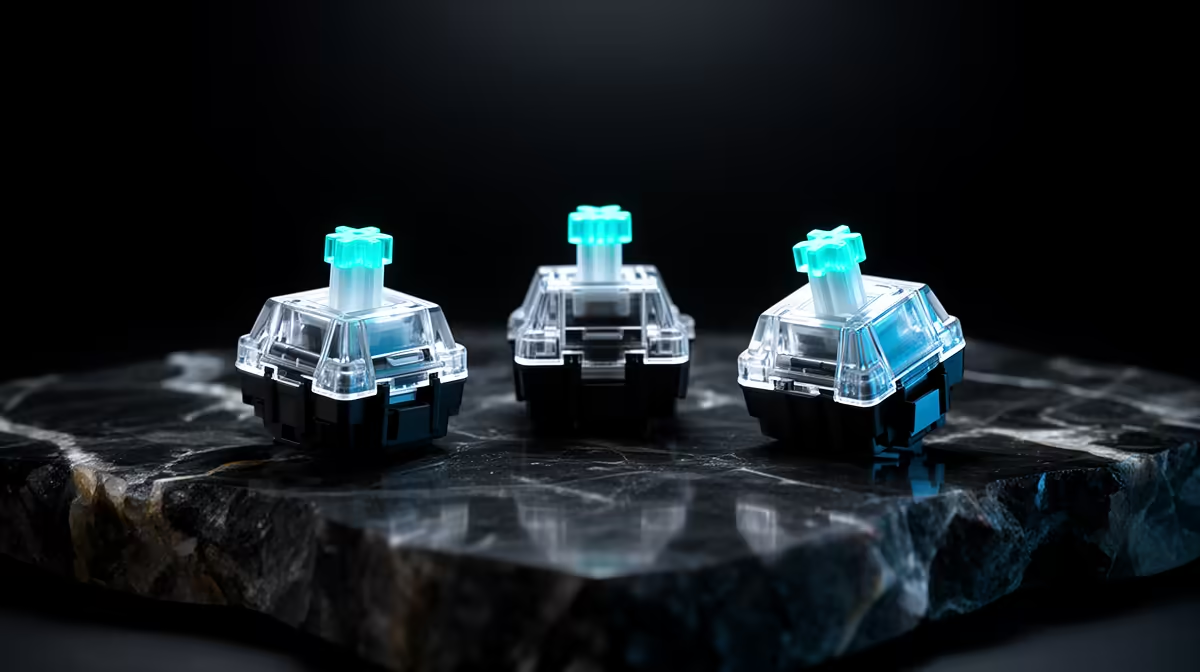
Lekker, Jade and Gateron magnetic switches can feel different and remain incompatible with a board that expects another magnet or housing. This magnetic switch comparison starts with exact PCB support before spring weight or factory lube.
Quick Answer
Lekker, Jade and other Gateron magnetic switch names cover several models, so compare the exact part number rather than the family badge. Spring force, total travel, stem fit, housing, lubrication, magnet position and keyboard calibration can change feel. Compatibility comes first: a Hall effect switch can fit an MX-style plate and still produce the wrong sensor range or fail in another magnetic keyboard.
Use the gaming keyboard deals page to identify current Hall effect boards and their supplied switches. The keyboard best-seller collection gives you a wider released-product comparison. Start from the keyboard maker's supported-switch list, then tune feel inside that boundary.
The board reads the magnet, not an electrical contact
A conventional mechanical switch closes an electrical circuit. A Hall effect keyboard senses the moving magnet and converts that signal into a key position. The switch supplies the mechanical movement and magnetic target; the board sensor and firmware interpret it.
This makes cross-board compatibility more complicated than the familiar MX footprint. Magnet strength, polarity, starting height and travel curve need to land inside the sensor's expected range. The housing must seat correctly in the plate and PCB.
Do not buy a switch because its stem accepts the same keycap. Check the keyboard manufacturer's exact support list and required calibration procedure.
Family names hide revisions
Lekker switches have appeared in more than one force and revision. Gateron Jade branding also covers specific variants, and Gateron makes other magnetic switch lines. Sellers may shorten a full model name in a title.
Record the exact name, force curve, travel, magnet specification where published, housing material and factory-lube claim. Save the product page and packaging. A review of another revision cannot settle the feel of the part in your basket.
Keyboard bundles can use a customised version of a switch. The board maker's supplied unit may differ from a loose retail pack that shares most of the name.
Spring weight changes rhythm
The spring decides how much force your finger feels across travel. A lighter spring can make repeated taps easy and may increase accidental input for a heavy resting hand. A firmer spring can create a clearer return and require more effort across a long session.
Published force numbers also need context. Initial, actuation-related and bottom-out force are not interchangeable. A progressive curve can feel different from a spring with a steadier rise, even when one headline figure matches.
Rapid trigger does not remove the spring. The key still needs to reverse direction, and the firmware needs to detect that movement. Return feel can matter during quick counter-strafing or rhythm inputs.
Test a small switch sample in your board if the maker supports it. Use a normal gaming session, a long typing page and repeated movement keys. Your hand will tell you more than a forum vote.
Stem and housing fit shape sound and stability
Stem wobble can change how the keycap feels at the top of travel. Housing fit can influence noise and movement in the plate. Tight tolerances can feel stable, while an out-of-spec combination can bind or fail to seat.
Long keys add stabiliser behaviour. A firm magnetic switch cannot repair a poorly tuned space bar. Test alphanumeric keys and stabilised keys separately.
Materials and housing geometry affect sound, but the keyboard case, plate, keycaps, desk and mounting style contribute too. A switch sound recording from another board is a clue, not a promise.
Inspect loose switches for damaged clips, crooked stems or contamination before installation. Never force a switch into a plate or PCB.
Factory lube is part of quality control
Factory lubrication can reduce scratch, spring noise and housing friction. Amount and consistency can vary between models or batches. Too much can create a sluggish feel or migrate; too little can leave an uneven sample.
Test several switches from the pack before installing the whole board. Press them slowly, listen for spring noise and compare return. One odd switch can be replaced without judging the entire family.
Manual lubrication can improve feel when the switch is designed to open and the keyboard maker allows it. It also introduces contamination and consistency risk. Keep lubricant away from the magnet and sensor path according to the product guidance.
Do not modify a new switch before confirming warranty and return terms. A factory issue is easier to document in original condition.
Rapid trigger belongs to the complete system
Rapid trigger changes actuation and release based on movement rather than one fixed point. The keyboard needs position resolution, stable calibration, firmware and a configuration tool that exposes the feature.
A switch with smooth travel can help the experience, while no switch family guarantees perfect rapid trigger in every board. Sensor noise, magnet compatibility and firmware filtering can create jitter or inconsistent reset.
Test the board's key-position view where provided. Slowly press and release each movement key. Look for smooth travel, stable rest and a full usable range. Recalibrate through the official tool after changing switches.
Set conservative actuation and release values first. Extremely shallow settings can trigger from desk vibration, resting fingers or tiny switch variance. Reduce distance only after a real game and typing test.
Interchangeability needs five checks
First, confirm the board maker lists the exact switch. Next, check physical plate and PCB fit. Then verify magnet orientation and range. Follow with official calibration. Finish by testing every key and profile after a cold reboot.
Do not mix unsupported magnetic switches across one board because they appear to register. Different curves can make identical software settings feel or respond differently. When mixing is officially supported, keep movement keys from one matched batch and label the layout.
Conventional mechanical switches without the required magnet will not become Hall effect switches in a magnetic socket. Magnetic switches also do not work in ordinary electrical hot-swap boards merely because the pins or stem area look familiar.
Compare a sample pack properly
Install four supported switch candidates into the same area of the board, using identical keycaps. Calibrate after each layout change. Give each switch a letter so the test starts blind where practical.
Type a paragraph, hold movement keys lightly, tap repeated counter-strafes and play one familiar round. Score accidental presses, return, wobble, bottom-out comfort and sound.
Repeat the next day. Novel speed can feel exciting for ten minutes and tiring after an evening. Keep the winner only when it remains comfortable and stable.
Use the same firmware and profile. A different actuation setting can overwhelm the mechanical difference you intended to compare.
Choose for the whole keyboard
Competitive movement may favour a spring and travel that return cleanly under your hand. Typing can favour a little more resistance or a deeper safety margin. There is no universal winner between Lekker, Jade and another Gateron magnetic model.
Availability and replacement stock matter. A proprietary board with no supported spare switch can be harder to keep consistent after a spill or damaged stem. Buy a small spare pack once you know the exact model works.
Check keycap fit, layout, software support, onboard profiles and warranty alongside switches. The best-feeling part cannot rescue unreliable firmware or a board that forgets settings at a tournament.
FAQ
What mainly separates magnetic switch models?
Spring curve, travel, stem and housing fit, materials, lubrication and magnet behaviour all matter inside a compatible board.
Are Lekker, Jade and Gateron switches interchangeable?
No family-level assumption is safe. Confirm the exact switch on the keyboard maker's list, then calibrate and test it.
Which switch is best for rapid trigger?
Choose the supported model that gives your hand stable return and few accidental presses. Board sensors and firmware are equally important.
Start with the board's exact support list, sample matched switch revisions in one calibrated profile, and choose from stable return and comfort rather than the family name.