Most remote workers overspend on the wrong things and underspend on what colleagues actually notice. A 4K webcam sitting behind compressed video makes little difference, while crackly audio in the first ten seconds of a call makes every participant wince. Maximising ZAR value on remote work video gear comes down to knowing which upgrades are genuinely visible on the other side of the connection, and which ones disappear the moment your platform applies its compression codec.
Quick Answer
Spend first on audio. A R1,500 USB microphone and a R1,000 1080p webcam together fix the two things colleagues notice most, for under R2,500 combined. Lighting costs under R600 and makes a cheap webcam look sharp. Skip 4K until platforms support it uncompressed.
💰 Why Call Platforms Kill the Case for 4K
Every major video conferencing platform, including the tools used across South African corporate and remote setups, compresses outgoing video to fit available bandwidth. That compression is aggressive. A 4K webcam outputs roughly 8 megapixels of detail, and the platform immediately squashes it to a fraction of that before anyone else sees it. The fine texture a 4K sensor captures is gone before the first frame arrives at your colleague's screen.
The practical result is that a well-positioned 1080p webcam with a decent lens produces a sharper image on the receiving end than a 4K camera positioned badly under poor lighting. The resolution delta is irrelevant; the lens quality, sensor size, and lighting control are what survive compression.
A 1080p webcam at R900 to R1,500 is the smart entry point. Save 4K for dedicated recording work where you export full-quality files rather than streaming through a platform codec.
🎙️ Audio: The Upgrade Colleagues Hear First
The single highest-impact upgrade for most remote workers is moving from a laptop's built-in microphone to a USB desk mic. Built-in laptop mics sit flat on the chassis, face the keyboard, and pick up fan noise, key clicks, and room echo with no filtering. A USB cardioid microphone on a short stand or boom arm faces you directly, isolates your voice from the sides, and delivers a noticeably cleaner signal.
For ZAR value, cardioid USB mics in the R900 to R1,800 range cover the needs of most remote workers completely. They need no audio interface, no phantom power supply, and no driver installation. Plug in, select in settings, done.
Dual-purpose mics that serve both professional calls and content recording stretch the budget further. If you use the same mic for an occasional podcast or recording session, you are not buying separate gear for two tasks. That overlap is real ZAR value: one device does two jobs at a combined cost lower than buying each separately.
🔆 Lighting: The Cheapest Visible Upgrade
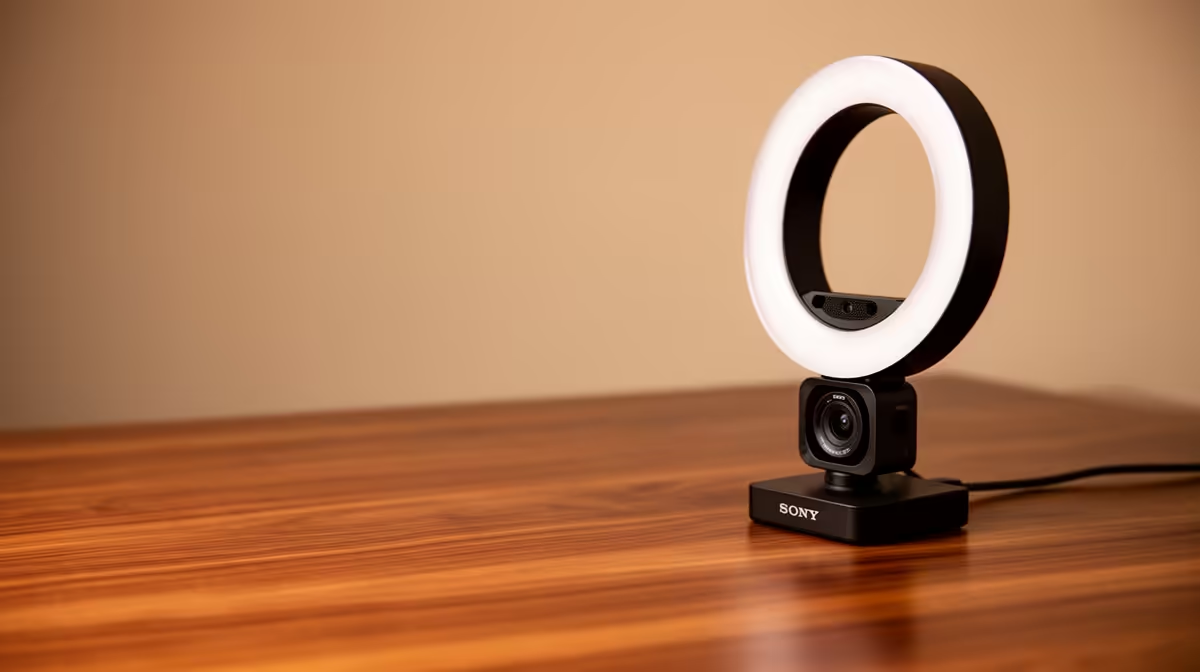
A dim, backlit face on a video call reads as low-effort regardless of the camera quality behind it. A basic LED ring light or a small panel at R400 to R700 fixes this faster and more visibly than any camera upgrade. Place it just above eye level, angled slightly down, and the call quality jumps immediately for everyone watching.
Bi-colour panels with adjustable colour temperature are worth the modest premium over single-temperature options. Joburg offices and Cape Town home setups both deal with window light that shifts colour throughout the day. Matching your panel's colour temperature to the ambient light stops the mixed-light colour cast that makes faces look green or orange on screen.
A ring light is a practical entry point and delivers flat, even light. A small panel with a diffuser looks more natural and avoids the circular catchlight ring lights leave in glasses lenses. If you wear glasses regularly on calls, a panel is the better choice.
Pro Tip ⚡
Before buying anything, join a call on your phone and have a colleague on another device describe exactly what bothers them about your video or audio. Their answer tells you exactly which upgrade to prioritise. More often than not, it is mic quality, not camera resolution.
🧠 Buying Smart: Certified Refurbished and Dual-Purpose Gear
Certified refurbished webcams and microphones often carry a 20 to 30 percent saving over new retail price with minimal real-world risk. For a webcam, the components that fail are mechanical: the lens mount and the USB connector. A certified refurbished unit from a reputable source will have passed a function test covering exactly those points.
Dual-purpose gear compounds savings over time. A webcam that works for calls and streams both earns its cost across two use cases. A mic stand with a clamp mount that works for a desk mic and a camera arm saves buying a separate arm later. Think about what the gear does across your whole week, not just the one task it was marketed for.
Where overspending is most common: camera resolution, followed by audio interfaces bought before trying a direct USB mic. Most remote workers never need an audio interface. The USB mic path is simpler, cheaper, and performs identically for voice on a call. An interface earns its place if you already own XLR microphones or are building a recording chain that demands it.
Frequently Asked Questions
What two upgrades give the best rand value for remote work video?
A USB cardioid microphone in the R900 to R1,800 range and a 1080p webcam at R900 to R1,500 together fix audio and image quality for under R3,000 combined. These two upgrades address the two things colleagues notice and comment on most. Everything else is secondary.
Why does 4K rarely make a visible difference on video calls?
Platform codecs compress outgoing video heavily before it reaches other participants, stripping most of the extra detail a 4K sensor captures. The result on the other side is indistinguishable from a well-set-up 1080p feed. Invest in lens quality, positioning, and lighting instead of raw resolution.
Is a ring light worth buying for remote work calls?
Yes, for most setups. A ring light at R400 to R700 delivers a bright, even face on camera and solves the single most common video call complaint: a dim or backlit image. It is the cheapest upgrade with the most immediate visible result.
Should I buy certified refurbished mic or webcam gear?
For webcams and USB mics, refurbished units from reputable sellers are low-risk. The components that degrade with heavy use are stress-tested in certification. The 20 to 30 percent saving is real and can be redirected to a better lighting setup or a mic stand.
Where do remote workers most often overspend on video gear?
On cameras, specifically chasing 4K or higher resolution. A 4K camera used primarily for compressed video calls adds minimal visible benefit. A better use of the same Rands is a 1080p camera with superior autofocus and low-light performance, paired with a proper LED panel.
Ready to make your remote work setup look and sound genuinely sharp?
Browse webcams, USB microphones, and LED lighting panels chosen for South African home offices, and spend where the upgrade actually shows.