


Complete Gaming Setup Guide for the SA Esports Athlete in SA 2026
Complete Gaming Setup Guide for the Esports. Clear setup instructions with SA-specific considerations, troubleshooting tips & recommended components.
Read moreLearn mechanical keyboard form factor options—full size, TKL, 75% and more. Choose the best layout for gaming, typing, and desk space with clarity.⌨️✨
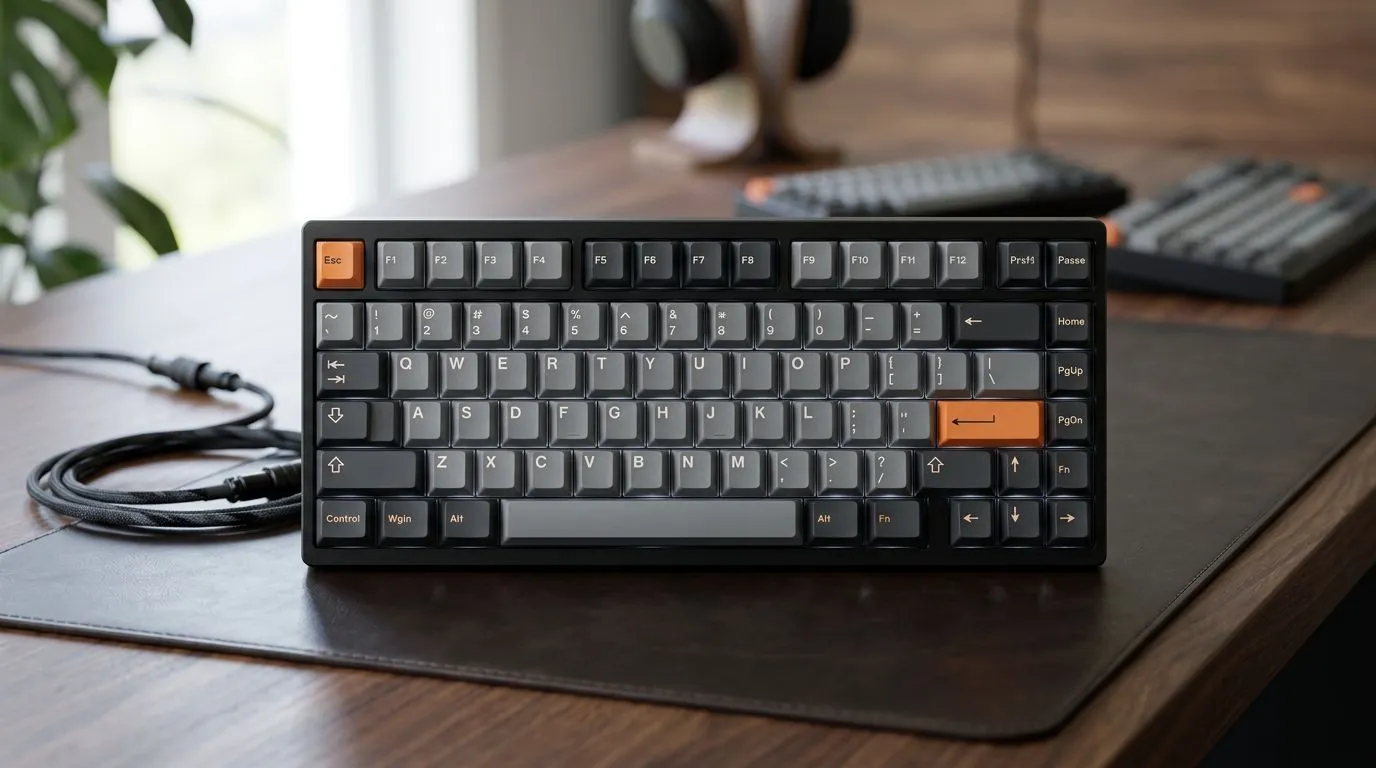
Walk into any gaming PC shop in SA and you’ll hear the same question… “Should I go full size, TKL, or 75%?” That choice affects everything you feel every match. Typing comfort matters when you’re working late, and key travel matters when you’re in a clutch round. 🔧
In this guide, you’ll get a clear breakdown of the mechanical keyboard form factor guide: full size vs TKL vs 75% so you can buy once… and love it for years.
Full size, TKL, and 75% basically change one thing: how much of the keyboard you keep within reach.
Full-size boards usually include:
Best for: spreadsheet work, CAD-like workflows, or anyone who actually uses the numpad daily.
Trade-off: larger footprint means less desk space for your mouse, especially on smaller SA desks.
TKL removes the numpad but keeps most other keys. You get:
Best for: competitive FPS players who want more mouse room, and typists who don’t rely on the numpad.
Trade-off: if you frequently enter numbers, you’ll miss the numpad.
A 75% layout typically keeps:
Best for: gamers and creators who want compact size without going full minimalist.
Trade-off: depending on the model, you may need layer shortcuts for certain keys.
Real-world feel: on a tight desk, 75% and TKL can free up space you’ll actually notice during fast mouse flicks.
If you’re buying in South Africa, you’re also dealing with desk size, connectivity choices, and what’s currently available at Evetech.
Grab a tape measure and check:
If your keyboard edge sits too close to your monitor, TKL or 75% often feels better immediately. ✨
A quick test:
If yes, full size wins. If no, TKL or 75% is usually the smarter buy.
If you move between desk and lounge setups, wireless can be tempting. If you want consistent latency and zero battery thoughts, wired usually feels safer for competitive sessions.
Explore keyboard deals and options here:
Form factor is step one. The rest decides whether you’ll regret the purchase after a week.
If you type a lot, look for switches with a comfortable actuation and sound profile.
Pro tip in plain language: if your household complains about noise, prioritise switch choice and use dampening options.
Stabilisers matter for longer keys like Enter and Spacebar. If a keyboard has “mushy” stabilisers, the sound and feel can annoy you fast, even if the rest is great.
A smaller board can also mean:
Here’s a simple workflow that works for SA buyers who want value without wasting money.
On Windows, use the PowerToys FancyZones utility to create custom snap layouts. It helps you organise your apps around a compact 75% or TKL keyboard, so editing timelines, chat windows, and game clients stay in predictable positions. You’ll feel the benefit after the first session, especially on a smaller desk.
If you game in long sessions, wired reduces battery anxiety. If you swap setups, wireless can keep things tidy.
Check wired options here:
Check wireless options here:
In South Africa, you’re often balancing:
That’s why form factor should be practical, not just preference. If you’re mostly gaming and want mouse freedom, TKL or 75% is usually the sweet spot. If you rely on numbers daily, full size pays off.
If you want an easier path to a cohesive setup, bundle shopping is often where the value hides:
Ready to Find Your Perfect Match? The Mac vs Windows debate is complex, but for maximum power, choice, and value in South Africa, Windows is hard to beat. Explore our massive range of laptop specials and find the perfect machine to conquer your world.
Full-size includes the numpad, while TKL removes it for a more compact layout. This affects desk space, portability, and key placement for gaming.
A 75% keyboard often keeps more navigation keys than TKL while staying compact. It can be a strong pick if you need arrows and edits often.
65% usually drops the function row and many navigation keys. You get a smaller layout while still keeping common typing and modifiers within reach.
60% boards are very compact and often rely on layers for function and navigation. They can be great if you learn shortcuts and want maximum space.
Many gamers prefer TKL or 75% for balance: fewer wasted keys, easy movement access, and enough nav/control keys for in-game actions.
Smaller sizes shift key positions and may require layer keys. That changes hand travel, reach to modifiers, and how quickly you access navigation.
Often, yes. Layers can feel unfamiliar at first, but consistent use and good key mapping typically make 65% and 60% comfortable.
Complete Gaming Setup Guide for the Esports. Clear setup instructions with SA-specific considerations, troubleshooting tips & recommended components.
Read more
AIO Liquid 360mm Installation Guide for Your PC. Clear setup instructions with SA-specific considerations, troubleshooting tips & recommended components.
Read more
MacBook Display Colour Looks Wrong? Calibration. Everything you need to know with SA pricing, step-by-step instructions & expert recommendations.
Read more
Printer Terminology Guide. Everything you need to know with SA pricing, step-by-step instructions & expert recommendations.
Read more
Git on Mac: Complete Setup Guide for Beginners. Clear setup instructions with SA-specific considerations, troubleshooting tips & recommended components.
Read more
Ryzen 9 9900X Thermal Paste Dry: Reapplication. Everything you need to know with SA pricing, step-by-step instructions & expert recommendations.
Read more
AMD RX 9050 XT: Rumoured Specs, Price & Release. SA-focused analysis with local pricing data, real-world insights & actionable buying advice.

Can RTX 4080 Super Run AI Workloads for SA Developers Detailed answer with SA data, expert analysis & practical recommendations for local buyers.

Can RTX 4090 Run AI Workloads for SA Developers Detailed answer with SA data, expert analysis & practical recommendations for local buyers.

Top Settings for Intel Arc B580 at Ultrawide 1440p picks evaluated on performance, value & SA availability with current Rand pricing from Evetech.

RTX 4060 CS2 Low Settings at 1080p: FPS Results. Real-world benchmark data, FPS numbers & performance analysis. What SA gamers can actually expect.

Visual Artifacts: Possible GPU Issue Issue #1. Diagnosis steps, proven fixes & when to seek professional help. SA-specific support info included.

Can the RTX 4090 Handle 1440p 144Hz Gaming. Performance testing verdict with real data & practical recommendations for SA buyers.

Top ASUS GPU Under R15000 picks evaluated on performance, value & SA availability with current Rand pricing from Evetech.

GTA 6 Max Settings on RTX 5070. Tested & verified settings for best FPS and visual quality on SA hardware budgets.

Cyberpunk 2077 Max Settings on RTX 5080. Tested & verified settings for best FPS and visual quality on SA hardware budgets.

Starfield Max Settings on RTX 5070 Ti. Tested & verified settings for best FPS and visual quality on SA hardware budgets.

Top RTX 5090 Under R5000 picks evaluated on performance, value & SA availability with current Rand pricing from Evetech.