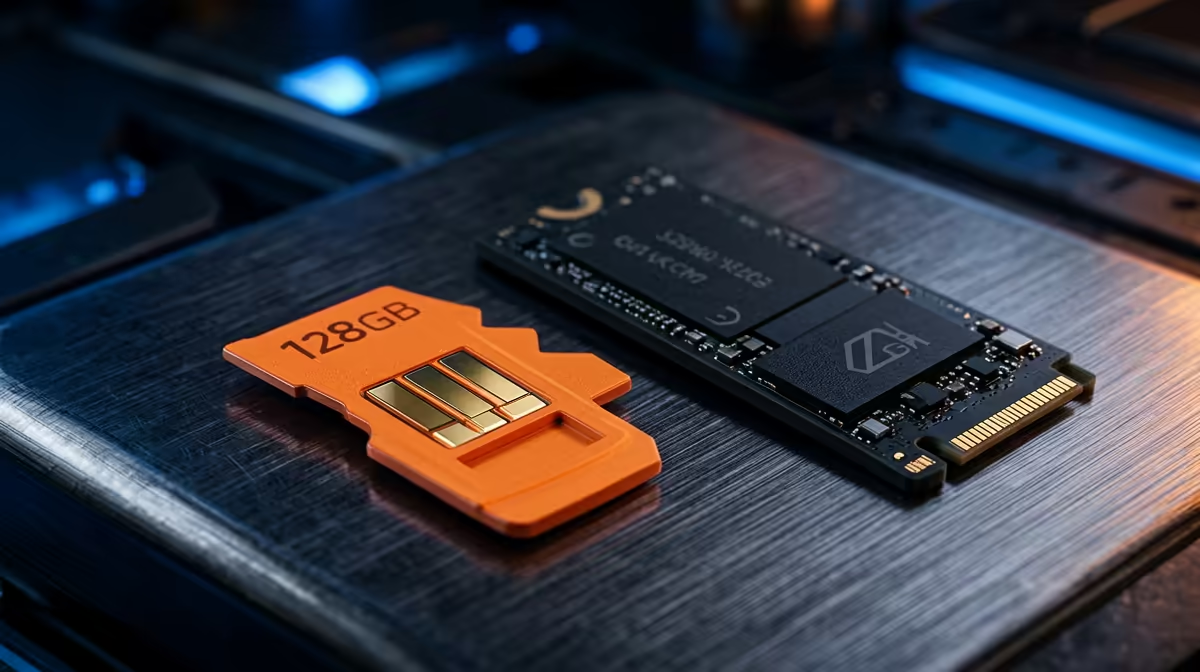
The single cheapest upgrade that transforms how a Raspberry Pi 5 feels is not more RAM or a fan, it is moving the operating system off the microSD card and onto an NVMe drive. The Pi 5 added a real PCIe lane for exactly this, and the gap between a card limping along at tens of megabytes a second and an SSD reading in the hundreds is the difference between a Pi that feels like a toy and one that feels like a small computer.
Quick Answer
A Raspberry Pi 5 booting from microSD reads at roughly 25 to 100MB/s. Move to an NVMe drive over the Pi's PCIe slot and you get around 450MB/s at the default Gen 2 setting, or close to 800MB/s if you enable the unofficial Gen 3 mode. That is up to ten times the storage speed, and it shows in faster boots, snappier app loads, and a far more responsive desktop.
Where the speed gap comes from
The microSD slot on the Pi 5 is genuinely improved over the Pi 4 and a good card can reach the higher end of its range, but it is still a card interface with a hard ceiling. NVMe is a different class of storage entirely, talking directly to the processor over PCIe rather than through a card reader. That architectural difference, not just better flash, is why the numbers separate so dramatically.
The Pi 5 exposes a single PCIe lane through a small FFC connector. Officially it runs at Gen 2 speed, which lands real-world NVMe reads at roughly 450MB/s. Many users enable the unofficial Gen 3 mode in the Pi's config, which pushes well-behaved drives to around 800MB/s read and roughly 450MB/s write. Gen 3 is not guaranteed on every drive or every board, so treat the 800MB/s figure as the best case rather than a promise.
What the numbers feel like in use
Raw benchmarks are satisfying but the day-to-day improvement is what sells the upgrade. Boot time tightens, application launches stop hanging, and the whole system loses the occasional stutter that microSD causes when several things hit storage at once. A Pi running a desktop, a few browser tabs, or a small server workload spends a surprising amount of its time waiting on storage, and removing that wait is felt immediately.
Interestingly, pure boot time changes less than people expect, since much of startup is bound by other steps rather than disk speed. The real win is everywhere else: opening a heavy app, updating packages, handling a database, or copying files. Anything that reads or writes a lot of data benefits, and on a microSD card those tasks are precisely where the Pi used to crawl. For builders weighing a Pi against a small x86 box, the mini PC range at Evetech is worth comparing.
What you need to make it work
The HAT and the drive
The cleanest route is the official Raspberry Pi M.2 HAT+, which mounts on the GPIO header and connects to the PCIe port via the FFC cable. There is a catch worth knowing before you buy a drive: the official HAT+ takes the shorter 2230 and 2242 form factors, so the common 2280 desktop NVMe sticks do not fit. Third-party HATs and bases exist that accept 2280 if you prefer the cheaper, more available longer drives, so match the board to the drive size you intend to use.
Enabling Gen 3 if you want the headroom
Gen 2 works out of the box once the drive is recognised. To chase the higher 800MB/s figure, you add a setting to the Pi's config to force Gen 3, then reboot. Because Gen 3 on this lane is outside the official spec, some drive and HAT combinations will be unstable at that speed, in which case you drop back to the rock-solid Gen 2. There is no harm in testing: if it holds, you keep the speed; if it does not, you revert.
Setting NVMe as the boot device
After the drive is detected, you copy your system across and adjust the boot order so the Pi prefers NVMe. From that point the microSD slot is free for other uses or can be left empty. Most people clone their existing card to the SSD and never look back.
Reliability matters as much as speed
There is a second reason serious Pi users move to NVMe, and it is durability. MicroSD cards wear out, especially under the constant small writes of an operating system, logs, and databases. Cards are the most common cause of a Pi that mysteriously corrupts itself after months of running. An NVMe drive handles sustained writes vastly better and is built for exactly this kind of duty, so an always-on Pi serving files or running a service is far more dependable on SSD. For anyone running a home server or a 24/7 project, that reliability often justifies the upgrade on its own, ahead of the speed.
Is the upgrade worth it?
For a Pi 5 that sits idle most of the time, a good microSD card is fine and the cheapest path. For a Pi you use as a desktop, a server, a media box, or anything that reads and writes constantly, NVMe is the upgrade that makes the machine feel finished. The performance jump is real, the reliability gain is meaningful, and the cost of a small SSD plus a HAT is modest against what it does to everyday responsiveness. To stock the drive itself, the best selling PCs and components listing is a quick way to see current SSD pricing.
Frequently Asked Questions
How much faster is NVMe than microSD on a Pi 5?
At default Gen 2 the NVMe reads around 450MB/s versus roughly 25 to 100MB/s for a card, so up to ten times faster. Enabling the unofficial Gen 3 mode pushes good drives toward 800MB/s, widening the gap further.
Do I need Gen 3 mode to feel the difference?
No. Even at the default Gen 2 speed the jump from microSD is dramatic and the system feels far more responsive. Gen 3 is a bonus for those who want maximum throughput and have a compatible, stable drive.
Will any NVMe drive fit the official HAT+?
The official M.2 HAT+ takes the shorter 2230 and 2242 sizes, not the common 2280 desktop format. If you want to use a 2280 drive, choose a third-party HAT or base that supports the longer length.
Does NVMe actually make booting much quicker?
Boot time improves modestly because startup is limited by several steps beyond storage. The bigger gains are in app loading, updates, file operations, and general responsiveness, where storage speed dominates.
Is NVMe more reliable than a microSD card?
Yes, noticeably so for always-on use. MicroSD cards wear under constant writes and are a common cause of corruption over time, while NVMe handles sustained writes far better and suits a Pi that runs continuously.