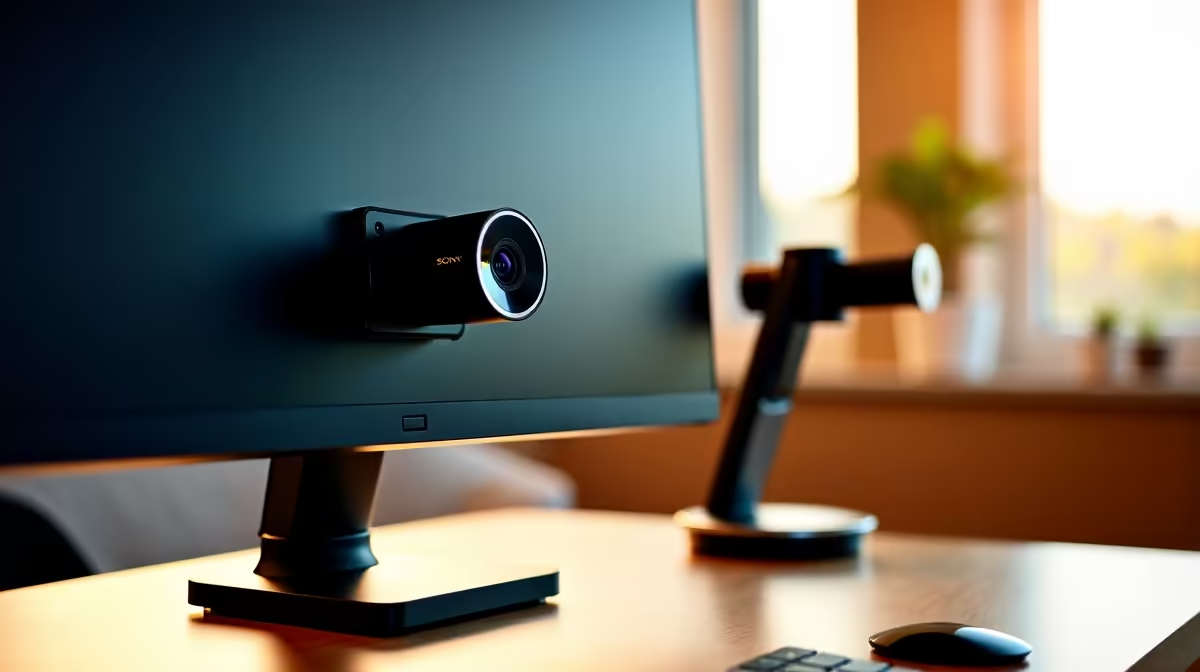
The default choice for a new webcam is to clip it straight onto the monitor, and for millions of people it stays there indefinitely. But the monitor-mounted webcam trades convenience for a framing problem that compounds over every call and stream: the lens sits above the bezel, the angle tilts slightly downward, and your eyes never quite meet the people on the other end of the call. A height-adjustable desktop stand solves that, but it costs extra and takes up desk space. Here is what each option actually delivers.
Quick Answer
A monitor clip positions the lens at the top of your screen, typically 100 to 150mm above seated eye level, giving a mild downward angle. A height-adjustable stand drops the camera to true eye level for flattering framing and also lets you point the lens anywhere, not just straight ahead over the bezel.
📺 What the Monitor Clip Gets Right
The clip is not a bad option; it is a very convenient one that ships free with almost every desktop webcam. It snaps onto the screen top, folds flat when not in use, and requires no desk space beyond the monitor itself. For someone joining occasional calls from a tidy desk with limited room, it does the job without any additional spend.
Stability on a clip is usually good enough. The camera rests on the screen top with its weight distributed across the bezel, and a minor knocking of the desk rarely shifts it. On a large monitor with a wide, flat top edge, the clip grip is genuinely solid.
The real limitation is vertical. Monitor panels range from 600mm to over 700mm tall, and the clip sits at the absolute top of that height. For most seated adults, the camera ends up 100 to 150mm higher than eye level. That gap produces the subtle look-down angle that makes video calls feel slightly off and wide-angle distortion of the chin and forehead more pronounced.
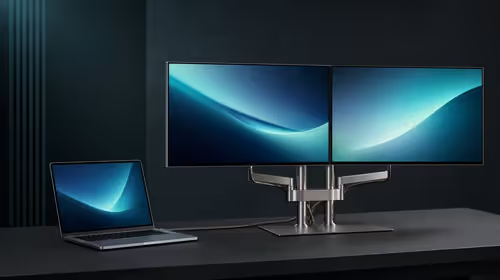
On a multi-monitor setup the clip introduces a second problem: which screen does it go on? Centering the camera over two side-by-side panels means it sits at the edge of your effective gaze line. Placing it on one screen forces you to look away from the active display during calls, which reads on camera as a wandering eye.
🔧 What a Height-Adjustable Stand Changes
A telescoping desktop stand gives you direct control over vertical position. The column extends and locks at any point in its travel range, which typically spans 200 to 450mm from a desk height base, putting the lens anywhere from low desk-level to well above the monitor's top edge.
The single most important adjustment is bringing the camera down to the same plane as your eyes. At seated eye level, which for most adults is roughly 1.1 to 1.2m off the floor, the lens looks straight at your face rather than over it. The angle reads as natural in-person eye contact, and the proportions of the face stay accurate because the lens is not foreshortening from above.
A stand also frees the camera from the screen entirely. You can position it to the left or right for a side-on interview angle, point it at a whiteboard or side desk for content that shows what you are working on, or shift it back during streaming to include more background. The clip offers none of these placements.
The Desk Space Trade-Off
The stand occupies a base footprint, typically 150 to 200mm across, and the cable runs to the computer separately rather than lying across the monitor top. On an already cluttered desk in a small Joburg flat, that footprint matters. The clip's zero desk footprint is a genuine advantage in cramped setups, not just a convenience detail.
💰 Cost and the Value of Each Option
The clip costs nothing beyond the webcam itself, which is the strongest thing in its favour. A dedicated height-adjustable desktop stand adds roughly R200 to R400 to the setup depending on build quality and maximum column height.
That R200 to R400 buys a significant framing upgrade for anyone who spends meaningful hours on calls or produces content regularly. The improved angle reduces fatigue over a long working day in Cape Town's increasingly remote-working culture, and the professional appearance of eye-level framing makes a noticeable difference in how colleagues and clients perceive you on screen.
For light occasional use, the free clip is hard to argue against. For daily video work, the stand earns its cost quickly.
Pro Tip ⚡
Keep the free clip as a travel solution even after buying a stand. When you work from a different location, the clip packs flat into a laptop bag and puts you back on camera in seconds without lugging the stand. Use the stand at the home desk and the clip everywhere else.
🎯 Which Setup Suits Which User
The monitor clip is the right call for users who join a handful of calls per week from a fixed desk with a single large monitor, never need to aim the camera anywhere other than straight ahead, and have limited desk real estate. It does everything needed at that scope.
The height-adjustable stand earns its place the moment any of those conditions change. Two screens, frequent calls, content creation, or a desk that changes between sitting and standing all push you toward a stand. The standing desk case is particularly strong: when you raise the desk surface your eye level rises by roughly 400mm, and re-extending the stand column takes three seconds, where repositioning a clip mount is a more awkward adjustment.
The clip is a fine starting point. The stand is where you end up once the setup matures.
Frequently Asked Questions
Why does a monitor clip make the camera sit too high for natural eye contact?
The clip sits on the top edge of the panel, which puts the lens above your eye line when seated. Most monitors range from 600 to 700mm tall, and the lens ends up 100 to 150mm above where your gaze naturally rests. That gap creates the mild downward angle and slight facial distortion visible on many video calls.
Does a height-adjustable stand genuinely improve how you look on camera?
Yes. Matching the lens to your seated eye level, roughly 1.1 to 1.2m off the floor, removes the foreshortening that a high angle adds to the forehead and chin. It also creates a natural eye-to-eye connection with the other party, which reads as more engaged and professional than a slightly downward-angle feed.
What does a desktop stand cost compared to using the free monitor clip?
The clip ships with the camera at no extra charge. A dedicated height-adjustable desktop stand typically costs R200 to R400, with the higher end of that range buying a heavier base, wider column travel, and a tighter locking joint. For daily video calling or streaming, that investment is modest relative to the improvement in framing quality.
Can a desktop stand angle the camera toward a whiteboard or side desk?
Yes, which is one of the biggest differences between a stand and a clip. A freestanding base lets you swivel the camera horizontally, point it at a side desk or wall-mounted whiteboard, or shift it laterally without touching the monitor. A clip fixes the lens above the bezel and has no mechanism for pointing anywhere else.
Which option works better on a dual-monitor desk?
A desktop stand. With two screens side by side, a clip on either monitor sits off-centre relative to your working gaze, and a clip perched at the join of two panels is awkward. A stand goes wherever you need it, independent of monitor positioning, and can be centred in front of whichever screen you face during calls.
Ready to fix your framing and look more professional on every call?
Browse the webcam stand and mount range at Evetech to find a height-adjustable solution that fits your desk and your camera.