


Complete Gaming Setup Guide for the SA Esports Athlete in SA 2026
Complete Gaming Setup Guide for the Esports. Clear setup instructions with SA-specific considerations, troubleshooting tips & recommended components.
Read moreNVMe explained: clear 2025 guide to M.2, PCIe and Key-M — learn how NVMe SSDs boost speed, compatibility tips, and easy upgrade steps ⚡🔧
Lag. Stutter. That frustrating loading screen mocking your patience while your mates are already halfway through the mission. Sound familiar, Mzansi gamers? If your rig still feels like it’s running on a dial-up connection, it’s probably time to talk storage. Specifically, we need to talk NVMe. It’s not just a fancy acronym; it’s the blazing-fast future of PC storage, and understanding it is key to unlocking your system’s true potential for 2025 and beyond.
NVMe, or Non-Volatile Memory Express, is a communication protocol built from the ground up to take full advantage of the speed of flash memory. Unlike older SATA SSDs that were designed with slow, spinning hard drives in mind, NVMe speaks directly to your system’s processor via the PCIe interface. Think of it like swapping a bumpy gravel road for a high-speed, multi-lane highway ⚡. This direct line means vastly quicker load times, smoother gameplay, and a much more responsive overall system. Ready to ditch the lag? Explore Evetech’s range of cutting-edge NVMe SSDs today.
The world of fast storage often throws around terms like M.2, PCIe, and Key-M. Let’s break down what these mean for your next gaming PC.
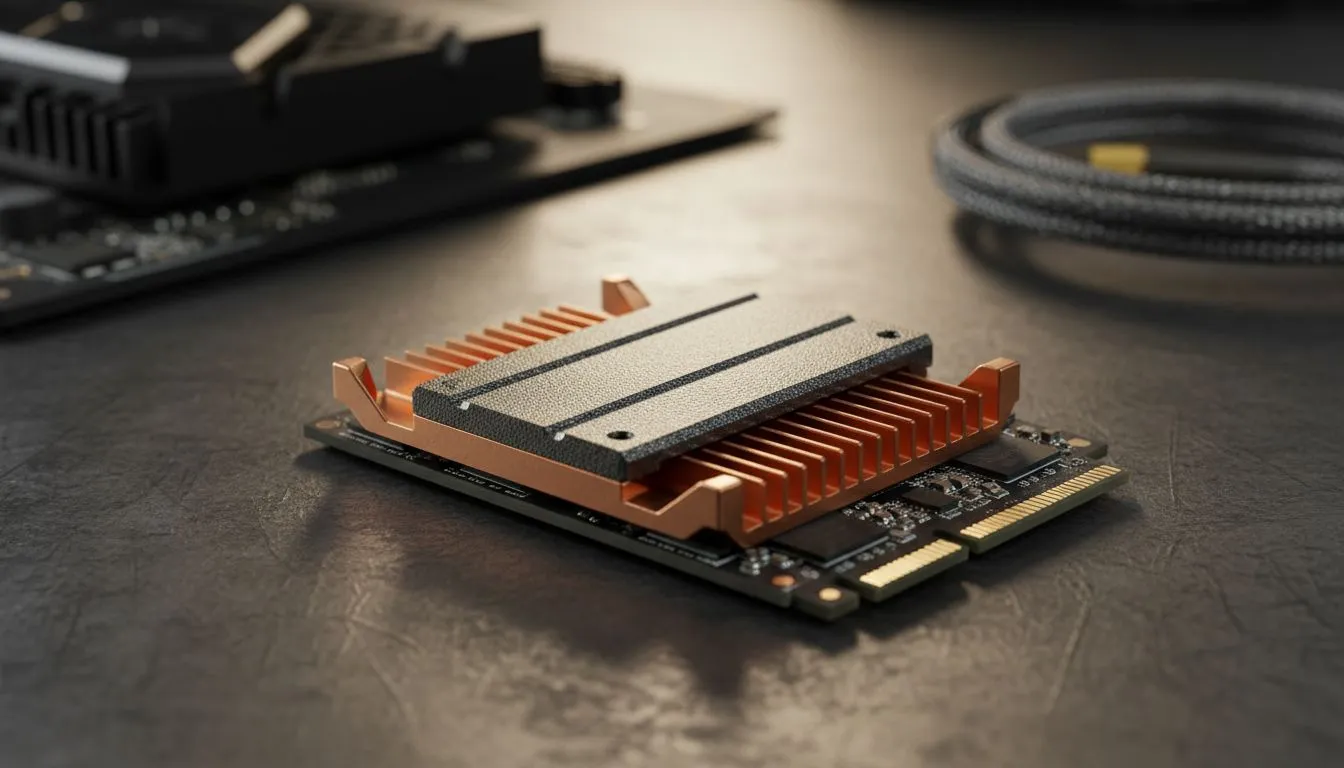
M.2 isn't a type of storage itself, but rather a physical form factor – a tiny, rectangular circuit board that slots directly into your motherboard. Gone are the days of bulky 2.5-inch drives and messy cables. M.2 drives are sleek, space-saving, and perfect for compact builds or high-performance gaming rigs. While traditional solid-state drives (SSDs) offered a significant leap from HDDs, the M.2 form factor streamlines installation and cooling.
PCIe (Peripheral Component Interconnect Express) is the high-speed connection that NVMe utilises. This is crucial. Where a SATA III connection maxes out around 600 MB/s, a single PCIe 3.0 lane can push 1 GB/s, and PCIe 4.0 doubles that to 2 GB/s per lane! Most NVMe M.2 SSDs use x4 PCIe lanes, meaning a Gen4 drive can hit theoretical speeds of 8 GB/s. That's a massive difference when loading massive game worlds or crunching large video files. Newer motherboard chipsets (like Intel's Z690/Z790 or AMD's X570/B550/X670/B650) support PCIe 4.0 or even PCIe 5.0, pushing performance even further.
If you look closely at an M.2 drive, you’ll notice a notch in the connector. This is called a "key". Most NVMe SSDs use an "M-key" slot, which has the notch closer to the right side of the connector pins (when looking at the gold contacts). There are also "B-key" and "B+M key" configurations, typically for SATA-based M.2 drives. For optimum performance with an NVMe drive, you'll need an M.2 slot on your motherboard that specifically supports PCIe and has the M-key alignment. A quick check of your motherboard manual will confirm compatibility. 🔧
Before you dive into the world of NVMe, double-check your motherboard’s manual. Not all M.2 slots support PCIe NVMe; some are SATA-only. Ensure you have a PCIe Gen3 or Gen4 compatible slot to harness full NVMe speeds!
While raw speed figures are impressive, the real-world benefits of an NVMe SSD extend far beyond just benchmark scores.
When selecting your NVMe SSD, consider a few factors:
Keep an eye on Evetech’s best SSD deals to snag a high-performance drive without breaking the bank. For gamers on the go, or those needing robust backup solutions, don't overlook the power of external SSDs either. The right NVMe drive is an investment in a smoother, faster, and more enjoyable PC experience ✨.
Upgrade Your Rig, Conquer Your Games Ready to experience gaming and productivity without the frustrating load times? Don't let slow storage bottleneck your powerful PC... Shop now at Evetech for performance that leaves lag in the dust.
NVMe is a protocol that uses PCIe lanes for lower latency and much higher throughput than SATA SSDs, unlocking faster storage performance.
M.2 is an SSD form factor; NVMe is the high-speed protocol that often runs over M.2 when the drive uses PCIe lanes for best performance.
PCIe provides the data lanes NVMe uses. Newer PCIe 4.0/5.0 standards increase NVMe SSD bandwidth and reduce transfer times.
Key-M is an M.2 connector keying that indicates support for multiple PCIe lanes and full NVMe functionality in compatible slots.
Not always — check your laptop's M.2 slot type, BIOS support and whether it accepts NVMe/PCIe drives or only SATA M.2 modules.
High-performance NVMe SSDs can throttle under sustained load; a heatsink or good airflow helps maintain PCIe NVMe speeds during long tasks.
NVMe over PCIe can deliver multiple GB/s of sequential throughput versus SATA's typical ~500-600 MB/s, offering several times the speed.
Complete Gaming Setup Guide for the Esports. Clear setup instructions with SA-specific considerations, troubleshooting tips & recommended components.
Read more
AIO Liquid 360mm Installation Guide for Your PC. Clear setup instructions with SA-specific considerations, troubleshooting tips & recommended components.
Read more
MacBook Display Colour Looks Wrong? Calibration. Everything you need to know with SA pricing, step-by-step instructions & expert recommendations.
Read more
Printer Terminology Guide. Everything you need to know with SA pricing, step-by-step instructions & expert recommendations.
Read more
Git on Mac: Complete Setup Guide for Beginners. Clear setup instructions with SA-specific considerations, troubleshooting tips & recommended components.
Read more
Ryzen 9 9900X Thermal Paste Dry: Reapplication. Everything you need to know with SA pricing, step-by-step instructions & expert recommendations.
Read more
AMD RX 9050 XT: Rumoured Specs, Price & Release. SA-focused analysis with local pricing data, real-world insights & actionable buying advice.

Can RTX 4080 Super Run AI Workloads for SA Developers Detailed answer with SA data, expert analysis & practical recommendations for local buyers.

Can RTX 4090 Run AI Workloads for SA Developers Detailed answer with SA data, expert analysis & practical recommendations for local buyers.

Top Settings for Intel Arc B580 at Ultrawide 1440p picks evaluated on performance, value & SA availability with current Rand pricing from Evetech.

RTX 4060 CS2 Low Settings at 1080p: FPS Results. Real-world benchmark data, FPS numbers & performance analysis. What SA gamers can actually expect.

Visual Artifacts: Possible GPU Issue Issue #1. Diagnosis steps, proven fixes & when to seek professional help. SA-specific support info included.

Can the RTX 4090 Handle 1440p 144Hz Gaming. Performance testing verdict with real data & practical recommendations for SA buyers.

Top ASUS GPU Under R15000 picks evaluated on performance, value & SA availability with current Rand pricing from Evetech.

GTA 6 Max Settings on RTX 5070. Tested & verified settings for best FPS and visual quality on SA hardware budgets.

Cyberpunk 2077 Max Settings on RTX 5080. Tested & verified settings for best FPS and visual quality on SA hardware budgets.

Starfield Max Settings on RTX 5070 Ti. Tested & verified settings for best FPS and visual quality on SA hardware budgets.

Top RTX 5090 Under R5000 picks evaluated on performance, value & SA availability with current Rand pricing from Evetech.