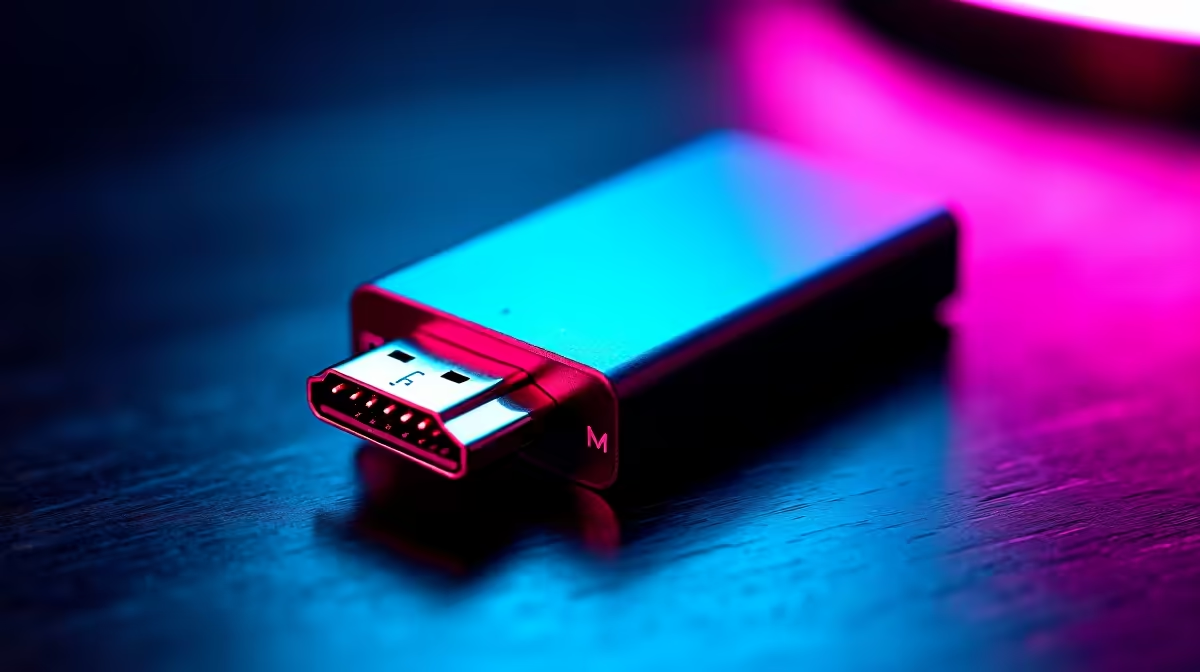
The eGPU world quietly standardised on OCuLink-to-host adapters as the affordable, full-fat alternative to expensive Thunderbolt enclosures, and the clever part is that you do not even need a machine with an OCuLink port to use one. An M.2 NVMe slot, the same slot your SSD lives in, can be turned into an OCuLink output that feeds a desktop graphics card four full PCIe lanes. Get the rating right and you get bandwidth that makes Thunderbolt look slow; get it wrong and you have throttled a powerful GPU down to a fraction of its potential.
Quick Answer
A host with no OCuLink port can gain one through an M.2 NVMe-to-OCuLink adapter that exposes the slot's PCIe 4.0 x4 lanes (roughly 63 Gbps to 64 Gbps) to an eGPU enclosure. The adapter must be rated PCIe 4.0 to deliver the full link; a Gen 3 part halves your bandwidth. The slot must also be a true PCIe x4 NVMe socket, not a SATA or x2 slot, and you supply the SFF-8611 4i cable separately.
How an M.2-to-OCuLink adapter works
The trick rests on a simple fact: an M.2 NVMe slot is just exposed PCIe lanes. An adapter slots into that M.2 socket exactly like an SSD would, then breaks the four PCIe lanes out to an OCuLink SFF-8611 4i connector. From there, an OCuLink cable runs to an eGPU enclosure or dock holding a full-size desktop graphics card. The host has no idea it is talking to anything other than PCIe devices on those lanes, which is why the approach works on laptops and mini PCs that were never designed with external graphics in mind.
Why the lanes matter more than the connector
A PCIe 4.0 x4 link carries around 63 Gbps to 64 Gbps of bandwidth. That is the budget your GPU has to talk to the rest of the system. Plenty of cards live happily within it for gaming, where a x4 Gen 4 link costs you only a modest frame-rate slice compared to a full x16 slot inside a desktop. The connector itself, OCuLink SFF-8611, is just the physical carrier; the lanes behind it decide how much performance actually reaches the card.
Choosing the right adapter
This is where most of the money gets wasted, because two adapters that look identical can perform very differently.
Confirm it is rated PCIe 4.0
The single most important specification is the PCIe generation. A PCIe 4.0 x4 adapter delivers the full link; a Gen 3 part caps you at roughly half the bandwidth, which a strong GPU will notice. Adapters from brands such as RIITOP, OwlTree, NFHK and Chenyang advertise PCIe 4.0 x4 with up to 64 Gbps and no speed limitation, but you must verify the rating on the exact model you intend to order rather than assuming.
Match the M.2 form factor
M.2 adapters come keyed and sized for different cards, commonly 2230, 2242, 2260 and 2280 footprints. Check that the adapter physically fits the slot you plan to use, and that it is an M-key NVMe slot rather than a SATA-only socket. A SATA M.2 slot carries no PCIe lanes and will not work at all.
Plan for the cable separately
Many of these adapters ship without a cable. You will need to supply the correct OCuLink cable, and the critical detail is that it must be an SFF-8611 4i connector, not the larger 8i variant. The 4i carries the four lanes your x4 adapter exposes; ordering an 8i cable leaves you with a connector that does not match.
What to verify on your host before ordering
A little homework here saves a return.
The slot must be PCIe x4 NVMe
The adapter is incompatible with PCIe x2 slots and with all SATA-based M.2 sockets. Your machine needs a true PCIe x4 NVMe slot for the full link. Some laptops wire their secondary M.2 slot to fewer lanes, so check the spec sheet for the exact slot you intend to use, not just "has M.2".
Power and physical clearance
A desktop GPU needs its own power, supplied by the eGPU enclosure's PSU, so confirm the enclosure can feed the card you want to run. Inside a laptop, also think about where the adapter and cable exit the chassis; some installs route through a service hatch, others need the bottom panel left ajar.
Driver and BIOS behaviour
External GPUs over an M.2 link generally rely on standard PCIe enumeration, but some systems need a BIOS that does not lock that slot to storage-only, and you may need to manage which GPU the OS treats as primary. Worth checking your machine's behaviour before committing.
OCuLink versus Thunderbolt for an eGPU
For anyone choosing between approaches, the trade-offs are clear. An M.2 OCuLink link at PCIe 4.0 x4 offers more raw bandwidth than current Thunderbolt for graphics, and the adapters are inexpensive. The cost is convenience: OCuLink is not hot-pluggable the way Thunderbolt is, the cabling is less elegant, and you usually give up an internal SSD slot to use it. Thunderbolt is tidier and hot-swappable but caps GPU bandwidth lower and the enclosures cost considerably more. If your priority is squeezing the most performance out of a desktop card on a budget, OCuLink wins; if you want plug-and-play polish, Thunderbolt has the edge.
For the docking and connectivity side of a build like this, the docking station and adapter range at Evetech is a sensible starting point, and once you have the link sorted, the card itself is the real decision, with current options laid out in the best-selling graphics card list.
Frequently Asked Questions
Can I add OCuLink to a laptop that does not have the port?
Yes, by fitting an M.2 NVMe-to-OCuLink adapter into a spare M.2 slot. It breaks the slot's PCIe lanes out to an OCuLink connector that feeds an eGPU enclosure, so the laptop never needed a native OCuLink port.
Does the adapter have to be PCIe 4.0?
To get the full roughly 63 Gbps to 64 Gbps link, yes. A PCIe 3.0 adapter halves your bandwidth, which a capable GPU will feel. Always confirm the Gen 4 x4 rating on the specific model before ordering.
What kind of cable do I need?
An OCuLink SFF-8611 4i cable, which carries the four PCIe lanes. Do not order the larger 8i version, and note that many adapters do not include a cable, so you buy it separately.
Will any M.2 slot work?
No. It must be a true PCIe x4 NVMe (M-key) slot. SATA-based M.2 sockets carry no PCIe lanes and will not work, and PCIe x2 slots are also incompatible with these x4 adapters.
How much performance do I lose compared to a desktop x16 slot?
For gaming, a PCIe 4.0 x4 link costs only a modest frame-rate slice versus a full x16 slot, because most cards do not saturate x16 bandwidth in games. It still comfortably outpaces a Gen 3 link or current Thunderbolt for raw GPU bandwidth.
Is OCuLink better than Thunderbolt for an eGPU?
For raw graphics bandwidth on a budget, OCuLink at PCIe 4.0 x4 leads and the adapters are cheap. Thunderbolt is tidier and hot-pluggable but offers lower GPU bandwidth and pricier enclosures, so the better choice depends on whether you value performance or convenience.
Planning an eGPU build off an M.2 slot? Get the connectivity sorted with the docking station and adapter range at Evetech, then choose the card that makes it worthwhile.