


Complete Gaming Setup Guide for the SA Esports Athlete in SA 2026
Complete Gaming Setup Guide for the Esports. Clear setup instructions with SA-specific considerations, troubleshooting tips & recommended components.
Read more- Pixel density gaming matters - Compare PPI vs resolution - Match monitor to GPU Pixel density gaming shapes clarity and immersion; learn optimal PPI, monitor picks, and GPU trade-offs. 🎮🔍
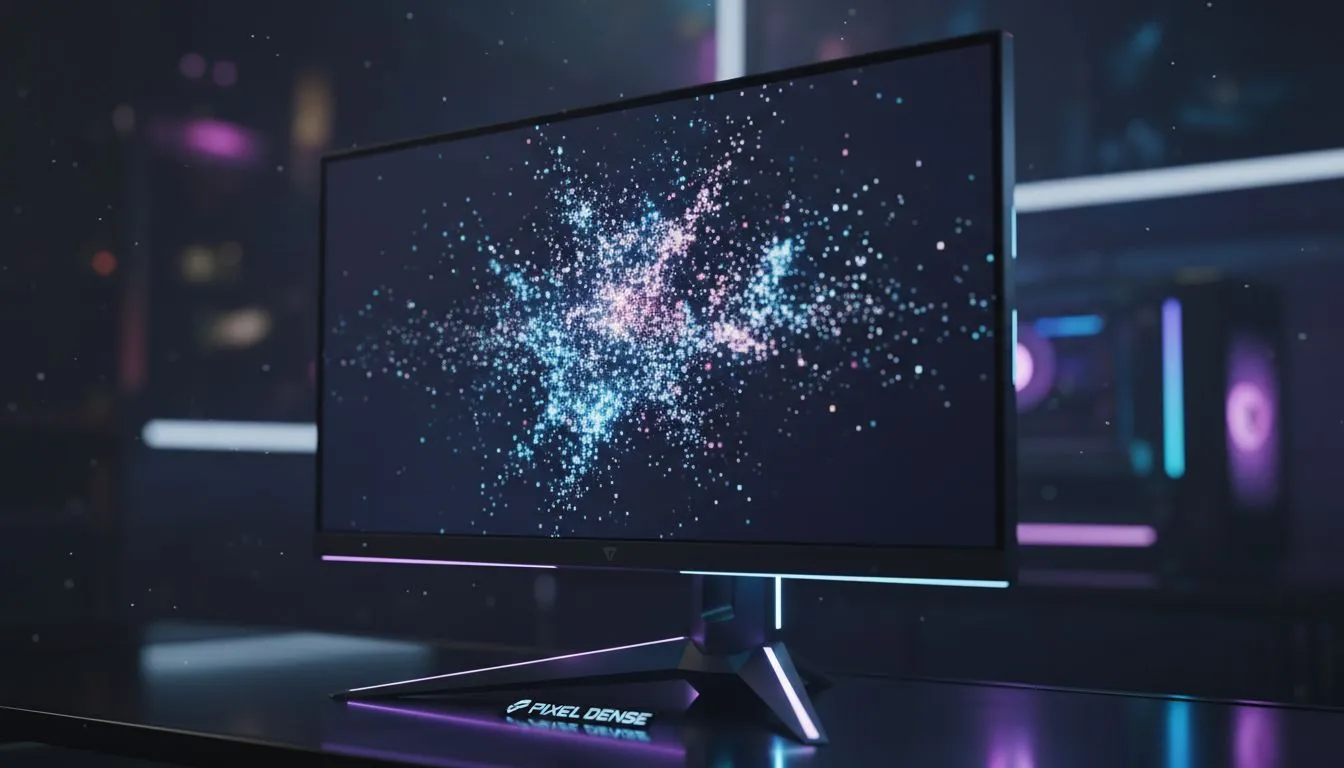
Ever noticed how some screens look "fuzzy" even at high resolutions? In South Africa, we invest heavily in high-end GPUs... but we often neglect the glass we stare at. Pixel density is the secret to making your favourite digital worlds feel real. It is about more than just 1080p or 4K. It is about how those pixels fit into your field of view. To get the most out of your hardware, checking out the best PC monitor deals is the first step toward visual clarity. 🔧
Pixel density is measured in Pixels Per Inch (PPI). A higher PPI means smaller pixels that are packed closer together. This eliminates the "screen door effect" where you can see the individual dots on the panel. When you browse through different pc monitors, you will notice that a 27-inch 1440p screen looks much sharper than a 27-inch 1080p screen. The resolution is higher, but the physical size remains the same... resulting in a denser, crisper image.
For most South African gamers, the "sweet spot" sits around 110 PPI. This is typically achieved with a 27-inch 1440p display. If you go too large with a low resolution, the image loses its bite. If you go too small with a very high resolution, you might find yourself squinting at tiny text. You can find a variety of sizes and resolutions in our collection of all gaming monitors to suit your specific desk depth. ⚡
Your ideal pixel density depends on how far you sit from the screen. If you sit close, aim for at least 100 PPI. If you prefer leaning back with a controller, you can get away with a slightly lower density on a larger panel without losing that sense of immersion.
Resolution and density are only half the battle. The shape of your screen also dictates how those pixels wrap around your vision. Many local enthusiasts prefer curved monitors because they keep the edges of the screen at a more uniform distance from your eyes. This maintains consistent pixel density across your entire peripheral vision... reducing distortion at the corners. 🚀
If you are a gamer on the move or a digital nomad in Cape Town, you don't have to sacrifice quality. High-density portable monitors allow you to maintain a sharp secondary display for Discord or walkthroughs while you travel. For those who demand the absolute peak of clarity for creative work and elite gaming, moving up to 5k 4k monitors provides a density that makes digital images look like printed photographs.
Buying the screen is just the beginning. To truly master pixel density gaming, you need the right environment. Proper lighting and ergonomic positioning ensure you aren't fighting glare while trying to appreciate those fine details. Investing in quality monitor accessories like gas-spring arms can help you find that perfect viewing distance... which is essential for PPI to do its work. ✨
Remember that higher density often requires more graphical power. Pushing a 4K image at high refresh rates in ZAR-heavy titles requires a beefy rig. But once you see the difference in clarity, you will realise that every extra pixel was worth the investment.
Ready to Find Your Perfect Match? The quest for the perfect display is personal, but for maximum clarity, choice, and value in South Africa, Evetech has you covered. Explore our massive range of monitor specials and find the perfect screen to conquer your world.
Pixel density (PPI) measures pixels per inch on a display; higher PPI means finer detail and sharper visuals for pixel density gaming.
Best pixel density for gaming monitors varies: ~90–110 PPI for 1080p 24", 120–160+ PPI for 1440p/4K on 27" for more immersion.
Higher pixel density increases detail and reduces visible pixelation, improving realism and presence in games.
Yes. Higher PPI often pairs with higher resolution, raising GPU demands; consider pixel density GPU requirements when choosing a monitor.
Resolution raises pixel count; pixel density depends on resolution plus screen size. Prioritize PPI for clarity, resolution for overall detail.
Use a monitor pixel density calculator or PPI formula: sqrt(width^2 + height^2) / diagonal inches to get pixels per inch.
High pixel density improves visuals but may lower FPS. Competitive players often prefer balance: moderate PPI with higher refresh rates.
Complete Gaming Setup Guide for the Esports. Clear setup instructions with SA-specific considerations, troubleshooting tips & recommended components.
Read more
AIO Liquid 360mm Installation Guide for Your PC. Clear setup instructions with SA-specific considerations, troubleshooting tips & recommended components.
Read more
MacBook Display Colour Looks Wrong? Calibration. Everything you need to know with SA pricing, step-by-step instructions & expert recommendations.
Read more
Printer Terminology Guide. Everything you need to know with SA pricing, step-by-step instructions & expert recommendations.
Read more
Git on Mac: Complete Setup Guide for Beginners. Clear setup instructions with SA-specific considerations, troubleshooting tips & recommended components.
Read more
Ryzen 9 9900X Thermal Paste Dry: Reapplication. Everything you need to know with SA pricing, step-by-step instructions & expert recommendations.
Read more
AMD RX 9050 XT: Rumoured Specs, Price & Release. SA-focused analysis with local pricing data, real-world insights & actionable buying advice.

Can RTX 4080 Super Run AI Workloads for SA Developers Detailed answer with SA data, expert analysis & practical recommendations for local buyers.

Can RTX 4090 Run AI Workloads for SA Developers Detailed answer with SA data, expert analysis & practical recommendations for local buyers.

Top Settings for Intel Arc B580 at Ultrawide 1440p picks evaluated on performance, value & SA availability with current Rand pricing from Evetech.

RTX 4060 CS2 Low Settings at 1080p: FPS Results. Real-world benchmark data, FPS numbers & performance analysis. What SA gamers can actually expect.

Visual Artifacts: Possible GPU Issue Issue #1. Diagnosis steps, proven fixes & when to seek professional help. SA-specific support info included.

Can the RTX 4090 Handle 1440p 144Hz Gaming. Performance testing verdict with real data & practical recommendations for SA buyers.

Top ASUS GPU Under R15000 picks evaluated on performance, value & SA availability with current Rand pricing from Evetech.

GTA 6 Max Settings on RTX 5070. Tested & verified settings for best FPS and visual quality on SA hardware budgets.

Cyberpunk 2077 Max Settings on RTX 5080. Tested & verified settings for best FPS and visual quality on SA hardware budgets.

Starfield Max Settings on RTX 5070 Ti. Tested & verified settings for best FPS and visual quality on SA hardware budgets.

Top RTX 5090 Under R5000 picks evaluated on performance, value & SA availability with current Rand pricing from Evetech.