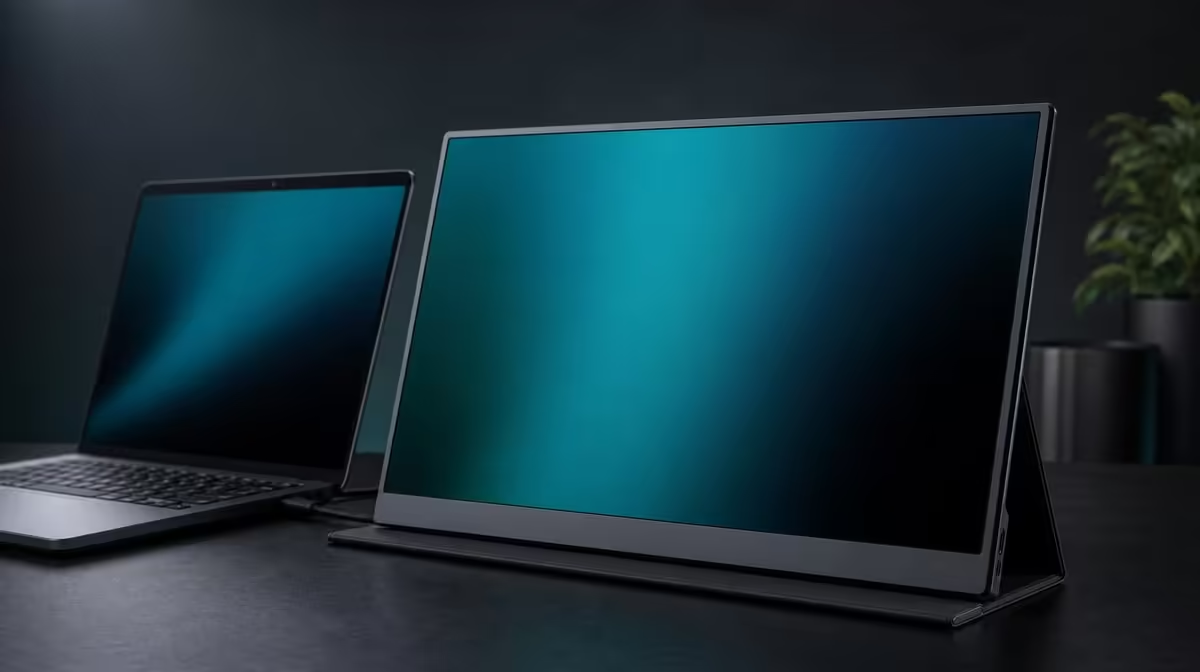
Contrast is a relationship between bright and dark, not a general score for every part of picture quality. Understanding 1000:1 contrast on a portable monitor means reading the ratio correctly, then testing how room light, glare, brightness, and content affect the depth that reaches the viewer.
Quick Answer
A 1000:1 contrast ratio states that the brightest measured output is one thousand times the darkest under the test conditions. On the R5,999 UPERFECT UColor J5, it helps describe the 17.3-inch IPS panel's light-dark range, but it does not prove colour accuracy or guarantee deep-looking scenes in every room.
⚖️ Read the ratio without inflating it
Contrast compares two measured ends of output. It does not add pixels, determine screen size, or specify how accurately colours are reproduced. The J5's 3840 x 2160 resolution and IPS panel type are separate facts.
Treat 1000:1 as one part of the picture. A higher brightness setting can raise the visible image, but maximum luminance is not automatically the route to stronger perceived contrast.
Evetech's portable monitor selection lets buyers compare current picture specifications alongside inputs and physical size.
🪟 Room light changes what the eye sees
Reflections and ambient light can make dark areas appear lighter, reducing perceived depth even though the specification remains unchanged. Move a lamp, rotate the panel, or add shade before blaming the contrast number.
The J5's 400cd/m2 rating gives brightness headroom. Use only what the room needs. In a dim environment, excessive output can make white content uncomfortable while doing little for shadow detail.
Open a known dark scene and a white page. Adjust the environment first, then brightness. Evetech's PC monitor category offers context for fixed screens in more controlled lighting.
🎨 Keep colour and contrast separate
IPS identifies panel technology, but the contrast ratio does not certify colour accuracy. Creative final decisions need task-specific evidence. Use familiar references and stable room light when comparing picture settings.
Low Blue Light can warm the image for extended reading. This changes perception and should be compared with the normal profile before colour-sensitive work.
Content also matters. A scene with little inherent dark-light separation cannot reveal the full range simply because the monitor lists 1000:1. Test material should contain the differences you want to inspect.
🧭 Value the ratio inside the package
At R5,999, the J5 combines its contrast figure with native 4K detail, 17.3-inch area, 400cd/m2 brightness, HDMI, USB-C, VESA, FreeSync, and a 10ms response characteristic. Each feature should remain in its own lane.
FreeSync targets tearing on a compatible path; response time concerns pixel transitions; VESA concerns mounting. None changes the mathematical meaning of 1000:1.
Review Evetech's best-selling monitor options for another current comparison. Check availability when purchasing and test the chosen panel in the room where dark content matters.
The useful verdict is not that 1000:1 makes every scene deep. It is that the ratio supplies one reference while environment, settings, and content decide the picture the user experiences.
Build a controlled contrast test with the same dark scene at two room-light levels. Keep resolution, source, and picture profile fixed. If the brighter room washes out shadow separation, reduce glare before changing the display.
Compare several brightness settings in the darker room. Excessive luminance can make highlights uncomfortable without restoring information absent from the content. Keep the level that preserves a balanced image.
Use the normal picture mode as the reference. Low Blue Light may warm dark and light areas in a way that changes perception, so it should be evaluated as a comfort profile rather than the contrast baseline.
Do not turn 1000:1 into a claim about every IPS panel or every piece of content. It belongs to the J5's stated characteristics and should be assessed with the source, room, and chosen settings.
For purchasing, ask whether dark-scene work or entertainment occurs often enough to matter. Buyers focused on documents may value native 4K readability or inputs more highly, while film and game users may give the light-dark relationship more weight.
A practical contrast test needs more than a black test image. Use a familiar dark scene containing shadow detail, mid-tones, and bright highlights, then view it under the lighting where the monitor will normally operate. Reflections and raised ambient light can make dark areas look greyer even though the listed 1000:1 ratio has not changed. Adjust the room and screen angle before deciding that more brightness is the answer.
Repeat the scene at a comfortable daytime level and a lower evening level. The goal is to retain useful separation without making bright elements dominate the room. This also shows why contrast and brightness are related in viewing but not interchangeable specifications: the 400cd/m2 figure describes output headroom, while the ratio expresses a relationship between light and dark under measurement conditions.
Keep colour claims outside this calculation. IPS identifies the panel technology, and 1000:1 helps frame tonal separation, but neither number alone proves the accuracy required for final colour decisions. Creative buyers should use evidence suited to their workflow. Entertainment buyers can focus on whether ordinary films, games, and photographs remain clear in their actual seating and lighting arrangement.
At R5,999, the J5 should be judged as a whole 17.3-inch 4K portable display. Its contrast figure may contribute to picture depth, while HDMI, USB-C, 400cd/m2, mounting, and scaling determine how often the screen is comfortable and convenient to use. A number earns value when the surrounding setup lets the viewer notice its benefit.
Use a second scene to prevent content bias. A dark film sequence may reveal shadow separation, while a bright interface can show whether reflections and room light are washing out the desktop. Keep the seating position and screen angle constant, then adjust one environmental factor at a time. The result is not a laboratory measurement of the listed ratio; it is a practical assessment of whether the display remains useful in the room.
Viewing angle belongs in that trial because the panel may sit beside a laptop rather than directly ahead. Shift to the normal working position and compare dark and mid-tone areas without exaggerating what IPS guarantees. If the image is compromised, adjust the panel angle or seating before reaching for another picture control.
Buyers should also ask what would matter more if contrast were adequate. A reliable source path, readable 4K scale, sufficient brightness, and a stable place to stand or mount can affect every session. At R5,999, the J5's 1000:1 figure contributes to a wider decision; it should not erase a weakness in compatibility or fit.
Frequently Asked Questions
Does 1000:1 describe colour accuracy?
No. It describes measured bright-to-dark separation, not how accurately individual colours are reproduced.
Why can room light reduce perceived contrast?
Reflections and ambient illumination can lift the apparent darkness of black areas.
Should brightness be maximised?
No. Match it to the room and content; excessive output can reduce comfort without solving glare.
Does IPS change the ratio's meaning?
IPS identifies the panel technology, while 1000:1 retains its role as a contrast measurement.
Will every movie show the full difference?
No. Content, room conditions, settings, and viewing angle affect what is visible.
Ready to judge contrast in the room rather than on paper alone?
Compare Evetech's portable monitors and test bright-dark performance alongside glare, brightness, content, and the rest of the panel package.