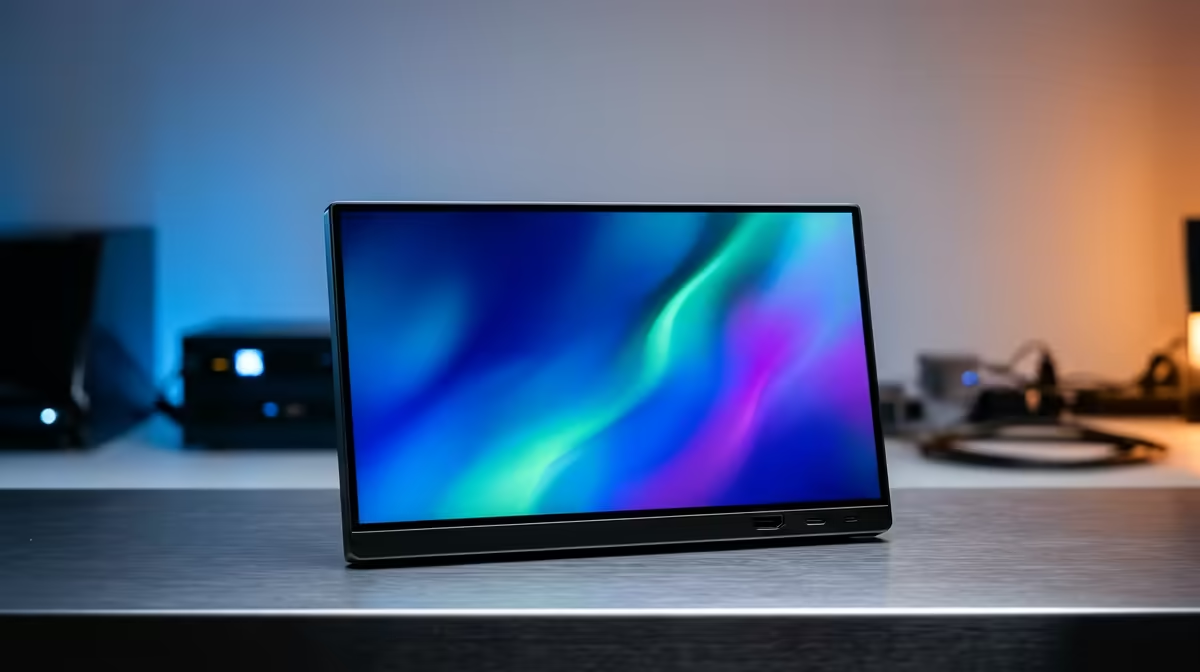
A second screen used to mean a desk, a power outlet and a tangle of cables. Portable monitors changed that. These slim 15.6 to 17 inch panels draw everything they need from one USB-C connection -- video and power over the same wire -- so you slide one into a laptop bag and unfold a full second display wherever you land: a coffee shop in Cape Town, a client site in Joburg, a kitchen table during exams. This guide walks through every decision a South African buyer faces before spending.
Quick Answer
A good USB-C portable monitor for most South Africans lands in the roughly R2,500 to R6,000 band, with premium OLED and high-refresh models running higher. The one spec that makes or breaks the experience is whether your laptop's USB-C output supports DP Alt Mode video signalling, because that is what carries picture and power down a single cable. Verify that first, then choose size, panel type and resolution to match how you work.
How portable monitors actually connect
The magic of a modern portable monitor is the single-cable setup, and it relies on a standard called DisplayPort Alt Mode.
When a USB-C port is rated for DP Alt Mode, it pushes a video signal and supplies power over the same physical wire simultaneously. Plug one cable from a compatible laptop into the monitor and the screen powers on and displays your desktop, no separate charger needed. This is why portable monitors feel so effortless compared to a traditional second screen.
The catch is that not every USB-C port is capable of this. Some ports handle data and charging only, with no video signal at all. When a port lacks DP Alt Mode, you either choose a model that accepts a separate power input alongside an HDMI feed, or carry the included power brick. Always verify the port capability on your specific laptop before buying, because that single spec decides whether you get the clean one-cable experience or a two-cable workaround.
Browse current local pricing and options across every size in the portable monitor section at Evetech to match a panel to your laptop's actual output.
Choosing your size and resolution
Screen size
Most portable monitors sit between 15.6 and 17 inches. The 15.6 inch size is the sweet spot for travel: it matches a typical laptop screen, slips into the same bag, and stays light. Step up to 17 inches and you gain useful working area for spreadsheets and timelines, at the cost of a bigger footprint and more weight. For pure portability, 15.6 inches is the default; for a semi-permanent home setup you carry occasionally, 17 inches makes sense.
Resolution
Full HD (1080p) is the standard and is perfectly sharp at these sizes for documents, browsing and video. Some premium models offer higher resolutions, which sharpen text further but cost more and draw more power from your laptop. For most students and professionals, 1080p is the right balance of clarity, battery impact and price.
Panel type, refresh rate and brightness
The panel technology shapes what the monitor is good at.
IPS panels are the workhorse choice, offering wide viewing angles and accurate colour, which matters when you tilt the screen or share it. OLED models, where available, deliver deeper blacks and richer colour for media and creative work, at a higher price. For gaming on the go, a higher refresh rate of 120Hz or above makes motion smoother, though most productivity users are well served by a standard 60Hz panel.
Brightness deserves attention if you work near windows or outdoors. A brighter panel stays readable in sunlight, which is worth having in South Africa's strong daylight. Touchscreen versions exist too, handy for tablet-style note-taking, but they add cost and weight.
Who each type suits
A student wants light, affordable and 1080p, something that doubles your screen real estate in a res room or a lecture hall without weighing down the bag. A travelling professional values build quality, a sturdy stand and good brightness for client-side work. A creator or gamer leans toward OLED colour or a high-refresh panel and will accept the extra weight and cost for the visual payoff.
Whatever you choose, think about the stand and case. A built-in kickstand or a folding cover that props the screen up saves you carrying a separate stand, and a protective sleeve keeps the panel safe in transit. If you are building out a fuller desk later, it is worth seeing how a portable compares against fixed displays in the monitor best sellers at Evetech before you commit.
Connectivity Checklist Before You Buy
Getting the right cable setup avoids the most common return. Run through these checks before ordering.
Check your laptop's USB-C port. Open the device spec sheet or manufacturer's website and look for "DisplayPort Alt Mode", "Thunderbolt 3", or "Thunderbolt 4" next to the USB-C listing. A Thunderbolt port always carries video; a plain USB 3.2 port often does not. The symbol beside the port itself -- a lightning bolt for Thunderbolt, or a small DisplayPort arrow -- is the quickest on-device tell.
Confirm the cable, not just the port. Not every USB-C cable transmits video even if both devices support it. Use the cable rated for video output that ships with the monitor, or buy a USB-C cable explicitly listed as supporting Alt Mode. A generic charging cable may silently carry nothing but power.
Check power budget. Most 15 to 16-inch portables need between 7W and 15W to run. A laptop USB-C port that can only spare 5W will not drive the screen reliably. Monitors that draw more, such as 4K or high-brightness panels, may need either their own USB-C power brick or a port with higher power delivery rating.
Plan for phones and tablets. Many newer Android flagships output video over USB-C via Alt Mode, so a portable monitor doubles as a DeX-style desktop display for a Galaxy device. iOS devices and phones with older USB-C ports typically lack video output, so verify the specific model before buying the monitor for that use case.
Frequently Asked Questions
Will a portable monitor work with my laptop?
It depends on your laptop's USB-C output capability. When that port is rated for DP Alt Mode video, a single cable handles both picture and power. Without that, pick a model with a dedicated HDMI input and its own power supply. Always confirm your specific laptop's spec before ordering.
Can I use a portable monitor with my phone?
Many Android phones with USB-C DisplayPort output can drive a portable monitor, turning your phone into a desktop-style display. iPhones and some phones lack video output over USB-C, so confirm your specific device supports it first.
How much should I spend on a portable monitor in South Africa?
A solid 1080p IPS model typically falls in the roughly R2,500 to R6,000 range. OLED, high-refresh and touchscreen versions cost more. Match the spend to your use: productivity buyers rarely need to go past the mid-range.
Do portable monitors need their own power supply?
Not if your laptop's USB-C port supports DP Alt Mode and can supply enough power, in which case one cable handles everything. Power-hungry or higher-resolution panels, or laptops with weaker ports, may need the bundled power adapter.
Is a portable monitor good for gaming?
It can be, especially models with a 120Hz or higher refresh rate for smoother motion. Just remember a portable screen draws on your laptop, so demanding games still depend on your laptop's GPU. For casual and indie gaming on the move, a portable monitor works well.
Ready to add a second screen that travels with you? Browse the portable monitor range at Evetech to match a panel to your laptop's USB-C port, and compare it against full-size options in the monitor best sellers to build the setup that fits how you work.