


Complete Gaming Setup Guide for the SA Esports Athlete in SA 2026
Complete Gaming Setup Guide for the Esports. Clear setup instructions with SA-specific considerations, troubleshooting tips & recommended components.
Read morePower over Ethernet (PoE) makes powering network devices simple. Learn PoE types, switches, injectors and quick setup tips to reduce cabling and speed deployments 🚀🔌
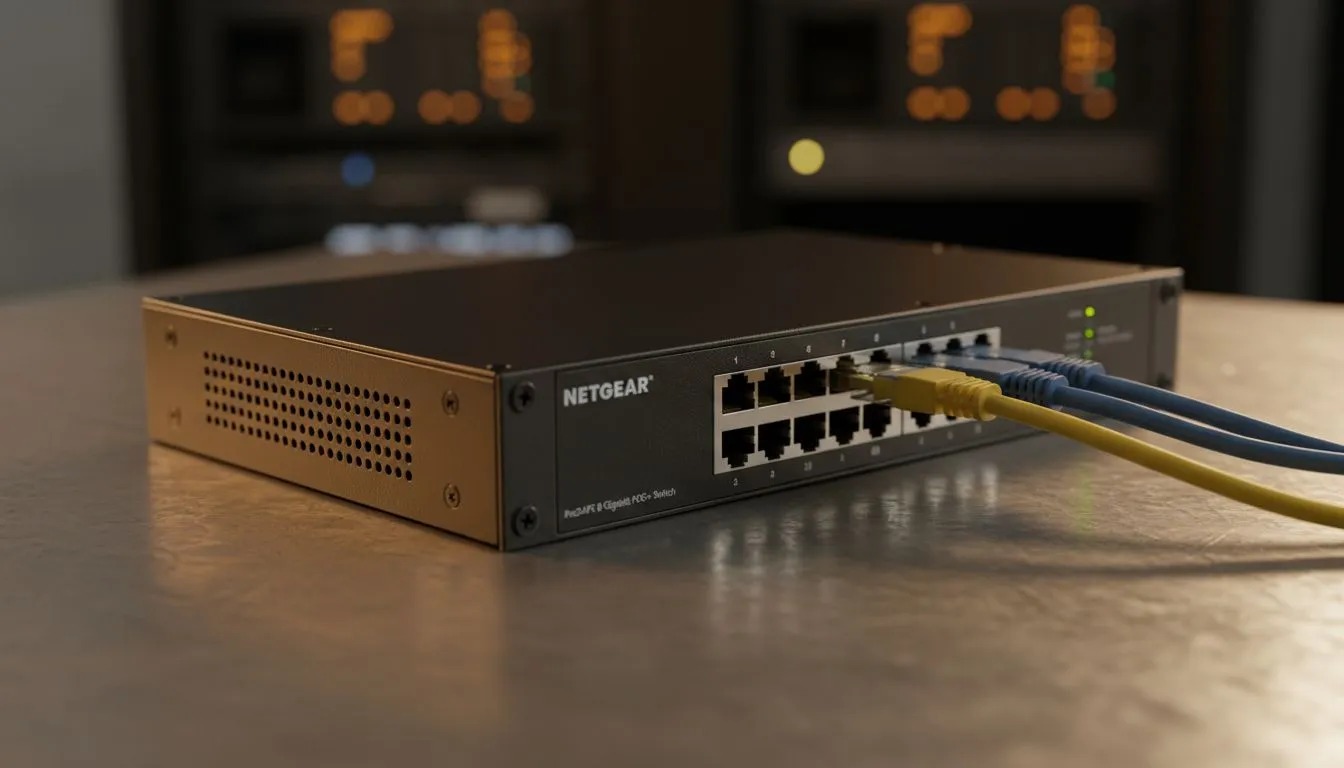
Ever tried to mount a Wi-Fi point only to realise the nearest plug is three metres away? It is a common frustration for South African tech enthusiasts. Power over Ethernet is the simplest way to power your network while cutting down on cable spaghetti. By sending electricity and data through one cable... you simplify your life and your setup. ⚡
Power over Ethernet (PoE) is a clever standard that lets network cables carry electrical power. In a standard setup, every device needs its own bulky power brick. With PoE, your Ethernet cable does double duty. This is particularly useful for wireless networking equipment mounted in high or awkward places where power outlets are non-existent.
By using a single cable, you reduce the cost of electrical installations. You do not need a qualified electrician to run a new plug point for a simple security camera or ceiling-mounted access point. It is a cleaner, more professional way to manage your home or office infrastructure.
To get started, you need a power source. This is usually a PoE-enabled switch or high-performance wireless routers that support power delivery. If your existing hardware is not PoE-compatible, you can use an "injector." This small device adds power to the data line... allowing you to upgrade without replacing everything.
For those using desktop setups, ensuring your connection remains stable is vital. While PoE handles the infrastructure, ensuring your PC can communicate effectively might require high-quality wireless adapters if you are not running a direct line. Every part of the chain matters when you are aiming for a low-latency experience.
When buying a PoE switch, always check the "Power Budget". This is the total amount of wattage the switch can provide across all ports. If you have four cameras that each need 15W, you need a switch with a budget of at least 60W. Always leave a 20% overhead to ensure stability during peak usage or firmware updates.
We know the struggle of thick brick walls in South African homes. They are great for security but terrible for Wi-Fi signals. Often, the best place for a signal boost is a hallway or a high corner. By using wireless range extenders that support PoE, you can place your hardware exactly where it is needed... not just where the nearest plug is located.
Another benefit involves backup power. During loadshedding, keeping your network alive is much easier with PoE. Instead of having five different devices on five different small UPS units, you only need to power your central PoE switch. One UPS keeps your entire network of cameras and access points running... saving you money and space. 🔧
Switching to PoE is about more than just convenience. It is about building a scalable and resilient system. Whether you are a gamer looking for a cleaner desk or a home-owner securing your property... this technology simplifies the process. It eliminates the need for "wall warts" and messy extensions. It is quite simply the most logical way to build a modern network in 2024. 🚀
Ready to Simplify Your Setup? Power over Ethernet is the ultimate way to clean up your cable mess and boost your network's reliability. From high-speed routers to the latest networking gear, we have everything you need to stay connected. Explore our wide range of networking solutions and take control of your home network today.
Power over Ethernet delivers power and data over one Ethernet cable so cameras, phones and access points run from one connection.
PoE injects DC power into spare pairs or data pairs of an Ethernet cable. Standards like 802.3af/at/bt define power levels and negotiation.
Use a PoE switch for multiple devices and centralized management; use a PoE injector for adding power to a single non PoE port.
Yes. Most IP cameras work with PoE. Check power draw and use 802.3at or 802.3bt for higher-wattage cameras.
Standard PoE runs up to 100 meters on Cat5e/Cat6. For longer runs, use PoE extenders or fiber with local power.
Standards (802.3af, at, bt) define wattage and safety. Choosing the right standard ensures devices get enough power and negotiate correctly.
Check cable quality, verify switch port settings, confirm device power requirements, and test with a known working PoE injector or tester.
Complete Gaming Setup Guide for the Esports. Clear setup instructions with SA-specific considerations, troubleshooting tips & recommended components.
Read more
AIO Liquid 360mm Installation Guide for Your PC. Clear setup instructions with SA-specific considerations, troubleshooting tips & recommended components.
Read more
MacBook Display Colour Looks Wrong? Calibration. Everything you need to know with SA pricing, step-by-step instructions & expert recommendations.
Read more
Printer Terminology Guide. Everything you need to know with SA pricing, step-by-step instructions & expert recommendations.
Read more
Git on Mac: Complete Setup Guide for Beginners. Clear setup instructions with SA-specific considerations, troubleshooting tips & recommended components.
Read more
Ryzen 9 9900X Thermal Paste Dry: Reapplication. Everything you need to know with SA pricing, step-by-step instructions & expert recommendations.
Read more
AMD RX 9050 XT: Rumoured Specs, Price & Release. SA-focused analysis with local pricing data, real-world insights & actionable buying advice.

Can RTX 4080 Super Run AI Workloads for SA Developers Detailed answer with SA data, expert analysis & practical recommendations for local buyers.

Can RTX 4090 Run AI Workloads for SA Developers Detailed answer with SA data, expert analysis & practical recommendations for local buyers.

Top Settings for Intel Arc B580 at Ultrawide 1440p picks evaluated on performance, value & SA availability with current Rand pricing from Evetech.

RTX 4060 CS2 Low Settings at 1080p: FPS Results. Real-world benchmark data, FPS numbers & performance analysis. What SA gamers can actually expect.

Visual Artifacts: Possible GPU Issue Issue #1. Diagnosis steps, proven fixes & when to seek professional help. SA-specific support info included.

Can the RTX 4090 Handle 1440p 144Hz Gaming. Performance testing verdict with real data & practical recommendations for SA buyers.

Top ASUS GPU Under R15000 picks evaluated on performance, value & SA availability with current Rand pricing from Evetech.

GTA 6 Max Settings on RTX 5070. Tested & verified settings for best FPS and visual quality on SA hardware budgets.

Cyberpunk 2077 Max Settings on RTX 5080. Tested & verified settings for best FPS and visual quality on SA hardware budgets.

Starfield Max Settings on RTX 5070 Ti. Tested & verified settings for best FPS and visual quality on SA hardware budgets.

Top RTX 5090 Under R5000 picks evaluated on performance, value & SA availability with current Rand pricing from Evetech.