


AIO Liquid 240mm Setup and Configuration: Complete Tutorial
AIO Liquid 240mm Setup and Configuration. Clear setup instructions with SA-specific considerations, troubleshooting tips & recommended components.
Read moreLearn how to protect your streaming gear from load shedding and power surges in SA. 🛡️ Our expert guide covers UPS systems, surge protectors, and insurance to safeguard your valuable investment, ensuring you stay live and avoid costly damage. Don't let power cuts end your stream! ⚡
You’re live. The chat is popping, you’ve just pulled off an impossible clutch, and the subscribers are rolling in. Then… darkness. Eskom strikes again. Load shedding hasn’t just killed your stream; it’s put your entire setup at risk. For any serious South African streamer, learning how to protect your streaming gear from load shedding isn’t just a good idea… it’s essential for your career and your wallet. Let's dive in. ����
It’s not just about the lights going out. Load shedding poses two distinct, devastating threats to your expensive hardware.
First, there's the sudden power cut. This can corrupt your OS files, ruin a video recording, or cause you to lose unsaved work. For a streamer, it means an abrupt end to your broadcast, frustrating your audience and killing your momentum.
The second, more sinister threat is the power surge. When the grid comes back online, it often sends a powerful surge of electricity through the lines. This jolt can instantly fry sensitive components like your motherboard, GPU, power supply, and even your connected peripherals. This is how you turn a R40,000 gaming rig into a very expensive paperweight.
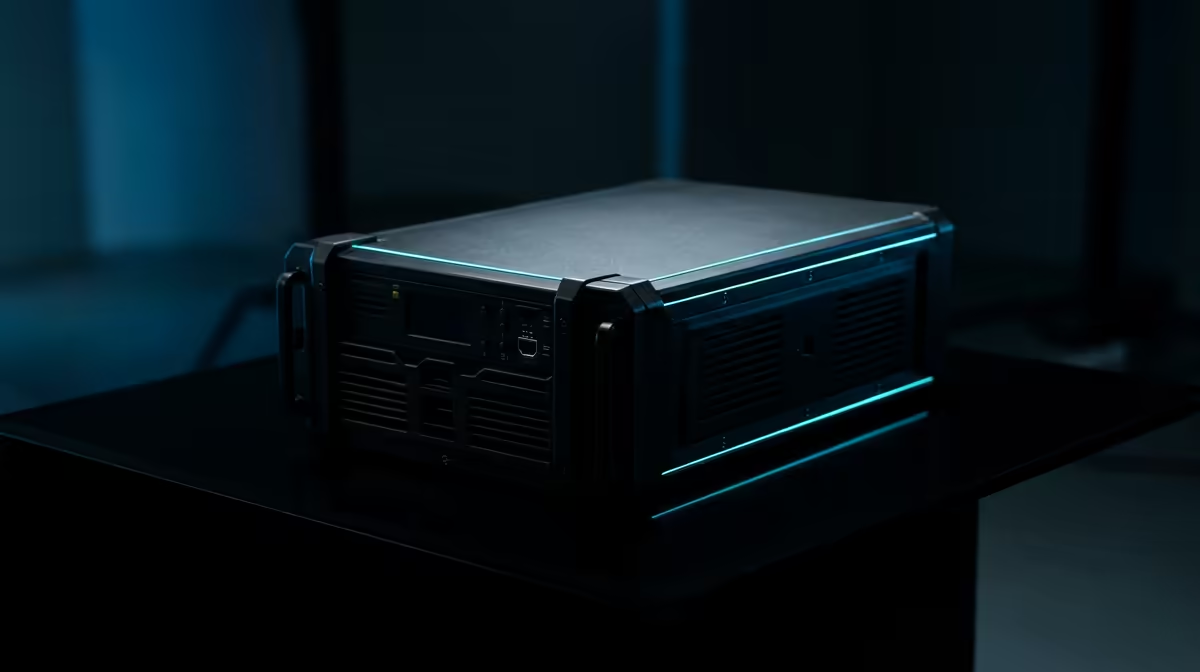
An Uninterruptible Power Supply (UPS) is the single most important investment you can make to protect your streaming gear from load shedding. Think of it as a big, smart battery that sits between the wall socket and your PC.
When the power cuts, the UPS instantly takes over, giving you precious minutes to shut down your PC safely, say goodbye to your viewers, and save your work. More importantly, a good UPS has built-in surge protection, "cleaning" the power that reaches your PC and absorbing those damaging spikes when the electricity returns. It's the bodyguard your setup deserves. Investing in a solid power solution is as critical as any of your other essential streaming hardware.
So, how do you create a setup that can withstand the schedule? It’s about being smart with your power.
You don't need to power everything, just the essentials. Your priority list for the UPS should be:
Everything else, like secondary monitors or fancy lighting, can be plugged into a regular surge protector to save battery life on the UPS.
To get a rough idea of the UPS size you need, check the wattage of your PC's power supply (e.g., 750W). Add the wattage of your monitor (usually 30-50W) and router (around 10W). Look for a UPS with a Watt rating higher than this total. This gives you a safe buffer to shut down gracefully when the power cuts.
A power surge can travel through USB cables too. That means your expensive microphone, mixer, and camera are also at risk. While your PC's PSU offers some protection, ensuring your sensitive gear is high quality is another layer of defence. This includes everything from your capture card to your high-quality webcam, which can be surprisingly vulnerable. Even your aesthetic elements, like those stunning Cololight panels, deserve clean power to keep glowing for years.
While a UPS is your shield, starting with high-quality components is like wearing armour. Reputable brands build their products with better power regulation and more robust internal parts that are inherently more resilient to fluctuating power.
Choosing reliable power supplies, motherboards, and peripherals from trusted names can make a real difference. For instance, browsing through quality Corsair gear often means you're getting products designed to handle the demands of high-performance gaming, which includes more stable power management. This proactive approach to protecting your streaming setup during load shedding pays off in the long run.
Ready to Load-Shedding-Proof Your Stream? Don't let Eskom dictate your streaming schedule. A small investment in the right power protection saves you thousands in repairs and keeps your audience engaged. Explore our range of streaming essentials and build a setup that's truly unstoppable.
The best protection is a layered approach. An Uninterruptible Power Supply (UPS) is essential to prevent sudden shutdowns, while a surge protector guards against voltage spikes.
Yes, a UPS is highly recommended in South Africa. It provides backup battery power during load shedding, allowing for a safe shutdown to protect your components and data.
Absolutely. A power surge, common when power returns after an outage, can instantly fry sensitive electronics like your GPU, motherboard, camera, and microphone.
A surge protector only defends against voltage spikes. A UPS contains a battery, providing backup power during an outage and often includes surge protection as well.
Calculate the total wattage of your PC, monitors, and essential gear. Choose a UPS with a VA rating that comfortably exceeds this total to ensure enough runtime for a safe shutdown.
Yes, consider getting specific electronics insurance. It provides financial protection against theft, accidental damage, and power surge damage not covered by standard warranties.
AIO Liquid 240mm Setup and Configuration. Clear setup instructions with SA-specific considerations, troubleshooting tips & recommended components.
Read more
Setting Up DDR5 64GB Kit. Tested & verified settings for best FPS and visual quality on SA hardware budgets.
Read more
Overwatch 2 Setup Guide Gamers. Clear setup instructions with SA-specific considerations, troubleshooting tips & recommended components.
Read more
R and RStudio on Mac: Data Science Setup Guide. Clear setup instructions with SA-specific considerations, troubleshooting tips & recommended components.
Read more
NVIDIA Broadcast Setup with GPU: Streamer Guide. Clear setup instructions with SA-specific considerations, troubleshooting tips & recommended components.
Read more
Core Ultra 7 265K Temperature Guide: Normal Range. Complete product range with SA pricing, key specs & recommendations for different budgets.
Read more
AMD RX 9050 XT: Rumoured Specs, Price & Release. SA-focused analysis with local pricing data, real-world insights & actionable buying advice.

Can RTX 4080 Super Run AI Workloads for SA Developers Detailed answer with SA data, expert analysis & practical recommendations for local buyers.

Can RTX 4090 Run AI Workloads for SA Developers Detailed answer with SA data, expert analysis & practical recommendations for local buyers.

Top Settings for Intel Arc B580 at Ultrawide 1440p picks evaluated on performance, value & SA availability with current Rand pricing from Evetech.

RTX 4060 CS2 Low Settings at 1080p: FPS Results. Real-world benchmark data, FPS numbers & performance analysis. What SA gamers can actually expect.

Visual Artifacts: Possible GPU Issue Issue #1. Diagnosis steps, proven fixes & when to seek professional help. SA-specific support info included.

Can the RTX 4090 Handle 1440p 144Hz Gaming. Performance testing verdict with real data & practical recommendations for SA buyers.

Top ASUS GPU Under R15000 picks evaluated on performance, value & SA availability with current Rand pricing from Evetech.

GTA 6 Max Settings on RTX 5070. Tested & verified settings for best FPS and visual quality on SA hardware budgets.

Cyberpunk 2077 Max Settings on RTX 5080. Tested & verified settings for best FPS and visual quality on SA hardware budgets.

Starfield Max Settings on RTX 5070 Ti. Tested & verified settings for best FPS and visual quality on SA hardware budgets.

Top RTX 5090 Under R5000 picks evaluated on performance, value & SA availability with current Rand pricing from Evetech.