PS5 Slim vs R15K Gaming PC in South Africa: Head to Head
Quick Answer
A R15,000 PC budget and a PS5 Slim can sit in the same shopping conversation, but an equal rand figure does not create equal performance. PS5 games target fixed hardware. A PC at this budget must cover the whole tower and Windows where included, and its results depend on the exact GPU and CPU.
PS5 Slim is the cleaner dedicated game route when its current local price, existing TV and library fit. The PC earns value through schoolwork, mouse input, a wider software role and component upgrades.
Use a Live PS5 Slim Quote
Record the exact Slim model, disc or digital configuration, storage and included controller. Add delivery and any required stand or drive arrangement shown by that model.
The approved July 2026 Evetech price pack contains PC hardware, not PlayStation consoles. Use a current South African console listing rather than an invented PS5 Slim price.
Check whether your TV supports the modes you want. A new display can move the console basket far beyond the box price.
Use the same date for the PC quote.
Define the R15,000 PC Boundary
Decide whether the amount covers the tower only or a complete desk. A monitor, keyboard, mouse and Windows can consume a large share.
This comparison treats R15,000 as the tower budget. Reusing a suitable monitor and inputs gives the PC a fair chance against a console using an existing TV.
If you need the full desk, lower the tower target and expect a different performance class.
Leave a small reserve for delivery and the cable the monitor requires.
Start From a Named PC
Begin with the gaming-system offers, then compare named complete builds on the popular PC page. Save the exact configuration before changing options.
The July pack's R11,969 example is a gaming tower built around AMD's Ryzen 5 5500 and Intel Arc A380 6GB graphics. That leaves room inside a R15,000 tower budget as of July 2026, but it does not prove a specific upgrade or final configuration price.
Use live configurator amounts for memory, SSD, GPU or Windows changes. Name every final part on the quotation.
Do not quote the category minimum as a gaming-PC promise.
PS5 Optimisation Changes the Comparison
Developers tune console modes for one hardware target. Settings can combine different PC-equivalent levels and use dynamic resolution or reconstruction.
The R15,000 PC should be tested at the same output resolution and frame-rate goal. Maximum PC preset is not the fair benchmark.
Some games run better on the console. Others favour the PC's adjustable settings or lighter competitive modes.
Choose five games and look at current patches rather than a launch benchmark alone.
CPU and GPU Balance Matters
A budget tower can spend too much on the processor and leave weak graphics, or chase a GPU while hiding a poor power supply.
For 1080p gaming, choose the card from real game tests and pair a modern processor that holds minimum frame rates. Use dual-channel memory and an SSD large enough for the active library.
Check power-supply model, case airflow and motherboard expansion. These parts decide whether a later GPU upgrade remains easy.
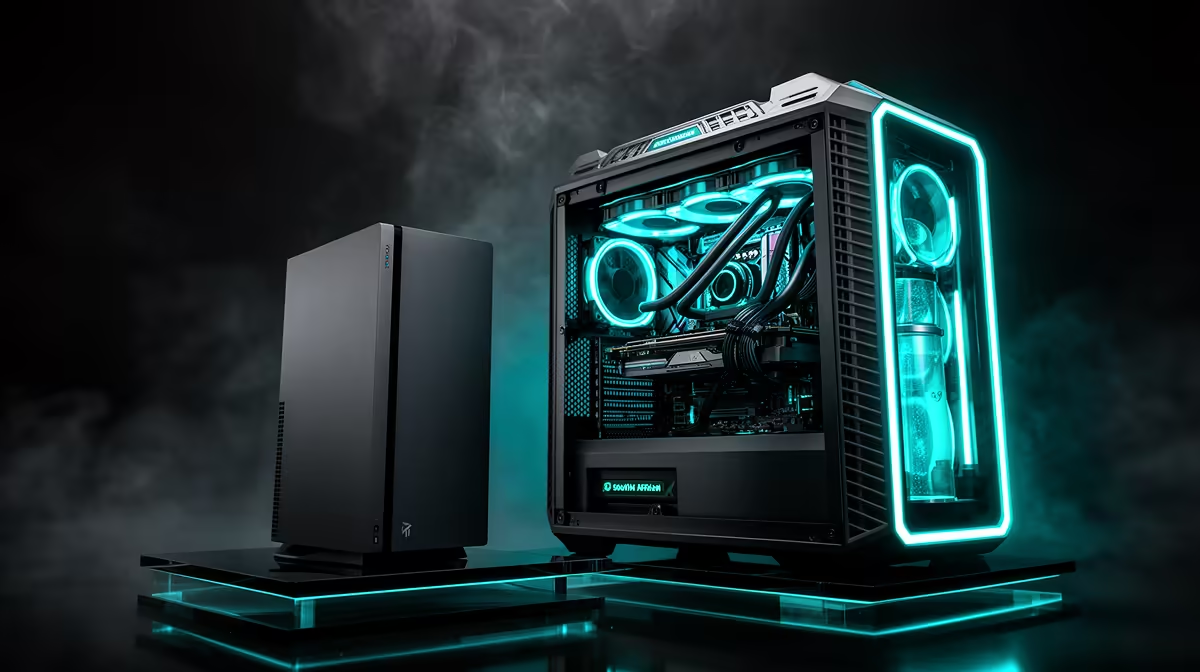
A neat RGB photograph tells you none of that.
The Console Has a Controller in the Box
Include the supplied DualSense in the PS5 basket. Add a PC controller only when you want one.
PC can use mouse and keyboard for shooters, strategy and work. Those inputs may already be on the desk.
Local multiplayer can require another controller on either route. Use current compatibility and live prices for the exact pad.
Do not charge the PC for premium esports gear when a basic setup meets the target.
Games and Online Access Can Shift the Result
Disc access can let a PS5 owner buy or resell physical games. A digital model uses the platform store.
PC has several storefronts and can offer discounts, while launch-day games can cost much the same. Check the titles you want.
Online play requirements differ by game and platform. Free-to-play titles can have different service rules.
Add one year of your actual library rather than a generic service amount.
Work and Study Are Real When They Replace Something
The PC handles browser work, documents, coding and supported creative tools. Add a webcam and software where needed.
If the household needed a computer anyway, compare the gaming PC's extra cost above that planned machine. If a laptop remains necessary for mobility, the tower has not replaced it.
PS5 Slim can stream media and communicate in supported games, but it does not serve as a general Windows study PC.
Count use, not capability on a spec sheet.
Upgrade Paths Need Good Foundations
The PS5 hardware target stays fixed. You can expand supported storage and replace accessories, then move to another console generation when you choose.
The PC can add RAM, SSD and a later GPU. A weak power supply or cramped case can turn that one-part upgrade into three.
Choose the starting platform so it supports the upgrade you can name. Do not overspend for a future plan with no performance goal.
Keep component boxes and model-specific modular cables.
Compare the Displays Fairly
PS5 Slim on a family 4K TV and PC on a 1080p monitor are different experiences. Write down distance, screen size, refresh and input lag.
The PC can connect to the TV when ports and room arrangement allow. PS5 can use a monitor.
Check HDR quality rather than an HDR badge. Check VRR range and 120Hz support for the exact input.
Use the display you will sit in front of, not the one that makes the platform look better on paper.
The Verdict Depends on the Job
Choose PS5 Slim when the priority is a fixed living-room game platform, the library fits and the TV already works.
Choose the R15,000 PC path when 1080p flexibility, study use, mouse input and later parts matter. Verify the live system because the title's round budget does not guarantee one exact build.
The clean comparison is five games, one display and two complete dated baskets.
FAQ
Does a R15,000 PC match PS5 Slim graphics?
It depends on the exact parts, game and settings. Compare like-for-like frame-rate and image targets rather than platform labels.
Can the PC handle school or office work?
Yes, when its software, webcam, storage and account setup fit the task. It can replace another computer only if mobility is not required.
Can the R15,000 PC be upgraded?
Yes, when the power supply, case, motherboard and starting platform support the later part you plan to add.
Price one exact PS5 Slim and one named R15,000 tower on the same date, then compare five games on the display and settings you will use.